JANETS_INM.pdf - 第33页
JaNets Instr ucti on Man ual 2. Install ation 2-5 (7) Installation is in pr ogress. Wait for a wh ile. (8) When all installat ion proc ess finishe s, the “ InstallShield W izard Co mpleted” screen appear s. Click the <…
JaNets Instruction Manual 2. Installation
2-4
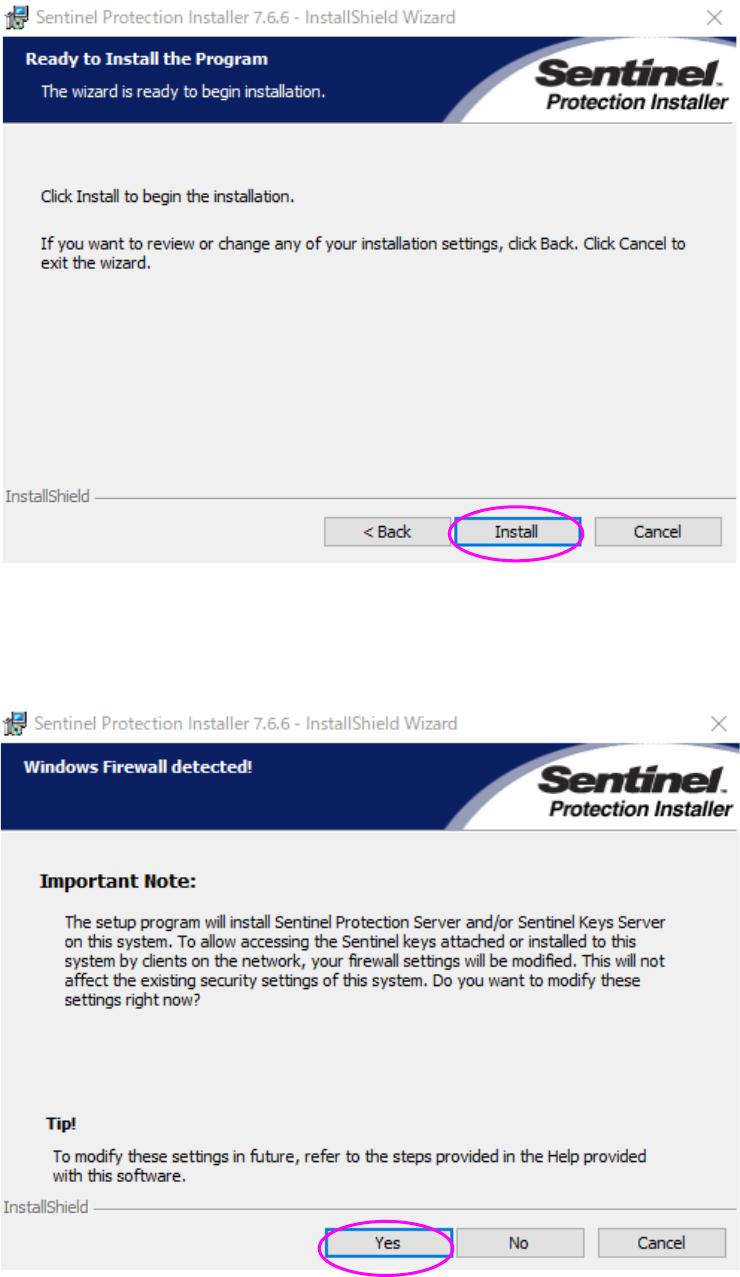
(5) Click the <Install> button.
(6) Click the <Yes> button. Installation starts.
* This is to modify the firewall settings for the driver of the protect module.
Be sure to click <Yes> on this window.
JaNets Instruction Manual 2. Installation
2-5
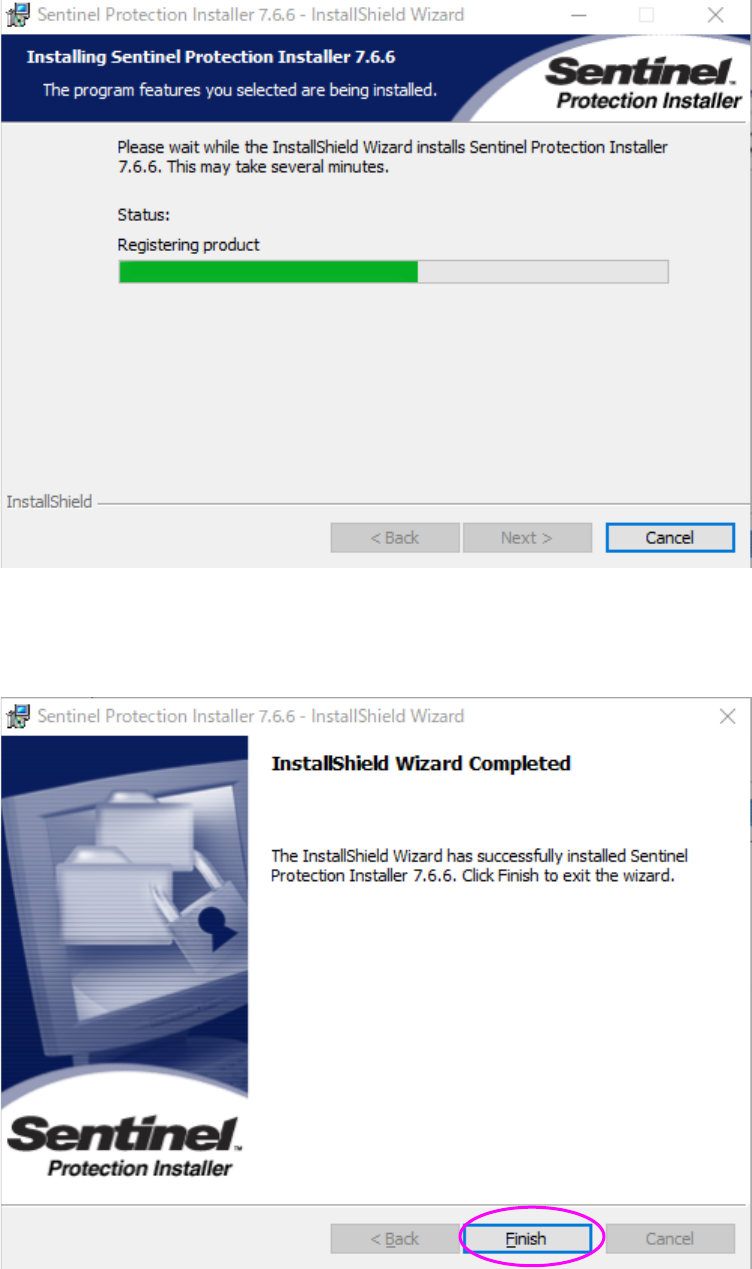
(7) Installation is in progress. Wait for a while.
(8) When all installation process finishes, the “InstallShield Wizard Completed” screen appears.
Click the <Finish> button. The system finishes installing the program module driver on the
PC.
You have finished installing the protect module on the PC at this point.
JaNets Instruction Manual 2. Installation
2-6
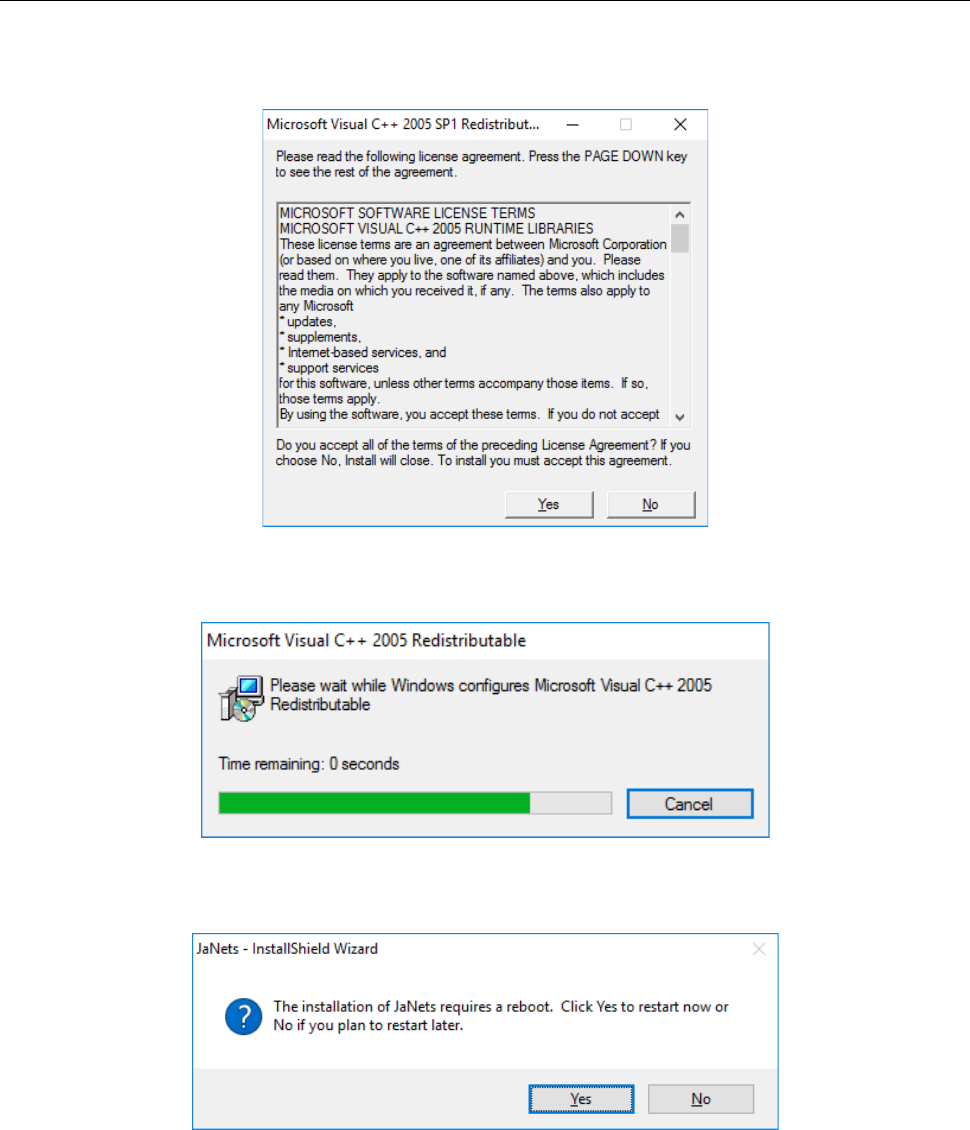
2.1.3.3 Installing the Microsoft Visual C++ 2005
Install the Visual C++ Library runtime component necessary for executing the JaNets on the PC.
The screen shown below appears, when the following screen is displayed, click “Yes.”
The run time component is installed.
After it is installed, a message to prompt a restart is displayed. Then, start the PC again.