JANETS_INM.pdf - 第733页
J aN et s Instruc tion M anua l A. P at c h V er si o n Insta llation T ool A-4 Figur e A. 2 -3 I nst alla t ion ch e ck ing screen <Sc reen di sp layed w hen i nstal lati on i s do ne nor m ally> Figur e A. 2 -4 W…
JaNets Instruction Manual A. Patch Version Installation Tool
A-3
“Patch Installer” screen A.2
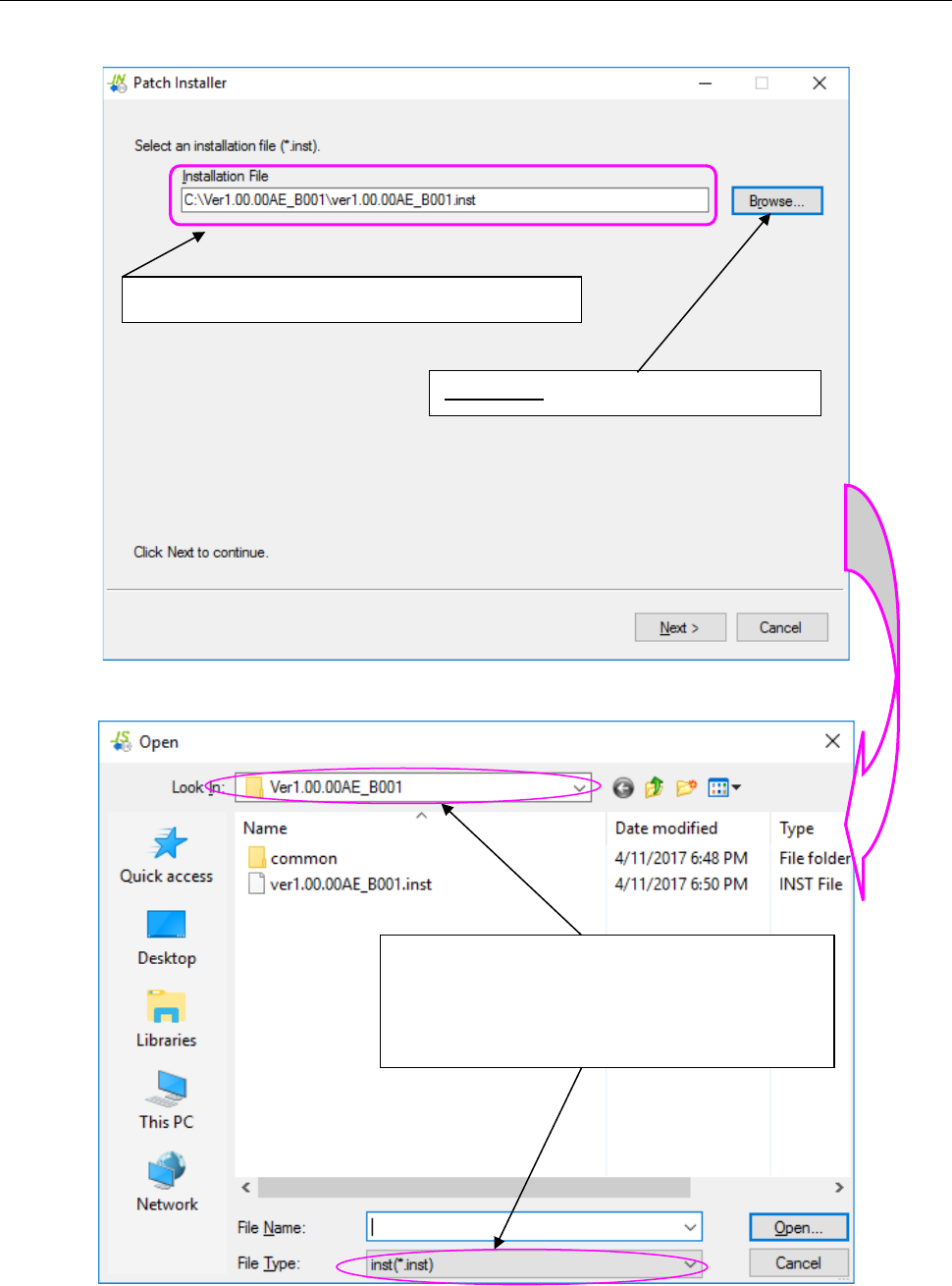
Operate the following wizard screen to perform the patch installation process of a JaNets program.
Figure A.2-1 Screen for selecting an installation file (file to be installed)
Figure A.2-2 “Open” dialog box for selecting a file
The selected installation file name is displayed here.
<Browse>: Starts up the “Open” dialog box.
Select the desired folder in the “Look In” field and the
desired file type in the “File Type” field (that is, a file in
the format of MI Line Optimizer patch installer
file*.inst) , and then select a file name. Next, select
the <Open> button.
JaNets Instruction Manual A. Patch Version Installation Tool
A-4
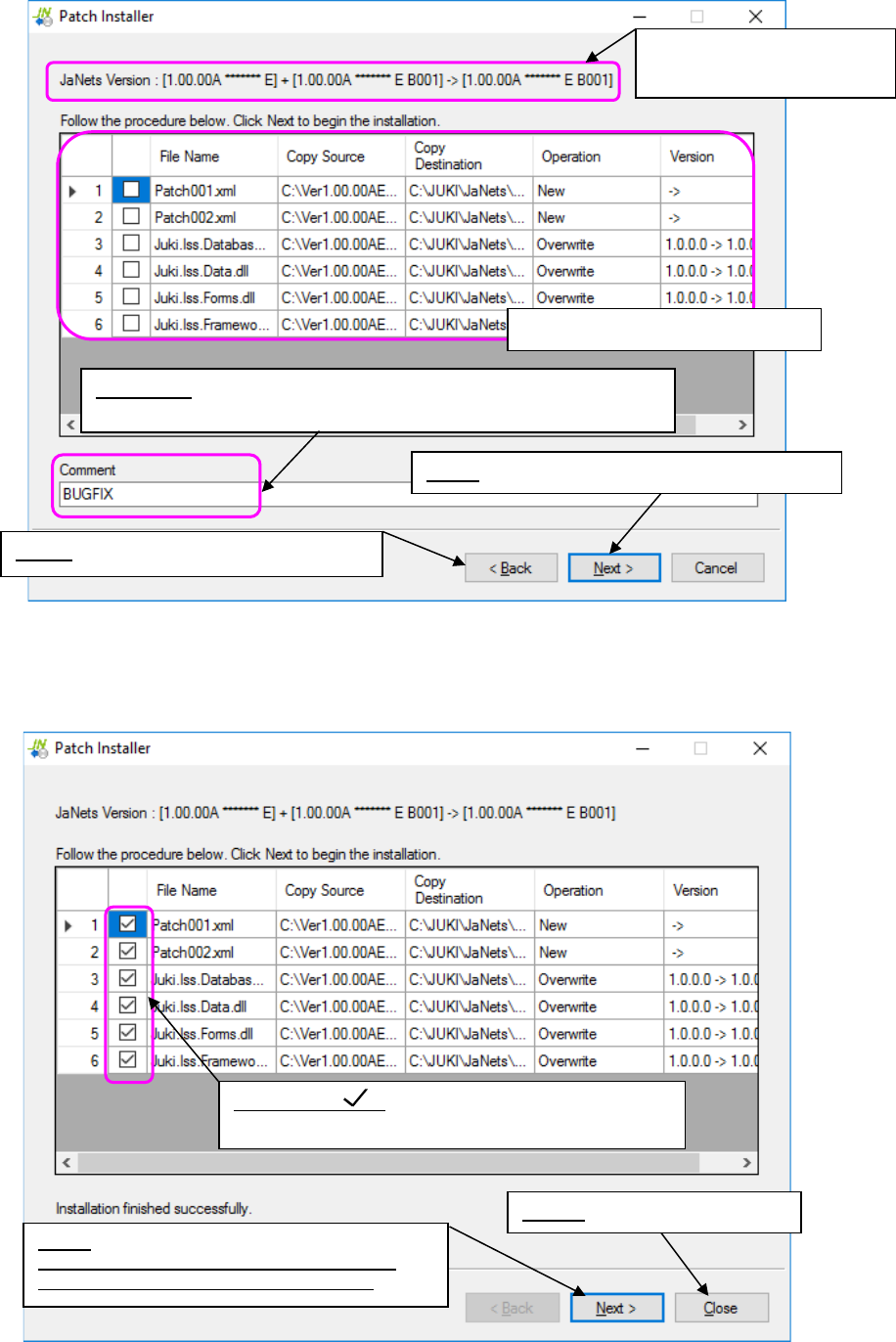
Figure A.2-3 Installation checking screen
<Screen displayed when installation is done normally>
Figure A.2-4 When installation is done normally
Displays the system versions
before/after installation.
Columns for checking installations
Back: Goes back to the “Open” dialog box.
Comment: Automatically entered if you select installation from the
“Installation File” field.
Check mark :
Indicates that installation is done normally.
Close: Quits the Patch Installer.
Next:
Returns to an installation file selection screen.
You can proceed to install other patches.
Next: Goes to the installation execution screen.
JaNets Instruction Manual B. Troubleshooting
B-1
<Appendix>
B. Troubleshooting
A solution of the problem that has occurred in the JaNets is described as follows:
B.1 Not recognizing a protect module
【Phenomenon】
Even when the each application program tries to be started up, it cannot be started up because
of an error “E1101007 No protect module is connected. [Application name] will be exited.”
Moreover, even when other applications are started up, the Shopfloor Setup cannot be started
up because of the project module error similarly.
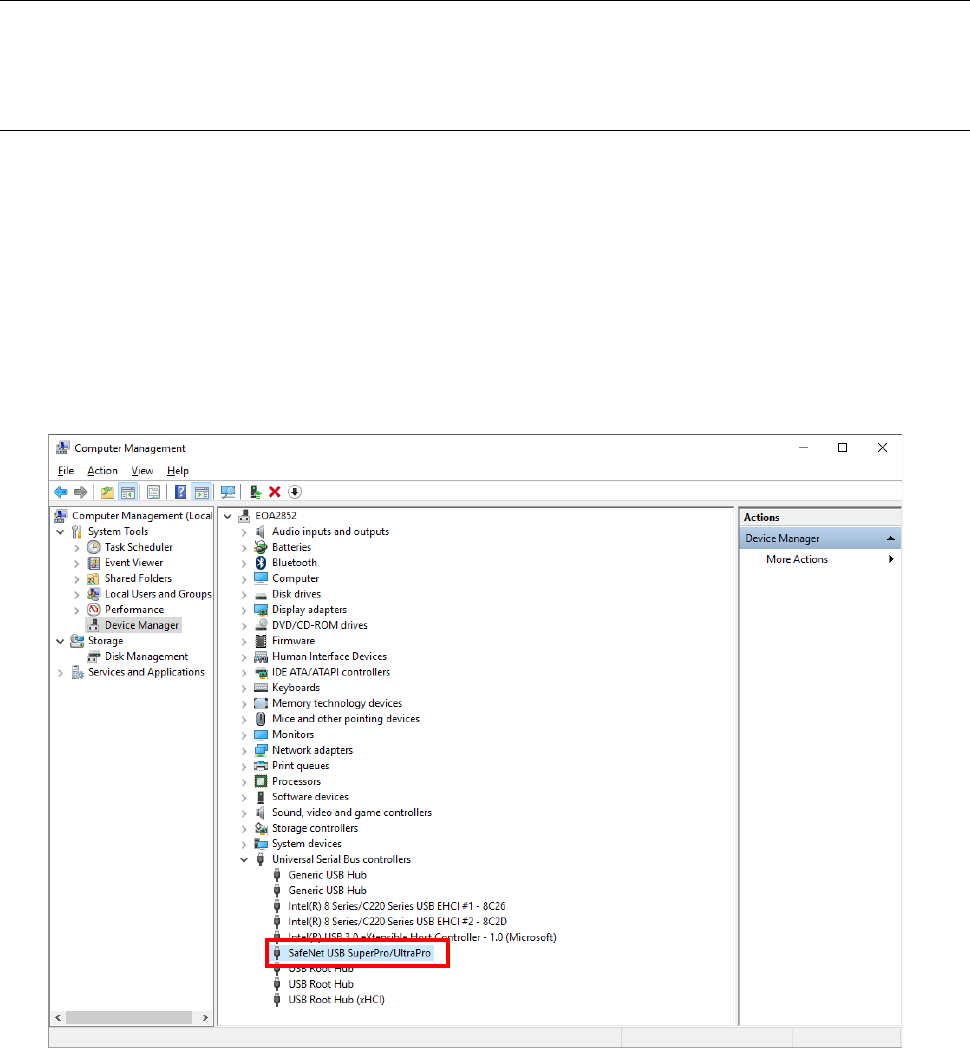
Start up the device manager of a control panel.
If any unrecognized mark is displayed in the red frame of the screen shown below, the protect
module is not recognized.
When the device manager also recognizes the protect module, it is comtenplated that the
protect module cannot be recognized because of the mismatch of a driver and a protect module.