JANETS_INM.pdf - 第97页
JaNets Instr ucti on Man ual 3. Launcher 3-2 * When Windo ws firewall is made effe ctive A security warni ng dialog i s displayed when the la uncher is st arted. At this tim e, make sure that “Public n etwor k” is checke…
JaNets Instruction Manual 3. Launcher
3-1
3. Launcher
Starting Up the Launcher
Double-click the “JaNets Launcher” icon on the desktop screen.
The Launcher starts up.
JaNets Instruction Manual 3. Launcher
3-2
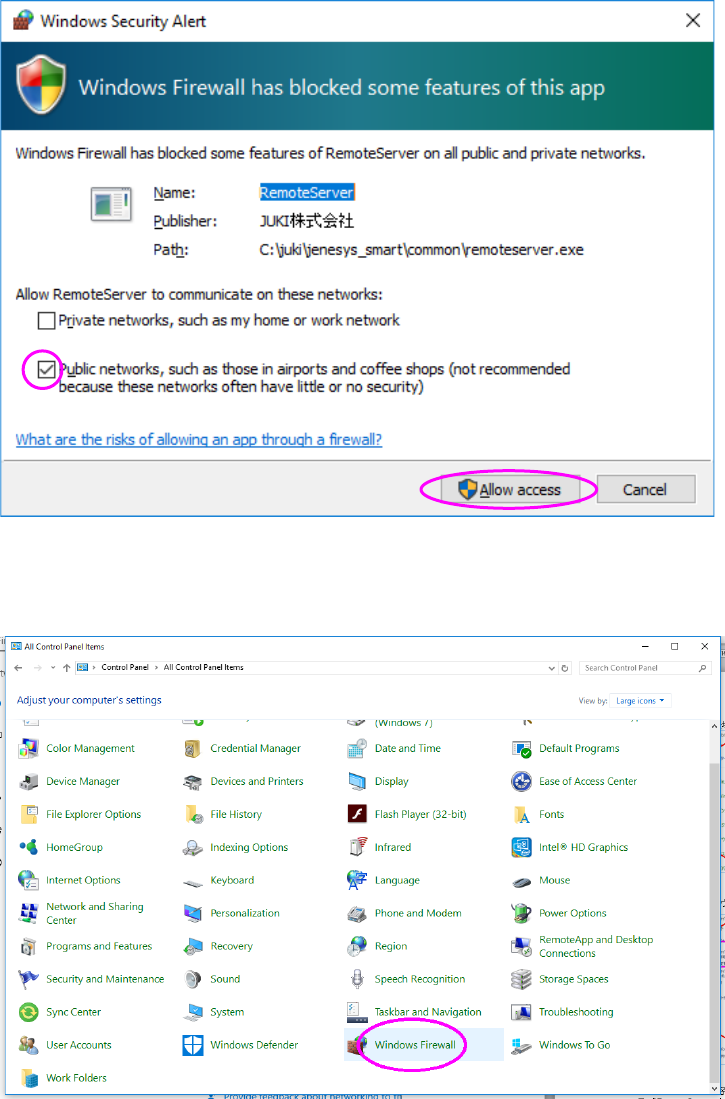
* When Windows firewall is made effective
A security warning dialog is displayed when the launcher is started. At this time, make sure
that “Public network” is checked off and then press the “Allow access” button.
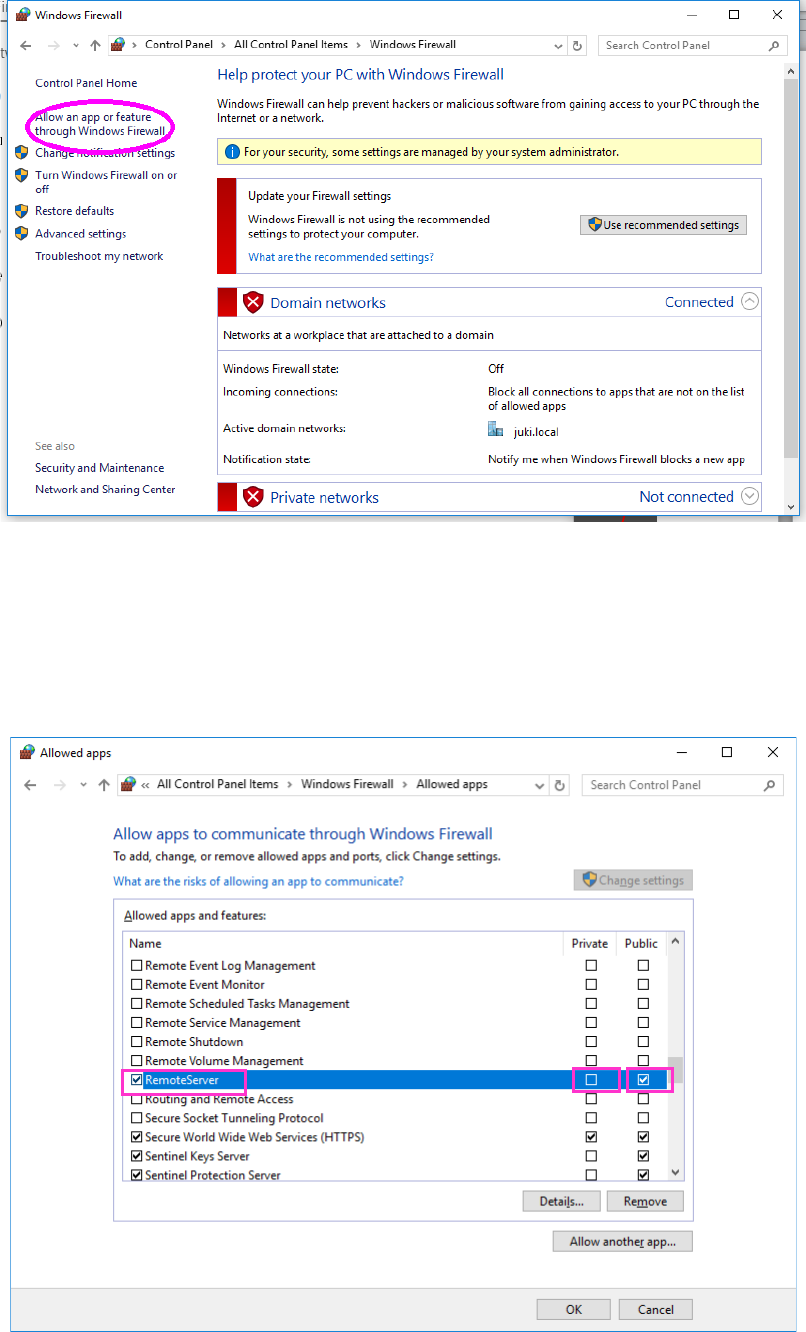
If any setting other than the above is performed, open “Windows firewall” from “Control panel.”
JaNets Instruction Manual 3. Launcher
3-3
Click “Allow the program or function through the Windows firewall” on the left of the screen.
Change the contents of the “Remote Server” setting as shown below.
① Check box on the left of “Remote Server” : Checked off
② Check box of the “Home/Work” column : Not checked off
③ Check box of the “Public” column : Checked off
①
②
③