JANETS_INM.pdf - 第394页
JaNets Instr ucti on Man ual 8. Job Optim izer 8-9 Openi ng a r eservat ion file 8.3.7 .1 Opening a r eservation file from the local Figure 8.3 - 12 [File] – [Open] When you op en a reserv ation file on t he “ Open ” dia…
JaNets Instruction Manual 8. Job Optimizer
8-8
Main screen – Reservation list detailed data display area
When no data is displayed in the detailed data display area at all, the production program
reservation area is expanded and displayed over the detailed data display area.
Figure 8.3-10 Main screen – Detailed data display area
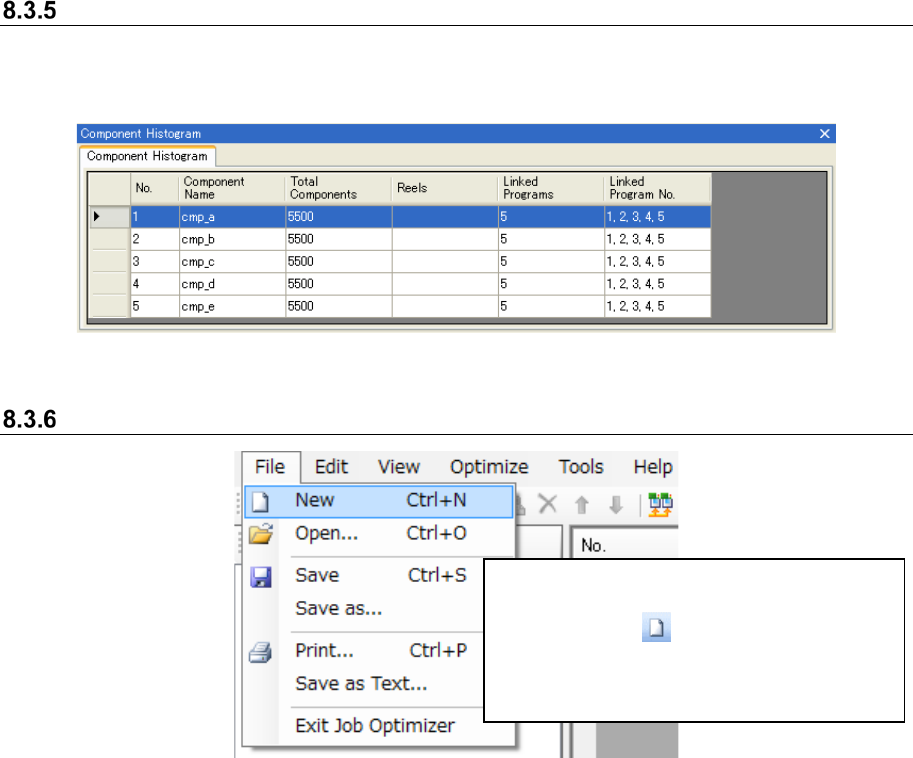
Creating a new reservation file
Figure 8.3-11 [File] – [New]
Select the [File] command and then the
[New] command from the “File” menu, or
click the “New” ( ) tool from the toolbar.
* While you are editing the reservation list,
the “Confirmation to change” message
appears on the screen.
JaNets Instruction Manual 8. Job Optimizer
8-9
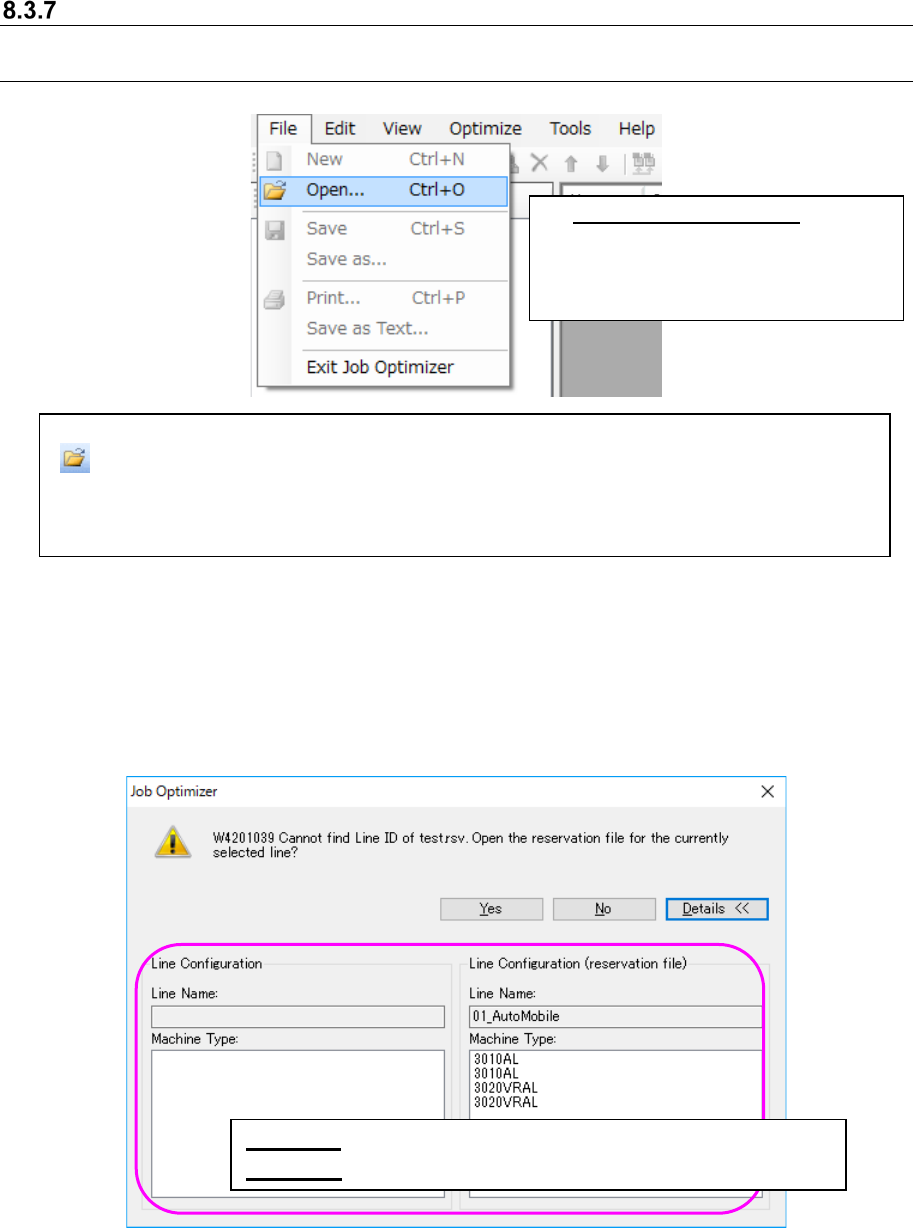
Opening a reservation file
8.3.7.1 Opening a reservation file from the local
Figure 8.3-12 [File] – [Open]
When you open a reservation file on the “Open” dialog box, the contents of the selected
reservation file are displayed on the Reservation list, and the line selected when you created the
reservation file is automatically selected.
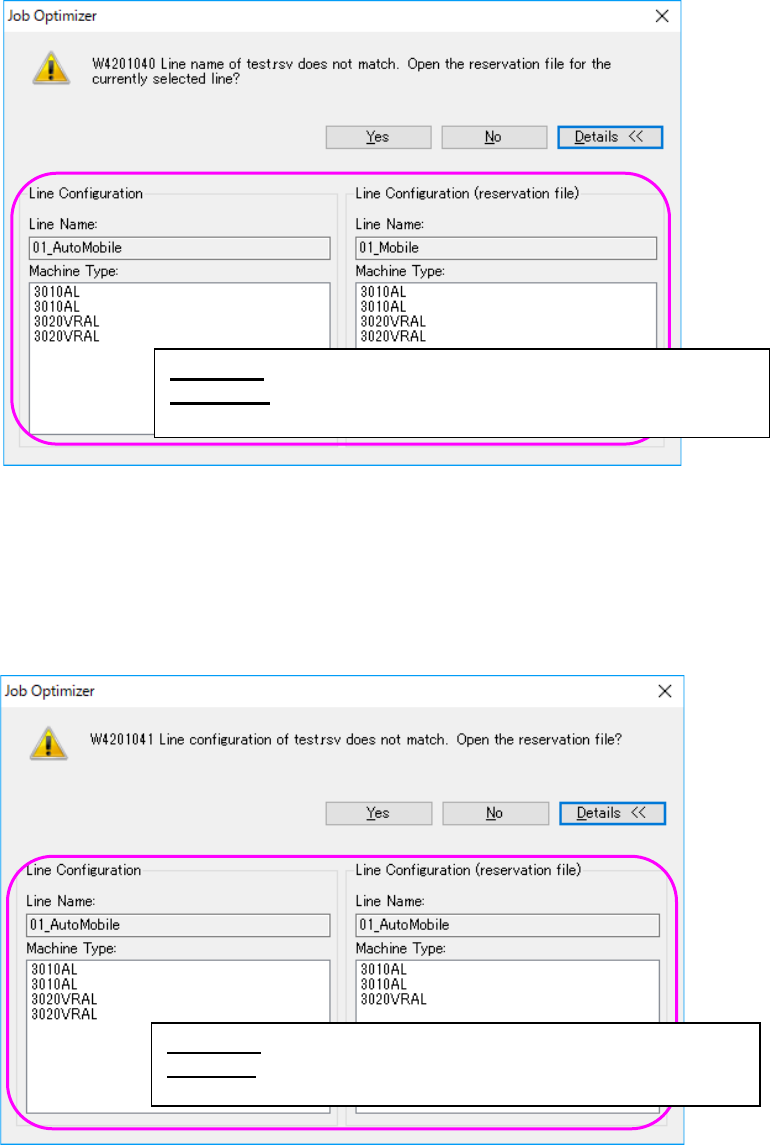
If the line ID of the reservation file does not exist, the following message appears on the screen.
Figure 8.3-13 “Line ID confirmation” message (display of the Line Configuration)
Select the [File] command, and then the [Open] command from the “File” menu, or click the “Open”
( ) tool from the toolbar. The “Open” dialog box appears on the screen.
* The initial folders for the “Open” dialog box is: “reservation file of the selected line (that is to be set
with the Shop Floor Setup)” + “ year (four-digit)” folder + ”month (two-digits)” folder.
(Example: C:
\
Juki
\
JaNets
\
Data
\
Line00
1\
2008
\
01
\)
* Opening a reservation file:
While you are editing a Reservation list,
the “reservation data change
confirmation” message appears on the
screen.
<Yes> : Opens the reservation file of the line being selected.
<Details>: Displays the line configuration of the reservation file.
JaNets Instruction Manual 8. Job Optimizer
8-10
If the line name of the reservation file does not exist, the following message appears on the
screen.
Figure 8.3-14 “Line name confirmation” message (display of the Line Configuration)
If the configuration of the current line is different from that of the line that existed when you created
the reservation file, the following message appears on the screen. Each item, such as the number
of machines, the machine type, the number of stations, the number of feeder banks and the feeder
bank type, needs to be the same.
Figure 8.3-15 “Line configuration confirmation” message
(display of the Line Configuration)
<Yes> : Opens the reservation file of the line being selected.
<Details>: Displays the line configuration of the database and that
of the reservation file.
<Yes> : Opens the reservation file of the line being selected.
<Details>: Displays the line configuration of the database and
that of the reservation file.