JANETS_INM.pdf - 第44页
JaNets Instr ucti on Man ual 2. Install ation 2- 16 (7) When the JaNe ts fini shes being ins talled on t he P C, the f ollowing scr een ap pears. Click the <Finish> b utton. Finish insta lling the JaNe ts on the PC…
JaNets Instruction Manual 2. Installation
2-15
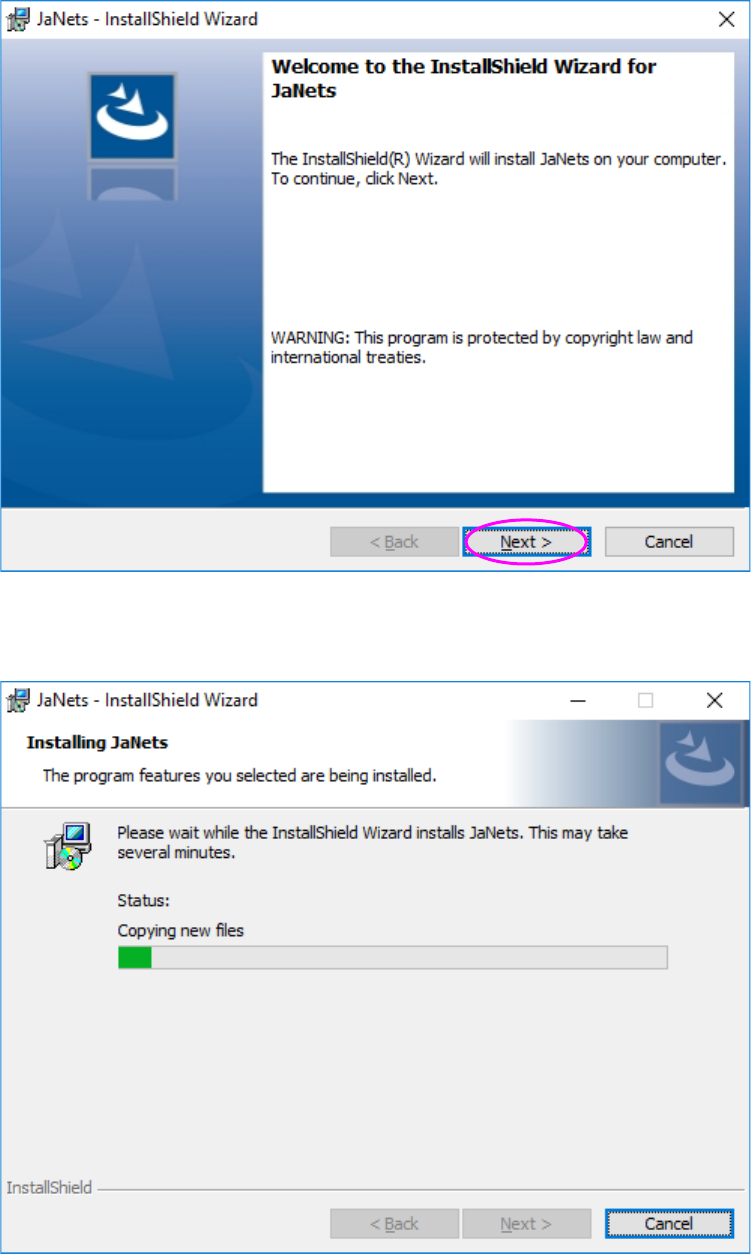
(5) Check the message displayed on the above screen, and click the <Next> button.
(6) The JaNets is being installed on the PC.
JaNets Instruction Manual 2. Installation
2-16
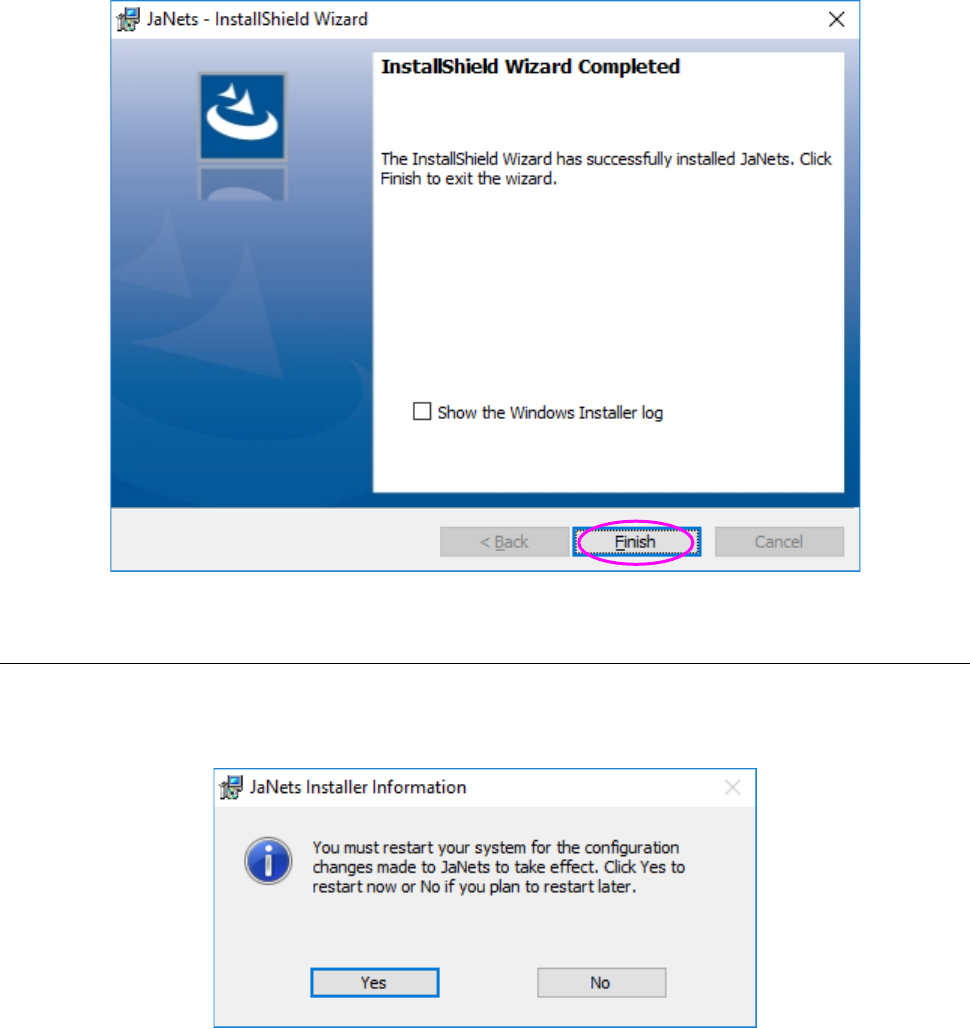
(7) When the JaNets finishes being installed on the PC, the following screen appears. Click the
<Finish> button.
Finish installing the JaNets on the PC.
2.1.4.1 After the install of JaNets is completed
After the install is completed, the restart request screen will be displayed. Click "Yes" to restart the
PC.
The install for upgrading is completed.
JaNets Instruction Manual 2. Installation
2-17
2.1.5 Procedure for Uninstalling
This section describes how to uninstall an JaNets.
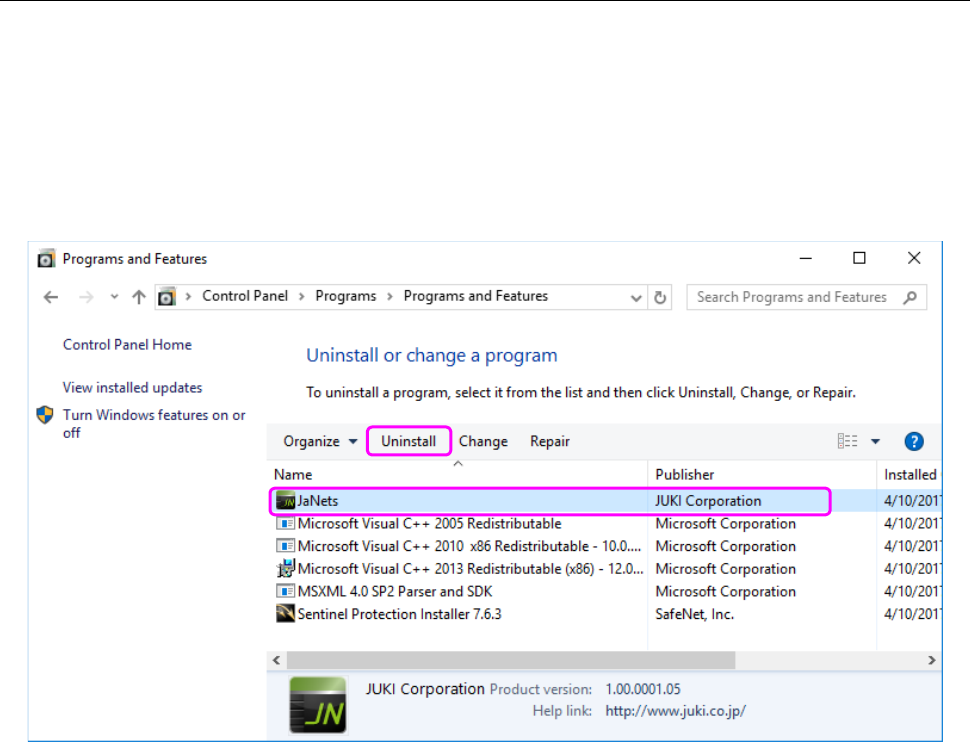
Select the [Control Panel] command on the “Start” menu invoked from the task bar. (You may
have to select the “Setting” menu from the “Start” menu invoked from the task bar.) Select the [Add
or Remove Programs] command from the “Control Panel,” and then the “Change or Remove
Programs” icon.
Select “JaNets” and click the <Uninstall> button.
Figure 2.1-1 “Add or Remove Programs” screen
When the system finishes uninstalling the JaNets, the screen is switched back to the “Add or
Remove Programs” screen.
You have finished uninstalling the JaNets at this point.