JANETS_INM.pdf - 第433页
JaNets Instr ucti on Man ual 8. Job Optim izer 8- 48 About data for teaching Contents of da ta for teaching Only Comp onent dat a and Pick dat a that are t o be used with each pr oduct ion progra m of one cluster r equir…
JaNets Instruction Manual 8. Job Optimizer
8-47
8.3.22.3 Creating data for teaching
What is data for teaching?
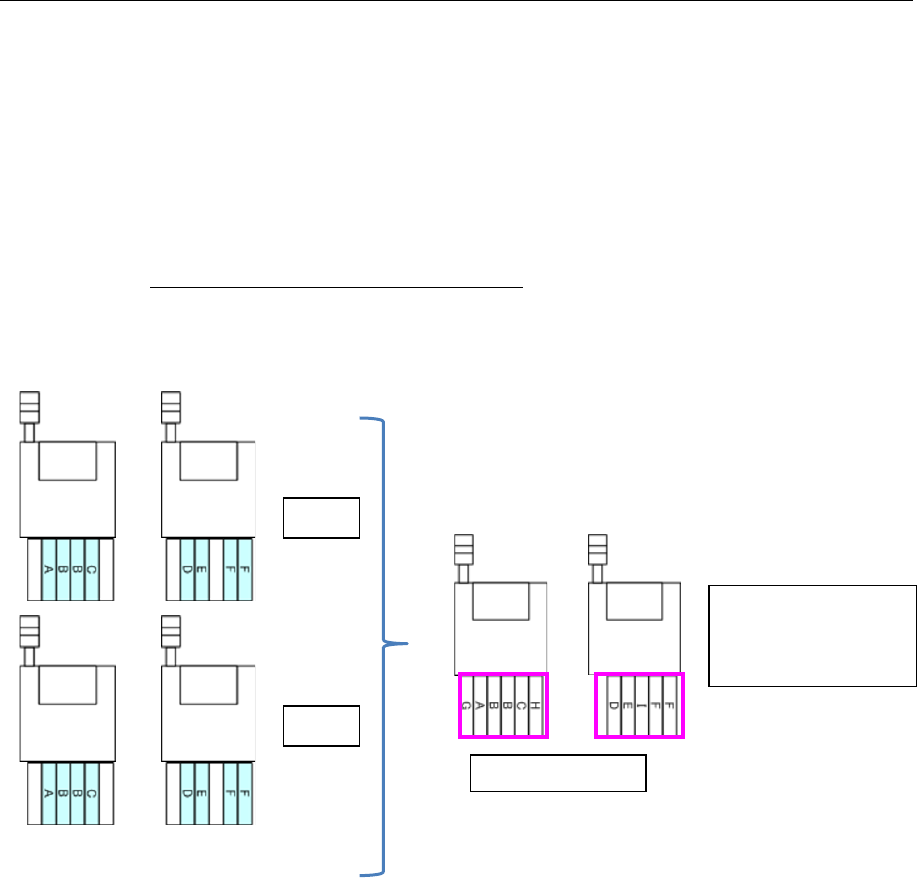
When a cluster is optimized, two or more production programs are grouped as one cluster.
When the “Creation of data for teaching” check box is checked on the “Multi-optimize option”
screen invoked from the [Optimize] command, the system creates a production program that
contains Pick data of each production program contained in one cluster. This production program
is data for teaching.
By both creating data for teaching and using the component pick-up coordinates takeover function
of the Program Downloader (the “Yes” radio button of the menu item “Inherit Pick Position” is
selected), you can teach Pick data of each cluster.
See Section 13.8.3.1 “Downloading data for teaching” for how to operate with the Program
Downloader.
Production programs in one cluster
Figure 8.3-82 Data for teaching
Data for teaching
A program containing
Pick data of “A.iss”
and that of “B.iss” is
created.
Machine 2
Machine
1
A.iss
B.iss
Machine 2
Machine
1
Machine 2
Machine
1
JaNets Instruction Manual 8. Job Optimizer
8-48
About data for teaching
Contents of data for teaching
Only Component data and Pick data that are to be used with each production program of one
cluster required for teaching operation is reflected in data for teaching. Since other data is
automatically set, be sure to use this data only for teaching operation. The skip function is
enabled for all component placement positions of Placement data.
Saving data for teaching
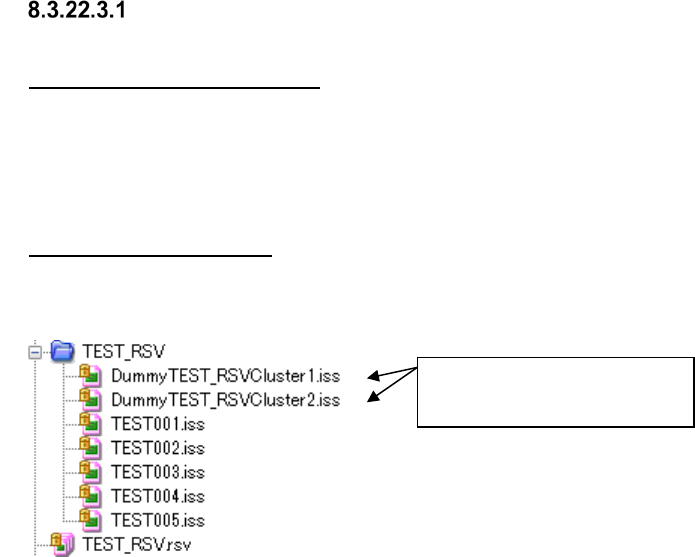
A production program and a division file are created as data for teaching under the file name
“Dummy+Reservation file name+Cluster+Cluster number,” and saved in a reservation folder.
Figure 8.3-83 Reservation file and data for teaching (displayed by Program Explorer)
Data for teaching
(For Cluster 1 and Cluster 2)
JaNets Instruction Manual 8. Job Optimizer
8-49
Executing creation of data for teaching
When you select the “Creation of data for teaching” check box on the “Cluster Options” tab of the
Optimize options, the dialog box for creating data for teaching appears on the screen automatically
after the dialog box for showing the optimize function execution status is closed.
The system creates a program and a division file that contain Pick data for each cluster created by
the Optimize function.
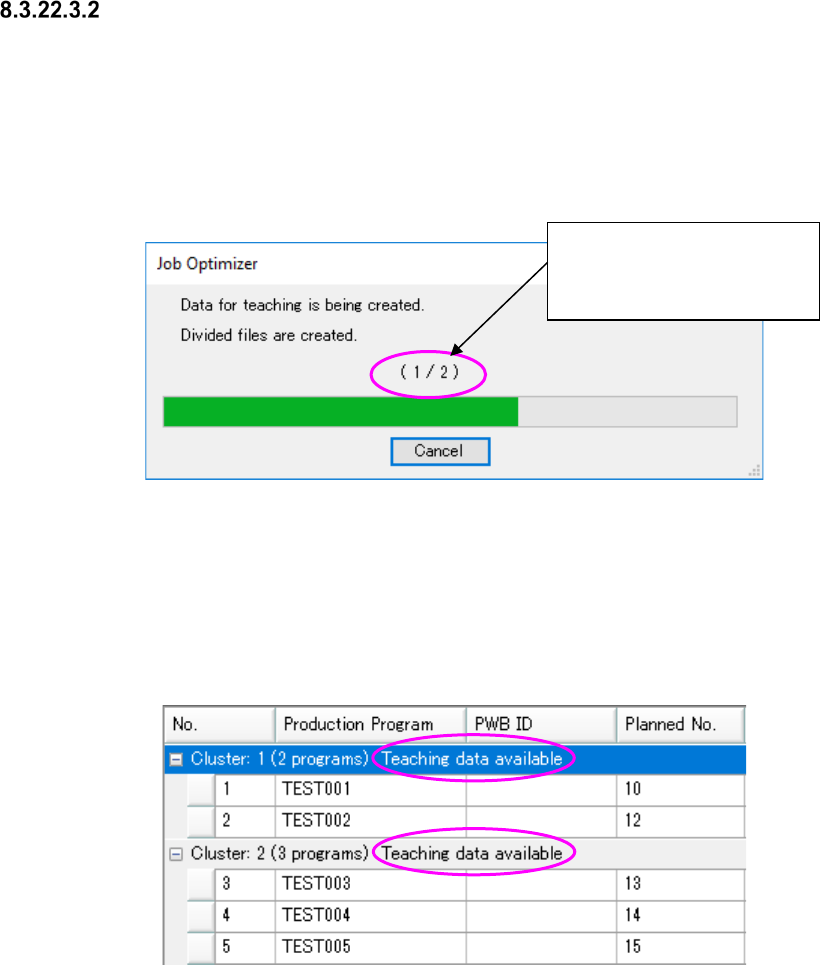
The “number of created data files for teaching”/the “number of data files for teaching to be created”
is shown here.
Figure 8.3-84 Dialog box for creating data for teaching
When the system finishes creating data normally, the dialog box shown above is closed, and then
the screen for the application that called this function (Job Optimizer) appears again.
When you press the <Cancel> button, the system aborts creating data for teaching. However,
you can save an optimized reservation file(s).
A cluster in which dummy data for teaching has been created is displayed in the reservation list as
shown below.
Figure 8.3-85 Display of a reservation list (including data for teaching)
If you have to optimize data again, for example, because the production line is changed or a
production program is added after data for teaching is created, relation between a reservation file
and data for teaching is cancelled.
The “number of created data
files for teaching”/the “number
of data files for teaching to be
created” is shown here.