JANETS_INM.pdf - 第260页
JaNets In structio n Manual 7. Program Editor 7- 53 Placement conditions screen ( JM - 20 S eries ) Figure 7.4 - 73 Placement conditions (JM - 20 S erie s ) screen T able 7.4 - 38 Placeme nt condition ( JM - 20 S eries )…
JaNets Instruction Manual 7. Program Editor
7-52
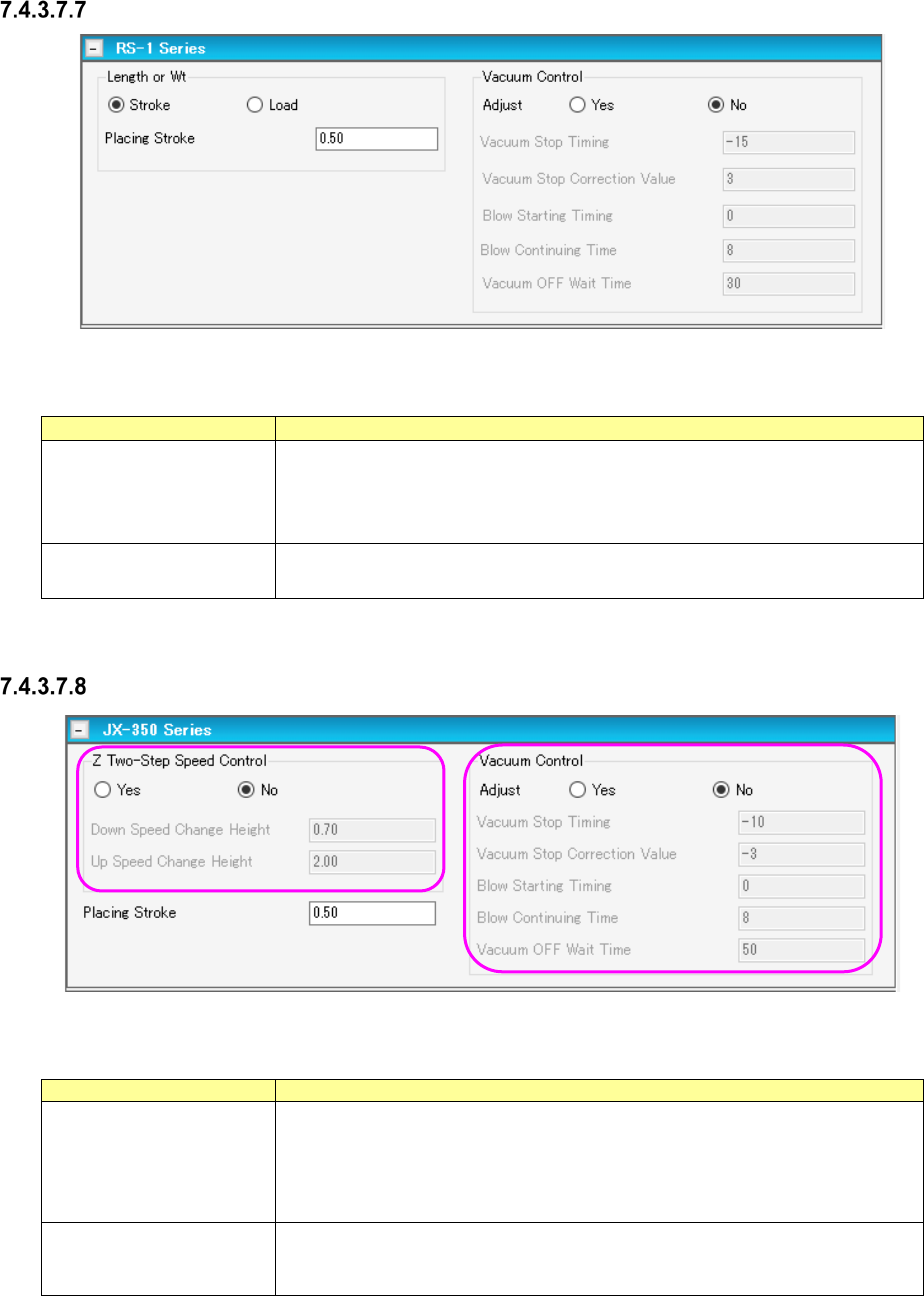
Placement conditions screen (RS-1 Series)
Figure 7.4-71 Placement conditions screen (RS-1 Series)
Table 7.4-36 Placement condition (RS-1 Series) screen items
Item
Description
Load
When a nozzle for low load is selected for the item “Centering,” low-load control
is performed. If a nozzle for high load is selected, high-load control is per-
formed. When the radio button “Load” is selected, the control method is dis-
played.
Vacuum Control Specifies whether to adjust the vacuum time when a component is picked up.
When you want to adjust the time, enter the adjustment time in microseconds.
Placement conditions screen (JX-350 Series)
Figure 7.4-72 Placement conditions screen (JX-350 Series)
Table 7.4-37 Placement conditions (JX-350 Series) screen items
Item
Description
Z Two-Step Speed
Control
Specifies whether to control the speed at which the nozzle moves up or down
to place a component on a board in two steps.
When you want to control the speed in two steps, enter the height at which the
speed shall be controlled for the second time to move up and move down a
nozzle respectively.
Vacuum Control
Specifies whether to adjust the vacuum time when a component is placed on a
board.
When you want to adjust the time, enter the adjustment time in microseconds.
JaNets Instruction Manual 7. Program Editor
7-53
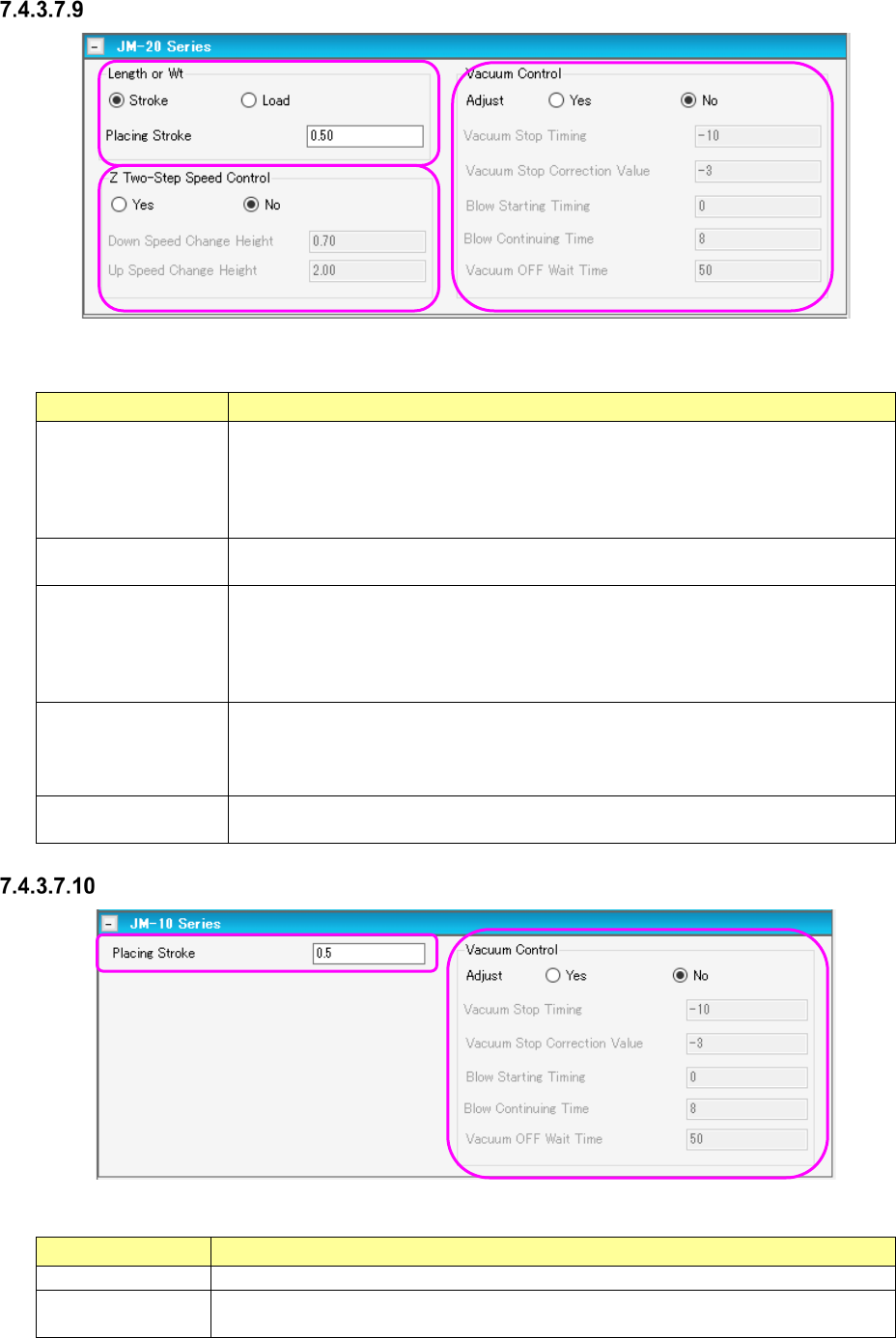
Placement conditions screen (JM-20 Series)
Figure 7.4-73 Placement conditions (JM-20 Series) screen
Table 7.4-38 Placement condition (JM-20 Series) screen items
Item Description
Z Two-Step Speed
Control
Specifies whether to control in two steps the speed at which the nozzle moves up or
down to place a component on a board.
When you want to control the speed in two steps, enter the height at which the
speed shall be controlled for the second time to move up and move down a nozzle
respectively.
Control Mode
Selects how the end of a nozzle should be pushed to place a component on a board,
“Stroke” or “Load.”
Picking Stroke
(Stroke)
Specifies how much to push the end of the nozzle to place a component on a board
in the unit of mm.
Default: 0.20 mm. When a gripper nozzle is used: 0.000 mm. When “Tray” is
selected as the packaging style: 1.000 mm. When the length of the shorter side
of the outer dimensions is less than 0.45 mm: 0.000 mm
Picking Stroke
(Load)
Specifies how much to push the end of the nozzle to pick up a component in the unit
of gram.
The input range and the default value vary depending on the nozzle number and the
centering requirements.
Vacuum Control
Specifies whether to make an adjustment of vacuum time to pick up a component.
To make an adjustment, enter the adjusting time in the unit of ms.
Placement conditions screen (JM-10 Series)
Figure 7.4-74 Placement conditions (JM-10 Series) screen
Table 7.4-39 Placement condition (JM-10 Series) screen items
Item Description
Picking Stroke
Specifies how much to push the end of the nozzle to place a component on a board.
Vacuum Control
Specifies whether to make an adjustment of vacuum time to pick up a component.
To make an adjustment, enter the adjusting time in the unit of ms.
JaNets Instruction Manual 7. Program Editor
7-54
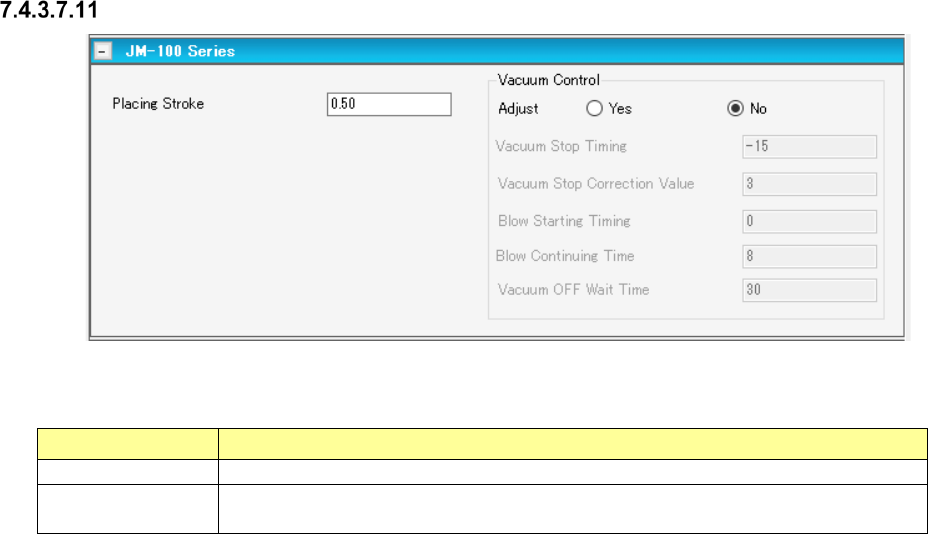
Placement conditions screen (JM-100 Series)
Figure 7.4-75 Placement conditions (JM-100 Series) screen
Table 7.4-40 Placement condition (JM-100 Series) screen items
Item
Description
Picking Stroke
Specifies how much to push the end of the nozzle to place a component on a board.
Vacuum Control
Specifies whether to make an adjustment of vacuum time to pick up a component.
To make an adjustment, enter the adjusting time in the unit of ms.