JANETS_INM.pdf - 第492页
JaNets Instr ucti on Man ual 12 . Machine Program R elater 12 - 10 Selecti ng an old production line whose file is related to a ne w production line Figure 12.3 -9 Selecting an old pr oduction lin e Relati ng an o ld pro…
JaNets Instruction Manual 12. Machine Program Relater
12-9
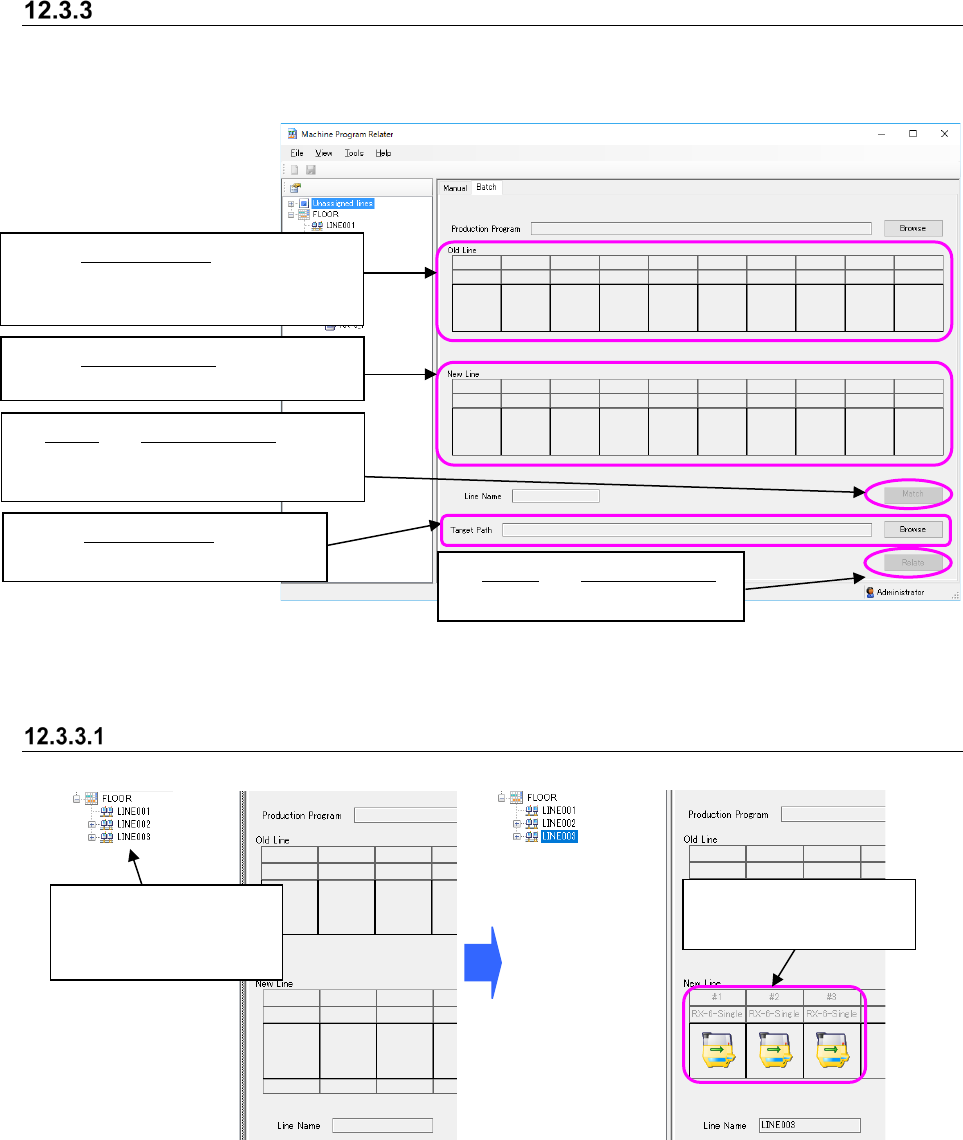
Procedure for batch relating
Perform the operations from ① to ⑤ below. Both the “Old Line” column and the “New Line”
column are blank when the following screen appears for the first time.
Figure 12.3-7 “Batch” relating screen
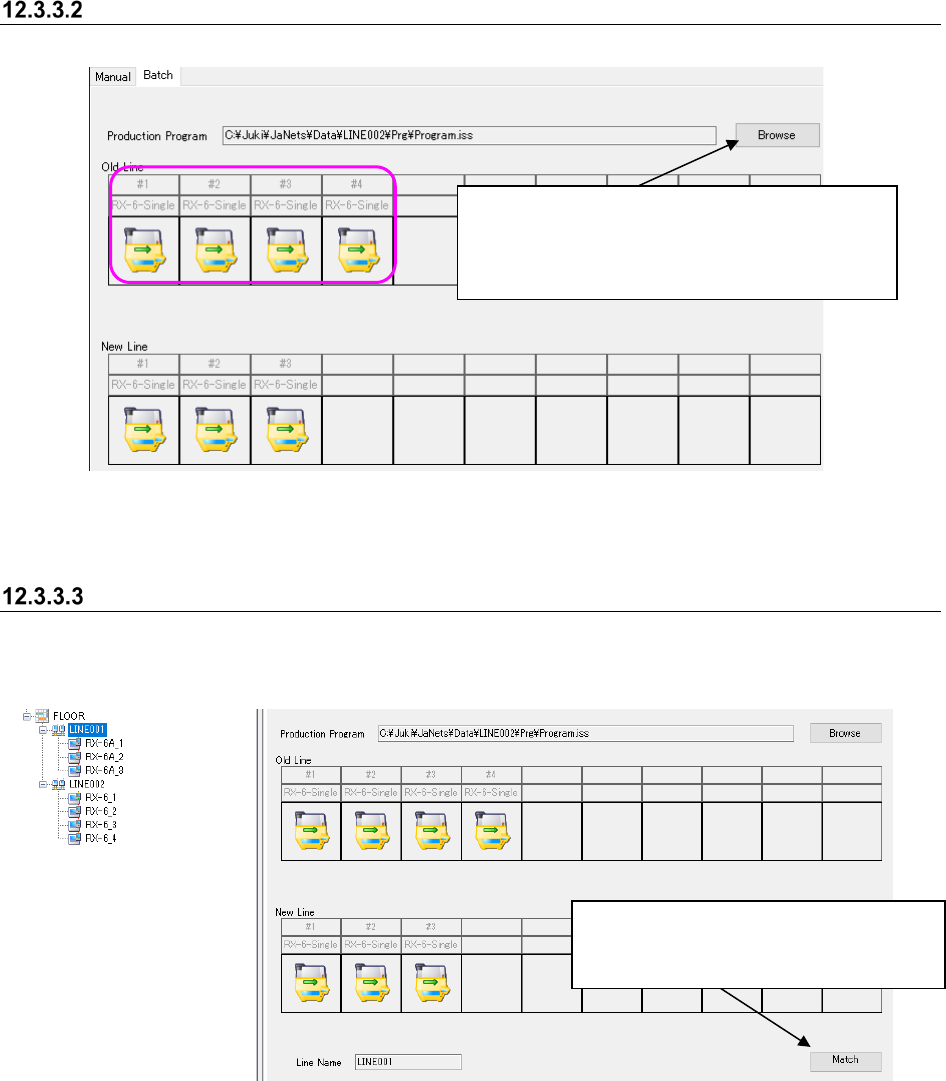
Selecting a new production line to relate a file to
Figure 12.3-8 Selecting a new production line
The selected production
line is displayed here.
③
Match: See Section 12.3.3.3 “Relating
an old production line to a new
production line.”
②
See Section 12.3.3.2 “Selecting an old
production line whose file is related to
a new production line.”
Select a production line
or a machine within the
Line Explorer.
⑤ Relate: See Section 12.3.3.6
“Executing a batch relation.”
④
See Section 12.3.3.5 “Specifying
the target data path.”
①
See Section 12.3.3.1 “Selecting a new
production line to relate a file to.”
JaNets Instruction Manual 12. Machine Program Relater
12-10
Selecting an old production line whose file is related to a new production line
Figure 12.3-9 Selecting an old production line
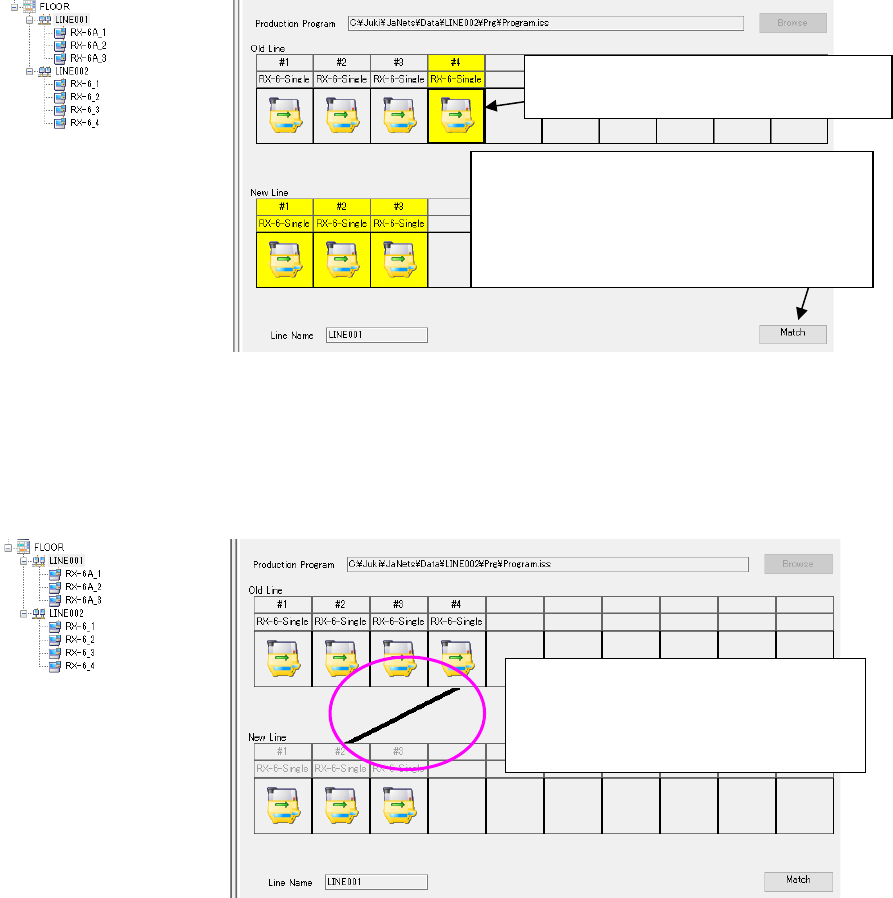
Relating an old production line to a new production line
When you relate an old production line to a new one, production program are inherited from the
old production line to a new one.
Figure 12.3-10 Starting relating an old production line to a new production line
When you click the <Browse> button, the “Open”
dialog box appears on the screen.
When you specify a production program, machines
are displayed on the old production line.
When the new production line and the old
production line are displayed on the
screen, the <Match> button is enabled.
JaNets Instruction Manual 12. Machine Program Relater
12-11
When you click a machine of an old production line to be related to a new one, machines on the
new production line you can select are highlighted.
Figure 12.3-11 Relating an old production line to a new production line (highlighted)
When you click a machine you can select on the new production line, a line is displayed between
the selected old production line and the new production line.
Figure 12.3-12 Relating an old production line to a new production line (combined)
When you click a machine of another old
production line to be related to a new
production line, you can continue relating
production lines.
When you click the <Match> button, the
system enters Relation mode, and the
<Match> button is switched to the <Matched>
button. When you click this <Matched> button,
you quit Relation mode.
Click a machine of the old production line
to be related to a new production line.