JANETS_INM.pdf - 第186页
JaNets In structio n Manual 5. Shopflo or Setu p 5- 66 When an MTS is set Figure 5.9 - 14 Feeder bank unit (when an M TS is set) When a DTS is set Figure 5.9 - 15 Feeder bank unit (when a D TS is set) The position on whi…
JaNets Instruction Manual 5. Shopfloor Setup
5-65
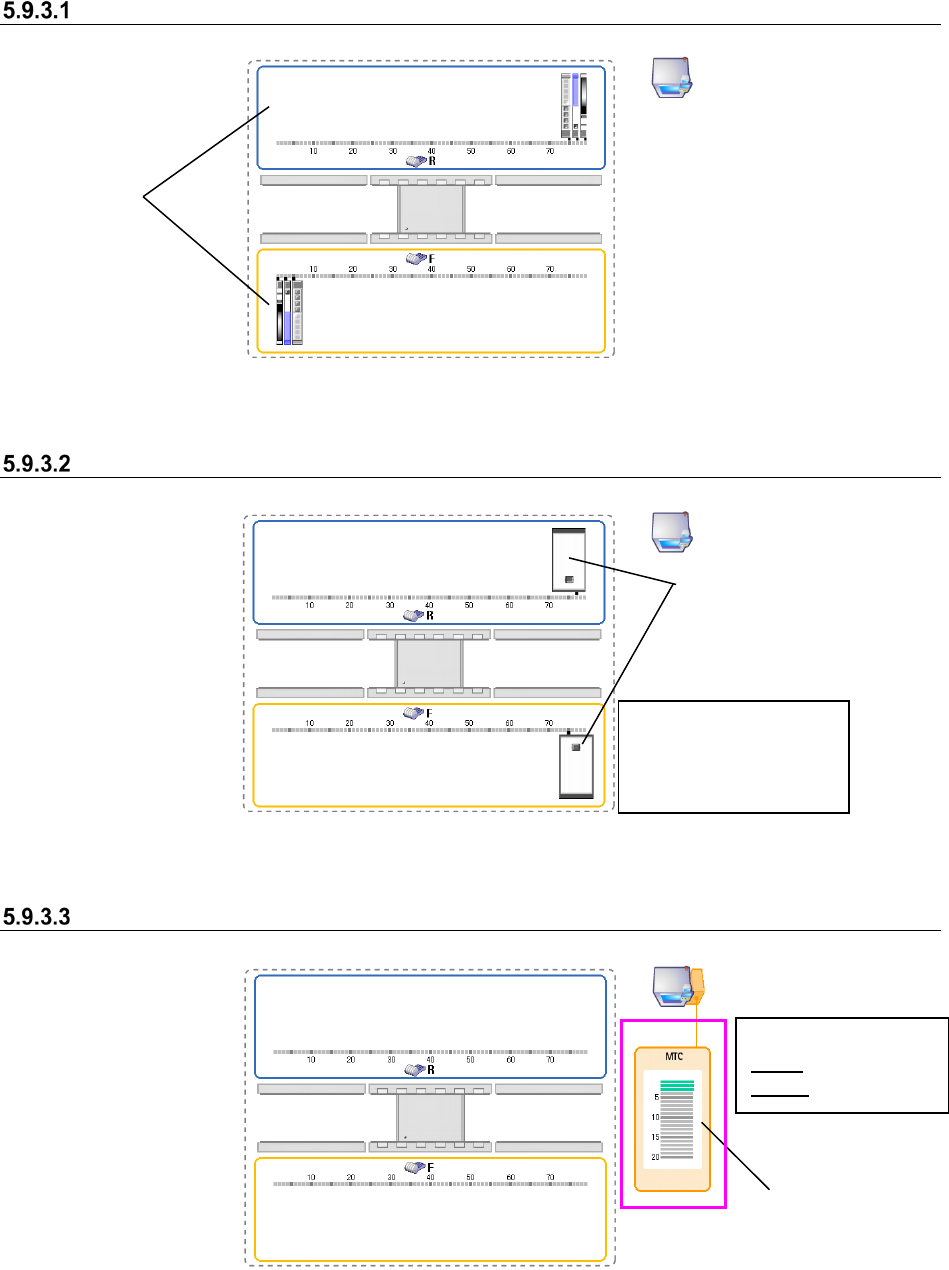
Machine having two banks on each of which 80 holes are located
Figure 5.9-11 Feeder bank unit (two banks on each of which 80 holes are located)
When an IC collection belt is set
Figure 5.9-12 Feeder bank unit (when IC collection belts are set)
When an MTC is set
Figure 5.9-13 Feeder bank unit (when an MTC is set)
Banks
IC collection belts
You can set a feeder at
any position other than
the position an IC
collection belt occupies.
Where MTC/MTS
feeder is attached
<Color of a tray base>
Gray: Not set base
Green: Set base
JaNets Instruction Manual 5. Shopfloor Setup
5-66
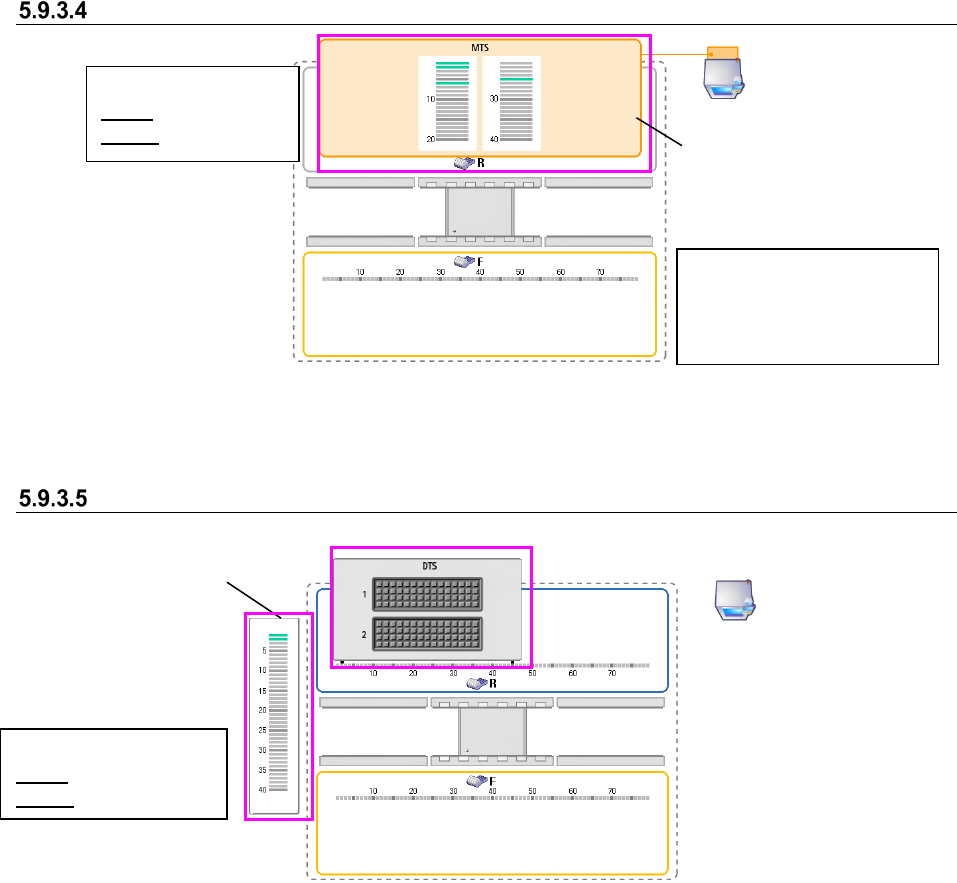
When an MTS is set
Figure 5.9-14 Feeder bank unit (when an MTS is set)
When a DTS is set
Figure 5.9-15 Feeder bank unit (when a DTS is set)
The position on which an MTS
tray is attached is displayed on
the R (rear) bank.
<Color of a tray base>
Gray: Not set base
Green: Set base
Tray assignment
screen
<Color of a tray feeder>
Gray: Not set tray
Green: Set tray
You can set a feeder type
that can be attached for each
machine model on only the F
(front) bank.
JaNets Instruction Manual 5. Shopfloor Setup
5-67
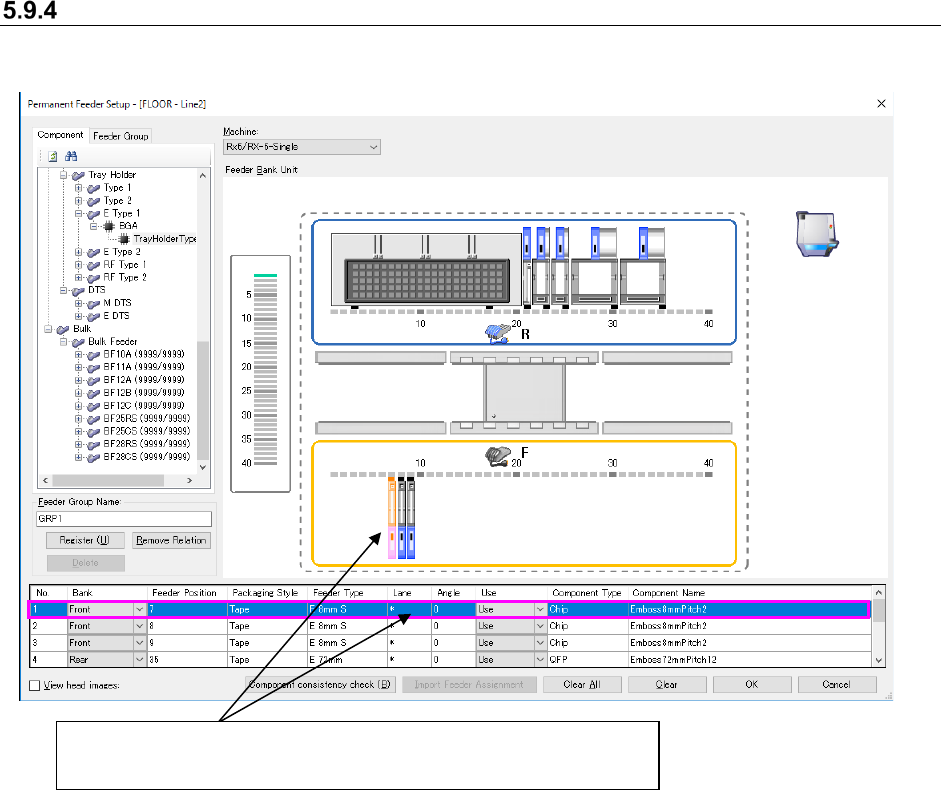
Details setting screen
The detailed information on a feeder currently being selected is displayed here. You can change
settings of some items also.
Figure 5.9-16 Details setting screen
* When you select two or more feeders, they are selected on the Details setting screen too.
Feeder currently being selected
(Its detailed information is selected on the Details setting screen too.)