JANETS_INM.pdf - 第367页
JaNets In structio n Manual 7. Program Editor 7- 160 A ttachment Y ou can specify the use cond itions of a n attach ment of an electrical b ank (RF /EF ) to execut e the optimiz ation funct ion. Y ou can select ea ch pro…
JaNets Instruction Manual 7. Program Editor
7-159
(2) No. of Resources
The number of resources is an enabled option when you use the setup of a feeder resource.
The input possible range is as follows, respectively.
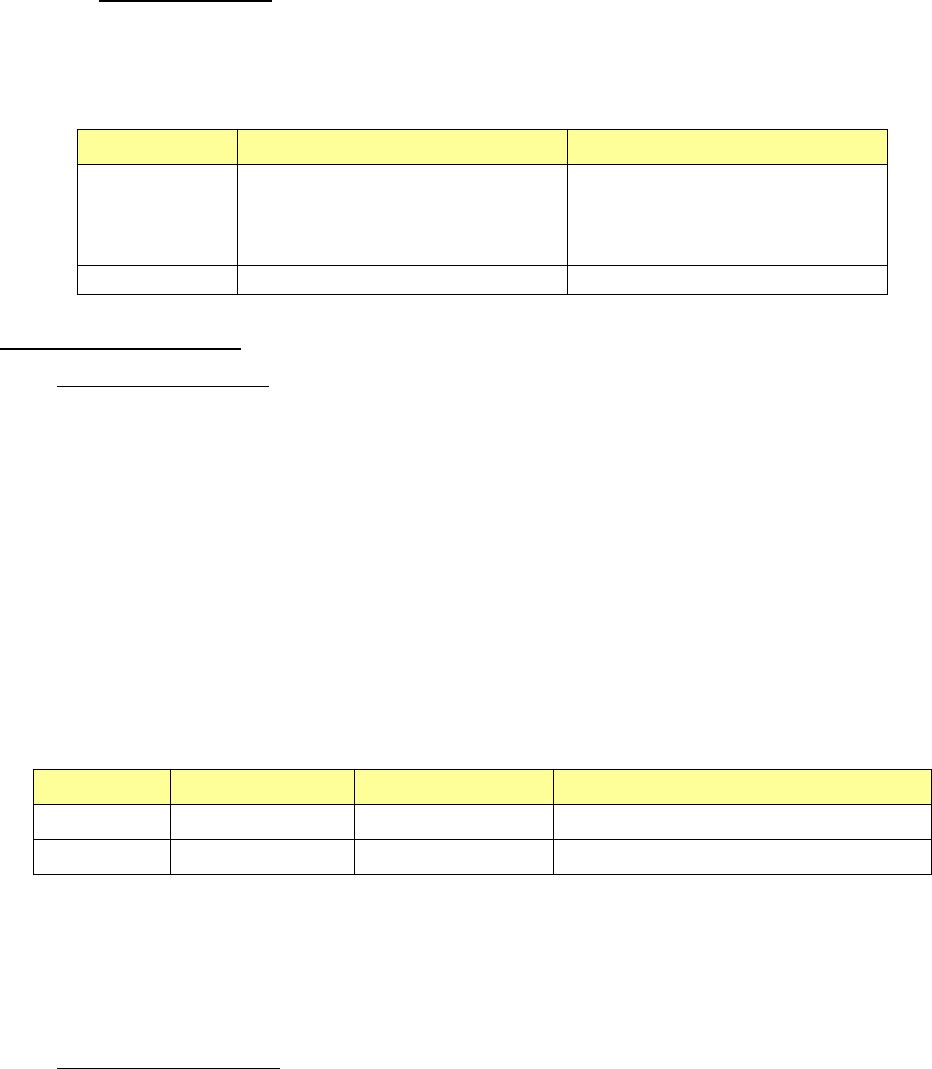
Table 7.7-4 Input range of resources
Mode
Minimum
Maximum
Line mode The number of feeders that is used
as a permanent feeder within a
production floor of the Shopfloor
Setup application
A value set on the “Equipment
Setup” screen of the Shopfloor
Setup application
EPU mode
0
9999
The number of resource
◆Use in the line mode
The number of resources expresses the number of the feeders which can be used within a pro-
duction floor.
Among them, a permanent feeder is treated as a used feeder because it is actually assigned. For
this reason, the number of feeder which can be newly assigned becomes less than the number of
resources that is input when a permanent feeder is used.
In addition, when a permanent feeder is used within a production program, it is already regarded
as being used as a permanent feeder, and does not go into the frame of the feeder which can be
newly assigned.
An example is below shown about the relation between the value input in the item of the number of
resources and the number of resources which can actually be used.
Table 7.7-5 The relation among the number of resources to specify,
a permanent feeder and the feeder which can be newly assigned
Equipment
No. of resources
Permanent feeder
Feeder which can be newly assigned
E 8mm S
100
80
20
E 8mm D
80
20
60
In the case of the above table, the number of feeder which can be newly assigned is 20 sets of E
8mm S and 60 sets of E 8mm D respectively if you consider a used number of a permanent feeder
even when setting 100 sets of E 8mm S and 80 sets of E 8mm D respectively when specifying the
number of resource.
◆
Use in the EPU mode
The number of available feeders is indicated. The number of other regular lines is not taken into
consideration.
JaNets Instruction Manual 7. Program Editor
7-160
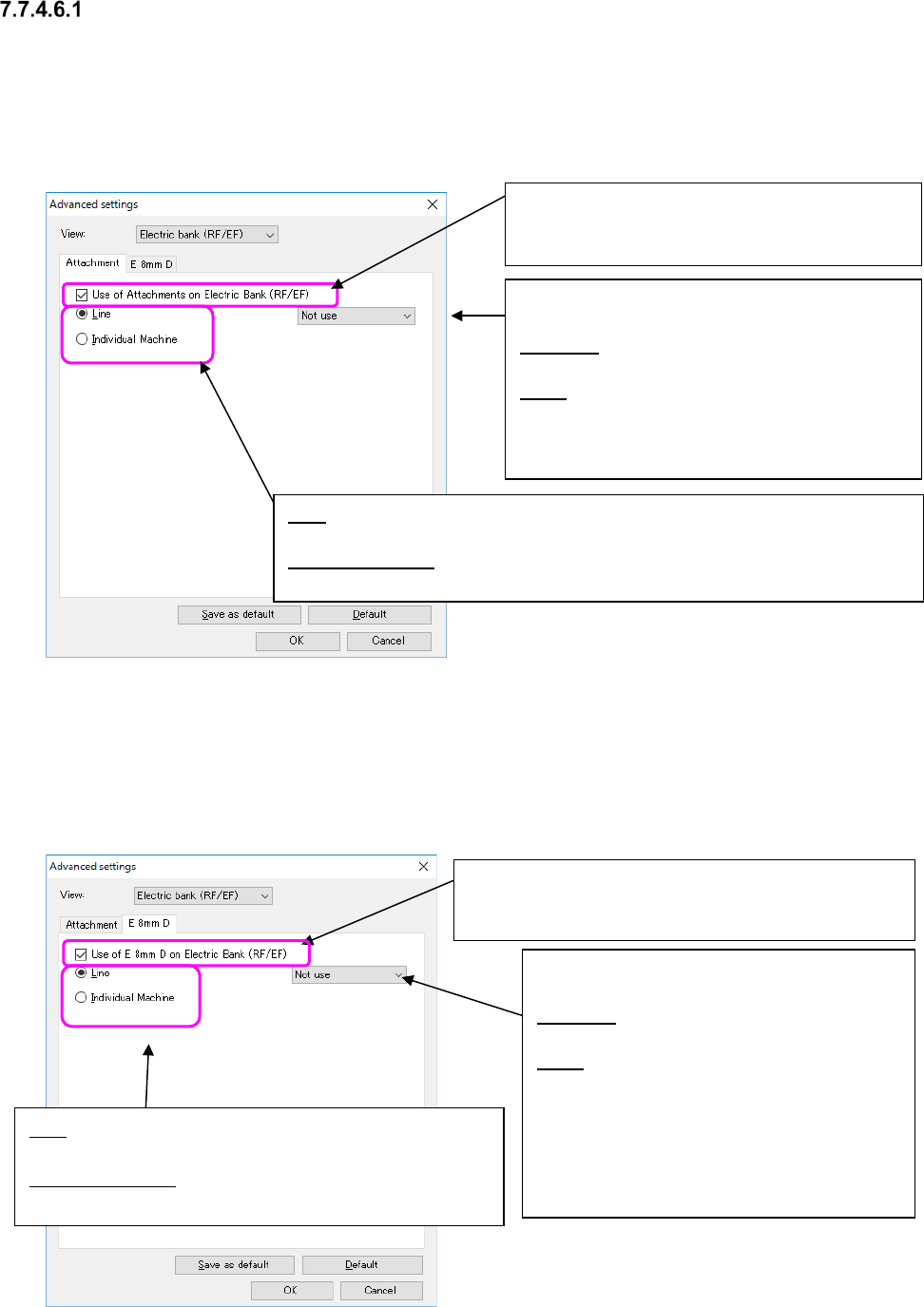
Attachment
You can specify the use conditions of an attachment of an electrical bank (RF/EF) to execute the
optimization function.
You can select each production line (with the “Line” radio button) or each machine (with the “Indi-
vidual machine” radio button) to specify the use condition. When you select the “Individual ma-
chine” radio button, you can specify the use condition for each bank also.
Figure 7.7-13 Attachment” option
7.7.4.6.2 E 8mm D
This tab allows you to specify the use conditions of an “E 8mm D” feeder on the electrical bank
(RF/EF) to be applied when you perform the optimization function.
You can select the “Line” radio button or the “Individual machine” radio button. When you select
the “Individual machine” radio button, you can specify the use condition for each bank.
Figure 7.7-14 E 8mm D option
If you put a checkmark here, you can specify the use
condition of the “E 8mm D” feeder. Otherwise, the system
functions without using any “E 8mm D” tape feeder.
You can select one of the following two settings
as the use condition.
Not used: Any “E 8mm D” feeder cannot be
assigned to the electrical bank (RF/EF).
Used: An “E 8mm D” feeder can be assigned to
the electrical bank (RF/EF). Since the system
checks this setting and the setting of the at-
tachment option at the same time, you cannot
assign any “E 8mm D” feeder to the electrical
bank if the “Used” radio button is not selected
for the “Attachment” option.
You can select one of the following two settings as
the use condition.
Not used: Any electrical feeder cannot be as-
signed to the electrical bank (RF/EF).
Used: An electrical feeder can be assigned to the
electrical bank (RF/EF). When you want to assign
an “E 8mm D” feeder to the bank, you have to
make settings of the “E 8mm D” feeder.
Line: Select this radio button to specify the attachment use condition of the entire
production line.
Individual machine: Select this radio button to specify the attachment use condition
of the bank for each machine.
If you put a checkmark here, you can specify the
attachment use condition. Otherwise, the system
operates without using an attachment.
Line: Select this radio button to specify the “E 8mm D” feeder
use condition of the entire production line.
Individual machine: Select this radio button to specify the “E
8mm D” feeder use condition of the bank for each machine.
JaNets Instruction Manual 7. Program Editor
7-161
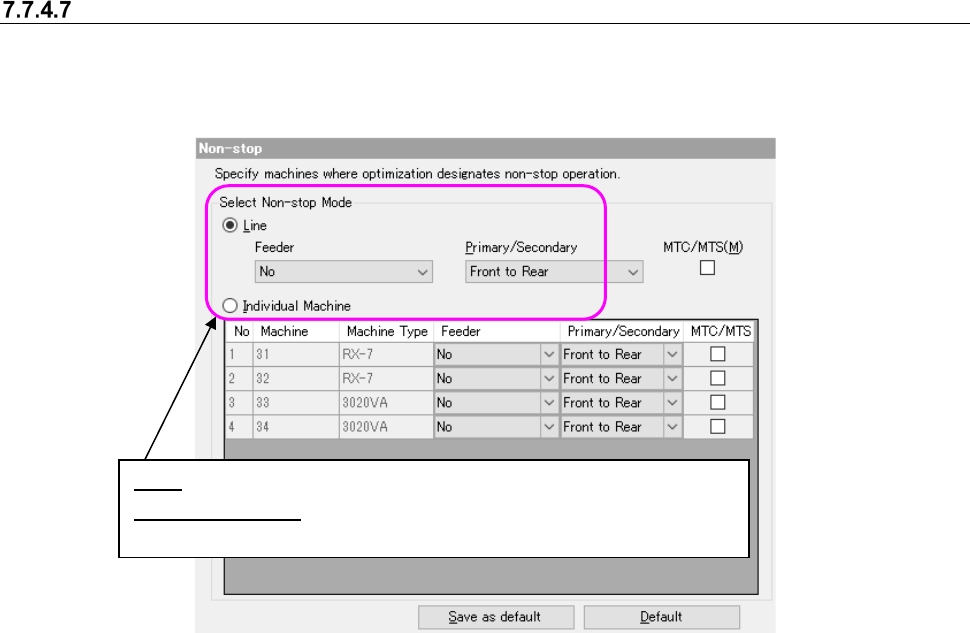
Non-stop option
This option allows you to specify a machine performing a non-stop operation that replaces com-
ponents without stopping PWB production.
When you select the “Non-stop” option in the option selecting area, the following screen appears
in the option setting area.
Figure 7.7-15 Non-stop operation
In the following cases of ① and ②, this will result in a data matching error.
① “Priority of setup” or “Machine individual” is selected as non-stop specification for the line in-
cluding 3020 series.
② “Priority of tact” or “Priority of setup” is selected as non-stop specification for the line including
FX-3/RX-6/RX-7/JX series. When Machine individual is set, non-stop cannot be specified for
FX-3/RX-6/RX-7/JX series. (The setting is fixed to “No execution.”)
③ MTC/MTS and feeder are selected for the line including MTS. When both MTC/MTS and
feeder are checked off for machine individual setting, non-stop is impossible because the
bank exists only on one side.
④ When you are to use an EF feeder with an RS-1 series, you have to select “Use” for the menu
item “Use of Attachments on Electric Bank (RF/EF)” on the “Feeder Option” screen for both
the front bank and the rear bank.
Line: You can specify a non-stop operation for the entire line.
Individual Machine: You can specify a non-stop operation for each ma-
chine in the line.