JANETS_INM.pdf - 第32页
JaNets Instr ucti on Man ual 2. Install ation 2-4 (5) Click the <Insta ll> button. (6) Click the <Yes> b utton. I nstallatio n starts. * This is to modify the fire wall sett ings for t he driver of the protec…
JaNets Instruction Manual 2. Installation
2-3
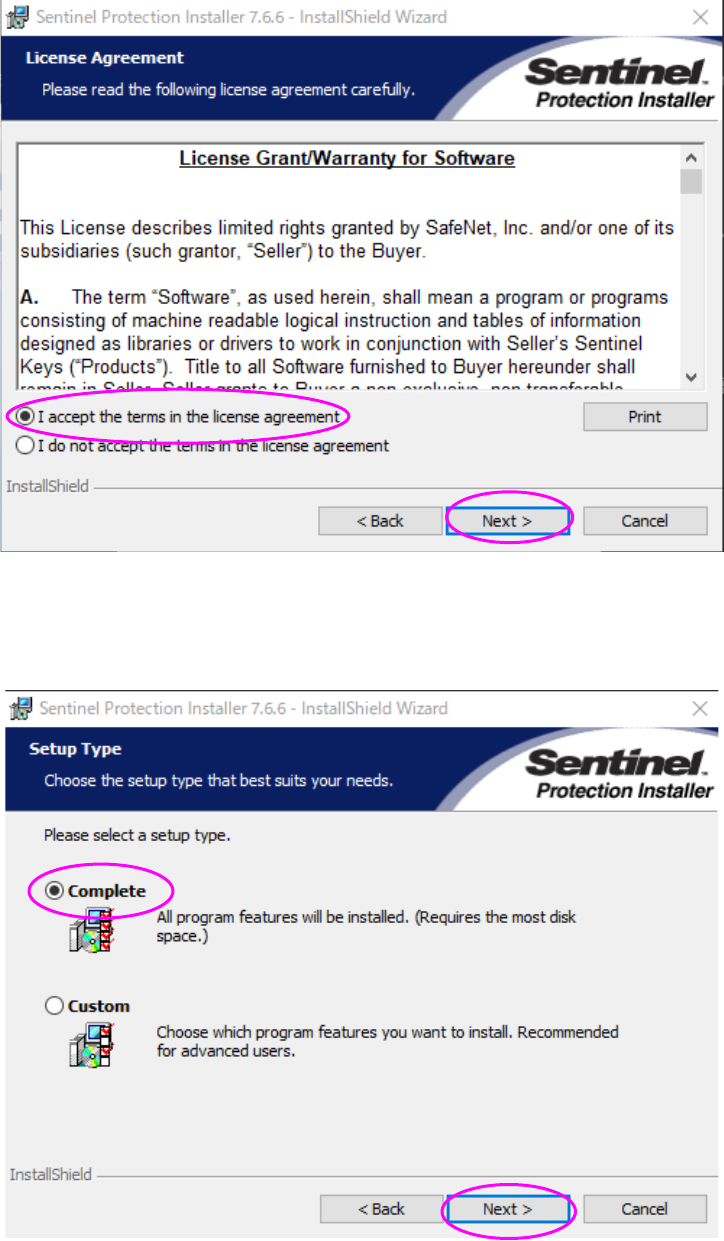
(3) The “License Grant/Warranty for Software” screen appears. Select the radio button “I accept
the terms in the license agreement,” and then click the <Next> button.
(4) Select the radio button “Complete,” and then click the <Next> button.
* When you select the radio button “Custom,” the current screen is switched to that for
selecting a driver to be installed. Be sure to select the radio button “Complete” here.
JaNets Instruction Manual 2. Installation
2-4
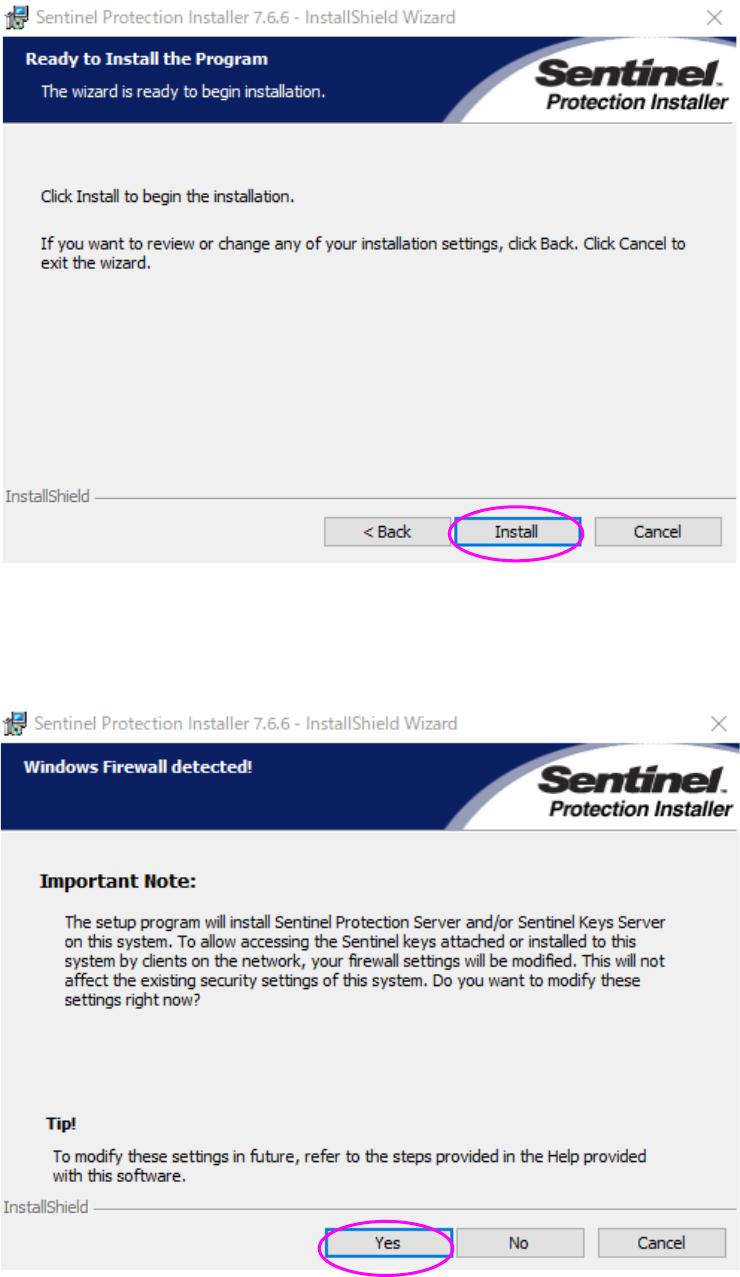
(5) Click the <Install> button.
(6) Click the <Yes> button. Installation starts.
* This is to modify the firewall settings for the driver of the protect module.
Be sure to click <Yes> on this window.
JaNets Instruction Manual 2. Installation
2-5
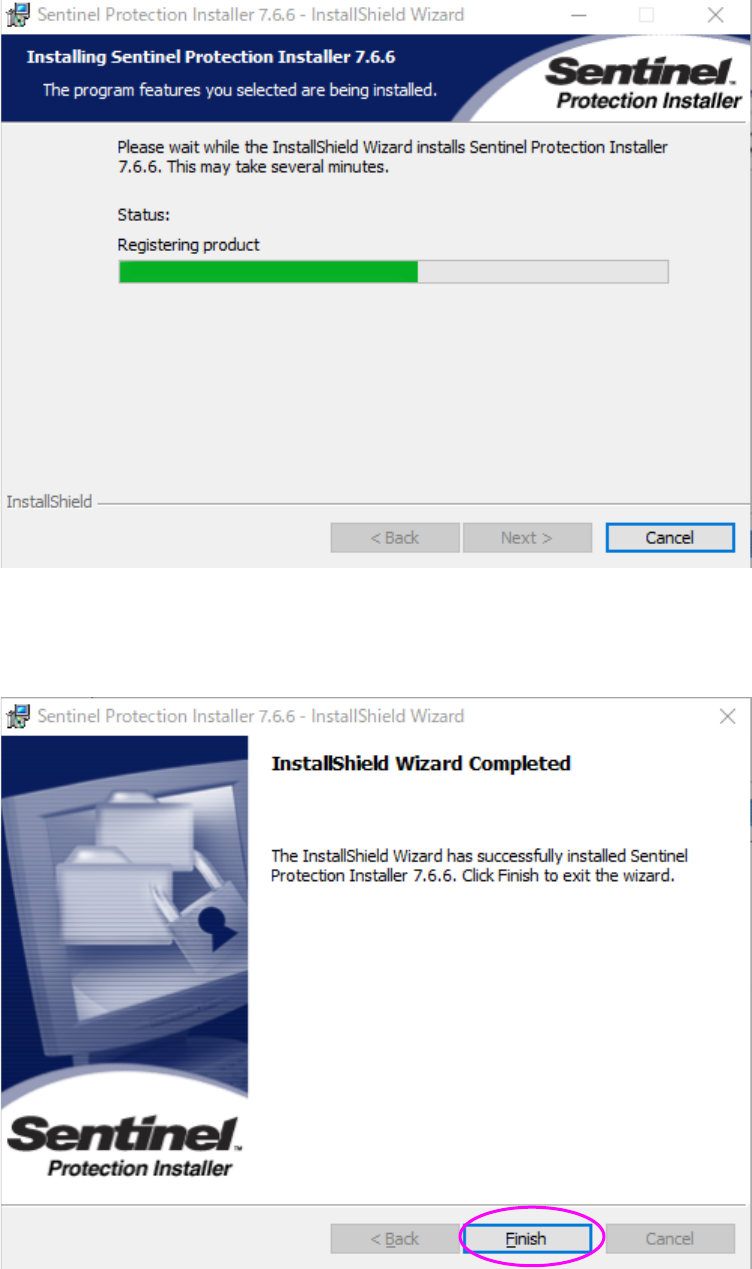
(7) Installation is in progress. Wait for a while.
(8) When all installation process finishes, the “InstallShield Wizard Completed” screen appears.
Click the <Finish> button. The system finishes installing the program module driver on the
PC.
You have finished installing the protect module on the PC at this point.