JANETS_INM.pdf - 第721页
JaNets In structio n Manual 19 T ra ceMonitor 19 - 22 Y ou can switch whet her to display a labe l (charact er string) or not with the corr esponding c heck box also. Figure 19 -3- 41 When EventDat a label is di splayed …
JaNets Instruction Manual 19 TraceMonitor
19-21
19-3-6-7 Filtering an event
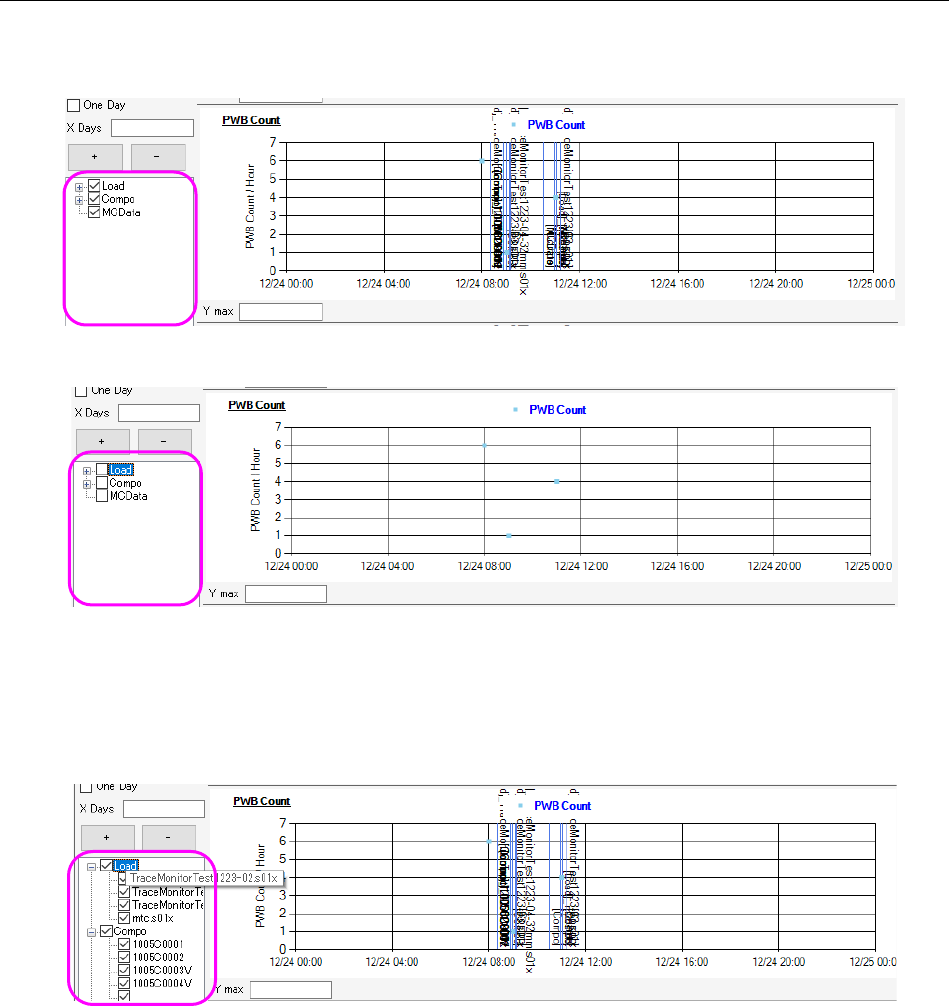
Three types of event data are provided: [Load], [Compo] and [MCData]. You can display or hide
them with the corresponding check boxes.
Figure 19-3-38 Check boxes for filtering an event (when data is displayed)
Figure 19-3-39 Check boxes for filtering an event (when data is hidden)
In addition, TraceMonitor can filter events, [Load] event and [Compo] event, according to the
assigned parameters (production program name/component name) also.
Since any parameter is not assigned to [MCData], you can display or hide it only.
Figure 19-3-40 Filtering each event according to a parameter
JaNets Instruction Manual 19 TraceMonitor
19-22
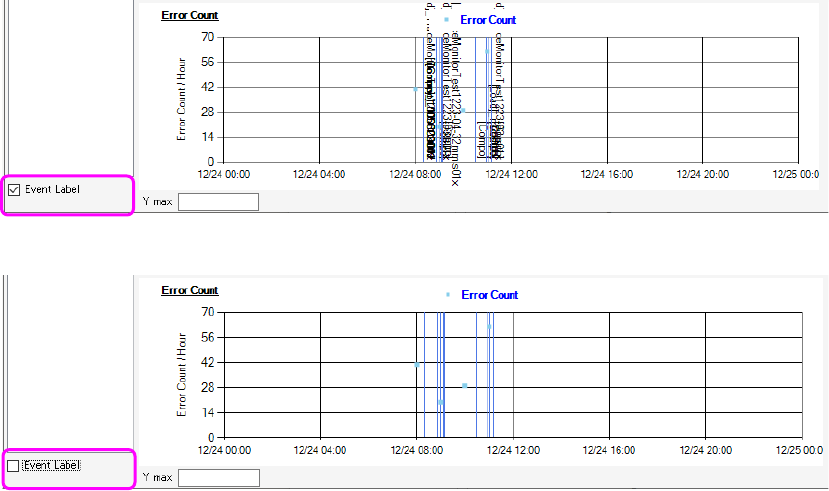
You can switch whether to display a label (character string) or not with the corresponding check box
also.
Figure 19-3-41 When EventData label is displayed
Figure 19-3-42 When Event data label is hidden
JaNets Instruction Manual 19 TraceMonitor
19-23
19-3-7 Error history screen
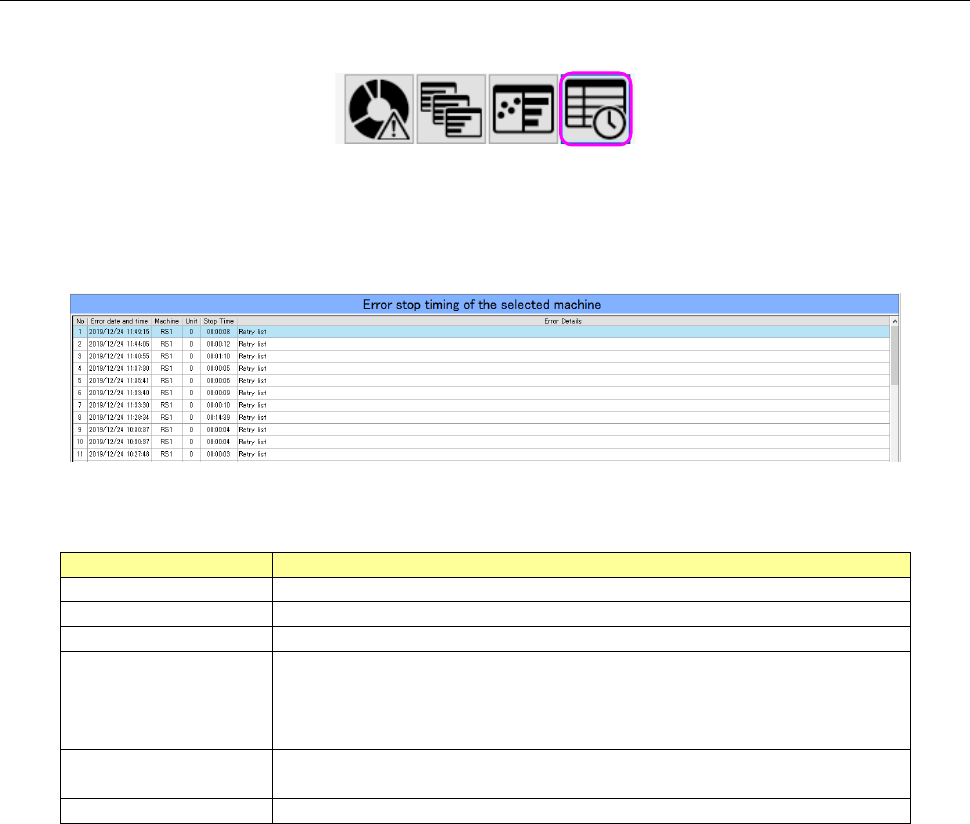
When you select the “Error history” panel with the corresponding panel switch, this screen appears.
Figure 19-3-43 Panel switches
The Error history screen chronemically shows stop of a machine caused by an error that occurred
on a machine or a device of a production line selected with the Floor Information function.
Figure 19-3-44 Error history screen
Table 19-3-11 Items of the Error history screen
Item
Description
No
Displays a serial number of data.
Error date and time
Displays the date and time when the system stopped due to an error.
Machine
Displays the name of a machine at which an error stop occurred.
Unit
Displays the name of a unit of a machine at which an error stop
occurred.
RX-7 0: Entire machine 1: Right side only 2: Left side only *1
Others 0: Entire machine
Stop Time
Displays the time period while the system was stopping due to an
error.
Error Details
Displays the description of the main error.
*1 If the entire machine stops after an error stop occurred on a single side, this error is displayed
as entire machine.