JANETS_INM.pdf - 第497页
JaNets Instr ucti on Man ual 13 . Program D ownloa der 13 -1 13. Progr am Downloa der What is the Program Downloade r? The Program Downlo ader t ransfers ( downloads) a p roducti on progr am to a machi ne via the Lo cal …
JaNets Instruction Manual 12. Machine Program Relater
12-14
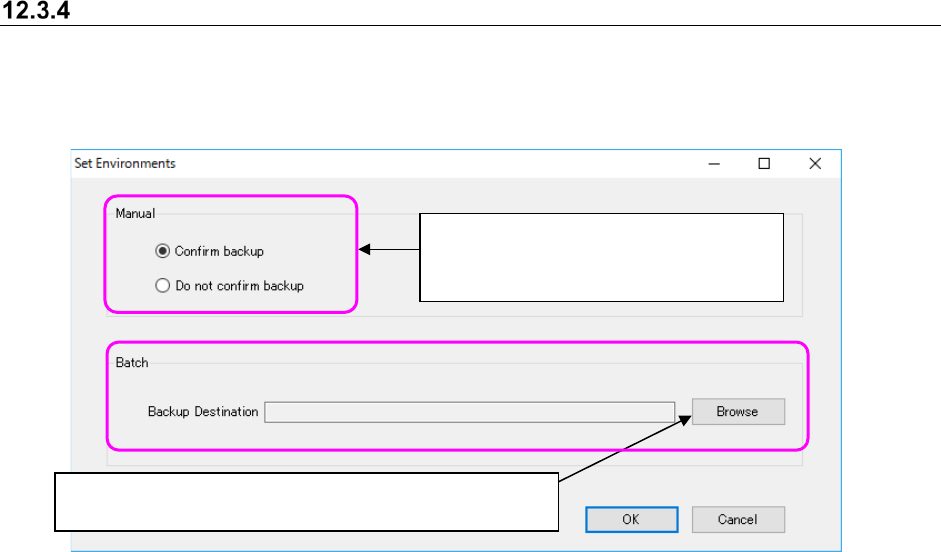
Setting the environment
Before relating an old production line to a new one manually, make the setting for displaying the
back-up confirmation message of files in the JaNets format with the corresponding radio button.
Specify where to back up files automatically during batch relation also.
Figure 12.3-16 “Set Environments” screen
Click the <Browse> button to specify whether to back up files
automatically when the system performs batch relation.
Specify whether to display the back-up
confirmation message when the system
relates the production lines manually.
JaNets Instruction Manual 13. Program Downloader
13-1
13. Program Downloader
What is the Program Downloader?
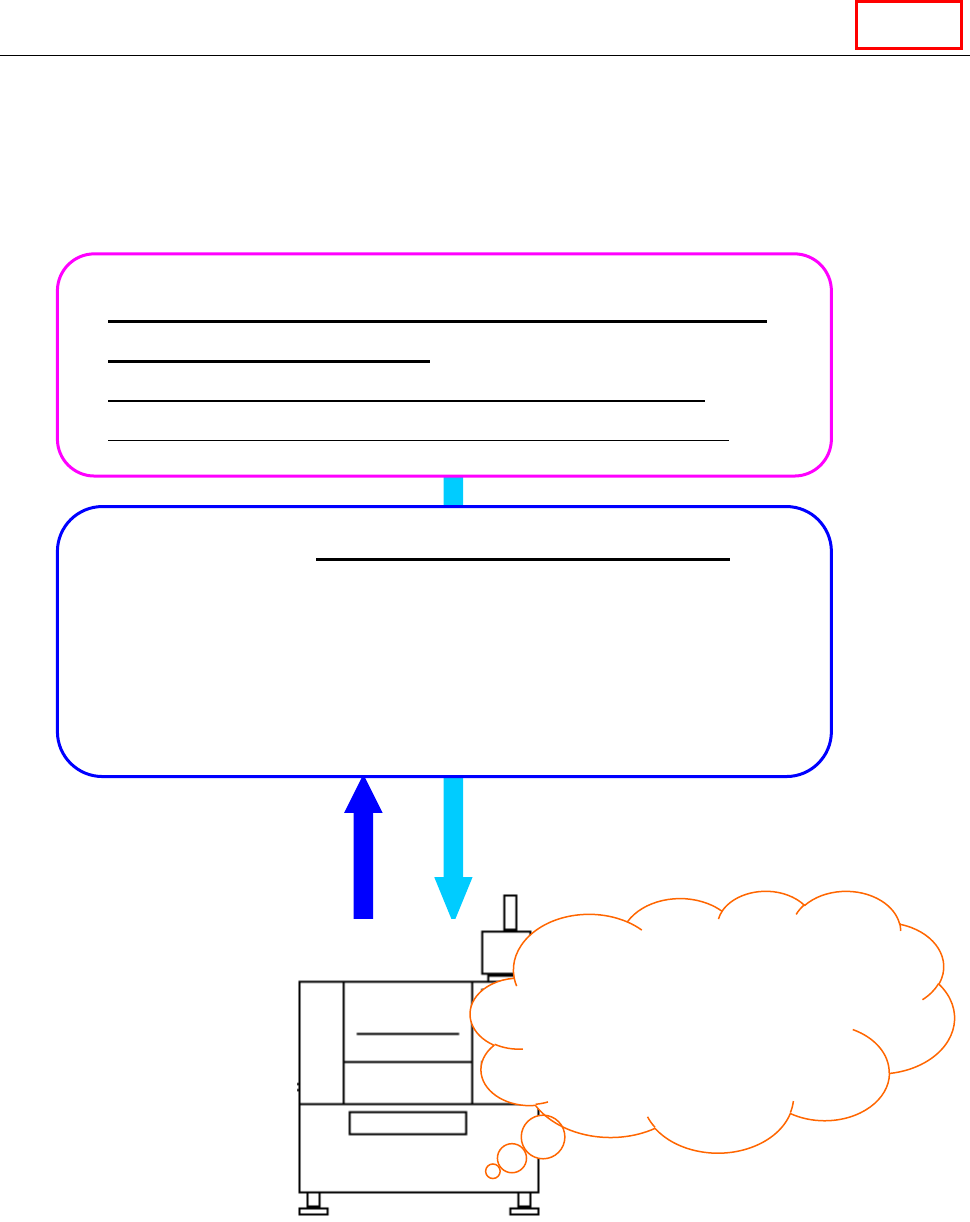
The Program Downloader transfers (downloads) a production program to a machine via the Local
Area Network (LAN), produces PWBs and then receives (uploads) the program from the machine
after PWB production finishes.
It also displays the graphics during PWB production.
* Change a setup of Windows not to be in a screen saver screen and a standby state during
start-up of the Program Downloader.
Created and optimized production program (*.iss)
or reservation file (*.rsv)
Production program: Optimization by “7. Program editor”
Reservation file: “Cluster optimization by “8. Job optimizer”
Production – “13. Production Downloader”
When the Program Downloader transfers (downloads) the files described
above to a machine, and then you press the “Start” button of the
machine, the PWB starts. Next, it receives (uploads) the production
program whose production has finished, and stores the production
results. In addition, the Program Downloader monitors the PWB
production conditions of the selected production lines and machines
during PWB production.
When you press the
“Start” button,
PWB production
starts.
Downloading of files
Uploading of files
after PWB production
finishes
Line
JaNets Instruction Manual 13. Program Downloader
13-2
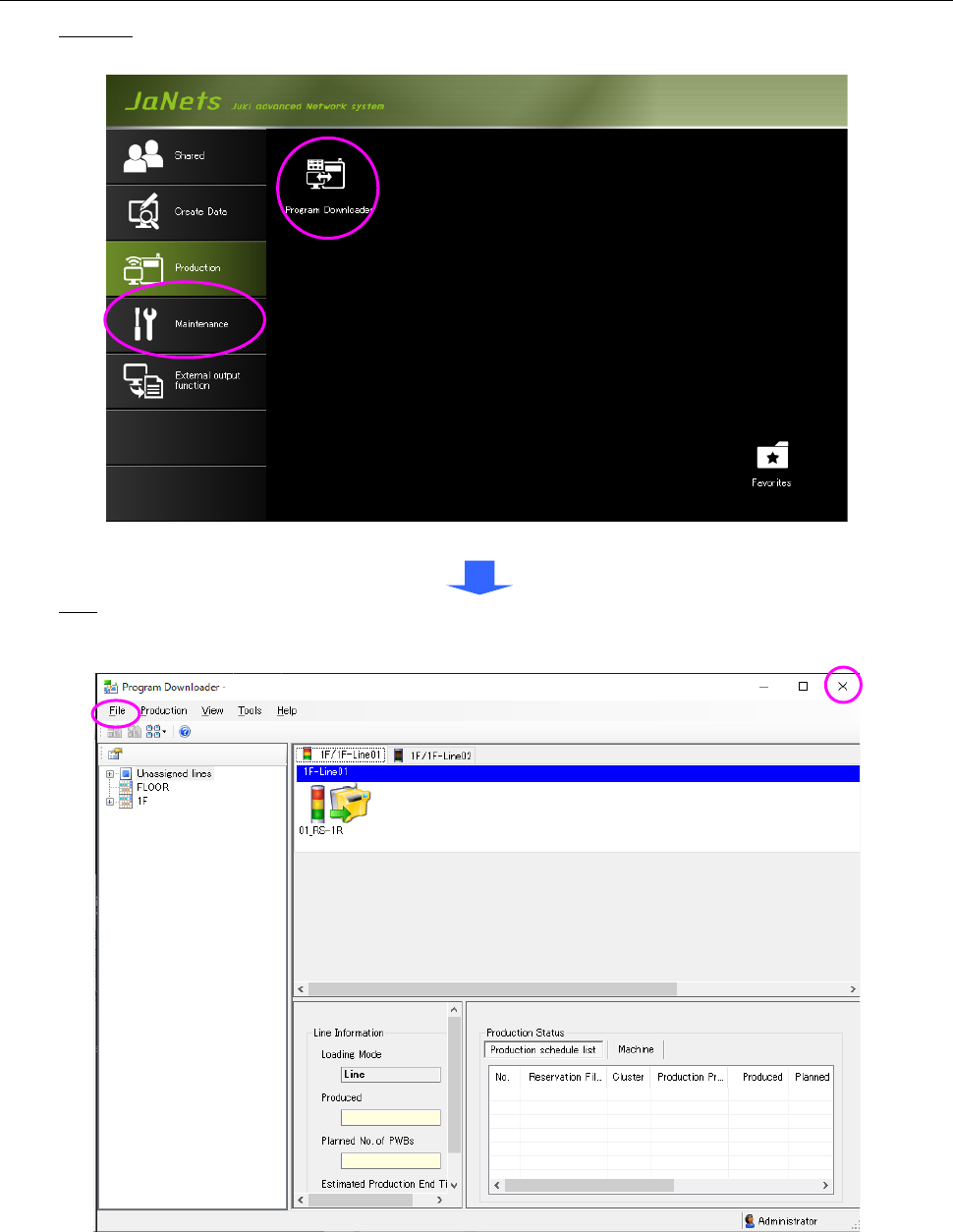
13.1 Starting Up or Quitting the Program Downloader
Start-up: Double-click the "Production" tab from the JaNets Launcher, and then the "Program
Downloader" icon.
Figure 13.1-1 JaNets Launcher screen
Quit: Select the "File" command from the menu bar, and then the "Quit Program Downloader"
command on the “File” menu, or select the close (×) button at the upper right corner of the title
bar.
Figure 13.1-2 Main screen
* When on-line production is running at the time of the termination of the Program
Downloader, it cannot be quitted. Quit the Program Downloader after ending on-line
production by forced termination.