JANETS_INM.pdf - 第85页
JaNets Instr ucti on Man ual 2. Install ation 2- 57 (3) When “Start” appe ars in the “Status ” column of the “Windows F irewall/I ntern et Connectio n Sharing (I CS)” of th e “Ser vices” scr een, cl ick [Prop er ties] on…
JaNets Instruction Manual 2. Installation
2-56
2.5.4.2 Disabling the firewall
Disable the firewall. When the firewall is enabled, the JaNets cannot perform any communication.
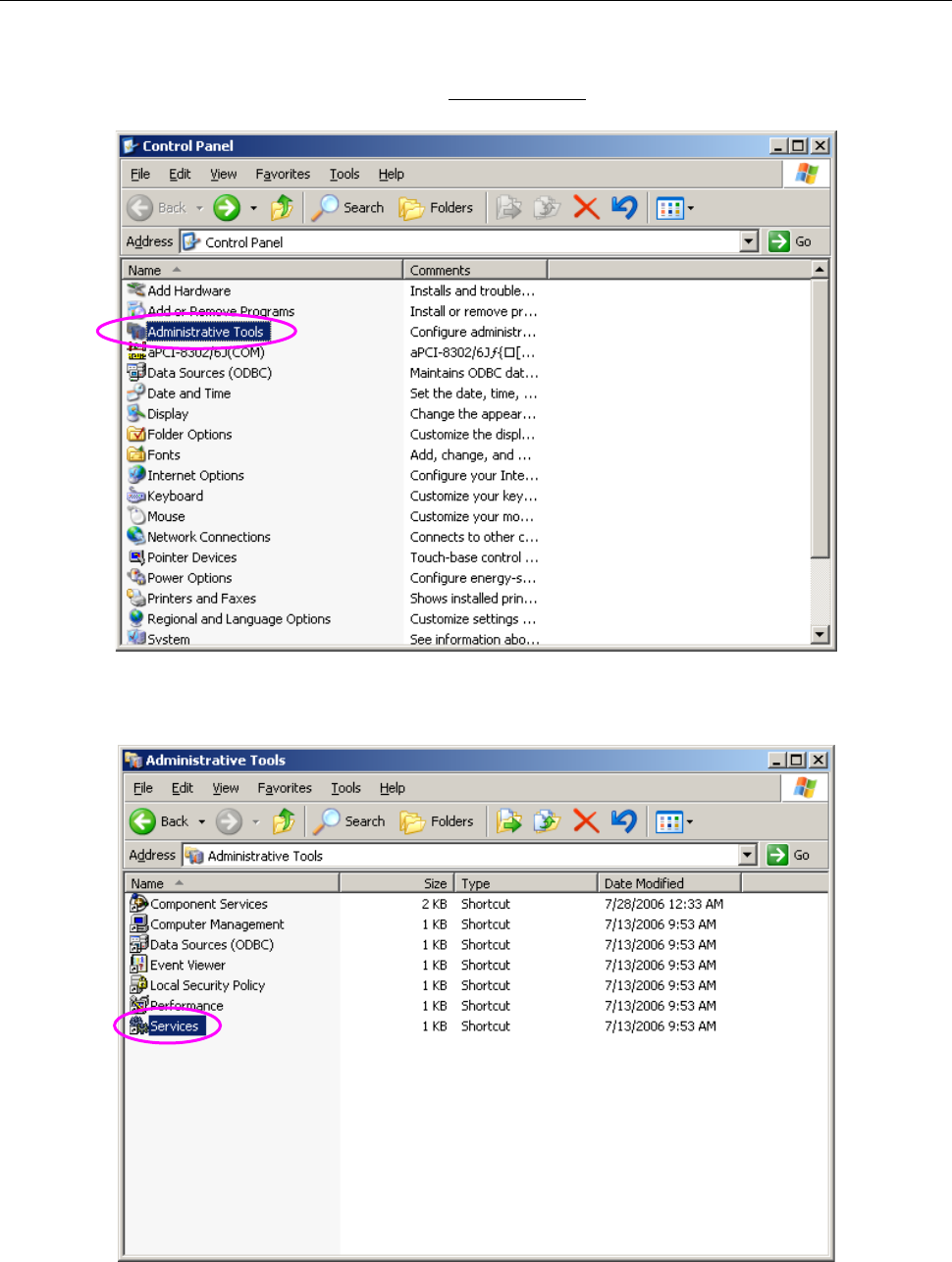
(1) Display the “Control Panel” shown in “Figure 2.5-43” from the “Start” menu, and then select
“Administrative Tools.”
Figure 2.5-43 Control Panel (displayed on the mounter)
(2) Select “Services” among the administrative tools.
Figure 2.5-44 Administrative Tools (displayed on the mounter)
JaNets Instruction Manual 2. Installation
2-57
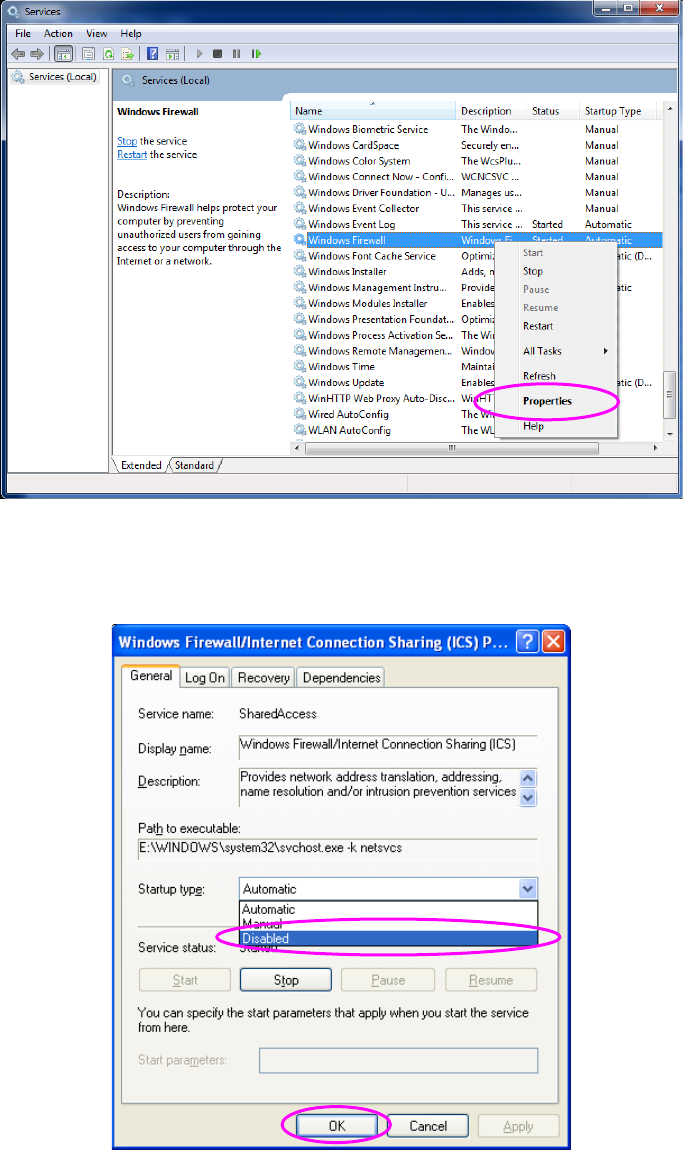
(3) When “Start” appears in the “Status” column of the “Windows Firewall/Internet Connection
Sharing (ICS)” of the “Services” screen, click [Properties] on the pop-up menu displayed when
you right-click the screen.
Figure 2.5-45 “Services” screen 1 (displayed on the mounter)
(4) Select “Disabled” in the “Startup type” field of the Property screen, and then click the <OK>
button.
Figure 2.5-46 ”Services” screen 2 (displayed on the mounter)
You have finished disabling the firewall at this point.
JaNets Instruction Manual 2. Installation
2-58
2.5.4.3 Creating a shared folder
To download a production program or a reservation file, there should be a shared folder whose
shared name is “Prg” in the machine.
(1) Start up the Explorer, and then create a new Prg folder at the desired position of the drive D.
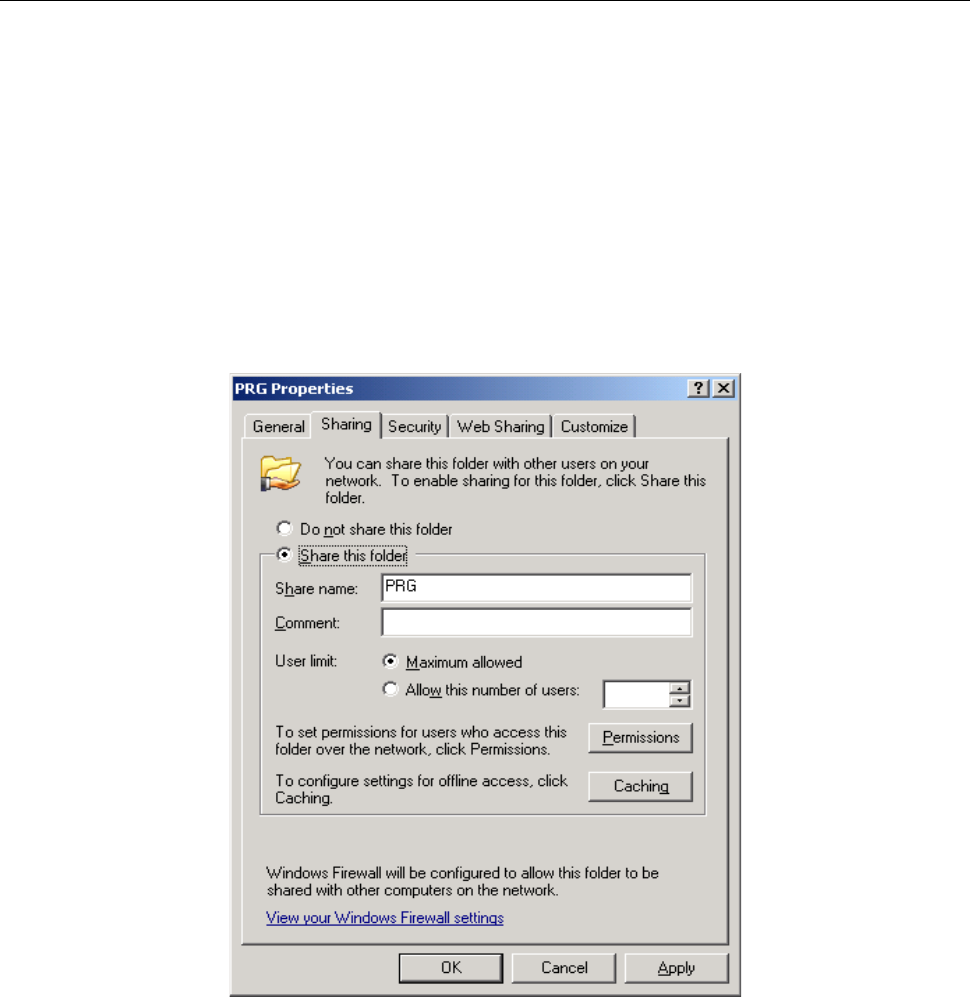
(2) Right-click the created Prg folder to select [Properties] on the displayed pop-up menu.
When the “PRG Properties” dialog box appears on the screen, select the “Sharing” tab. The
screen shown in Figure appears.
Select the “Sharing this folder” radio button, and then specify “Prg” as the shared name in the
“Share name” field. Select the “Maximum allowed” radio button for the menu item “User limit.”
When you finish setting this tab, press the <Permission> button.
Figure 2.5-47 Properties of a shared folder