JANETS_INM.pdf - 第279页
JaNets In structio n Manual 7. Program Editor 7- 72 “ Element ” details setting screen This screen allows y ou to set the det ailed in formatio n on an ele ment such a s an element t ype, assignme nt and di mensio ns. Ac…
JaNets Instruction Manual 7. Program Editor
7-71
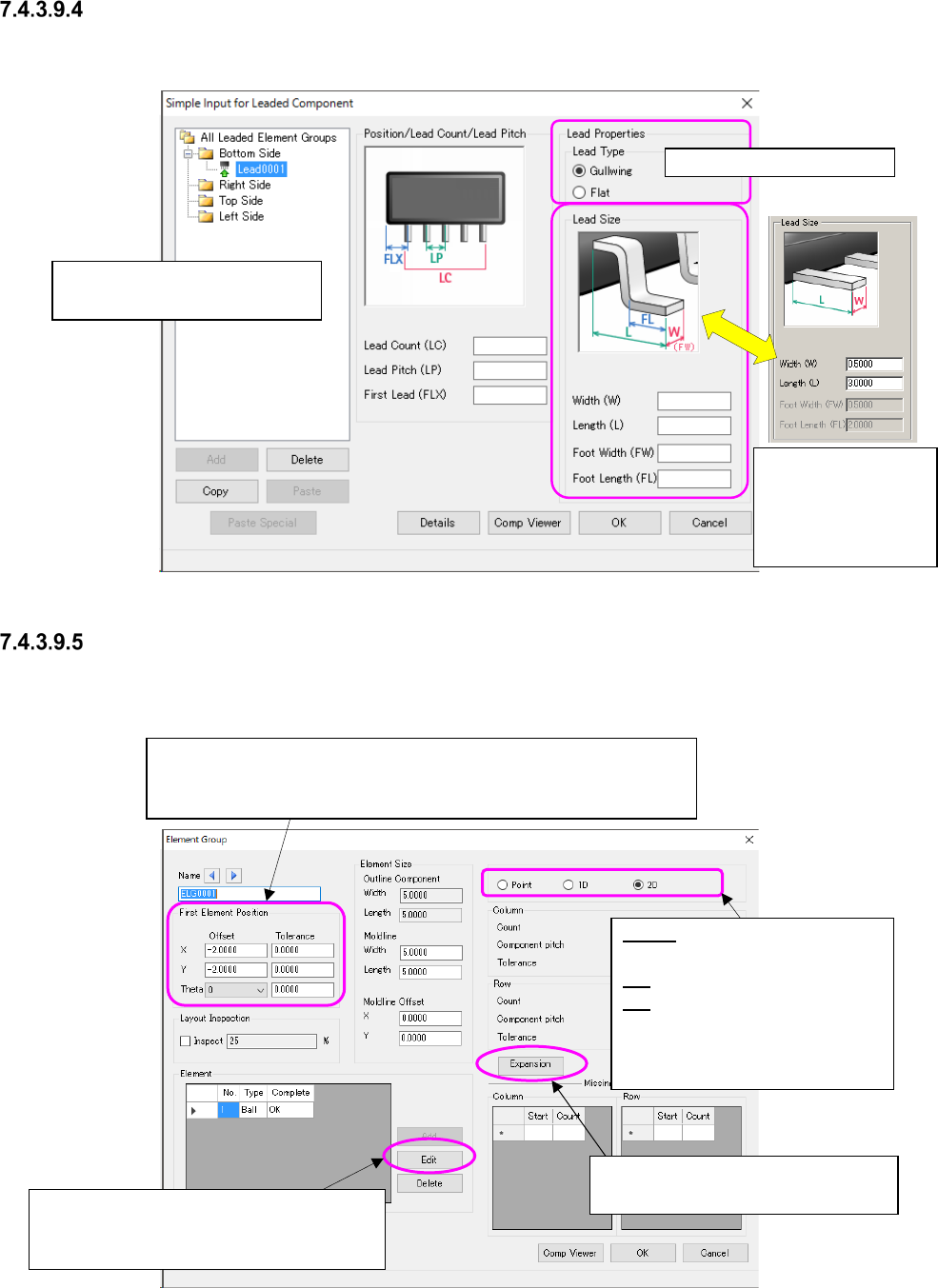
“Simple Input for Leaded Component” screen
This screen allows you to set data such as the number of leads, the lead pitch, the lead length and
the lead width of each element group easily by showing the bit map.
Figure 7.4-110 “Simple Input for Leaded Component” screen
“Element Group” setting screen
This screen allows you to set the details such as the element position, the number of elements,
and the pitch between the consecutive elements of each element group.
Figure 7.4-111 “Element Group” screen
Select the lead type here.
Enter the coordinates of the center of the tip of the reference lead
viewed from that of a component.
* The input range is within the outer dimensions of a component.
Point: Specify the side, corner
and mark.
1D: Specify a lead.
2D: Specify a ball/land.
* When you switch the radio
button, the input items are al-
so switched on the screen.
When an element is registered, this <Edit>
button is enabled, and the system allows
you to make the detailed settings.
Set the expansion data. It is valid for
3010/3020/3020R/3020V/3020VR.
Execute the element group set-
ting selected in this tree view.
The screen is
switched to another
one according to the
lead type you se-
lected above.
JaNets Instruction Manual 7. Program Editor
7-72
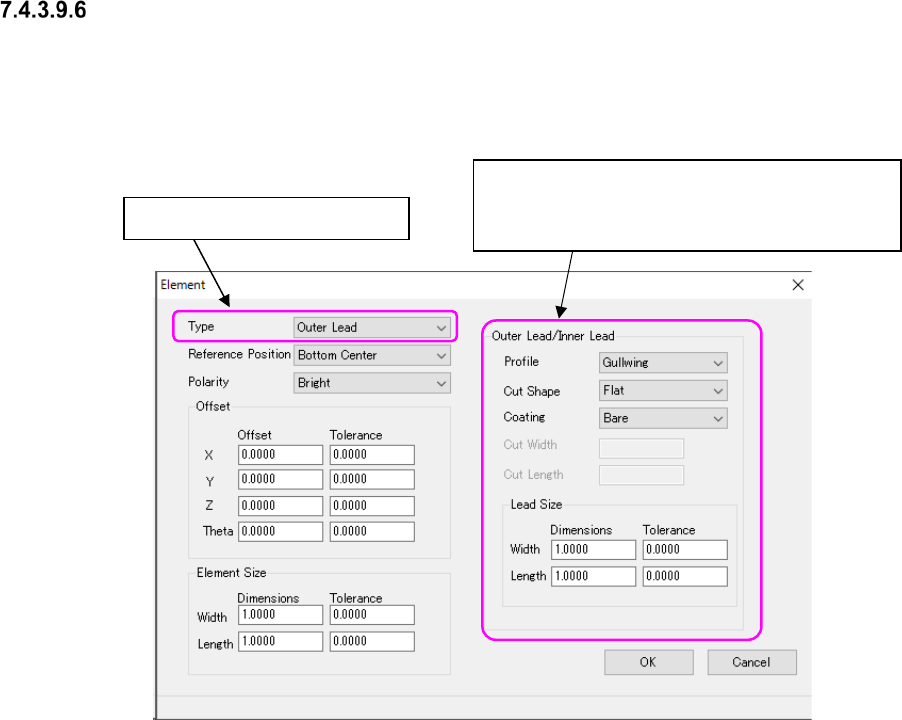
“Element” details setting screen
This screen allows you to set the detailed information on an element such as an element type,
assignment and dimensions.
According to the setting in the “Type” field, the following screen appears.
The example below shows the screen for setting an Outer Lead/Inner Lead.
Figure 7.4-112 “Outer Lead/Inner Lead” setting screen
Switch the element type here.
When you switch the element type in the “Type”
field, this column changes to the “Ball/Land,”
“Column,” “INS pin” “Mark” or “Corner” column
JaNets Instruction Manual 7. Program Editor
7-73
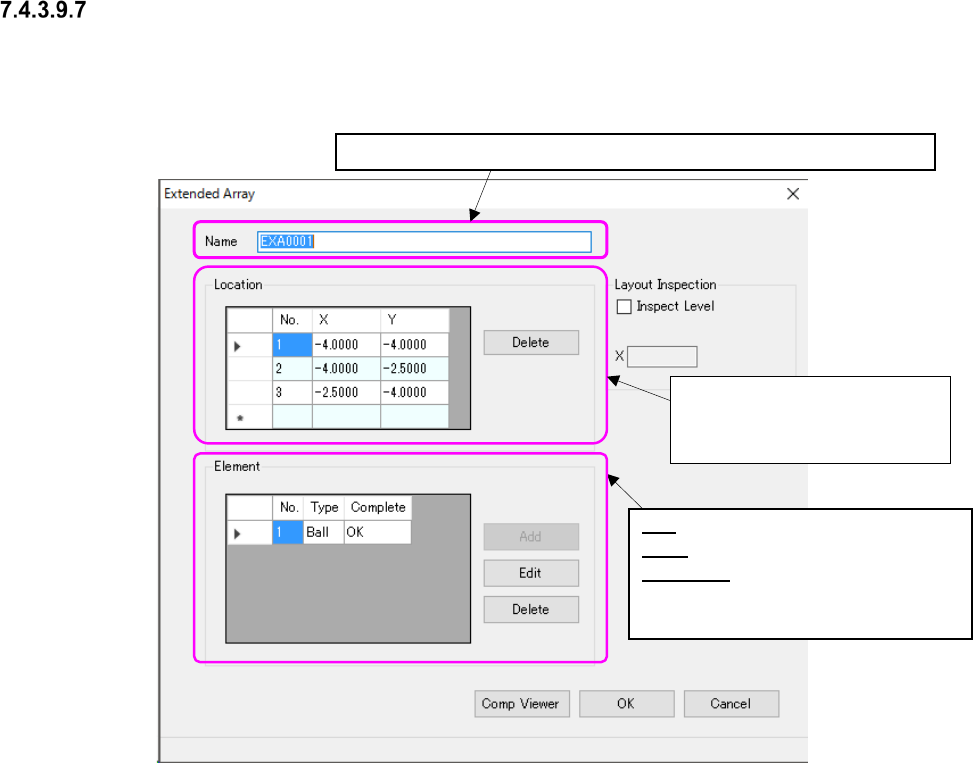
Extended Array” setting screen
This screen allows you to set the detailed information on an irregular ball pattern such as the el-
ement assignment and dimensions.
Figure 7.4-113 “Extended Array” screen
Enter up to 32 half-width alphanumeric characters to specify a name.
Enter the coordinates of a ball
to be checked viewed from the
center of a component.
No.: Displays the element number.
Type: Displays the element type.
Complete: Displays “OK” when an el-
ement is created completely, or
“NG” when it is not.