JANETS_INM.pdf - 第636页
JaNets In structio n Manual 16 Component D ataba se 16 - 36 D isp la y by n eed le t ype It displays ad hesion d ata by nee dle type by se lect ing the [V iew] - [By needle t ype] comm and. Figure 16.18 -1 Displ ay by ne…
JaNets Instruction Manual 16 Component Database
16-35
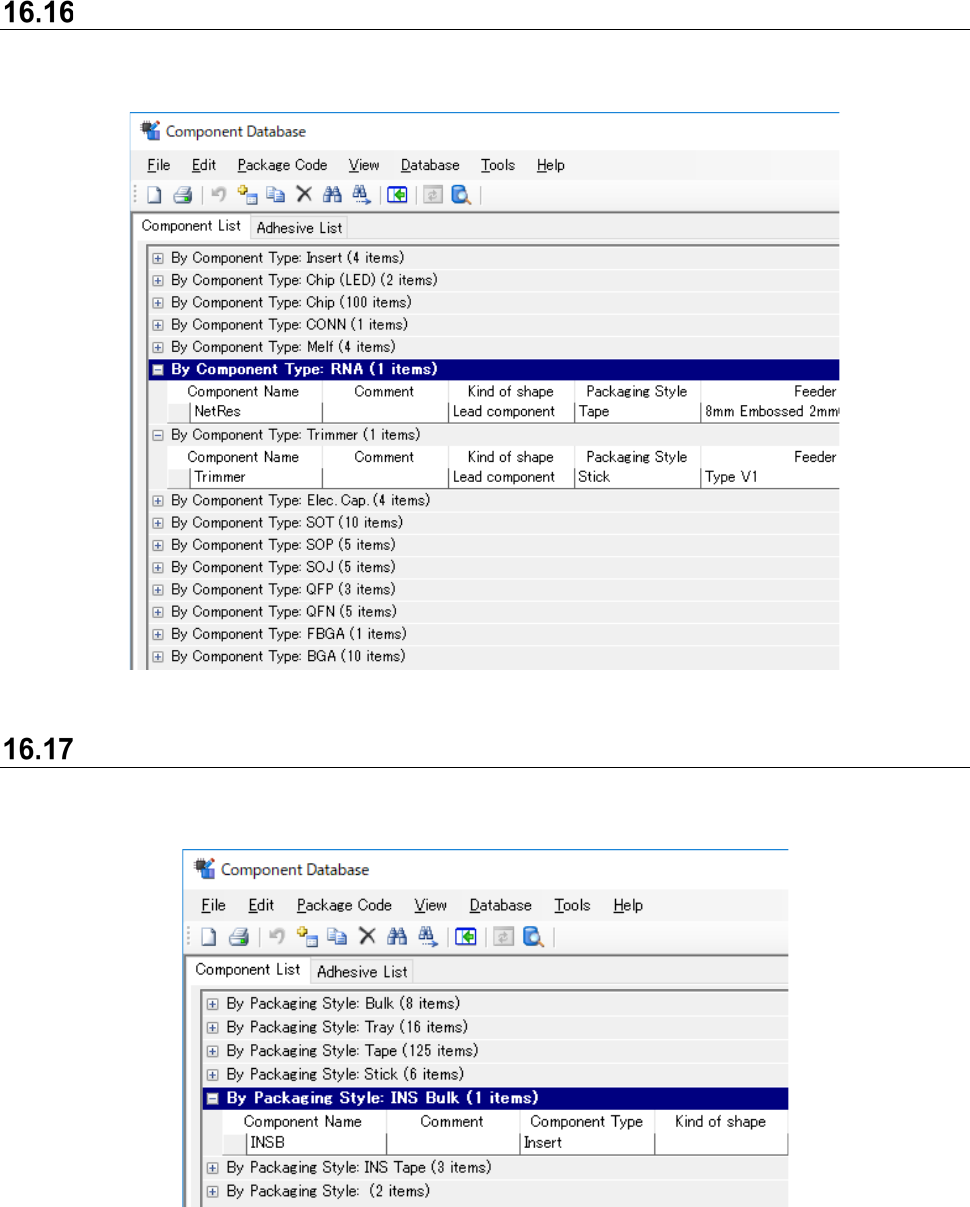
Display by component type
It displays component database by component type by selecting the [View] - [By Component Type]
command.
Figure 16.16-1 Display by component type
Display by packaging style
It displays component data/component reel by component type by selecting the [View] - [By
Component Code] command.
Figure 16.17-1 Display by packaging style
JaNets Instruction Manual 16 Component Database
16-36
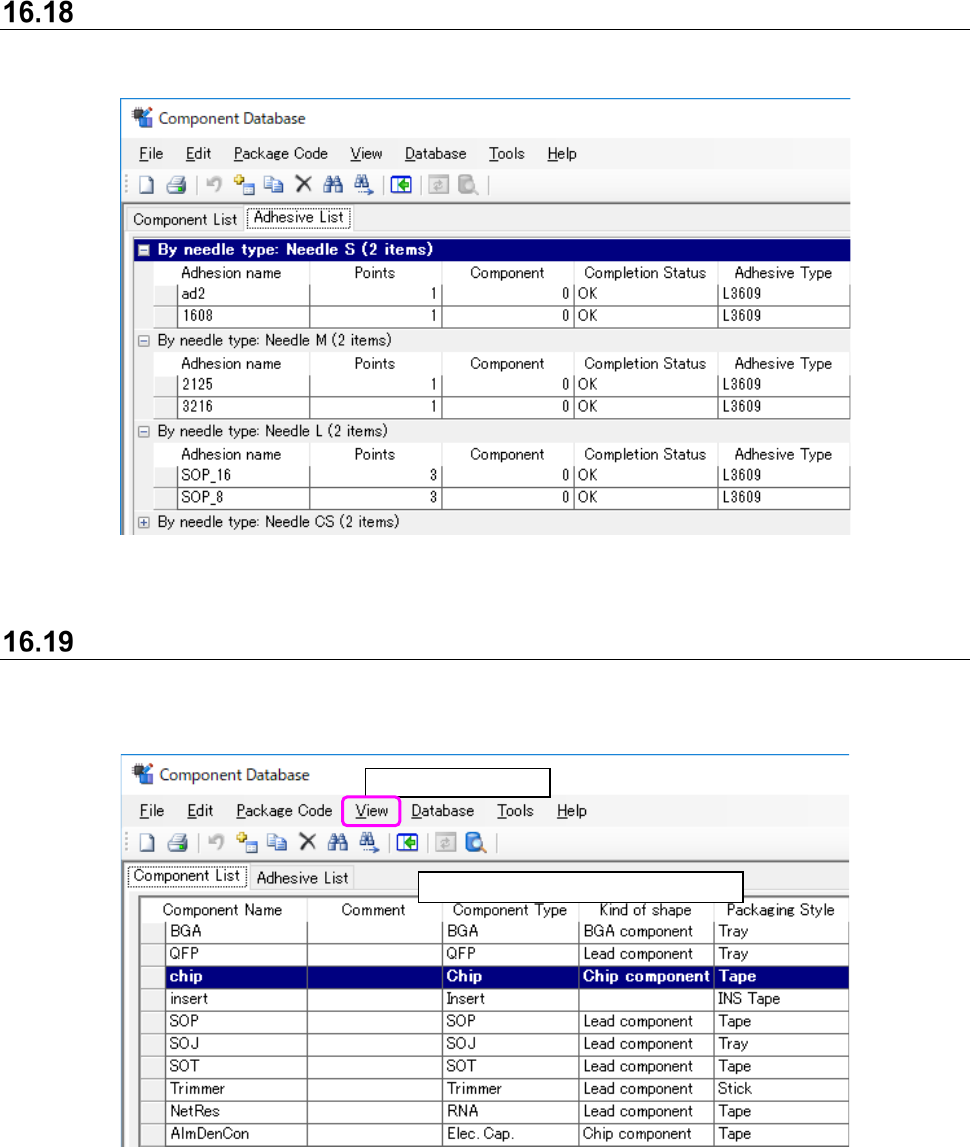
Display by needle type
It displays adhesion data by needle type by selecting the [View] - [By needle type] command.
Figure 16.18-1 Display by needle type
Display all
All component data whether [Component type] or [Packaging style] is displayed irrespective of
type.
Figure 16.19-1 Screen after selection of [All]
Select [View] - [All].
Displays data in order of registration.
JaNets Instruction Manual 16 Component Database
16-37
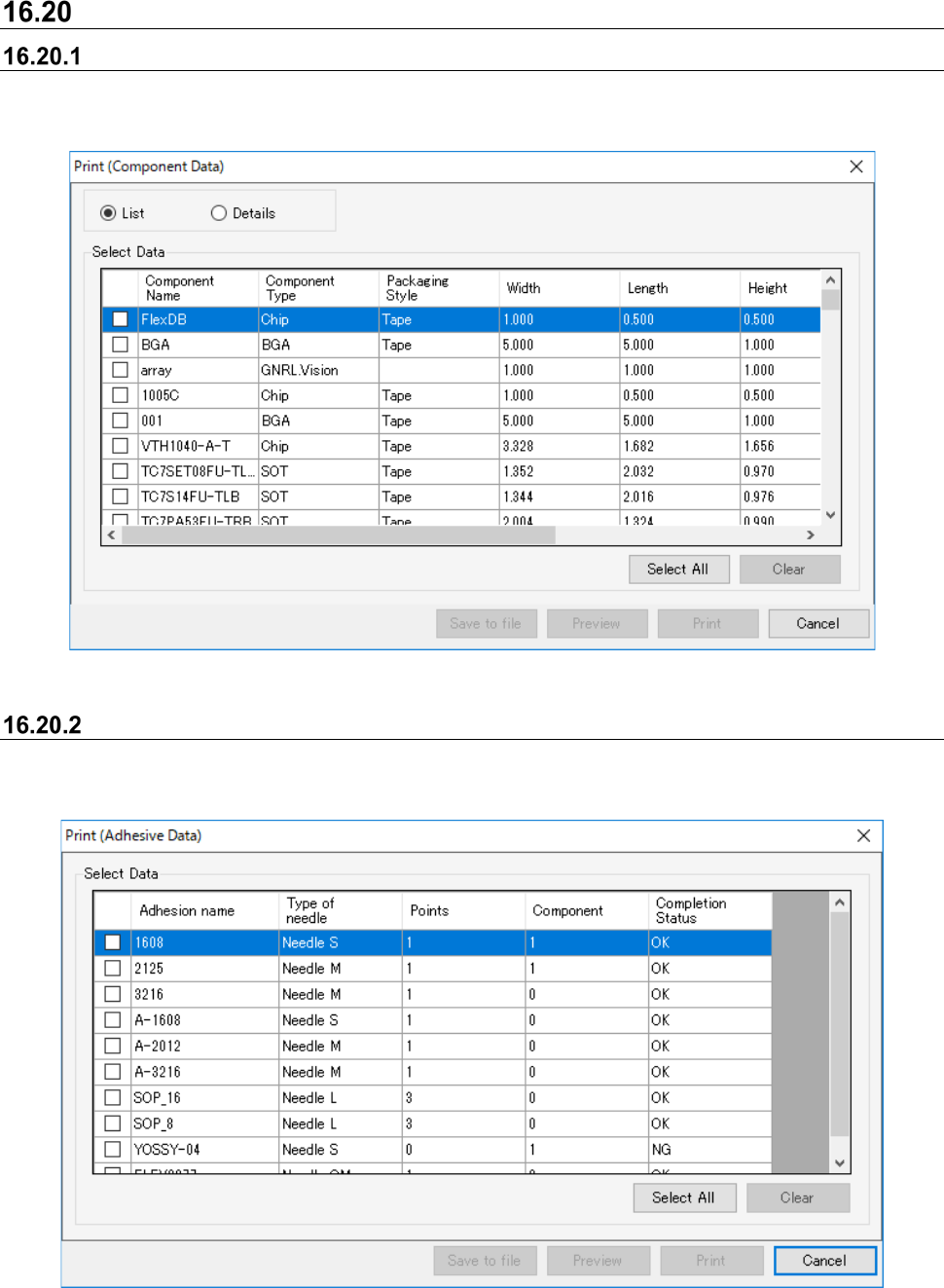
Print
Printing component data
When the component data list is displayed, select the [File] - [Print & Save to file…] command and
the following dialog box appears.
Figure 16.20-1 Component data print dialog
Printing adhesion data
When the adhesion list is displayed, select the [File] - [Print & file output] command and the
following dialog box appears.
Figure 16.20-2 Adhesion data print dialog