JANETS_INM.pdf - 第139页
JaNets In structio n Manual 5. Shopflo or Setu p 5- 19 Machine view (Machine information di splay) Figure 5.4 -5 Exampl e of the machi ne select ion scr een Mac hin e view : The image of the m achine selected o n the fl …
JaNets Instruction Manual 5. Shopfloor Setup
5-18
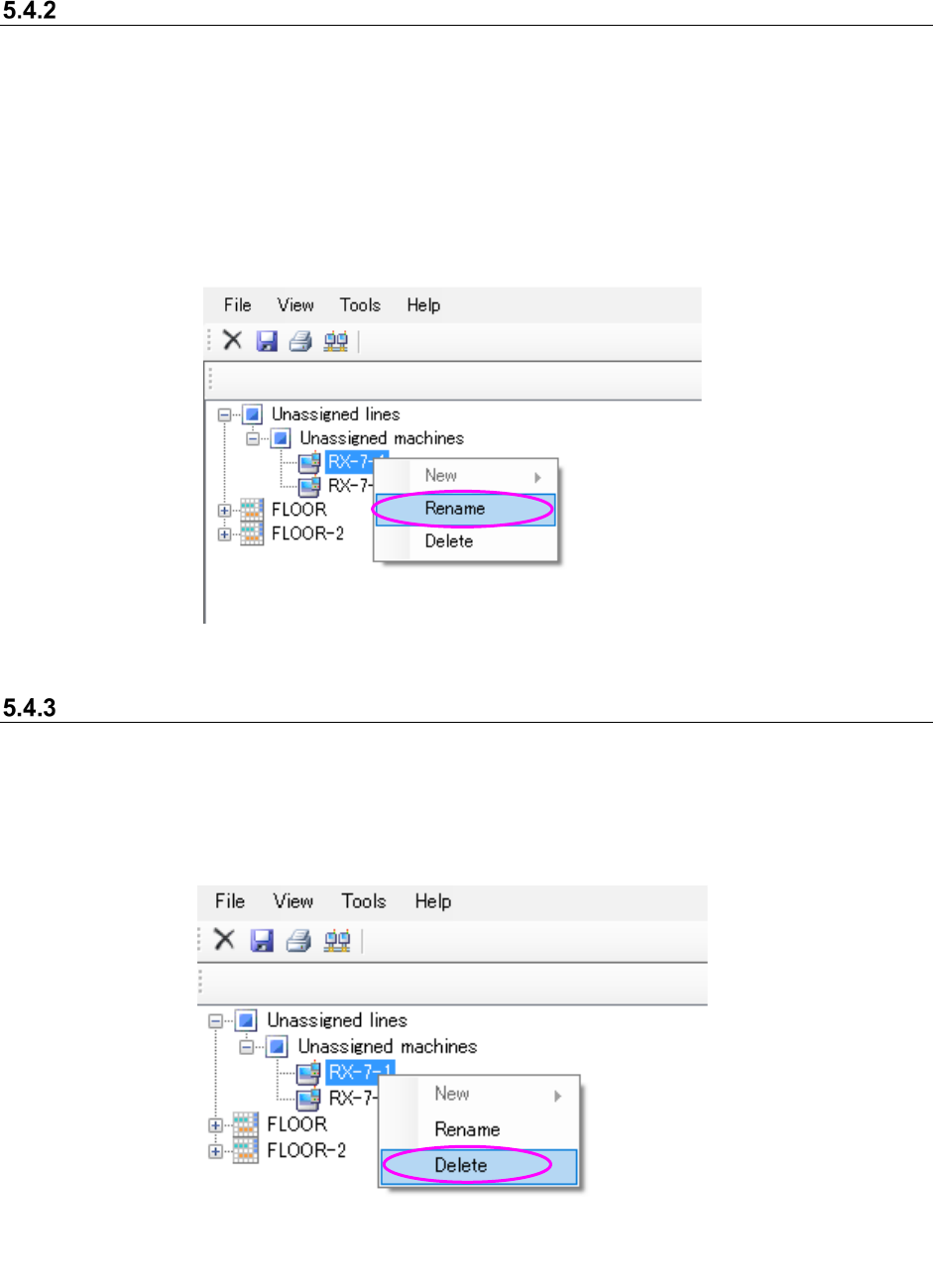
Changing the machine name
Select a machine under the “Unassigned” machines from the floor configuration tree, and then
perform the operation ① or ② below.
① Select the [File] command from the menu bar, and then the [Rename] command from the
“File” menu.
② Click the right button of a mouse to display the pop-up menu. Select the [Rename] command
from this pop-up menu.
* When you perform either of the operations above, the selected machine can accept your input,
and you can change its name.
Figure 5.4-3 Changing the machine name (Operation 2)
Deleting a machine
Select a machine under the “Unassigned” machines on the floor configuration tree, and perform
the operation ① or ② below.
① Select the [File] command, and then the [Delete] command from the “File” menu.
② Click the right button of a mouse to display the pop-up menu. Select the [Delete] command
from this pop-up menu.
Figure 5.4-4 Deleting a machine name (Operation 2)
JaNets Instruction Manual 5. Shopfloor Setup
5-19
Machine view (Machine information display)
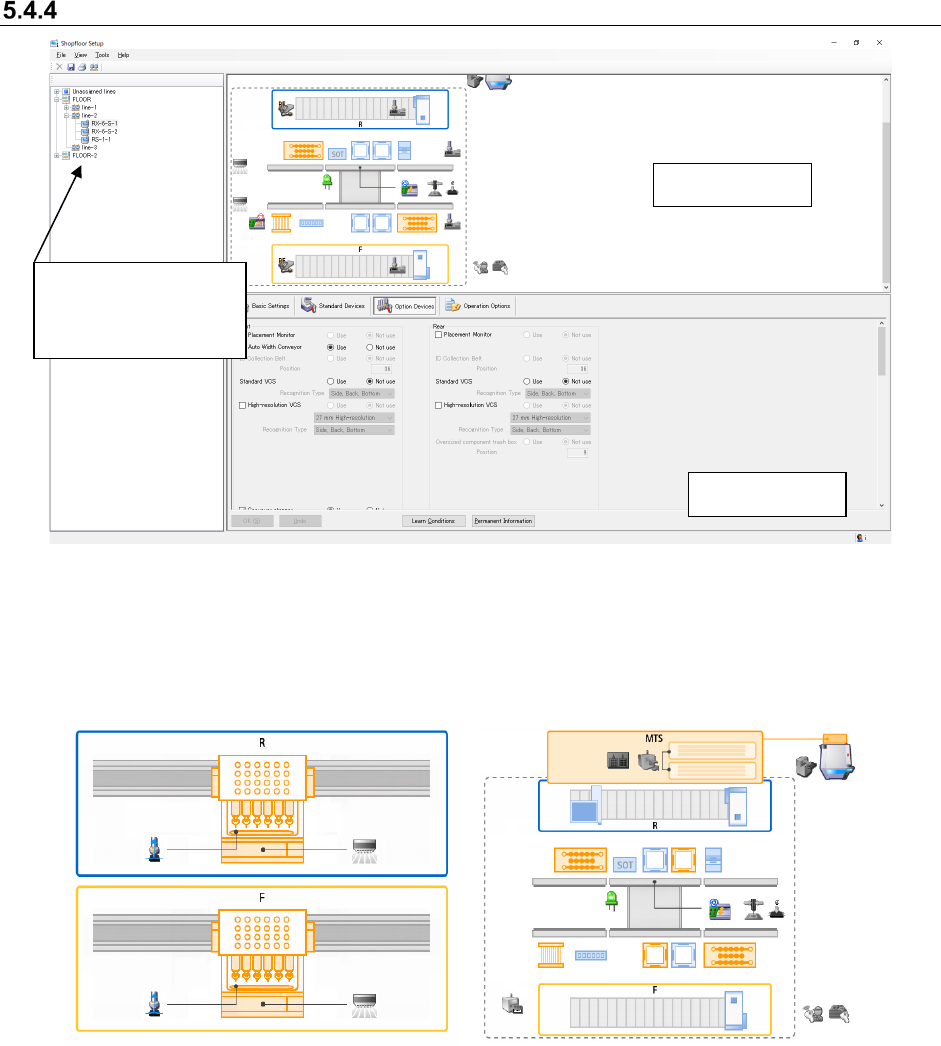
Figure 5.4-5 Example of the machine selection screen
Machine view : The image of the machine selected on the floor configuration tree is
displayed here.
The model name, devices and option conditions of the machine are visually displayed.
Figure 5.4-6 Machine view of the standard
setting
Figure 5.4-7 Machine view of option devices
Machine details
Machine view
Select a machine on
the floor configuration
tree.
JaNets Instruction Manual 5. Shopfloor Setup
5-20
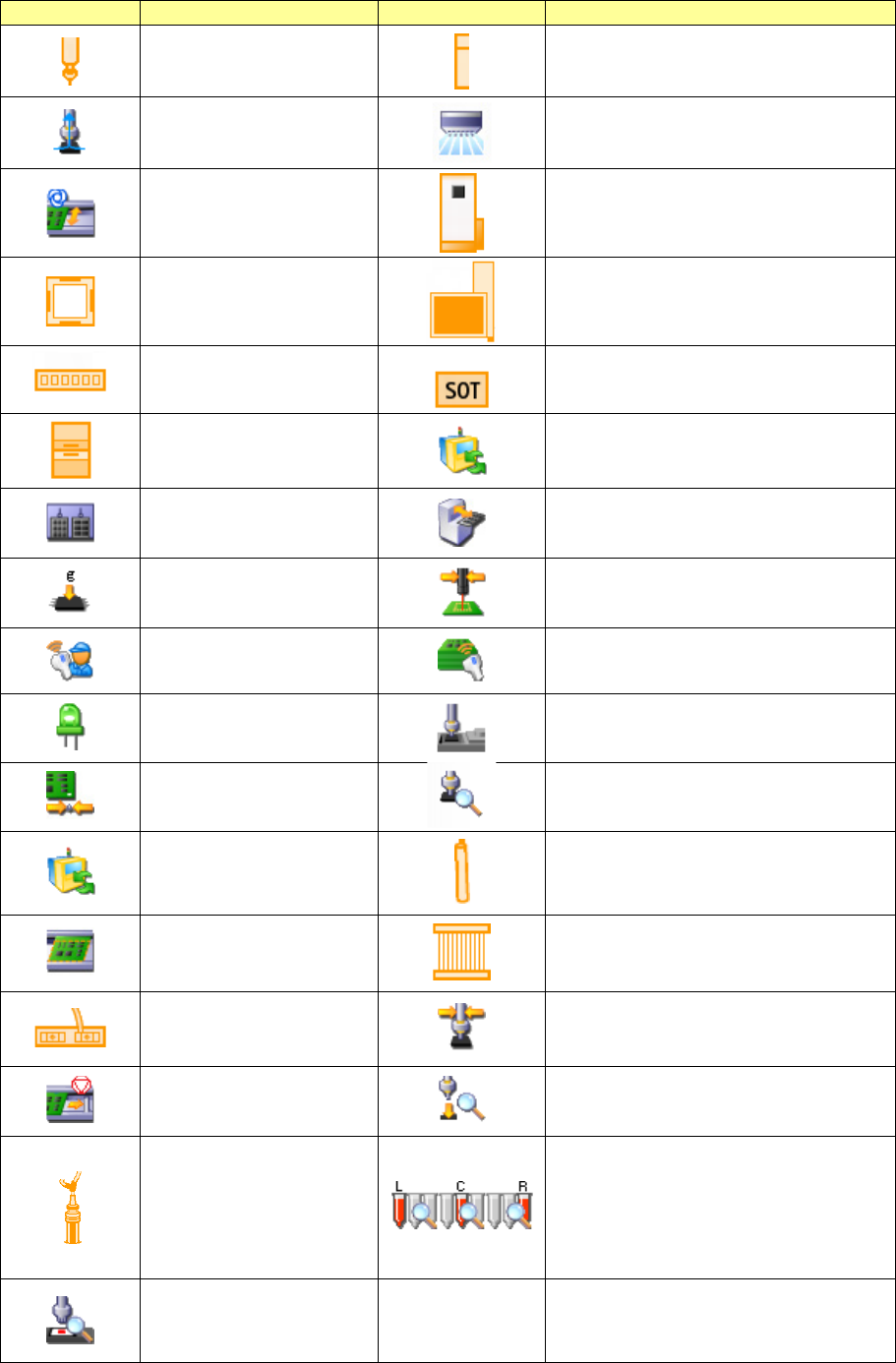
Table 5.4-1 Devices displayed on the machine view
Icon
Device
Icon
Device
Nozzle
OCC
Vacuum pump
Placement monitor
Automatic board width
adjustment unit
IC collection belt
VCS unit
Trash box for extra-large components
Verify (6 axes)
SOT direction inspection table
Coplanarity
MTS non-stop operation
Multi-tray (MTS)
Low-speed 2 (MTC/MTS)
Load Control
Solder printing recognition and placement
position correction
IFS-NX
Traceability
Long board option
Fluxer
Reference pin unit
Attachment detection
MTS non-stop operation
Bad mark reader
L-Wide transport
MNVC
Verify
HMS pick position correction
Transport stopper
Component falling detecting function
Applicator head
Detection of the residual quantity of the
left head
Detection of the residual quantity of the
center head
Detection of the residual quantity of the
right head
Application check