JANETS_INM.pdf - 第315页
JaNets In structio n Manual 7. Program Editor 7- 108 Figure 7.4 - 150 Pick F orm * In the EPU m ode, “ Mac hine sp ecificat ion ” is not display ed. * W he n you us e an RX - 7 seri es , numbers for ind icatin g a positi…
JaNets Instruction Manual 7. Program Editor
7-107
7.4.6 Editing pick data
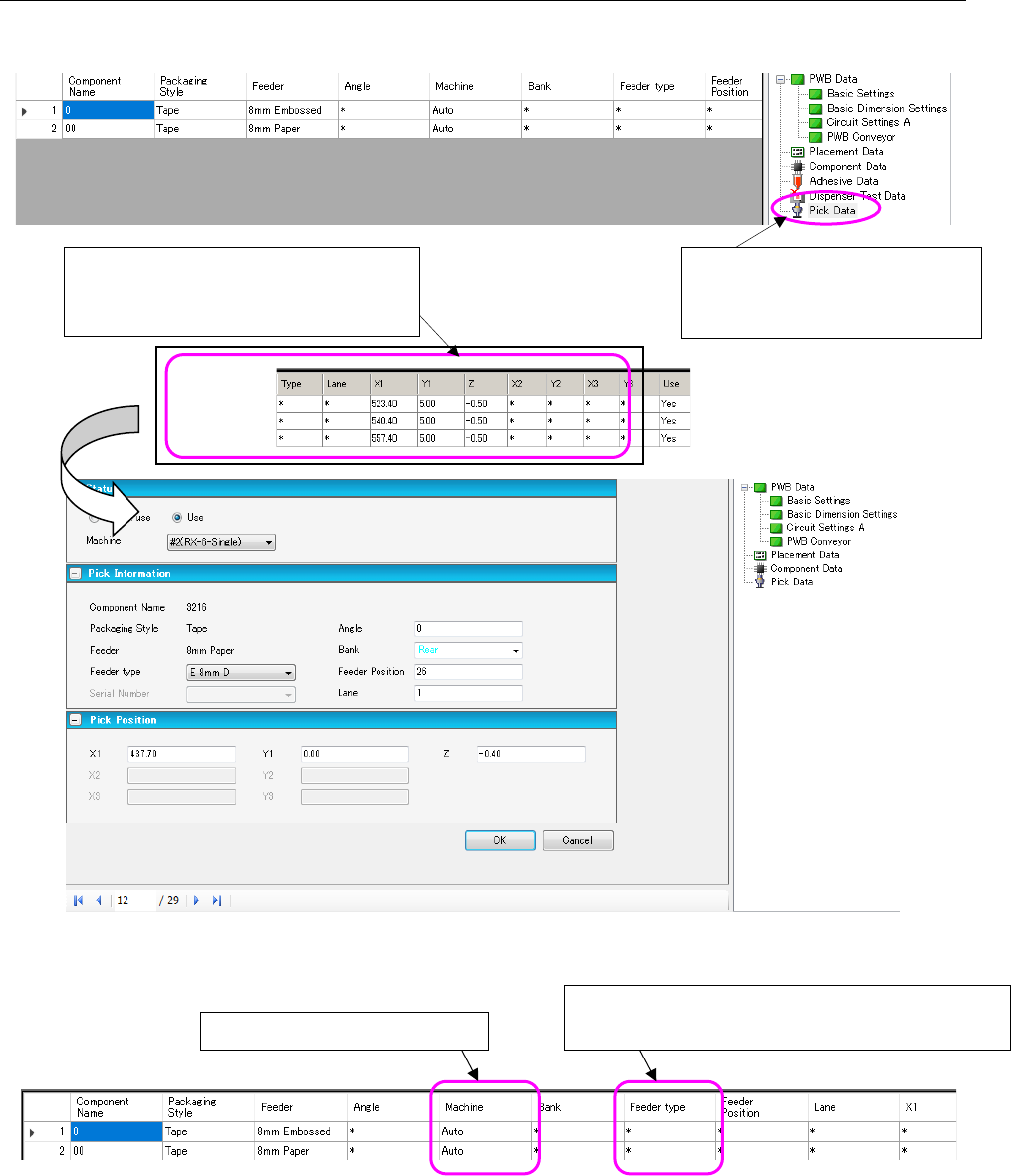
The “Pick Data” screen allows you to set a feeder attachment position and so on.
Figure 7.4-148 Pick data form screen
Figure 7.4-149 Pick List
When you double-click a line of the pick
data list, the following “Pick data form”
screen appears.
When you select “Pick Data” from
the tree view, the “Pick data list”
appears on the screen.
Changes the feeder type.
[Mxxx]: Mechanical bank (Mechanical feeder)
Display only in the line mode
JaNets Instruction Manual 7. Program Editor
7-108
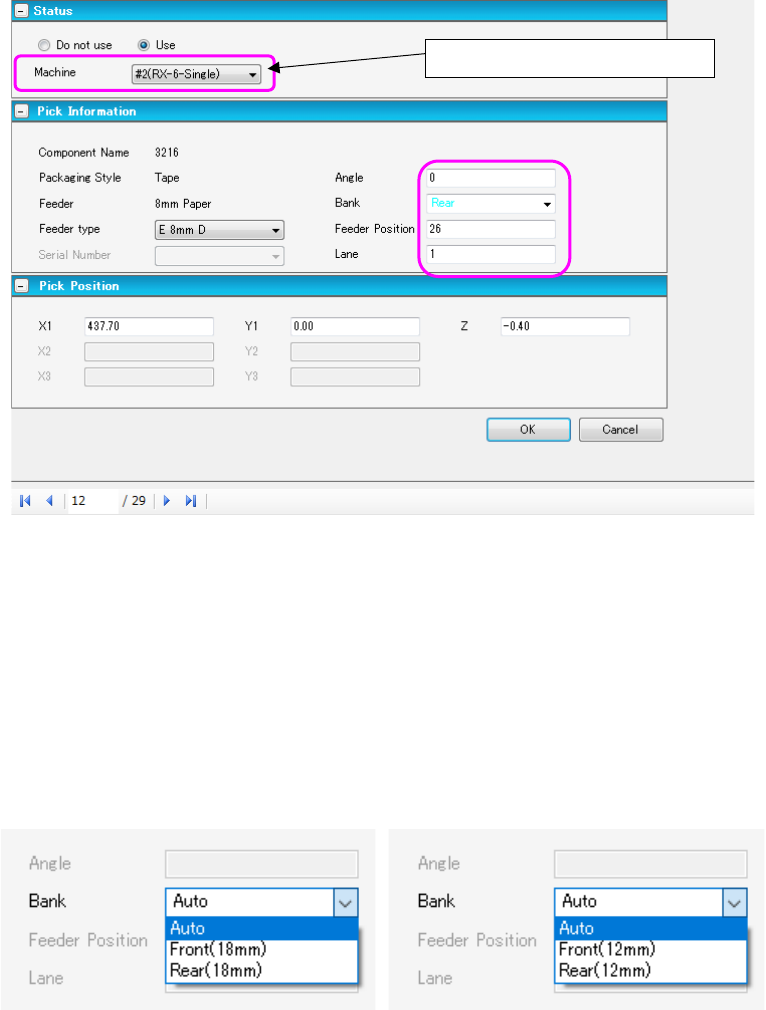
Figure 7.4-150 Pick Form
* In the EPU mode, “Machine specification” is not displayed.
* When you use an RX-7 series, numbers for indicating a position at which a component supply
device is to be mounted are different from those of other machine models.
Feeders are assigned to odd-numbered slots. However, when you use an 8-mm type D feeder
on the lane 2, it is assigned to an even-numbered slot.
* When you use a JM-100, the bank type is displayed after the side, front or rear.
Figure 7.4-151 Bank type display
Display only in the line mode
JaNets Instruction Manual 7. Program Editor
7-109
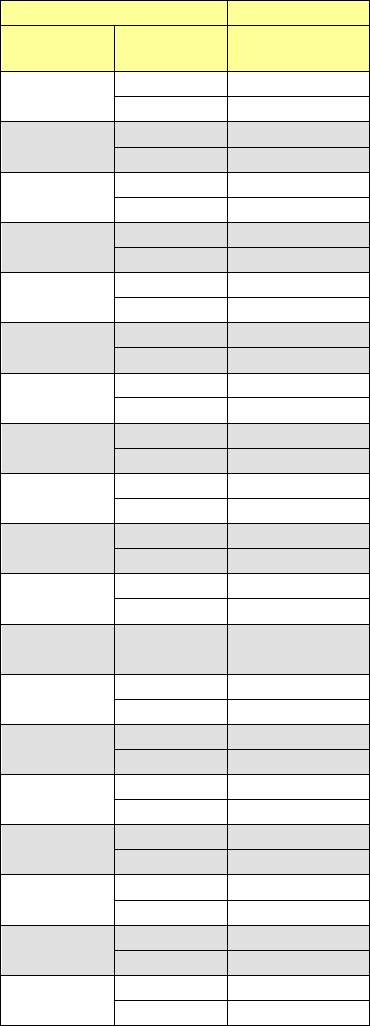
The relation between the component pick-up position of the JaNets and that of an RX-7 series is
shown in the table below. (This is common to the left station and the right station.)
JaNets
RX-7 series
Hole
number
Lane Slot number
1
1
101
2
102
2
1
103
2
104
3
1
105
2
106
4
1
107
2
108
5
1
109
2
110
6
1
111
2
112
7
1
113
2
114
8
1
115
2
116
9
1
117
2
118
10
1
119
2
120
11
1
121
2
122
12
1
123
2
124
13
1
125
2
126
14
1
127
2
128
15
1
129
2
130
16
1
131
2
132
17
1
133
2
134
18
1
135
2
136
19
1
137
2
138