JANETS_INM.pdf - 第80页
JaNets Instr ucti on Man ual 2. Install ation 2- 52 (2) Click the menu it em “Crea te a new acc ount” on t he “User Acco unts” scr een. Figure 2.5 - 36 “ User Ac counts” screen (dis played on the mounter ). (3) Name the …
JaNets Instruction Manual 2. Installation
2-51
2.5.4 Procedure for setting up other machines
This section describes how to set up the following machines: FX-3 series, KE-3010 series/3020
series, KE-2050 series/2060 series/2070 series/2080 series, KD-2077 and JM-10.
2.5.4.1 Creating a user account
To communicate with a PC, create a user account.
The name of the account to be created is “isuser,” and the corresponding password is
“is_user_2008.”
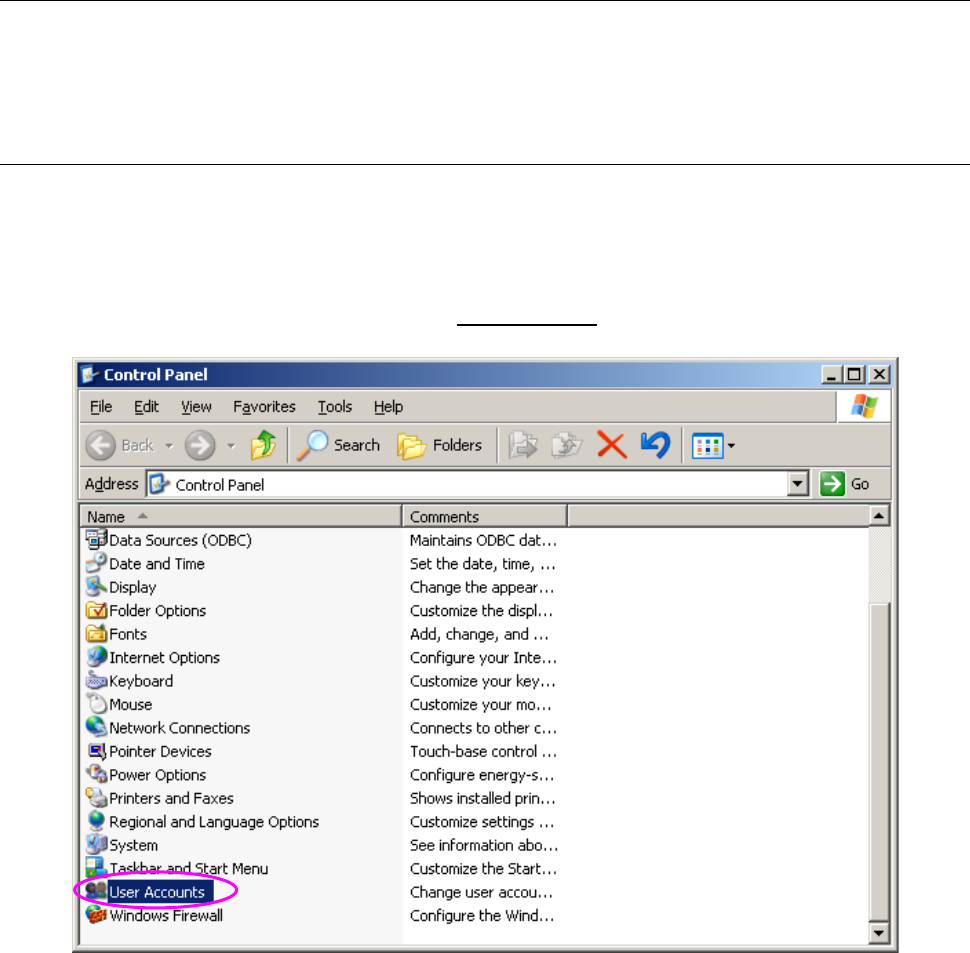
(1) Display the “Control Panel” shown in “Figure 2.5-35” from the “Start” menu, and then select
“User Accounts.”
Figure 2.5-35 Control Panel (displayed on the mounter)
JaNets Instruction Manual 2. Installation
2-52
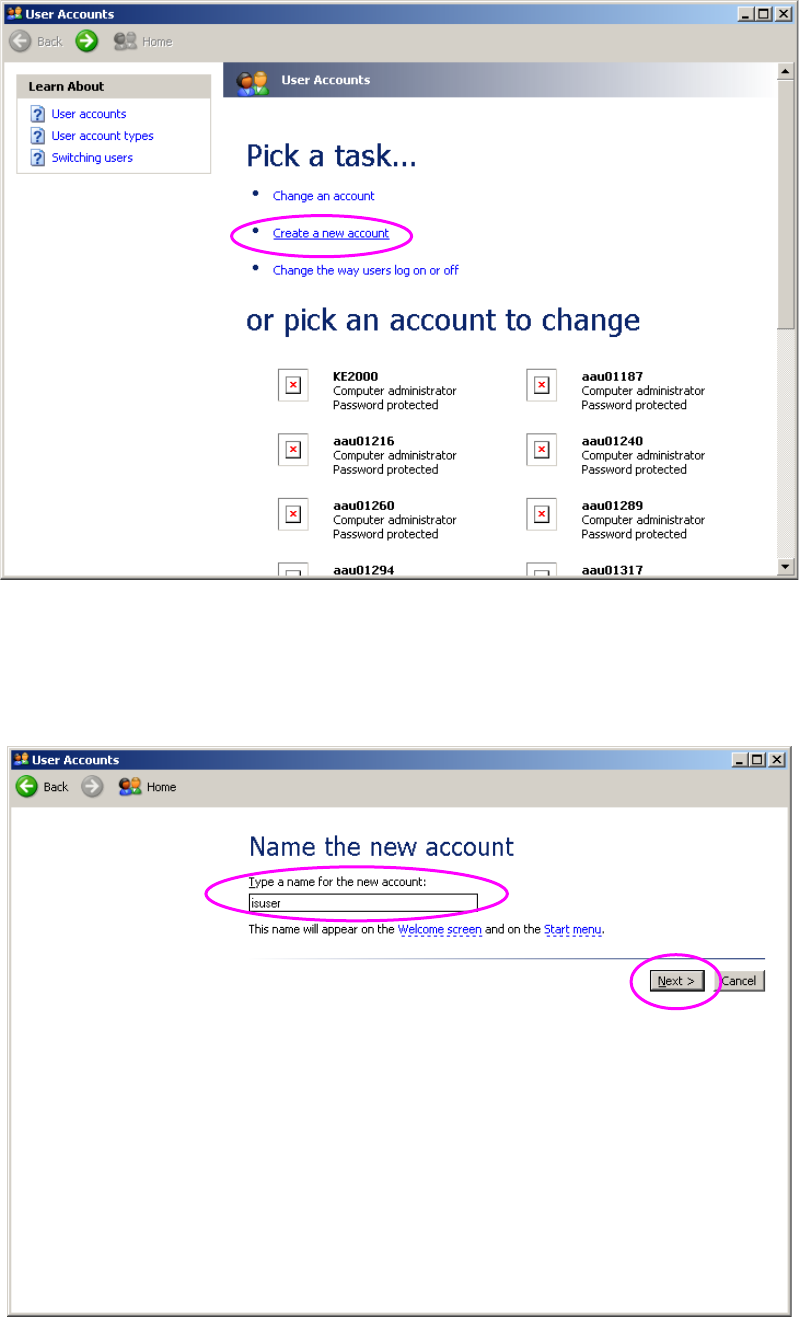
(2) Click the menu item “Create a new account” on the “User Accounts” screen.
Figure 2.5-36 “User Accounts” screen (displayed on the mounter).
(3) Name the account you are to create. The name of the account to be created is “isuser.”
The system does not distinguish between uppercase letters and lowercase letters. When
you enter this account name, click the <Next> button.
Figure 2.5-37 Screen for creating an account 1 (displayed on the mounter)
JaNets Instruction Manual 2. Installation
2-53
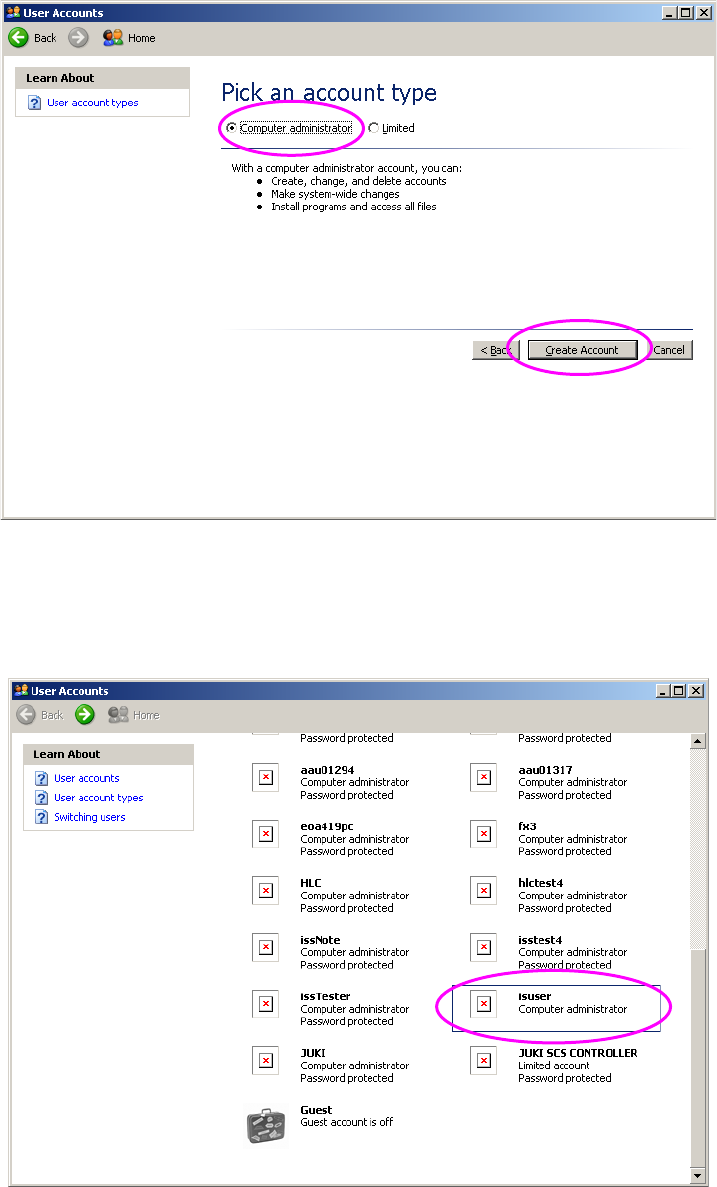
(4) Select an account type. Specify “Computer Administrator” as an account type.
Click the <Create Account> button.
Figure 2.5-38 Screen for creating an account 2 (displayed on the mounter)
(5) Switch the current screen back to the “User Accounts” screen.
Check to see if the account you have just created is displayed in the account list of this screen.
When the created account is displayed in the list, click it.
Figure 2.5-39 “User Accounts” screen (displayed after you create an account) (on the mounter)