JANETS_INM.pdf - 第623页
JaNets In structio n Manual 16 Component D ataba se 16 - 23 (3) A CSV file is read and t he list of ext ended arra y grou ps is dis playe d. Fig ure 1 6.5 -9 Extended array l ist screen Displays an extend ed array settin…
JaNets Instruction Manual 16 Component Database
16-22
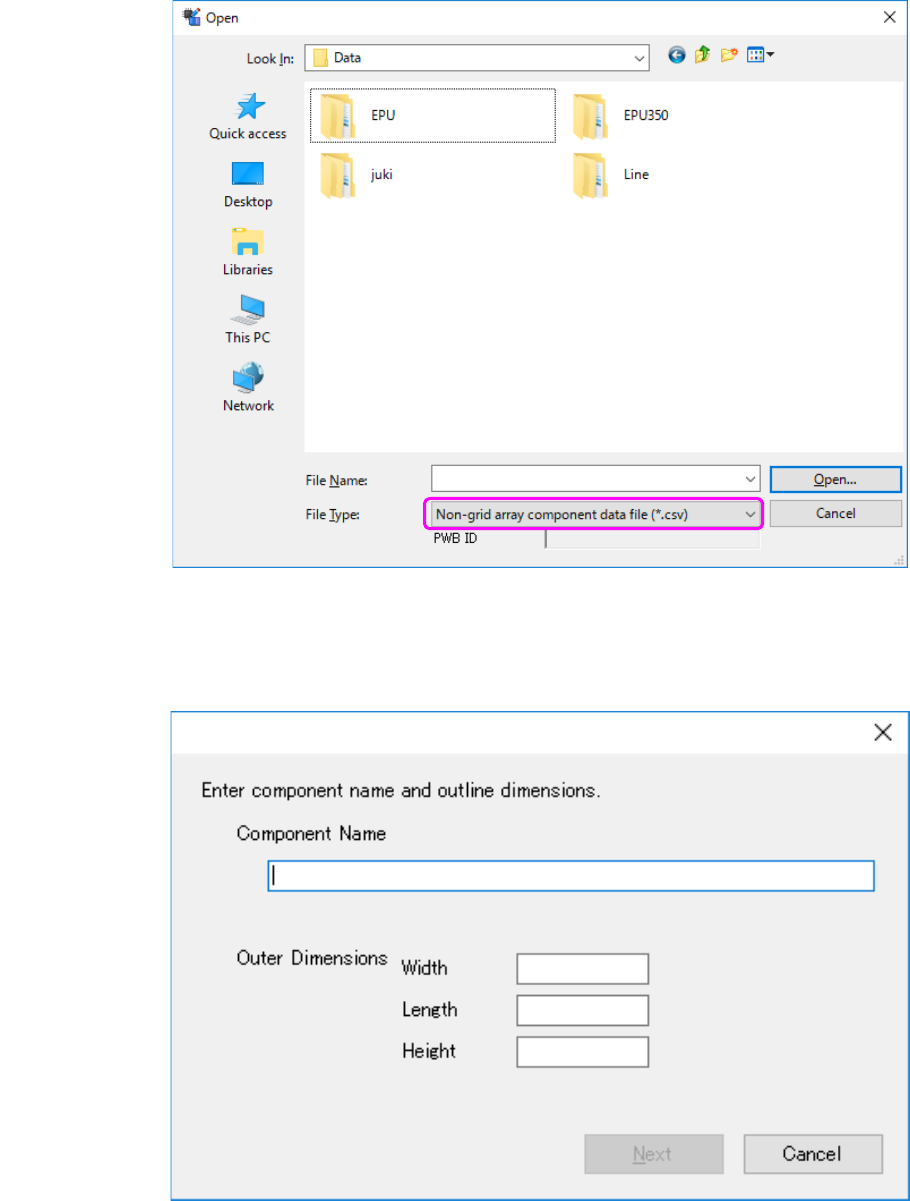
(1) Non grid array component data file becomes selectable by selecting "a non grid array
component data file (*. csv)" as the file type in the dialog box that opens the file to import.
Figure 16.5-7 The selection screen of the import file of external data
(at the time of non grid array component data file selection)
(2) Enter component name and outline dimensions.
Figure 16.5-8 Basic information setting screen
JaNets Instruction Manual 16 Component Database
16-23
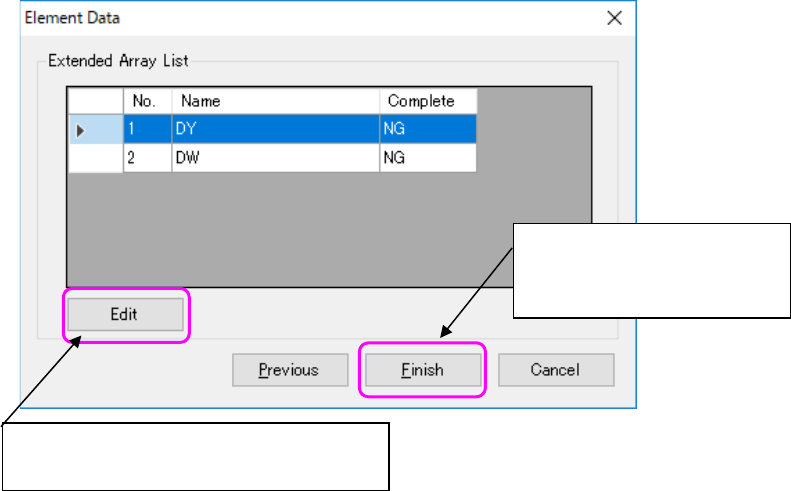
(3) A CSV file is read and the list of extended array groups is displayed.
Figure 16.5-9 Extended array list screen
Displays an extended array setting screen and
completes element data.
Completes the settings of
element data and starts import to
component data.
JaNets Instruction Manual 16 Component Database
16-24
Exporting data
This function allows you to export component data and adhesion data to main unit Component
database format file.
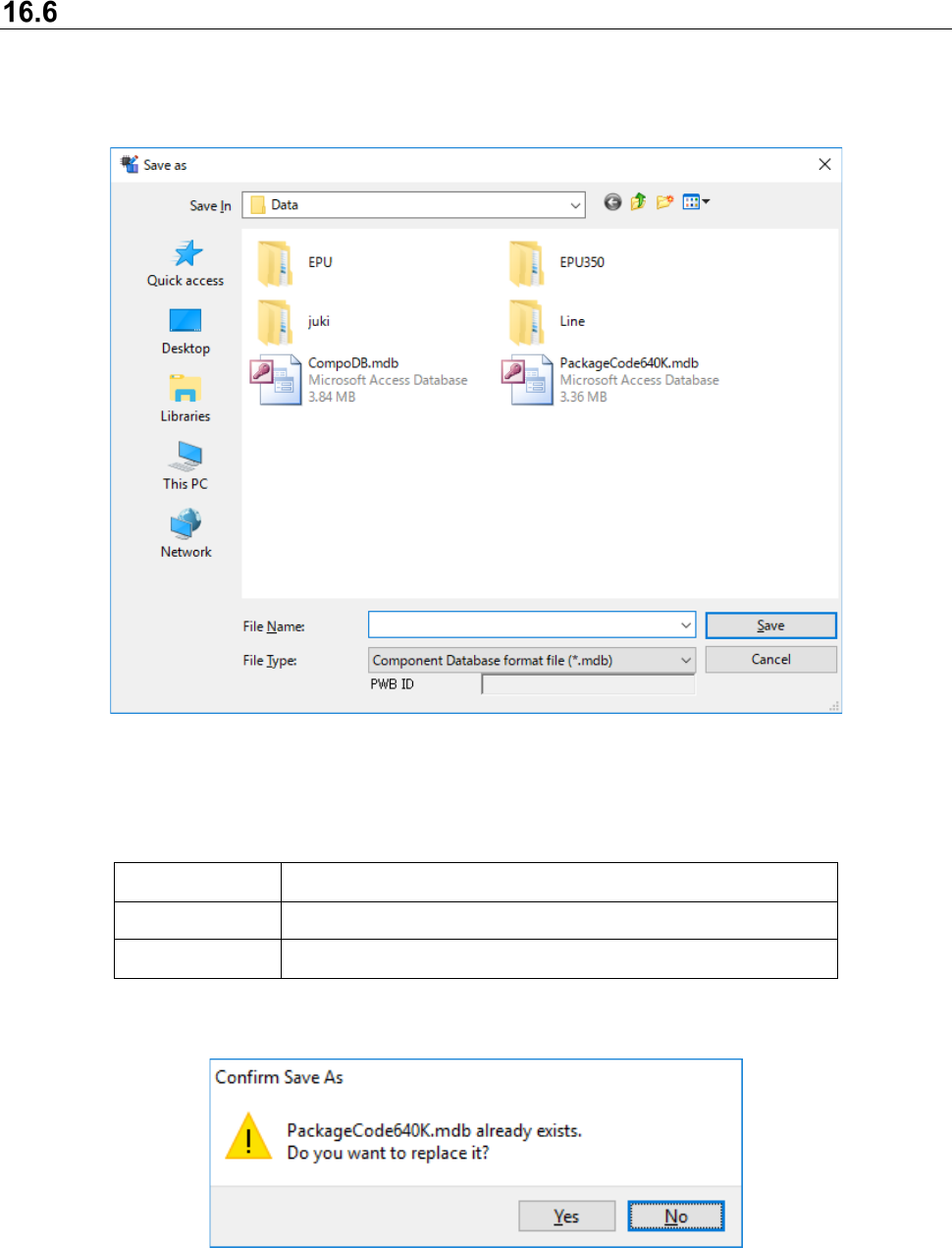
By selecting the [File] - [Export] command, the following file selection screen appears to specify
the file name to be exported.
Figure 16.6-1 Save As dialog box
Format that can be exported is shown as follows:
Table 16.6-1 Format that can be exported
Extension File format
MDB Main unit Component DB format
FLX Main unit Component DB Package code file
When existing file is specified, a confirmation message asking you whether to be replaced
appears.
Figure 16.6-2 Confirmation message asking you whether to be replaced
[Yes] : Replaces the file
[No] : Returns to Save As dialog