JANETS_INM.pdf - 第400页
JaNets Instr ucti on Man ual 8. Job Optim izer 8- 15 Adding a production program 8.3.8 .1 Adding a production program from the local Figure 8.3 - 21 [Edit] – [Add Reserva tion] If the line ID of a prod ucti on pr ogram i…
JaNets Instruction Manual 8. Job Optimizer
8-14
Formatting an order file
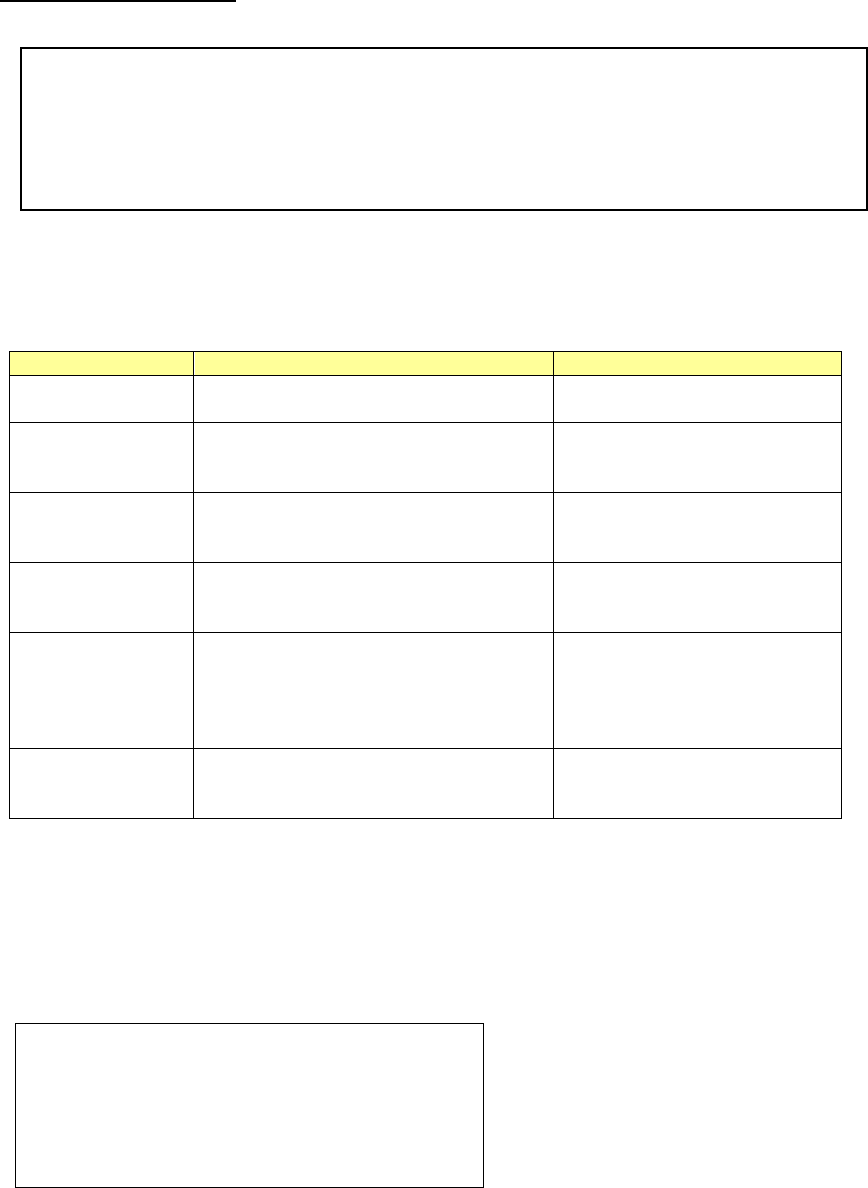
The content of the order file is shown below:
The first line and the second line are indispensable. The second line shows the arrangement of
data. The data in the third line or later is displayed in the reservation list.
Table 8.3-2 Date item of Order file
Item
Description
Remarks
Order
Number. Specify the numbers running
from 1 between 1 and 100 inclusive.
Cannot be omitted.
program-name
Production program. Specify the
absolute path. The production
program in the IS format is intended.
Cannot be omitted.
PWB-ID
PWB ID. PWB ID in the production
program is displayed in the
reservation list.
Can be omitted.
No. planned
The number of sheets of planned
PWB production. Specify the number
of 1 to 99999.
Can be omitted.
Default is set to 1.
start-time
Planned date of starting production.
It makes a format that shows the date
such as "2009/08/27 10:00" or
"09/08/27 10:00."
Can be omitted.
The date when the order file is
read for only the first
production program is
displayed by default.
end-time
Planned date of ending production.
The format of the date is the same as
planned date of starting production.
Can be omitted.
There is no default.
The numbers should be running between 1 and 100 inclusive. When, for instance, the numbers
are #1, #2, #4, and #5, only the production programs of #1 and #2 are displayed in the reservation
list because there is no #3.
The example of the order file that describes only the production program is displayed as follows:
[Reservation]
Order=program-name
#1=C:\Data\Line-1\Prg\sample1.iss
#2=C:\Data\Line-1\Prg\sample2.iss
#3=C:\Data\Line-1\Prg\sample3.iss
[Reservation]
Order=program-name,PWB-ID,No.planned,start-time,end-time
#1=C:\Data\Line-1\Prg\sample1.iss,SampleProgram1,100,2009/08/27 10:00,2009/08/27 12:00
#2=C:\Data\Line-1\Prg\sample2.iss,SampleProgram2,200,,
#3=C:\Data\Line-1\Prg\sample3.iss,SampleProgram3,300,,
JaNets Instruction Manual 8. Job Optimizer
8-15
Adding a production program
8.3.8.1 Adding a production program from the local
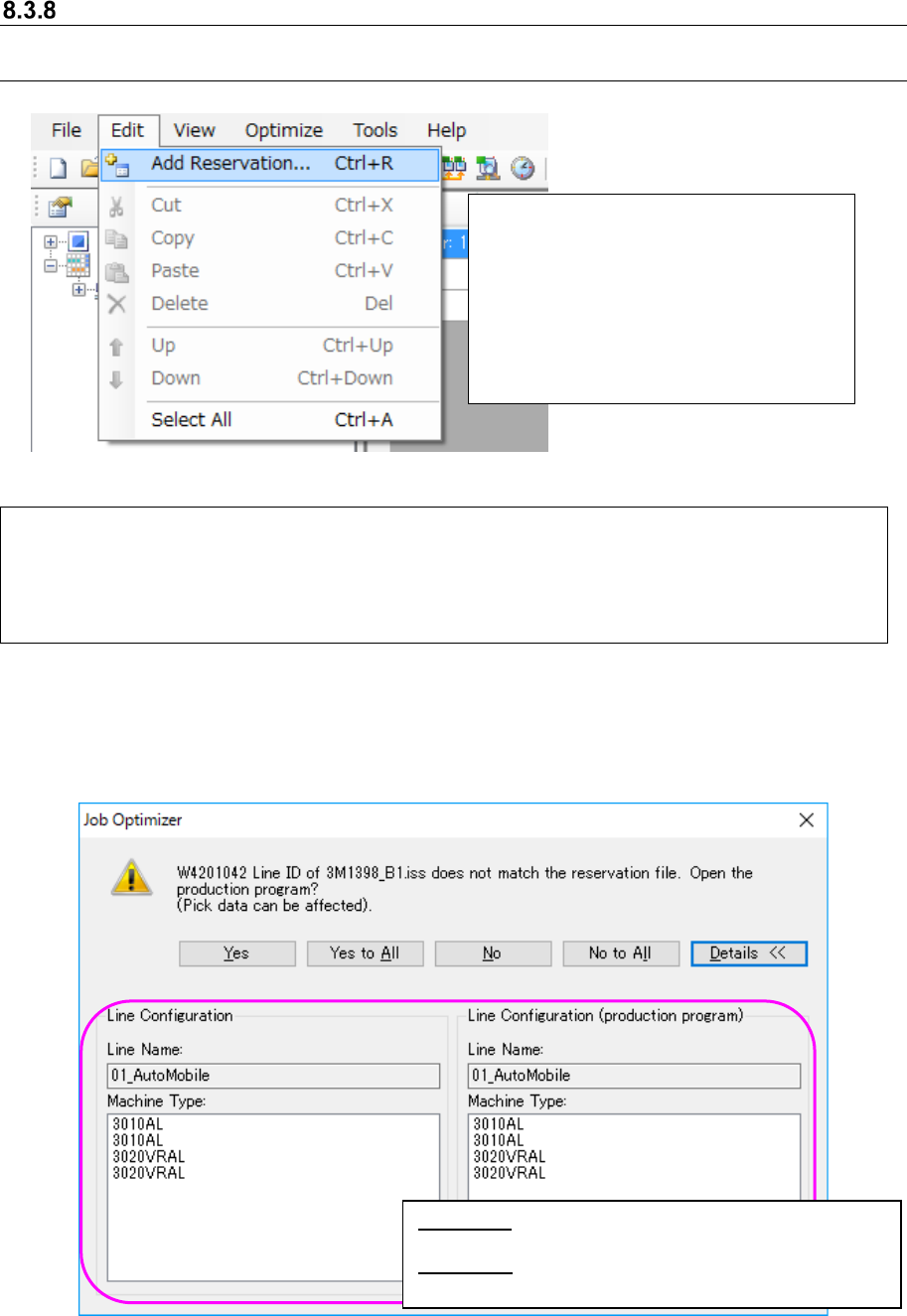
Figure 8.3-21 [Edit] – [Add Reservation]
If the line ID of a production program is not the same as that of the reservation file, the following
message appears on the screen.
Figure 8.3-22 “Line ID confirmation” message (display of the Line Configuration)
Select the [Edit] command, and then the [Add Reservation] command. → The “Add Reservation”
dialog box appears on the screen.
* As the initial folder of the “Add Reservation” dialog box, the “production program folder of the
selected line (to be set with “Shop Floor Setup”)” opens.
Example: C:
\
Juki
\
JaNets
\
Data
\
Line001
\
Prg
\
Select a production program to be
added on the “Add Reservation” dialog
box (or select two or more production
programs with the “Ctrl” key and the
“Shift” key) held, and then press the
<OK> button. The selected production
program(s) is (are) added to the end of
the reservation list.
<Yes> : Opens a production program on the line
currently selected.
<Details>: Displays the line configuration of the
database and that of the production
JaNets Instruction Manual 8. Job Optimizer
8-16
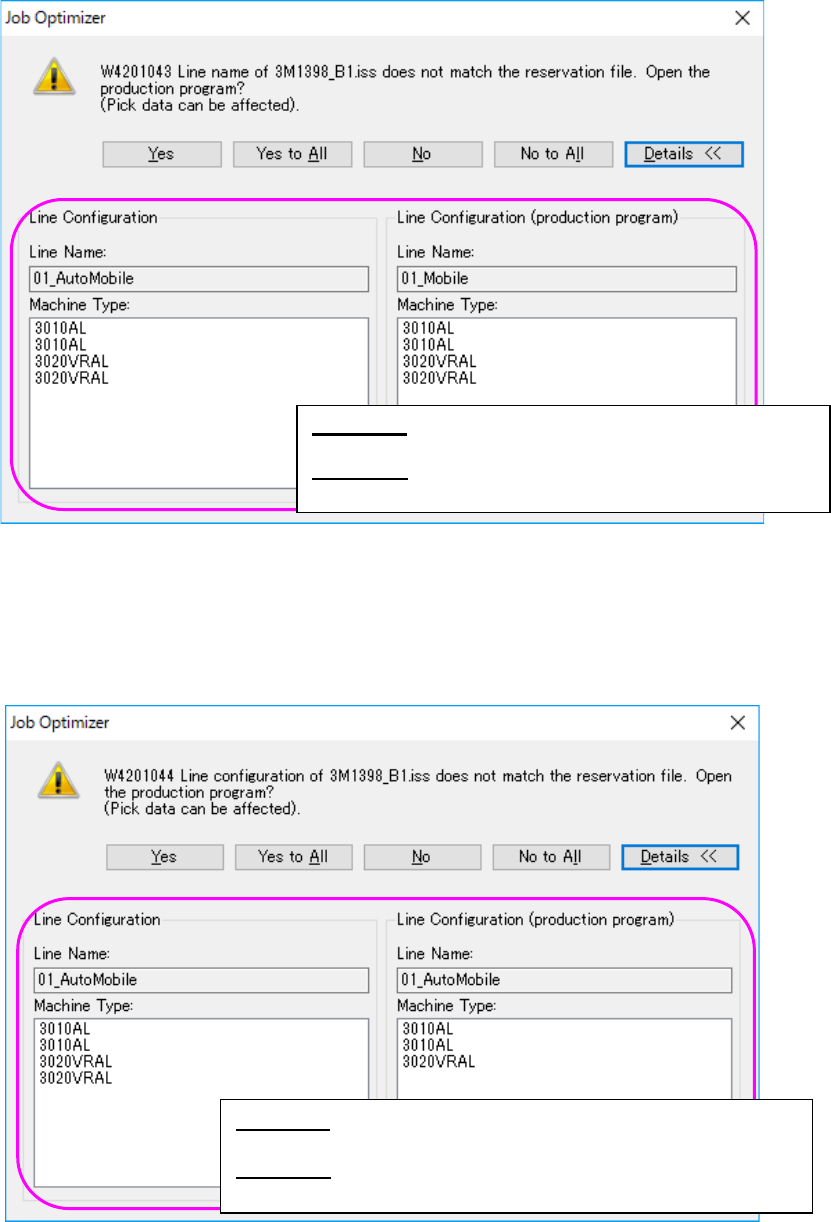
If the line name of the production program is not the same as that of the reservation file, the
following message appears on the screen.
Figure 8.3-23 “Line name confirmation” message (display of the Line Configuration)
If the configuration of the line of the production program is different from that of the reservation file,
the following message appears on the screen. Each item, such as the number of machines, the
machine type, the number of stations, the number of feeder banks and the feeder bank type,
needs to be the same.
Figure 8.3-24 “Line configuration confirmation” message
(display of the Line Configuration)
<Yes> : Opens a production program on the line
currently selected.
<Details>: Displays the line configuration of the
database and that of the production program.
<Yes> : Opens a production program on the line currently
selected.
<Details>: Displays the line configuration of the database and
that of the production program.