JANETS_INM.pdf - 第379页
JaNets In structio n Manual 7. Program Editor 7- 172 “ Optim iz ing ” dial og box When the Opt imizatio n start s, the following “ Optimizing ” dialog b ox l appear s on the screen. Figure 7.7 - 26 “ Optimiz ing ” dialog…
JaNets Instruction Manual 7. Program Editor
7-171
7.7.5 Executing the Optimization Process
* You can execute the optimization process only if you create a production program completely.
Otherwise, you cannot do it.
* The system performs a data coherence check when you execute the optimization process. If a
production program cannot produce any PWB with the active line, an error is displayed on the
execution status view of the Program Editor or the Job Optimizer.
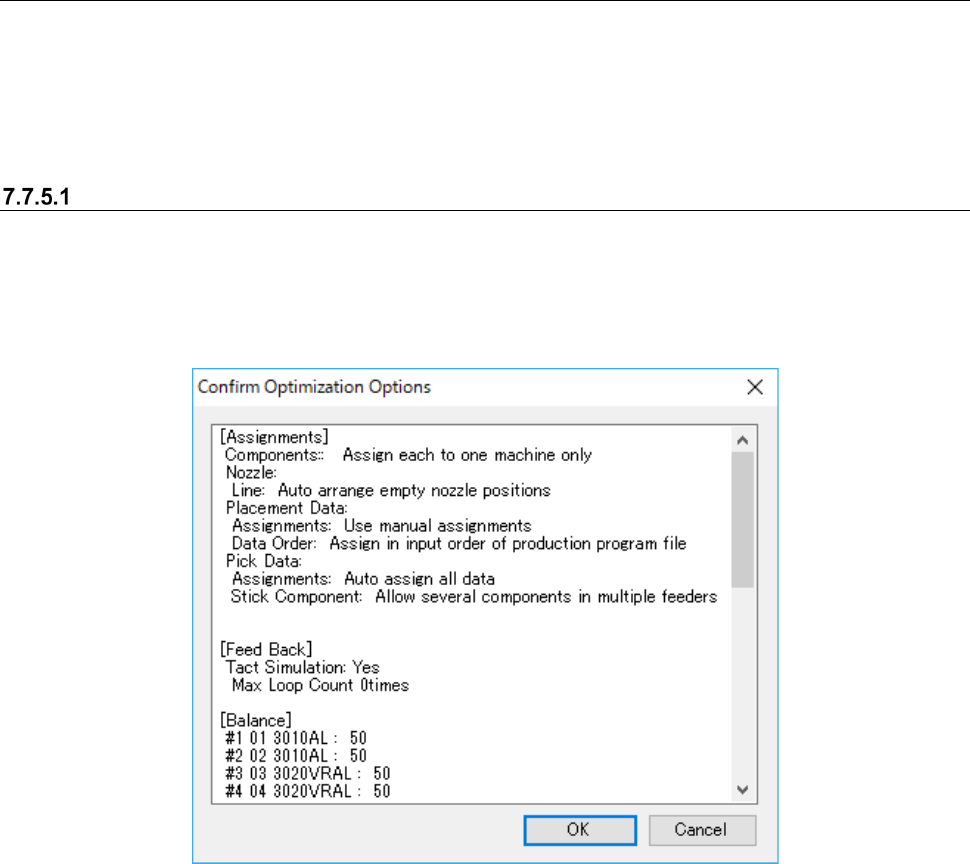
“Confirm Optimization Options” dialog box
When you select the <Go> button after checking the check box “Show the Confirm Optimization
Options dialog box” on the “Optimize” dialog box, the dialog box indicating that each option setting
of the Optimize application appears on the screen before the system starts the optimization pro-
cess.
Figure 7.7-25 “Confirm Optimization Options” dialog box
When you set the option “Show the Confirm Optimization Options" dialog box, the system saves
the settings of each application when you quit it regardless of selection of the <Save as Default>
button or the <Default> button.
JaNets Instruction Manual 7. Program Editor
7-172
“Optimizing” dialog box
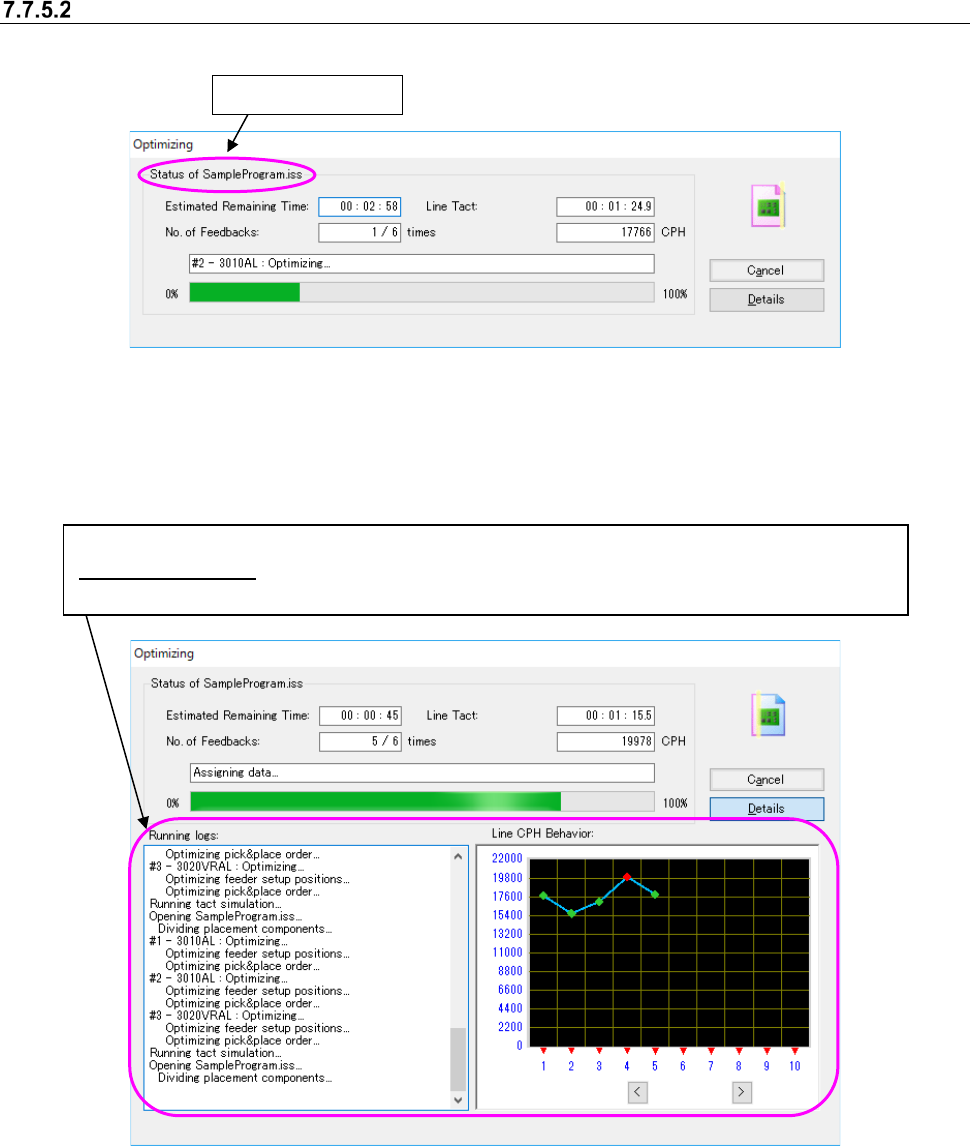
When the Optimization starts, the following “Optimizing” dialog box l appears on the screen.
Figure 7.7-26 “Optimizing” dialog box (without the running logs) displayed
with the Program Editor
When you select the <Details> button from either of the dialog boxes above, both the “Running
logs” and the “Line CPH Behavior” are also displayed.
Figure 7.7-27 “Optimizing” dialog box (with Running logs) displayed
with the Job Optimizer /Program Editor
When optimization is done normally, the “Optimizing” dialog box is closed, and the system is re-
turned to the application invoking the Optimize application (Program Editor). When you invoke the
Optimize application from the Program Editor, the optimized production program is displayed on
the screen.
Production program
Both the “Running logs” and the “Line CPH Behavior” are displayed on the screen.
Line CPH Behavior : When you enable the Feed Back option and then start the Optimization function,
the transition of the line cycle time per feed-back is displayed on the graph (unit: CPH).
JaNets Instruction Manual 7. Program Editor
7-173
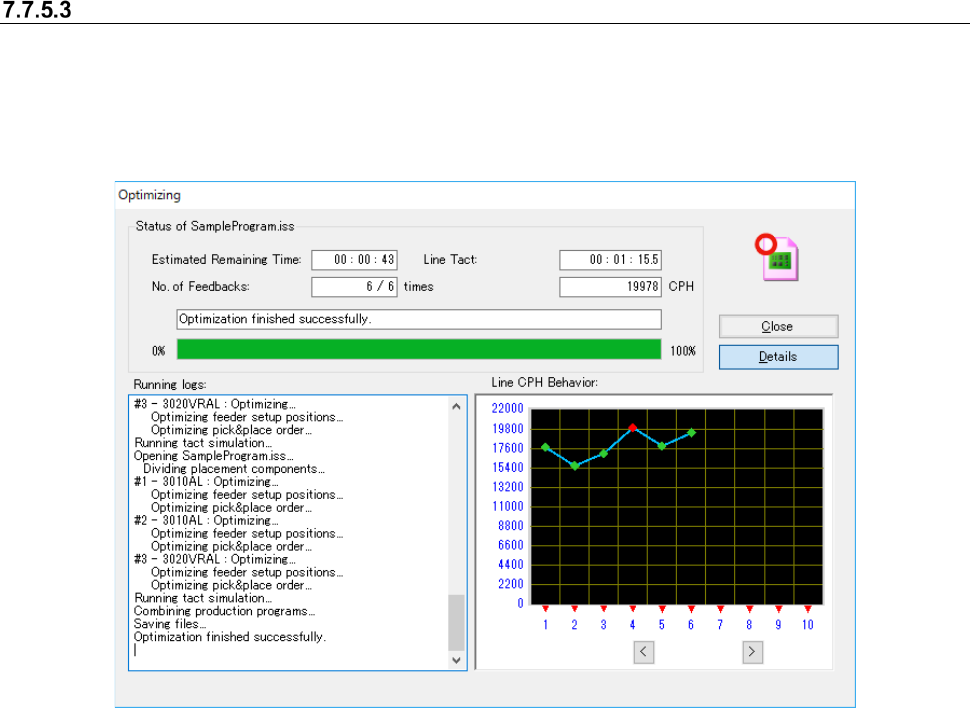
Manually closing the “Optimizing” dialog box after the optimization
If you put a check mark in "After completion of optimization, the log screen is manually closed." on
the “Optimizing” dialog box and run the optimization, the system keeps displaying the "Optimizing"
dialog box after completing the optimization.
Click the <End> button to close the dialog box. It goes back to the Program Editor screen.
Figure 7.7-28 Dialog box after the optimization on Program Editor
The option setting of "After completion of optimization, the log screen is manually closed." is saved
without relation to the functions of "Save as default" and "Default."