00191025-01.pdf - 第113页
SIPLACE 80S/F/G User’s Manual 5 Placement Edition 12/96 from S oftware Version SR.009.xx 5.6 E rror Menus 5 - 37 5.6.6.2 Range of Functions: Line Engineer Star head If the m achine errors are being c aused by er rors in …
5 Placement SIPLACE 80S/F/G User’s Manual
5.6 Error Menus Edition 12/96 from Software Version SR.009.xx
5 - 36
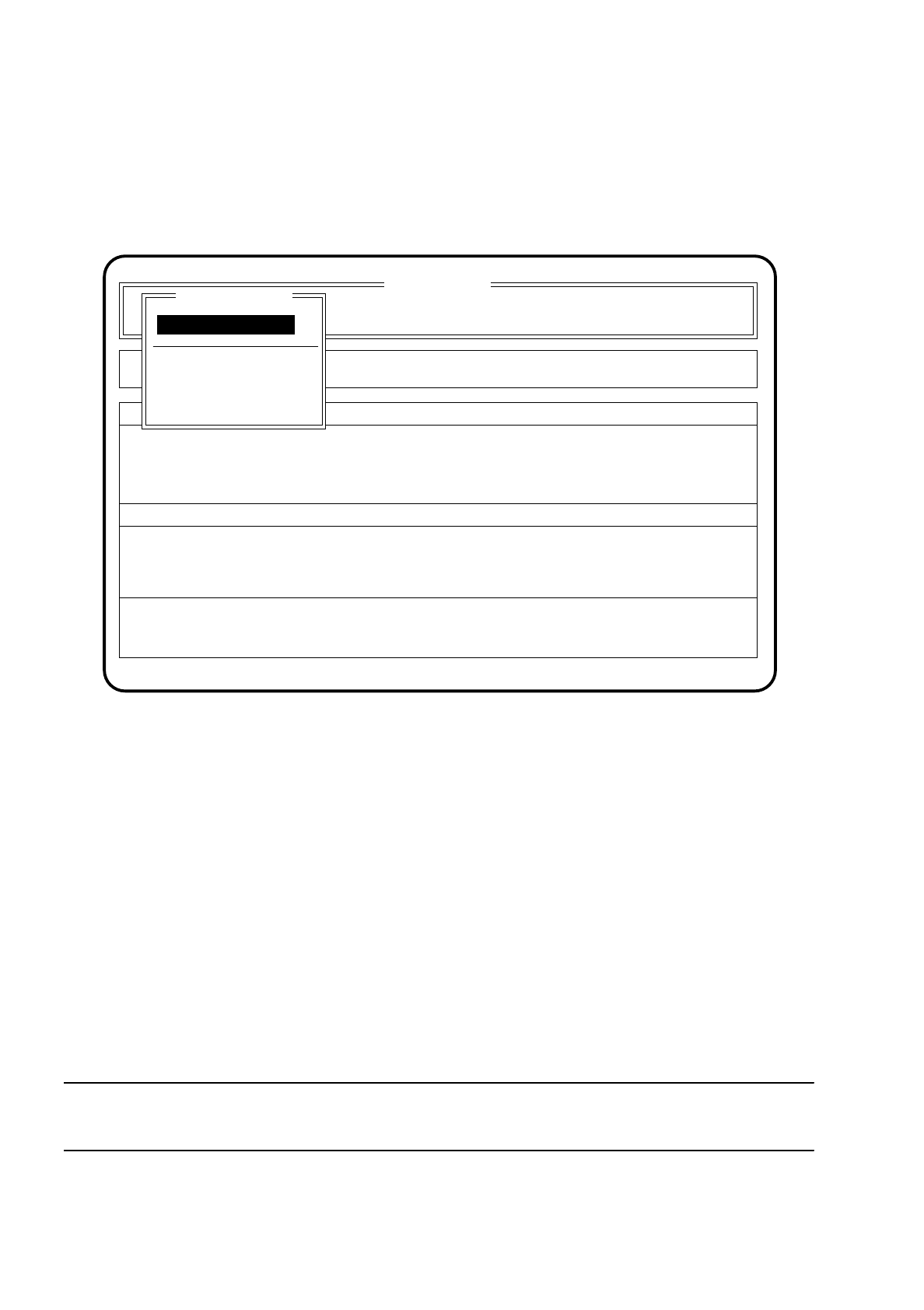
5.6.6 Nozzle Change 1 and 2
If a new nozzle configuration is necessary, the menu "Nozzle change" appears on the screen. When the menu
has been quit a head reference and height reference run with vacuum test is made.
Fig. 5.6.5
5.6.6.1 Range of Functions: Operator
Display errors
To obtain a display of all errors which have occurred use the
cursor keys
to select the menu item "Display
errors". Then press the
Return key
. The menu "Display errors" described in Section 5.7 (Display functions)
will be displayed on the screen.
Continue placement
To continue with placement, use the cursor keys to select the menu item "Continue placement" and then
press the return key. The machine carries out a reference run and then continues with placement.
NOTE
All of the different nozzles must have been acknowledged beforehand.
Component feeding
SI 80 V 9.x
Cluster:
Rüstung :
Display errors
Confirm errors
Machine options
Error
State
Action
:
:
:
Display errors
Continue placement
Nozzle change gantry 1
Continue placement
Nozzle change

SIPLACE 80S/F/G User’s Manual 5 Placement
Edition 12/96 from Software Version SR.009.xx 5.6 Error Menus
5 - 37
5.6.6.2 Range of Functions: Line Engineer
Star head
If the machine errors are being caused by errors in the head functions, use the cursor keys to select the
menu item "CRDL". After doing so, press the return key. The screen displays the menu "Star head" which
is described in Section 6.3 "Star Head Functions 80S". In this menu you can check the functions of the
head.
Star nozzle configuration
If a new cluster requires a modification of the nozzle allocation of the placement heads, select the menu
item "nozzle configuration". The procedure for changing the nozzle configuration is described in more
detail in Section 6.3 "Star Head Functions 80S".
Nozzle changer star head
Use the cursor keys to select the menu item "Nozzle changer star head" if you need to change the nozzle.
The procedure to change nozzles is described in Section 6.3 "Star Head Functions 80S" in more detail.
5 Placement SIPLACE 80S/F/G User’s Manual
5.6 Error Menus Edition 12/96 from Software Version SR.009.xx
5 - 38
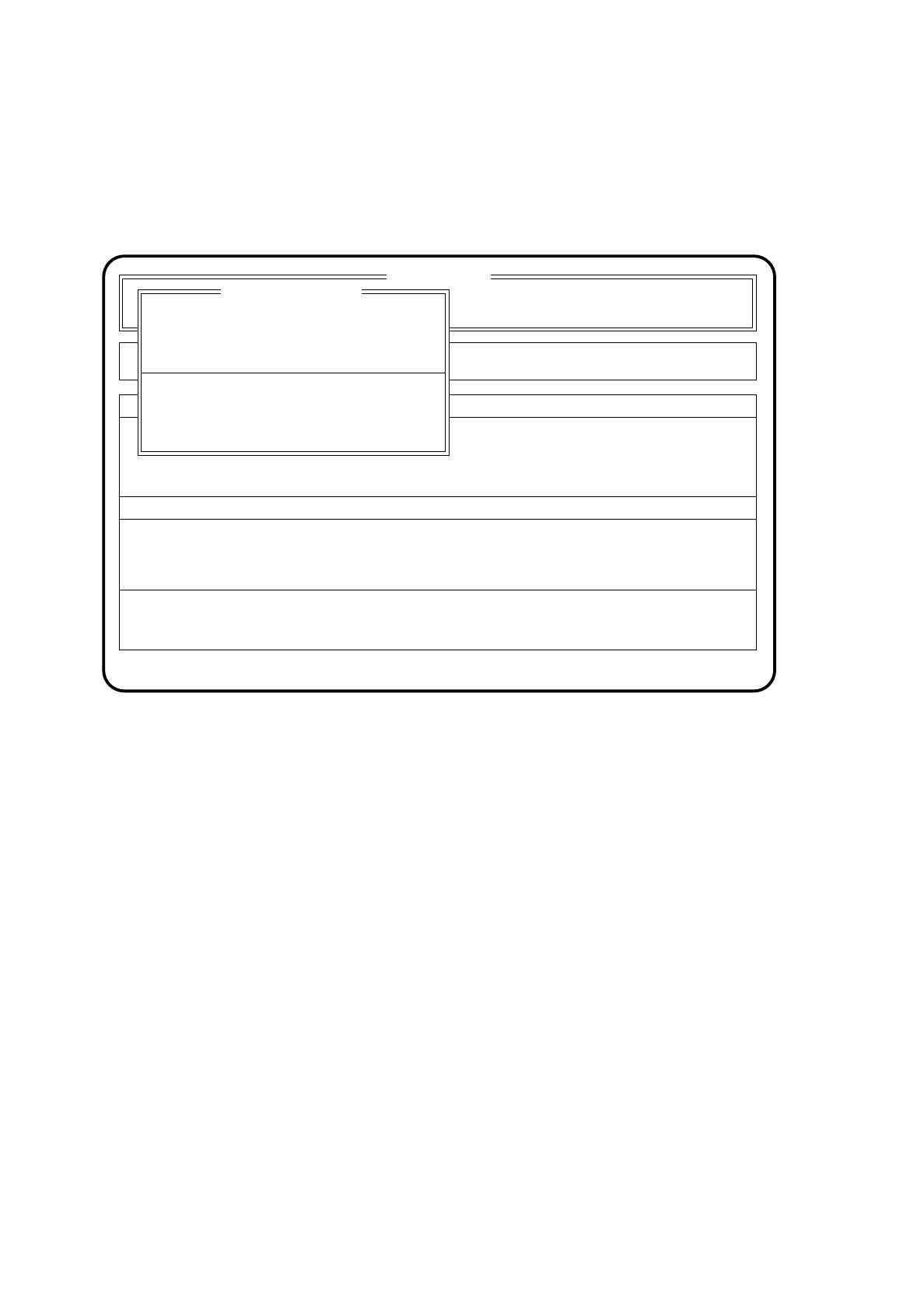
5.6.7 PCB Barcode Error
When a PCB barcode cannot be read in correctly or it cannot be read in at all, the menu "PCB barcode error"
will be displayed on the screen.
Fig. 5.6.6
5.6.7.1 Range of Functions: Operator
Display errors
To obtain a display of all errors which have occurred use the
cursor keys
to select the menu item "Display
errors". Then press the
Return key
. The menu "Display errors" described in Section 5.7 "Display Func-
tions" will be displayed on the screen.
SI 80 V 9.x
Machine options
Error
State
Action
:
:
:
Error treatment - PCB barcode
Rüstung :
Masch.Fehler anz.
Display errors
PCB manual take-out
PCB to next station
Enter PCB barcode
PCB barcode error