00191025-01.pdf - 第481页
10 SI PLACE G SIPLACE 80S/F/G User’s Manual 10.4 Glueing Adjustments Edition 07/97 from Software Version SR.010.xx 10 - 14 10.4.1 Glueing Parameters In the menu "Glueing p arameters " you ca n call up th e para…
SIPLACE 80S/F/G User’s Manual 10 SIPLACE G
Edition 07/97 from Software Version SR.010.xx 10.4 Glueing Adjustments
10 - 13
10.4 Glueing Adjustments
In the menu "Glueing adjustmts" you can call up and change the glueing parameters and the data of the glue
cleaning pad.
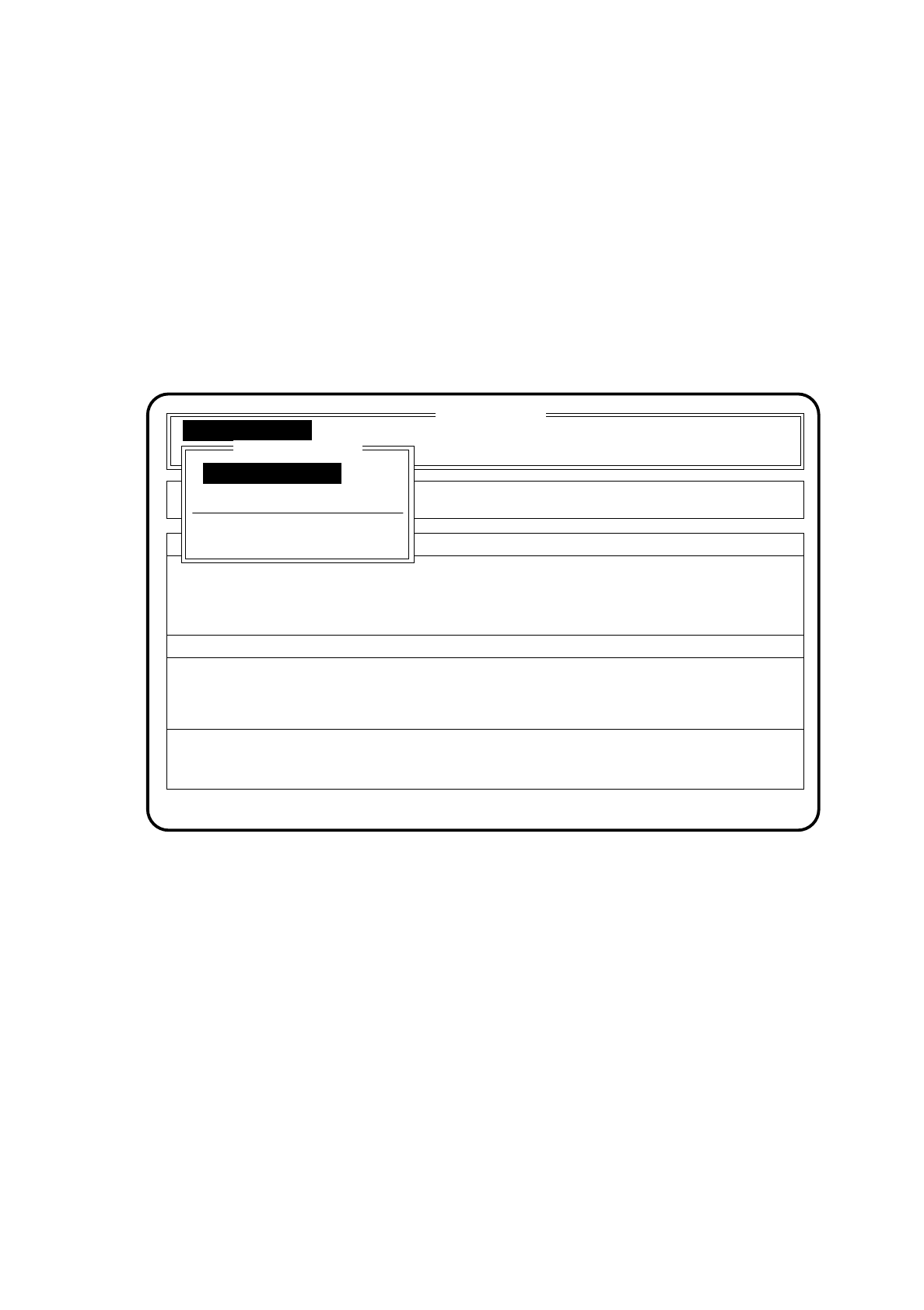
To access the menu item "Glueing adjustmts" proceed as follows:
●
In the "Main menu" move the cursor bar by means of the
cursor keys
onto the menu item "Glueing adjust-
mts".
●
Press the
Return key
. The menu "Glueing adjustmts" is then shown on the screen.
Fig. 10.4.1
SI 80G V 10.x
Rüstung :
Machine options
Software options
Single functions
Vision system
Error
State
Action
:
:
:
Display errors
Glueing parameters
Glueing adjustments
New cluster
Glueing adjustmts
Glueing adjustmts
Glueing parameters
Cleaning pad data
Modify system data
Cluster:
10 SIPLACE G SIPLACE 80S/F/G User’s Manual
10.4 Glueing Adjustments Edition 07/97 from Software Version SR.010.xx
10 - 14
10.4.1 Glueing Parameters
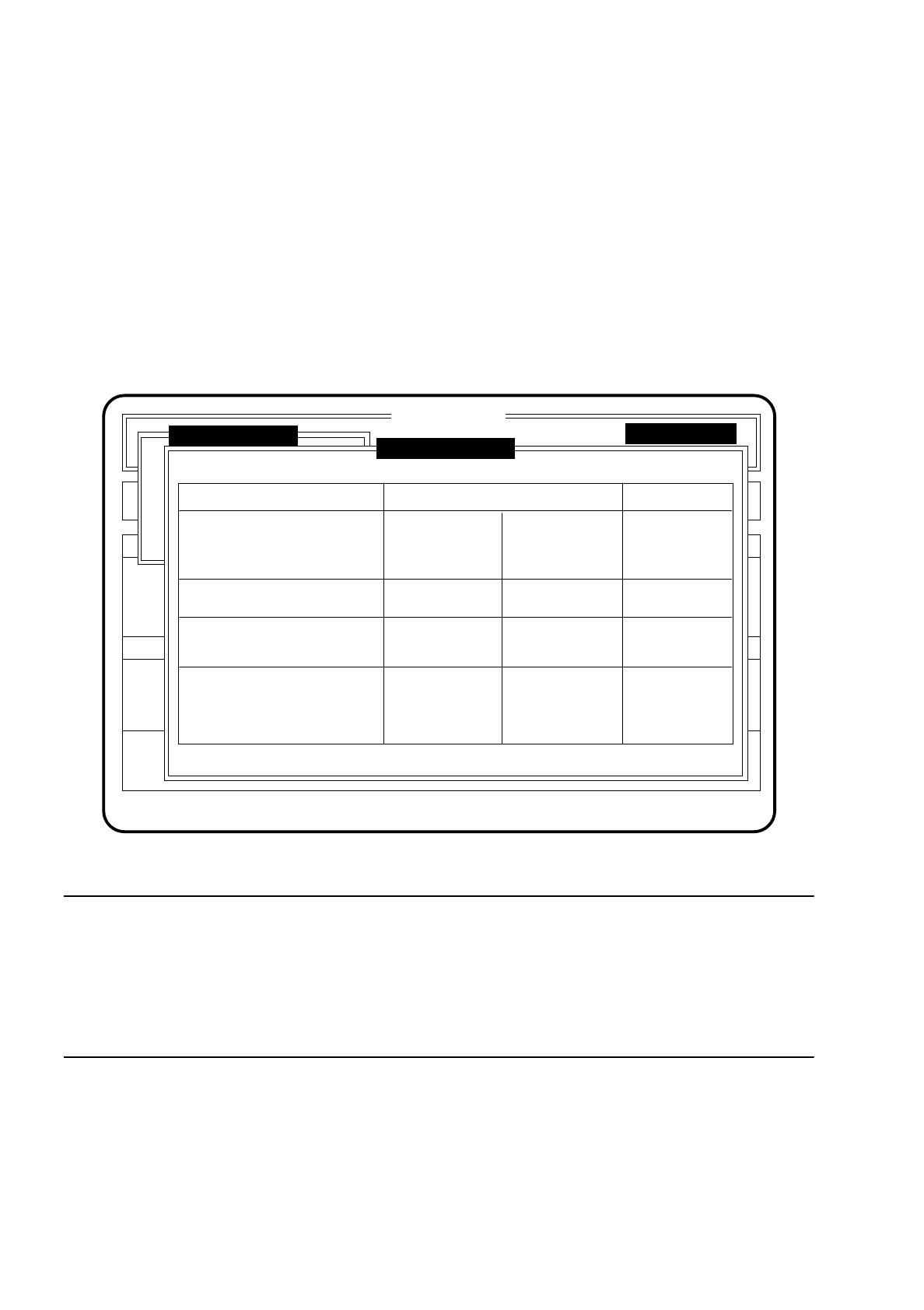
In the menu "Glueing parameters" you can call up the parameters provided for the various glue types (see
also Section 10.4.3 "Modify System Data". The glue type and the ideal values are the same for glueing unit 1
and glueing unit 2. Dispenser unit 3 can be set up differently.
To access the menu item "Glueing parameters" proceed as follows:
●
In the menu "Glueing adjustmts" move the cursor bar by means of the
cursor keys
onto the menu item
"Glueing parameters".
●
Press the
Return key
. The menu "Glueing parameters" is then shown on the screen.
●
Press the
Esc key
if you wish to quit the menu "Glueing parameters" without making an entry.
Fig. 10.4.2
NOTE
Parameters:
Nozzle diameter [mm]: 0.3; 0.44; 0.6
Spacer [mm]: 0.1; 0.15; 0.20; 0.25; 0.30
For further parameters and technical data please refer to Section 0.2 "Technical Data" of this user's
manual.
SI 80G V 10.x
Rüstung :
Machine options
Software options Vision system
Error
State
Action
:
:
:
Glueing adjustments
New cluster
Glueing adjustmts
Single functions
Glueing parameters
Glueing unit 3Glueing unit 2Glueing unit 1
Pattex Uhu 1Glue type:
Desired temperature [°C]
Ideal:
Modified:
Glueing point volume:
Glueing sizes:
<min / max>:
Nozzle [ mm ]:
Spacer [ mm ]:
Install. angle [ ° ]:
Ret: Modify glueing parameters ESC: abort
24.8
35.7
24.8
33.0
27.9
31.9
00 0
3 - 8 3 - 8 7 - 11
0.15
0.10
0.15
0.10
0.30
0.25
0
90
180
SIPLACE 80S/F/G User’s Manual 10 SIPLACE G
Edition 07/97 from Software Version SR.010.xx 10.4 Glueing Adjustments
10 - 15
10.4.1.1 Installation Angle and Spacer
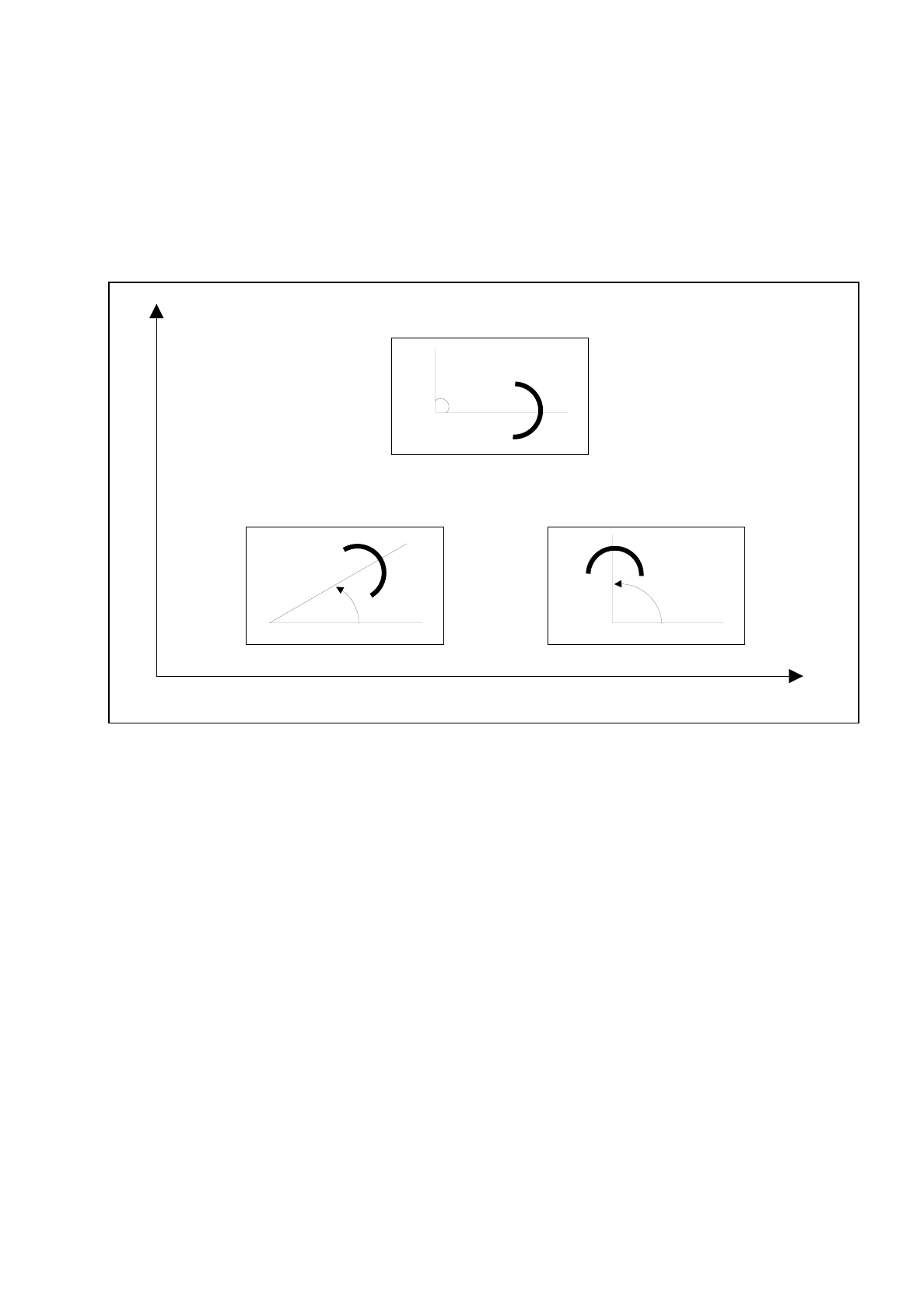
The installation angle of the spacer is with respect to the direction in which the board is moved or of the
machine coordinates system. The installation angle is 0 degrees with respect to the board transportation
direction.
These installation angles are taken from the center of the spacer in the positive direction (see Figure 10.4.3).
Fig. 10.4.3 Determining the angle of installation for spacer
Y
X
Spacer in 90
o
position
Spacer in 45
o
position
Machine coordinate system
Spacer in 0
o
position
Direction of PCB transport