00191025-01.pdf - 第165页
SIPLACE 80S/F/G User’s Manual 6 Single Functi ons Edition 07/97 from S oftware Version SR.010.xx 6.4 Transport Functions 80S 6 - 33 6.4.7 Conveyor Speed This func tion is use d to test th e two different s peeds of t he …

6 Single Functions SIPLACE 80S/F/G User’s Manual
6.4 Transport Functions 80S Edition 07/97 from Software Version SR.010.xx
6 - 32
6.4.1 PCB to Center Conveyor
When the function "PCB to center conveyor" is selected via the
cursor keys
and the
Return key
, a board which
is on the input conveyor is conveyed onto the center conveyor, stopped and clamped.
6.4.2 PCB to Output Conveyor
When the function "PCB to output conveyor" is selected via the
cursor keys
and the
Return key
, a board which
is on the center conveyor is conveyed onto the output conveyor.
6.4.3 Actuate Stopper
When the function "Actuate stopper" has been selected via the
cursor keys
and by pressing the
Return key
,
the stopper is extended. If the
Return key
is pressed again the stopper returns to its initial position. These
sequences are repeated each time the
Return key
is pressed.
6.4.4 Actuate Clamping
When the function "Actuate clamping" has been selected via the
cursor keys
and by pressing the
Return key
,
the clamping device is activated (any board which may be on the conveyor is clamped). If the
Return key
is
pressed again the clamping device returns to its initial position. These sequences may be repeated as often
as desired by pressing the
Return key
.
6.4.5 Ceramic Substrate Centering (Option)
After the "Ceramic substrate centering" function has been selected by means of the cursor keys and pressing
Return, ceramic substrate centering will be activated and any board which may be on the conveyor will be
clamped. If you press the Return key again the clamping device will return to its initial position. This procedure
can be repeated as often as you like by pressing the
Return key
.
See also Section 11.6.
6.4.6 Sensor State
When this function is selected via the
cursor keys
and by then pressing the
Return key
, the current state of the
ultrasound sensors (responded 1, not responded 0) is displayed in the righthand area of the menu "Transport".
Input conveyor (IC), center conveyor (CC) and output conveyor (OC) are interrogated.
SIPLACE 80S/F/G User’s Manual 6 Single Functions
Edition 07/97 from Software Version SR.010.xx 6.4 Transport Functions 80S
6 - 33
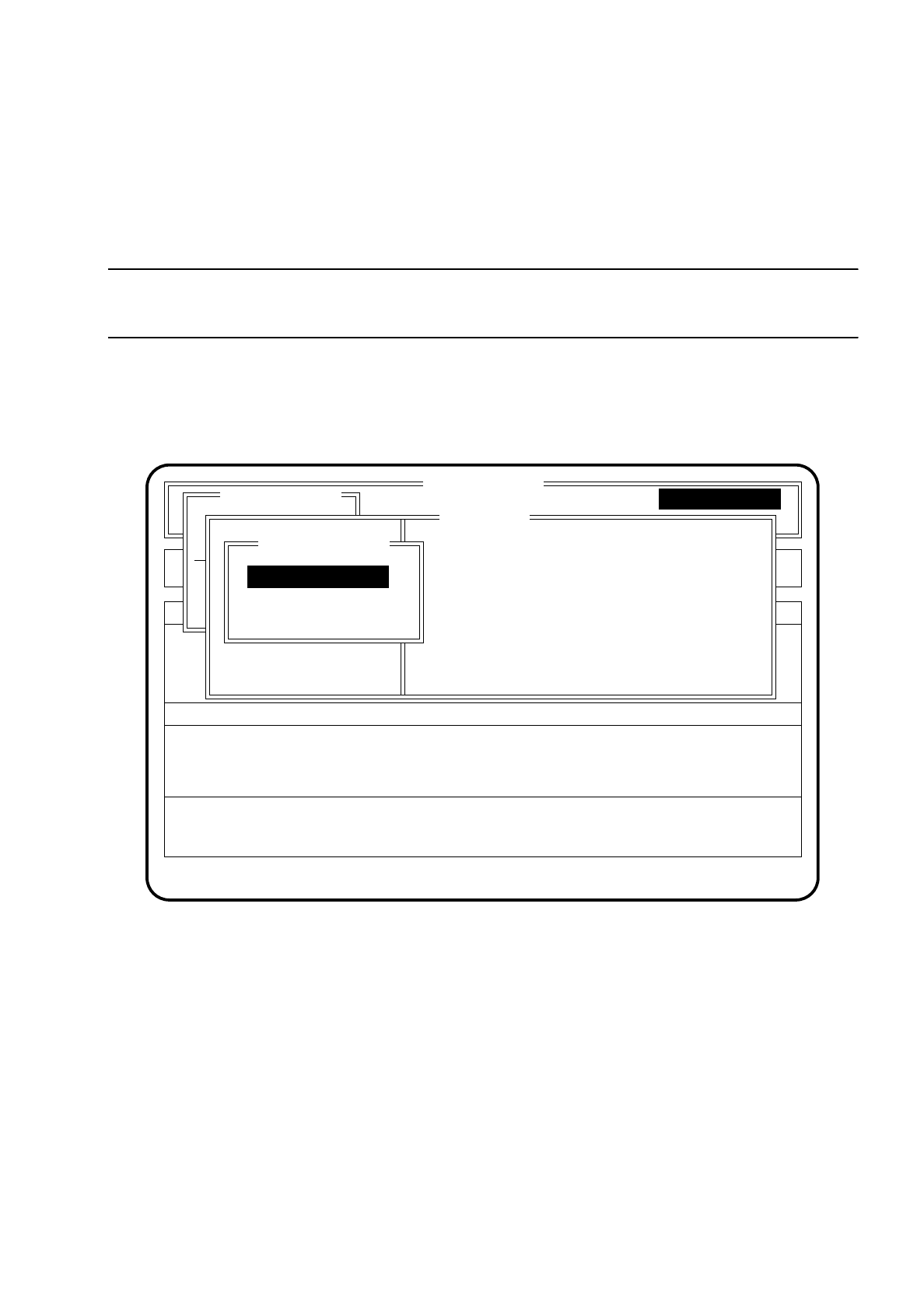
6.4.7 Conveyor Speed
This function is used to test the two different speeds of the conveyor belts and, if necessary to set these
speeds on the half-bridge board in the ’PCB handling’ control unit.
NOTE
No PCBs are supposed to be on the conveyors.
To call the function "Conveyor speed" proceed as follows:
Select the menu item "Conveyor speed" within the menu "Transport" via the
cursor keys
and then press the
Return key
. The "Conveyor speed" menu is now displayed.
Fig. 6.4.2
●
Press the
Esc key
if you wish to quit the menu "Conveyor speed".
●
If you wish to check the high conveyor speed, use the
cursor keys
to select the menu item "High conveyor
speed". The conveyor belts must be empty, the clamping device is disabled.
●
Press the
Return key
. The conveyor belts are started at the high speed and the menu "High conveyor
speed" appears on the screen.
●
To check the low conveyor speed proceed in the same way.
SI 80 V 10. x
Rüstung :
Component feeding Display errors Machine options
Error
State
:
:
:
Single functions
Transportfkt.
Breitenverstell.
Transport
PCB to center conveyor
Action
Single functions
Single functions
Conveyor speed
Stopper betätigen
Klemmung betätigen
Transp. Lichts. anz.
Conveyor speed
High conveyor speed
Low conveyor speed
6 Single Functions SIPLACE 80S/F/G User’s Manual
6.4 Transport Functions 80S Edition 07/97 from Software Version SR.010.xx
6 - 34
NOTE
The input conveyor belt is run only at high speed.
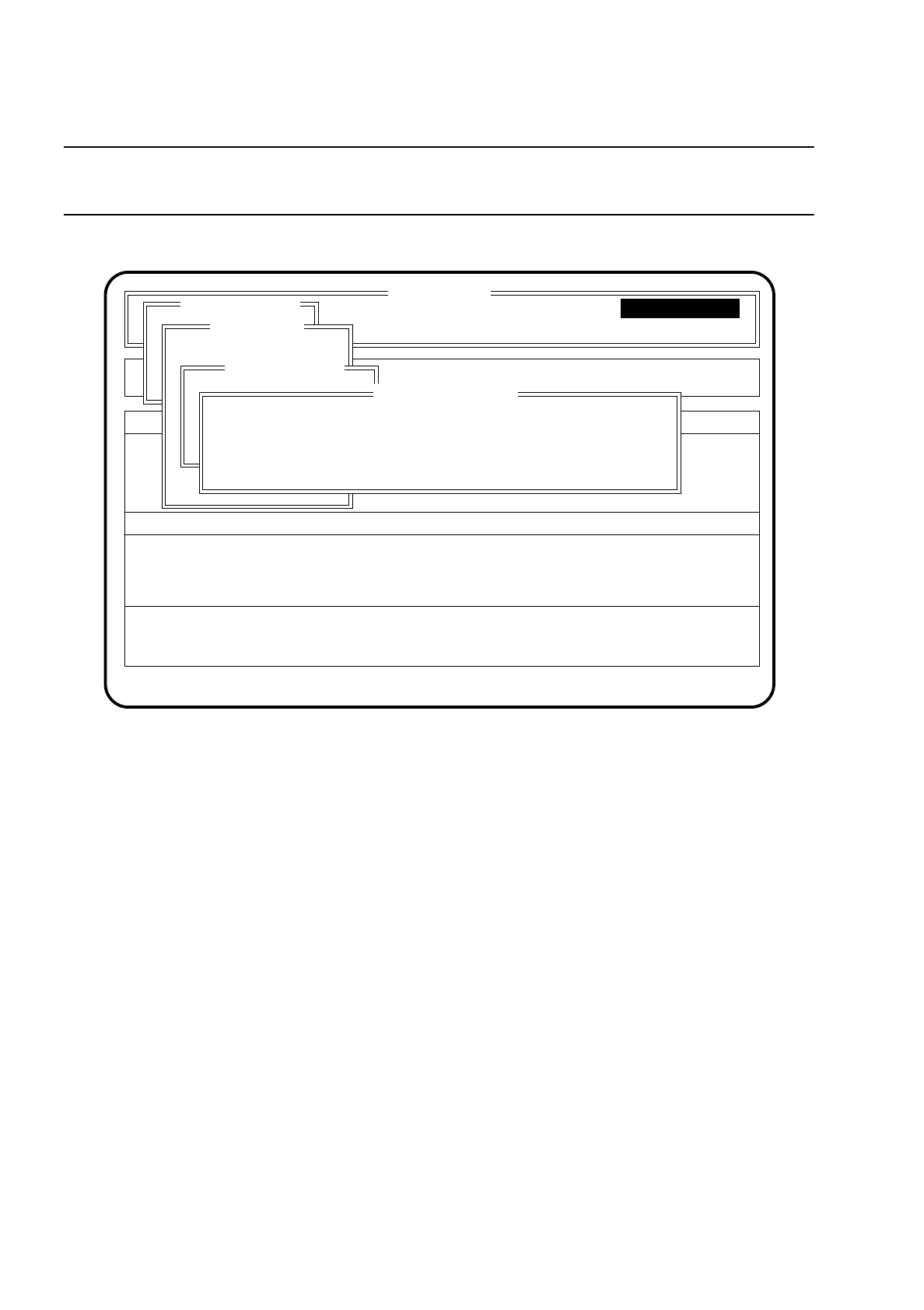
Fig. 6.4.3
●
When you have completed this check, press the
Esc key
. The conveyor belts are switched off and the
program returns to the menu "Conveyor speed".
6.4.8 Menu "Width adjustment"
The function "Width adjustment" is required to adjust the conveyor width. The conveyor width must be
adjusted when another board size is introduced and for various maintenance work.
To call the menu "Width adjustment", proceed as follows:
●
Within the menu "Single functions" use the
cursor keys
to select the menu item "Width adjustment".
●
Press the
Return key
. The "Width adjustment" menu is displayed on the screen.
SI 80 V 10.x
BE - Zuführung Display errors
Confirm errors
Machine options
Software options Vision system
Error
State
Action
:
:
:
Single functions
Transportfkt.
Breitenverstell.
Transport
PCB to center conveyor
Stopper betätigen
Klemmung betätigen
Transp. Lichts. anz.
Bandgeschwindigkeit
niedrige Bandgeschw.
hohe Bandgeschw.
High conveyor speed
Conveyor speed
Please set high conveyor speed
Esc.: abort
Single functions
Single functions