00191025-01.pdf - 第175页
SIPLACE 80S/F/G User’s Manual 6 Single Functions Edition 07/97 from S oftware Version SR.010.xx 6.6 Head Functions 80 F 6 - 43 6.6. 1.5 Vacuum On Upon acti vation of this functi on the vacuum is switch ed on. At th e sam…
6 Single Functions SIPLACE 80S/F/G User’s Manual
6.6 Head Functions 80 F Edition 07/97 from Software Version SR.010.xx
6 - 42
6.6.1.3 Clamping z Axis
Upon activation of this function the z axis is clamped.
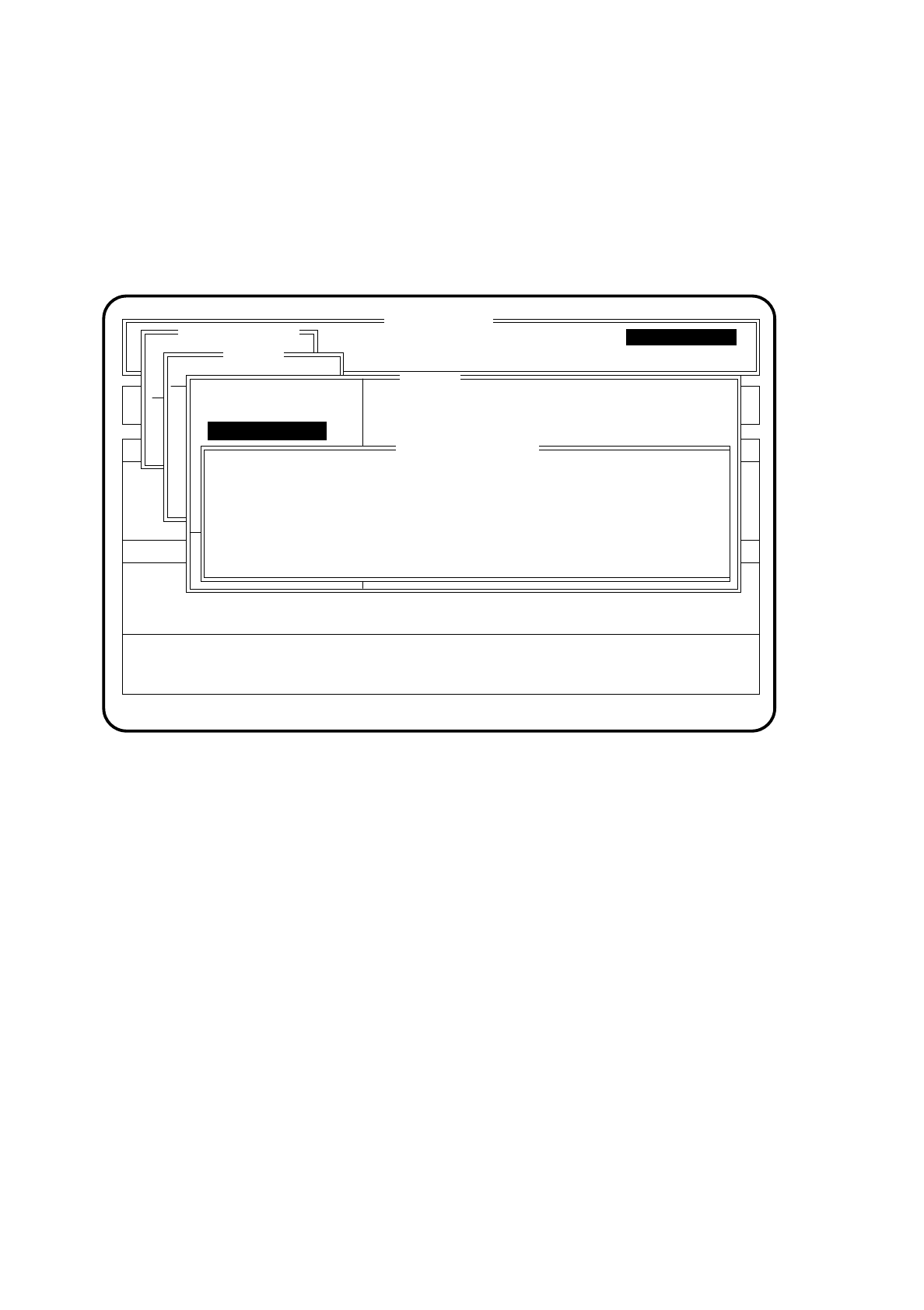
To launch the function "Clamping z axis" proceed as follows.
●
In the menu "IC head" with the aid of the
cursor keys
position the cursor bar over the menu item
"Clamping z axis".
Fig. 6.6.3
●
Press the
return key
. The z axis is then clamped. In the menu window the message "IC head: Z axis clamp-
ing actuated" is displayed.
●
Terminate this function with the
Esc key
. The Z axis is then unclamped.
6.6.1.4 Turn D Axis
Upon activation of this function the D axis can be checked. Here the D axis is rotated.
To launch the function "Turn D axis" proceed as follows:
●
In the menu "IC head" with the aid of the
cursor keys
position the cursor bar over the menu item
"Turn D axis".
Press the
Return key
. The D axis will be rotated.
SI 80F V 10.x
Nutzen:
Rüstung :
BE - Zuführung Display errors
Confirm errors
Machine options
Software options Vision system
Error
State
Action
:
:
:
Single functions
Portal 2
Transportfkt.
Breitenverstell.
Portal 1
Nullimpuls anfahren
Portal - Referenzlauf
Kopf
Prüfgerät
Pipettenkonf.
IC head
Head reference run
Vacuum test
Vakuum aus
Blasez-Achse ist geklemmts
d-Achse drehen
PipettESC
Blasen ein
Pipette abholen
IC head: Z axis clamping actuated
ESC.: abort
Current nozzle number: 416
Clamping Z axis
Gantry
Single functions
Single functions
Clamping Z axis

SIPLACE 80S/F/G User’s Manual 6 Single Functions
Edition 07/97 from Software Version SR.010.xx 6.6 Head Functions 80 F
6 - 43
6.6.1.5 Vacuum On
Upon activation of this function the vacuum is switched on. At the same time if blowing is active this will be
switched off.
To launch the function "Vacuum on" proceed as follows:
●
In the menu "IC head" with the aid of the
cursor keys
position the cursor bar over the menu item "Vacuum
on".
Press the
Return key
. The vacuum is switched on.
6.6.1.6 Vacuum Off
Upon activation of this function the vacuum is switched off.
To launch the function "Vacuum off" proceed as follows:
●
In the menu "IC head" with the aid of the
cursor keys
position the cursor bar over the menu item "Vacuum
off". Press the
Return key
. The vacuum is switched off.
6.6.1.7 Blow-Out On
Upon activation of this function blowing-out at the nozzle is switched on. At the same time if vacuum is active
this will be switched off.
To launch the function "Blow-out on" proceed as follows:
●
In the menu "IC head" with the aid of the
cursor keys
position the cursor bar over the menu item "Blow-out
on".
Press the
Return key
. At the nozzle blowing-out is now activated.
6.6.1.8 Blow-Out Off
Upon activation of this function blowing-out at the nozzle is switched off.
To launch the function "Blow-out off" proceed as follows:
●
In the menu "IC head" with the aid of the
cursor keys
position the cursor bar over the menu item "Blow-out
off".
Press the
Return key
. At the nozzle blowing-out is now deactivated.
6 Single Functions SIPLACE 80S/F/G User’s Manual
6.6 Head Functions 80 F Edition 07/97 from Software Version SR.010.xx
6 - 44
6.6.1.9 Pick Up Nozzle
With the function "Pick up nozzle" the different nozzles present in the nozzle changing set-up can be picked
up.
To launch the function "Pick up nozzle" proceed as follows:
●
In the menu "IC head" with the aid of the
cursor keys
position the cursor bar over the menu item
"Pick up nozzle". Press the
Return key
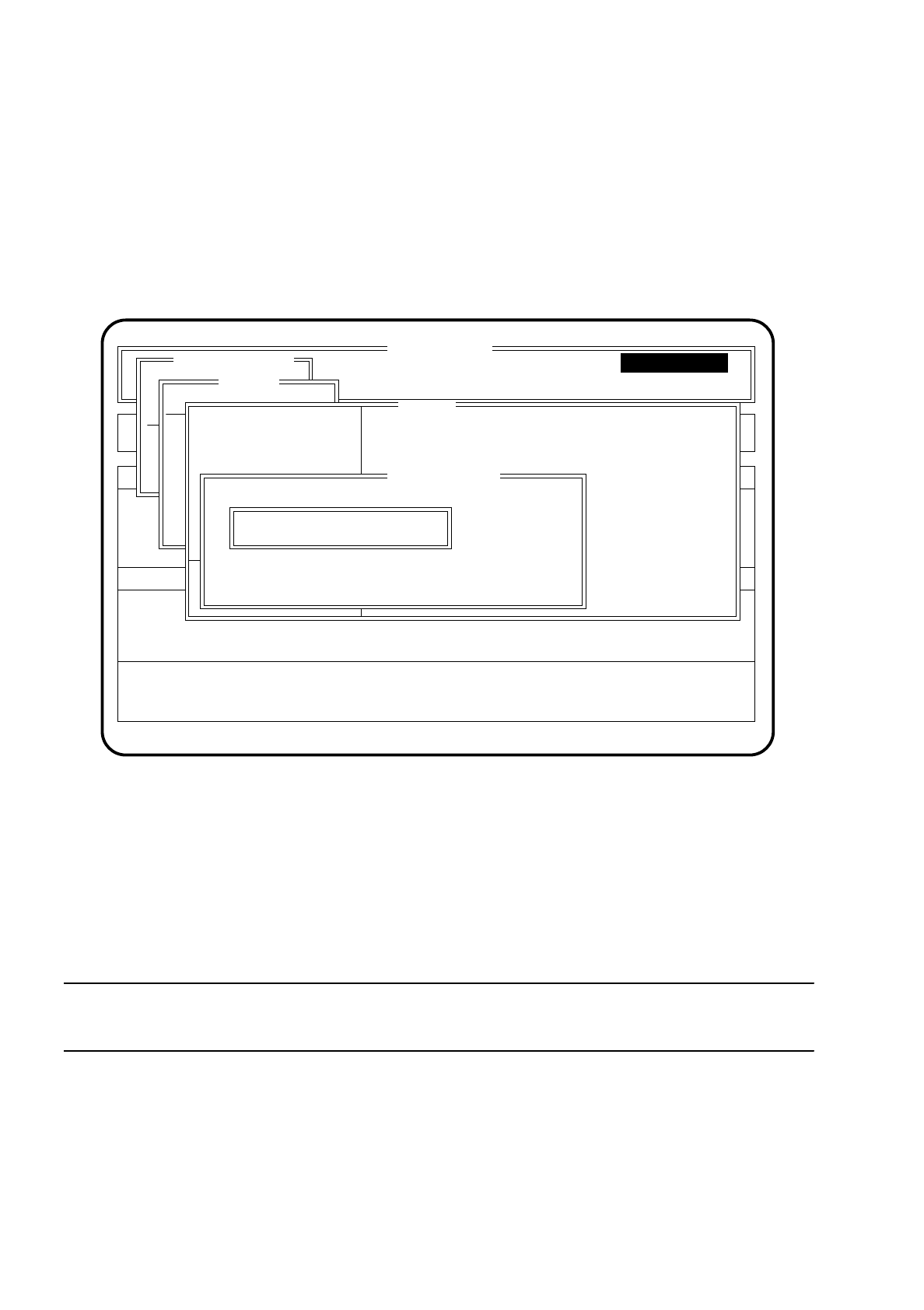
. The "Pick up nozzle" menu is displayed on the screen.
Fig. 6.6.4
●
Type the number of the nozzle which is to be picked up into the input field of the menu "Pick up nozzle".
●
Confirm your input with the
return key
.
●
Press the
start key
. The nozzle which you have selected will be picked up. The nozzle number will be
updated in the menu window "IC head" and saved.
●
Press the
Esc key
if you want to quit the menu "Pick up nozzle" without making an entry or selecting a
function.
NOTE
If there is already a nozzle at the head, this will have been returned first.
SI 80F V 10.x
Nutzen:
Rüstung :
BE - Zuführung Display errors
Confirm errors
Machine options
Software options Vision system
Error
State
Action
:
:
:
Single functions
Transportfkt.
Breitenverstell.
Gantry
Portal 1
Nullimpuls anfahren
Portal - Referenzlauf
Kopf
Prüfgerät
Pipettenkonf.
IC head
Head reference run
Vacuum test
Clamping Z axis
Vakuum aus
Blasez-Achse ist geklemmts
d-Achse drehen
PipettESC
Blasen ein
Pipette abholen
ESC.: abort
Pick-up nozzle
Nozzle number:
Current nozzle number: 416
Single functions
Single functions