00191025-01.pdf - 第240页
7 Vision Systems SIPLACE 80S /F/G User’s Manual 7.5 Teaching the F iducial Ed ition 07/97 from Software Version SR.010.xx 7 - 48 Line engine er 7.5.4 Menu “Edit fiducial” NOTE The menu “Edit fiduc ial” is only act ivated…
SIPLACE 80S/F/G User’s Manual 7 Vision Systems
Edition 07/97 from Software Version SR.010.xx 7.5 Teaching the Fiducial
Line engineer 7 - 47
7.5.3.8 Option “PCB to output conveyor”
This function is executed when there is a board on the center conveyor.
NOTE
Before you quit the menu "Teach fiducial" send the PCB to the output conveyor. If you do not do this a window
asking you to do so will pop up.
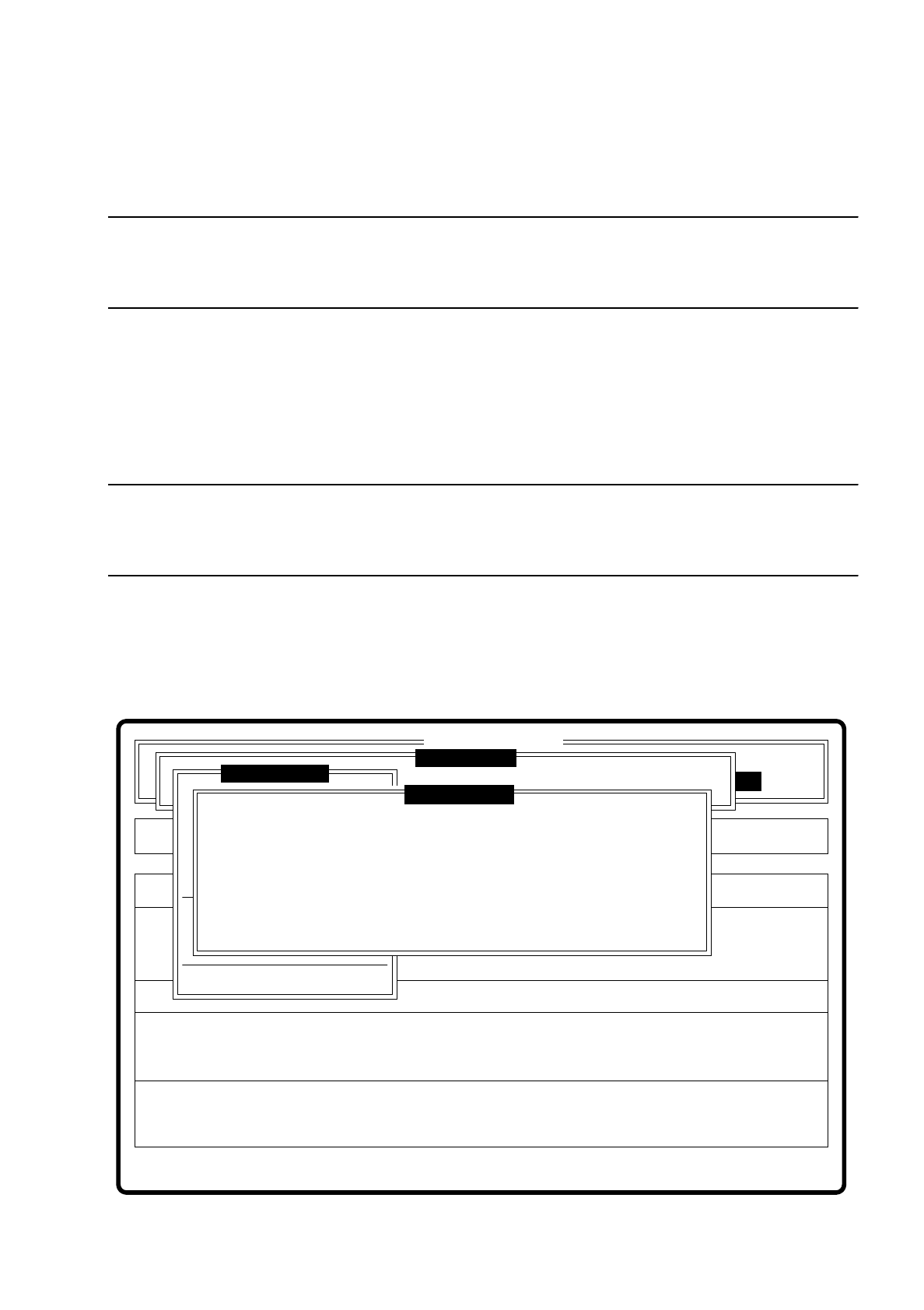
7.5.3.9 Option “Choose gantry”
Using this option you can select gantry 1 or gantry 2 as teach gantry via a dialog box. The default setting is
gantry 2.
NOTE
You can teach with both cameras since both PCB cameras have the same installation position with respect to
the machine's coordinate system.
●
With the space bar you can select the gantry. Your choice is shown by a cross.
●
With “RETURN” you confirm your selection and quit the dialog box.
●
With “ESC” you abort the procedure and return to the menu “Teach fiducial”.
Fig. 7.5.14
Error
State
Action
Select gantry to be used for teaching
Single functions
:
:
:
SI80 V 10.x
Vision system
Vision system
Rüstung:
BE - Zuführung
Vision system
Version: 2133
Markennummer eingeben
Teach fiducial
Marke zentrieren
Teach-Portal
Choose gantry
( ) Gantry 1
( x ) Gantry 2
Esc: abort Blank: selectRet: input
Display errors
7 Vision Systems SIPLACE 80S/F/G User’s Manual
7.5 Teaching the Fiducial Edition 07/97 from Software Version SR.010.xx
7 - 48 Line engineer
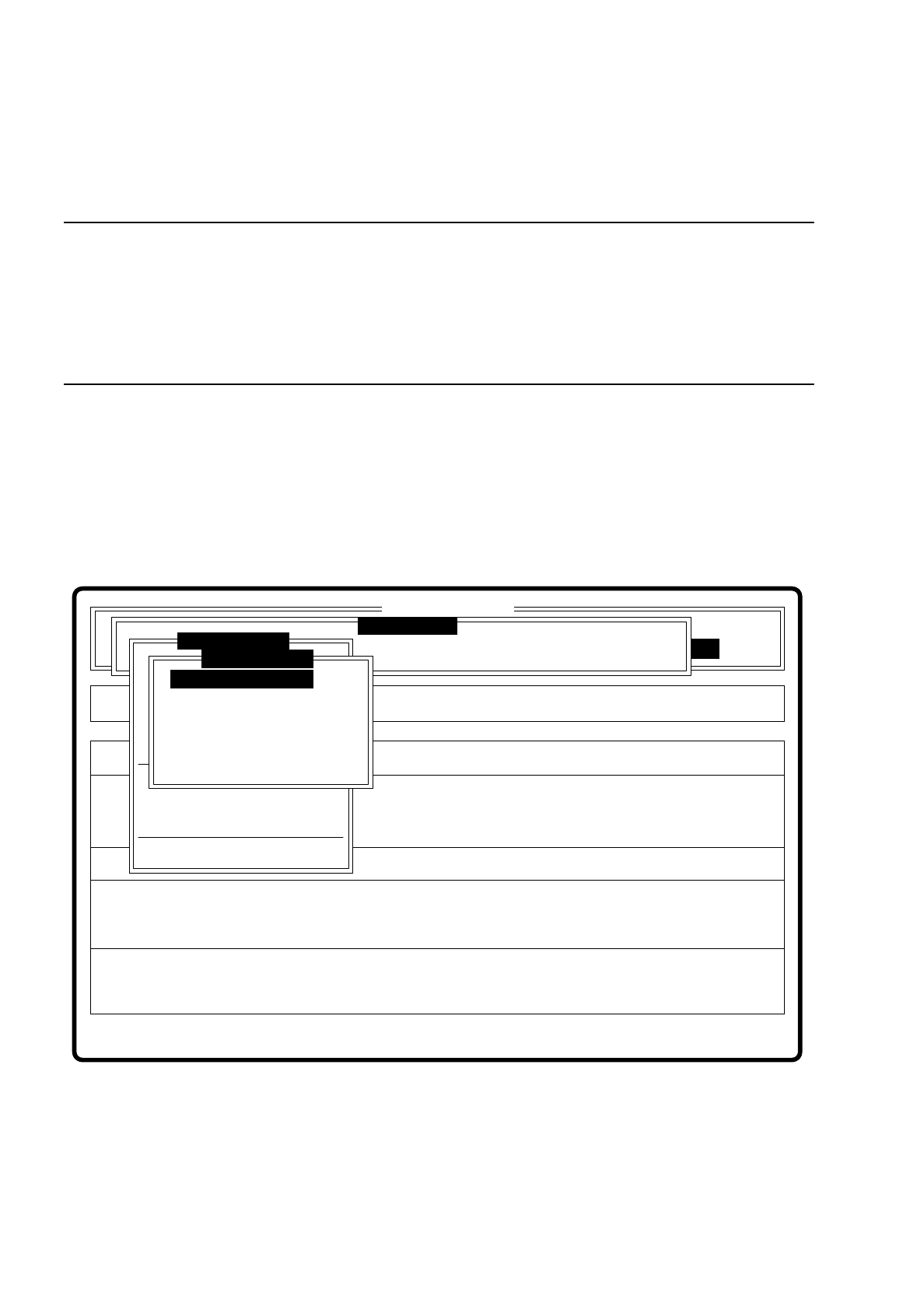
7.5.4 Menu “Edit fiducial”
NOTE
The menu “Edit fiducial” is only activated if
— you have already entered a fiducial number and
— a definition already exists for the fiducial selected.
If this is not so, a message text is displayed which asks you to enter a fiducial number. If the above conditions
have been fulfilled, the menu is displayed.
In this menu you can implement
–
parameter modifications to the fiducial structure field (template)
–
parameter modifications to the search area
–
parameter modifications to the color graduations,
–
and teaching using default values.
Fig. 7.5.15
●
Fiducial structure field parameters are
–
width
–
height
–
camera resolution
Error
State
Action
Change template with high resolution
Maschinenoptionen Single functions
Softwareoptionen
:
:
:
BE - Zuführung
SI80 V 10.x
Vision system
Vision system
Vision system
Version: 2133
Choose gantry
Teach fiducial
Marke ändern
Display errors
PCB to output conveyor
Marke testen
x/y - Achsen verfahren
LP ins Mittenband
Marke zentrieren
Marke neu
Marke ändern
Color graduation
Standard values
Change search area
Template medium res.
Template low res.
Template high res.
Teach fiducial

SIPLACE 80S/F/G User’s Manual 7 Vision Systems
Edition 07/97 from Software Version SR.010.xx 7.5 Teaching the Fiducial
Line engineer 7 - 49
●
Search area parameters are
–
width
–
height
●
Parameters of color graduation (5 Sections)
–
10 parameter “IN” values
–
10 parameter “OUT” values
The parameters are stored in a list in the station computer. This list is initialized with default and current values
when the option “Enter fiducial number” is called.
If you modify a parameter, a teach command is generated in the machine controller (MC).
Only that parameter block will be added to the general parameters in the teach command which was modified.
For this reason four different teach commands are produced by the machine controller:
–
teach the template window.
–
teach the search area.
–
teach the color graduation and template window.
NOTE
When the color graduation is modified the fiducial is taught at the same time.
–
teach using default values
7.5.4.1 Options “Template high, medium and low resolution”
If you have selected one of these options,
–
the menu will disappear.
–
the video image will be displayed with the fiducial and template window.
–
the header and footer lines will be displayed with commentary, measurement result, keyboard assignment
and command sequences.