00191025-01.pdf - 第407页
9 Maintenance SIPLACE 80S /F/G User’s Manual 9.5 Revolver Head, Segment Version 2 (New Nozzle Seat) Edition 07/97 from Software Version SR.010.xx 9 - 48 Fig. 9.5.3 Conversion boa rd small axis and CRDL test head board: d…
SIPLACE 80S/F/G User’s Manual 9 Maintenance
Edition 07/97 from Software Version SR.010.xx 9.5 Revolver Head, Segment Version 2 (New Nozzle Seat)
9 - 47
NOTE
The component and PCB vision systems (camera, lens and amplifier) are not to be removed from the hous-
ing!
●
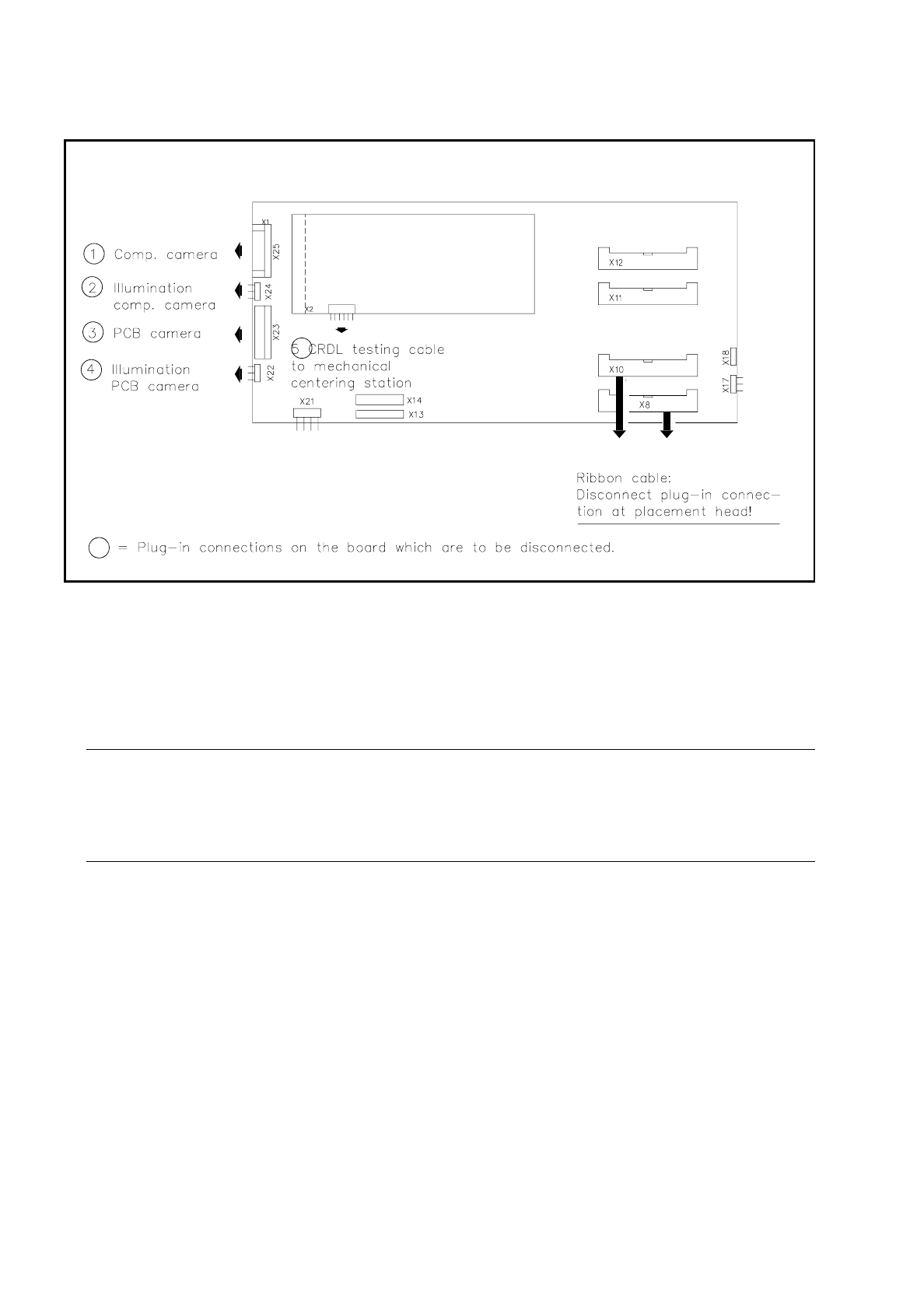
Unplug the plug-in connections of the "conversion board small axis" and of the CRDL test head board
shown in Fig. 9.5.3. The transparent cover over the board need not be removed.
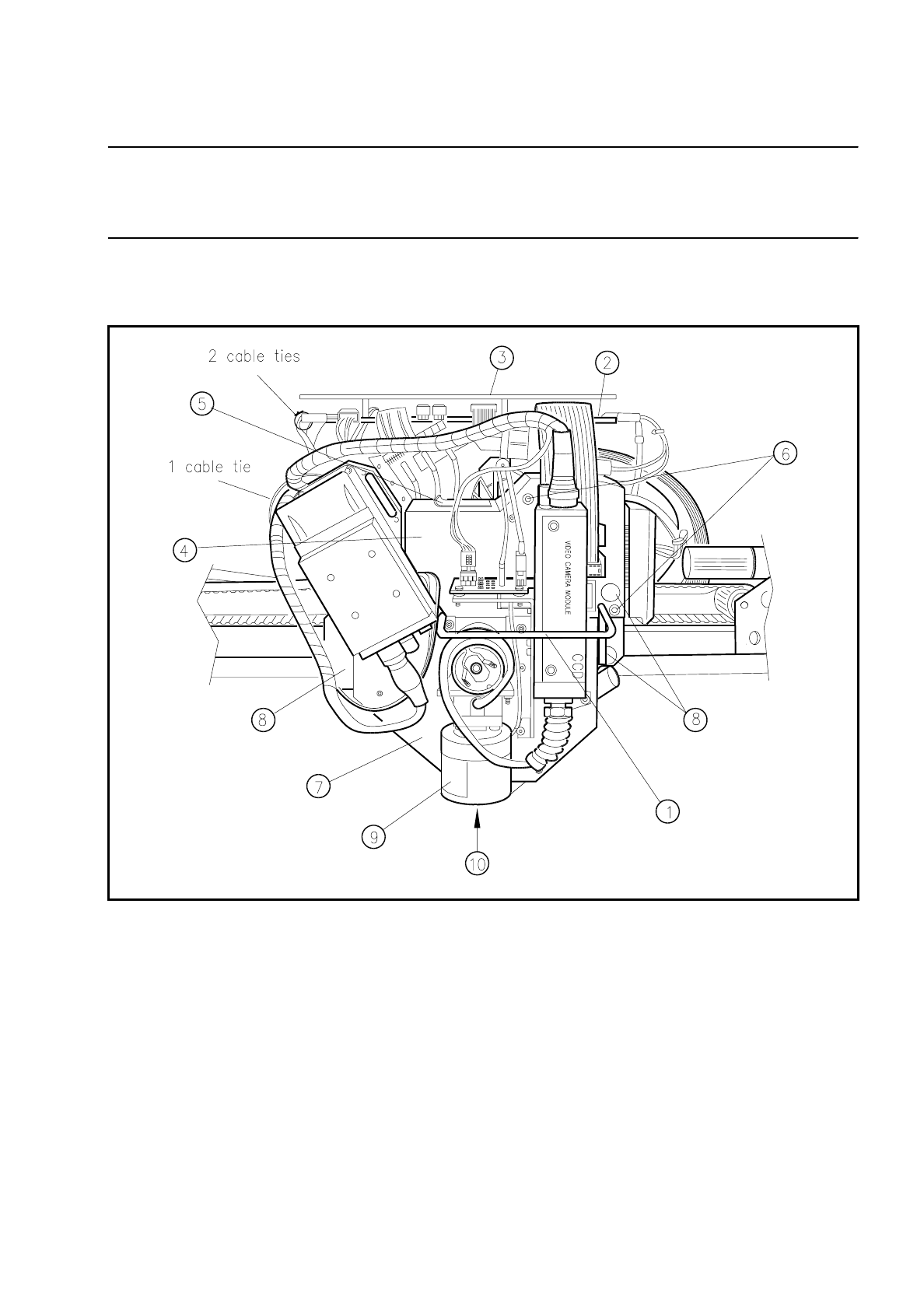
Fig. 9.5.2 Removal of the "Housing complete with star" and location of the PCB camera optical system
Key:
1 Handle 6 Fastening of light gate (2 allen screws M3)
2 Conversion board small axis 7 Housing complete with pulse generator and star
3 Transparent cover 8 Fastening of the “housing compl.” (3 allen screws M4)
4 Light gate 9 Lens of the PCB camera
5 Flap for segment removal 10 Diffusor disk
9 Maintenance SIPLACE 80S/F/G User’s Manual
9.5 Revolver Head, Segment Version 2 (New Nozzle Seat) Edition 07/97 from Software Version SR.010.xx
9 - 48
Fig. 9.5.3 Conversion board small axis and CRDL test head board: disconnecting the plug-in connections
●
Unplug the two plug-in connections of the ribbon cable on the front of the placement heads (see Fig.
9.5.3).
●
Remove the light gate from the placement head: unscrew 2 hexagon socket screws M3 and remove the
cover in an upwards direction.
●
Have the "mounting rack for housing" ready.
CAUTION
∆
!
When removing the housing pay particular attention to the lens of the PCB and component camera! Do
not knock against any part of them!
●
Remove the "housing complete with star" (= without segments) from the "support plate complete":
●
Unscrew the 3 hexagon socket screws M4 (see Fig. 9.5.2) and carefully lift the housing using both
hands off the centering pins of the support plate.
●
Place the housing with its locating holes (the star points upwards!) onto the centering pins of the "housing
mounting rack".
●
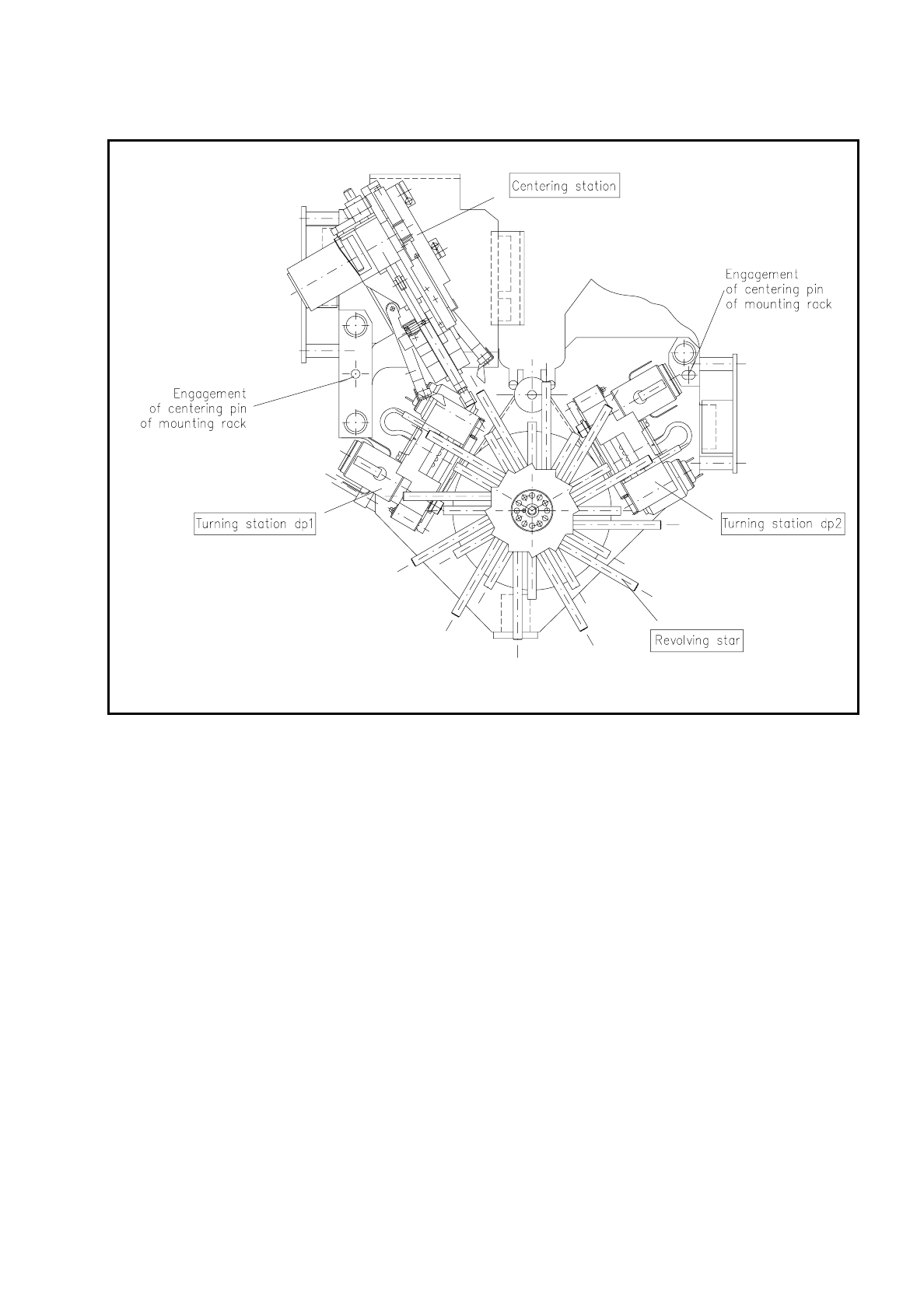
Now carry out the maintenance work on the star, screwdrivers 1 and 2, on the mechanical centering station
and on the turning stations dp1 and dp2.
SIPLACE 80S/F/G User’s Manual 9 Maintenance
Edition 07/97 from Software Version SR.010.xx 9.5 Revolver Head, Segment Version 2 (New Nozzle Seat)
9 - 49
Fig. 9.5.4 Location of subassemblies in the "Housing complete with star" which are to be maintained
9.5.3.2 Installation of the Housing Complete with Star
●
After completing all maintenance work remove the "housing complete with star" from the mounting rack
and place the housing onto the centering pins of the "support plate complete".
●
Fix the housing in place (3 hexagon socket screws M4) and make sure that the screws are tight.
●
Reconnect all electrical plug-in connections (see Fig. 9.5.3).
●
Make sure the plug-in connections are not loose and that cable routing is correct. Reattach the cable lac-
ing, as shown in Fig. 9.5.2.
●
For the installation of the segments you will require the SIPLACE test program, as a reference run will be
necessary before installation (= reference run without segments). Continue, then, work on the SIPLACE
80S with the section 9.5.3.3 Concluding work - but only after maintenance of the two placement heads .