00191025-01.pdf - 第485页
10 SI PLACE G SIPLACE 80S/F/G User’s Manual 10.4 Glueing Adjustments Edition 07/97 from Software Version SR.010.xx 10 - 18 10.4.2.1 Modifying Cleaning Pad Data ● Pre ss the Return key if you want to mak e modificat ions …
SIPLACE 80S/F/G User’s Manual 10 SIPLACE G
Edition 07/97 from Software Version SR.010.xx 10.4 Glueing Adjustments
10 - 17
10.4.2 Glue Cleaning Pad Data
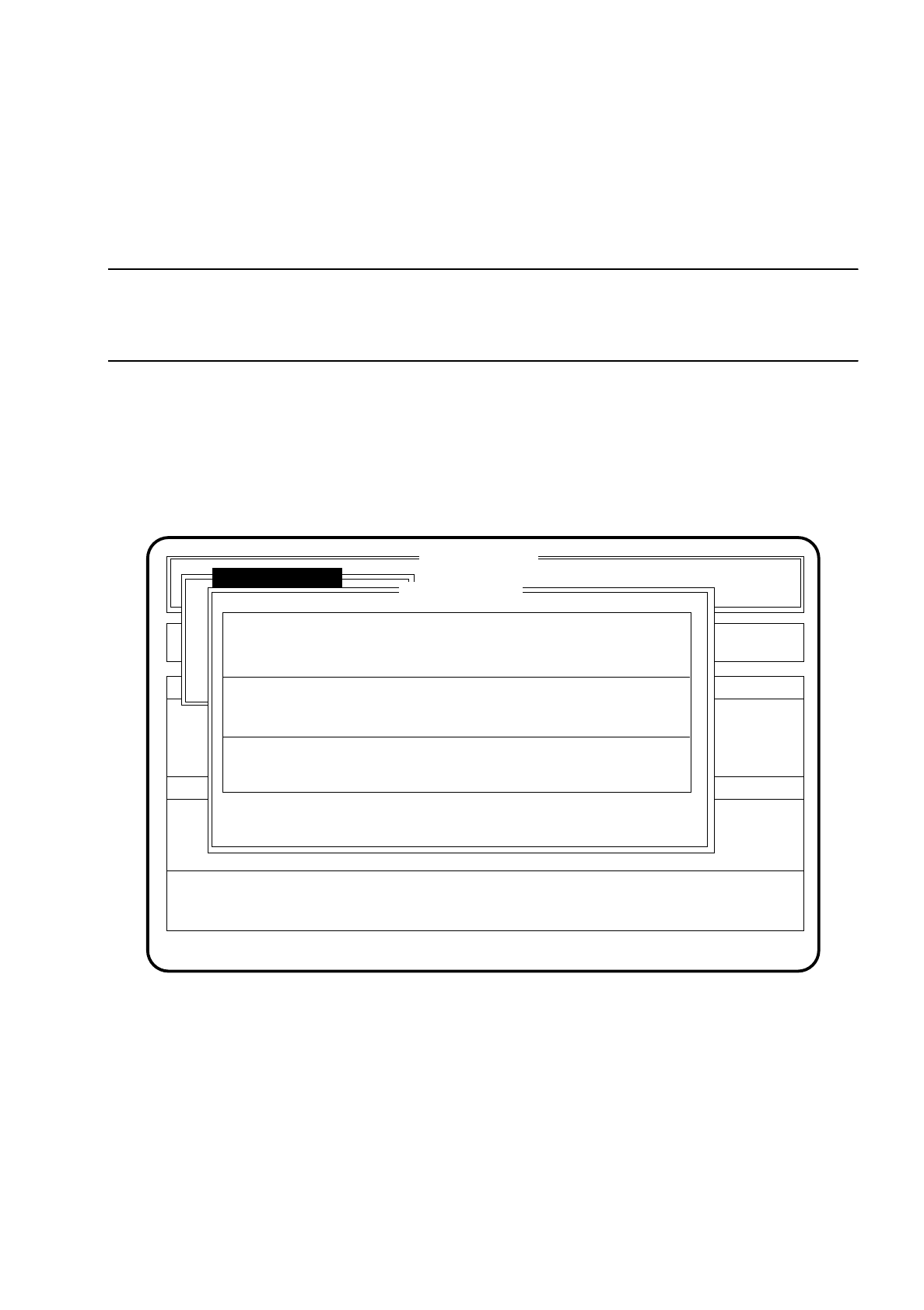
In the menu "Cleaning pad data" you can call up the duty cycle of the glue cleaning pad. The inactive time will
be displayed, and also after how many boards the glue cleaning pad will be used, and how many glueing
spots are set.
NOTE
The time during the glueing process when the glueing unit is not operating is the downtime. After this time
period (in seconds) has elapsed the glue cleaning pad is approached and a glue point is set.
To access the menu item "Cleaning pad data" proceed as follows:
●
In the menu "Glueing adjustmts" move the cursor bar by means of the
cursor keys
onto the menu item
"Cleaning pad data".
●
Press the
Return key
. The menu "Cleaning pad data" is then shown on the screen.
●
Press the
Esc key
if you wish to quit the menu "Cleaning pad data" without making an entry.
Fig. 10.4.5
SI 80G V 10.x
Rüstung :
Machine options
Software options Vision system
State
Action
:
:
Glueing adjustmts
Single functions
Ret: modify ESC: abort
Error
:
Cleaning pad data
Downtime GU1/2 [s]
Downtime GU3 [s]
Number PCBs GU1/2:
Number PCBs GU3:
Number of points on cleaning pad GU1/2:
Number of points on cleaning pad GU3:
Ideal: Modified:
30 30
60 14
500 400
600 100
10 6
70
10 SIPLACE G SIPLACE 80S/F/G User’s Manual
10.4 Glueing Adjustments Edition 07/97 from Software Version SR.010.xx
10 - 18
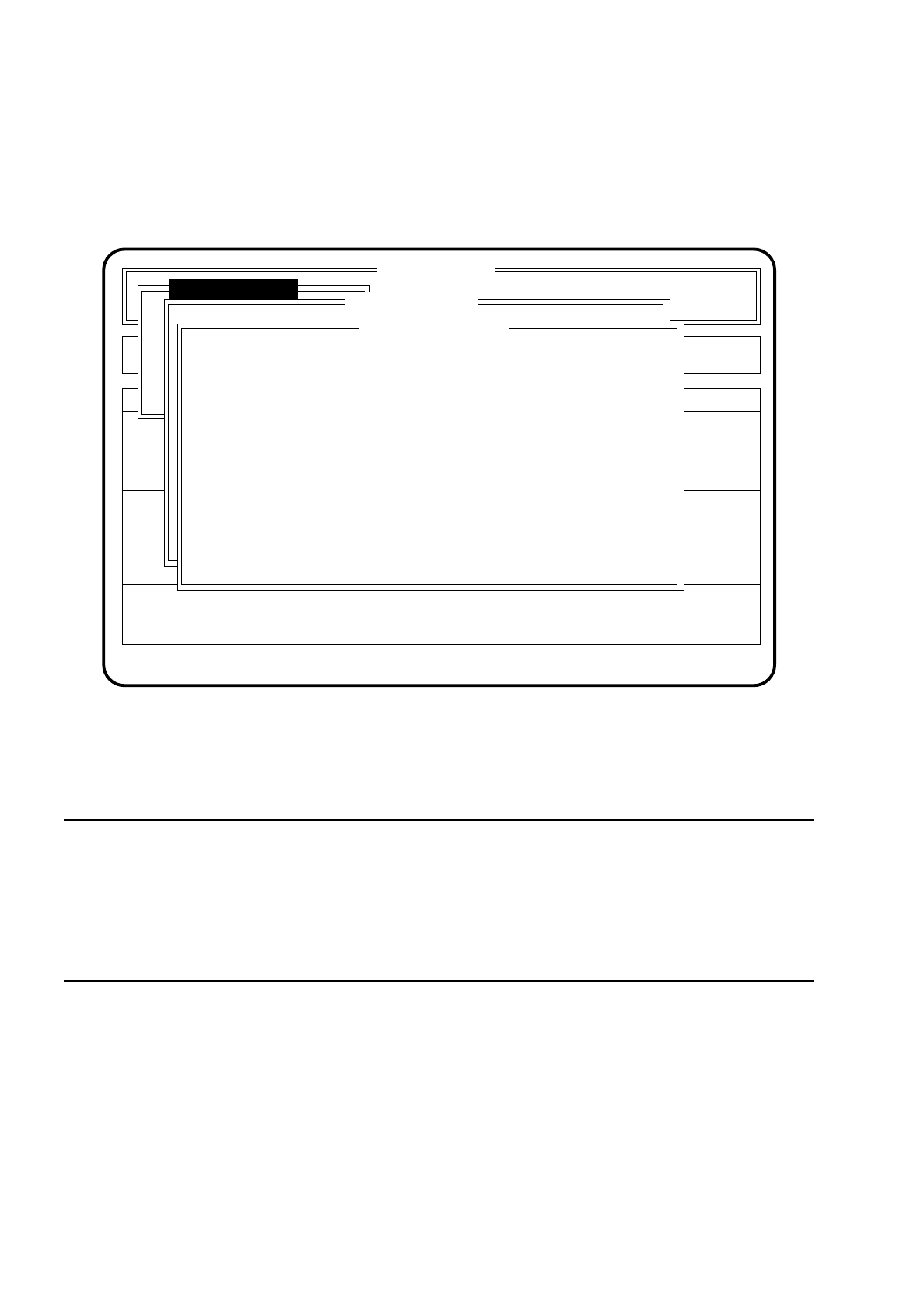
10.4.2.1 Modifying Cleaning Pad Data
●
Press the
Return key
if you want to make modifications under the menu "Cleaning pad data".
The menu window "Modify cleaning data" is opened.
Fig. 10.4.6
●
Move the cursor bar by means of the
cursor keys
onto the parameter you wish to modify.
●
Type in the new value and confirm with the
Return key
.
●
The values set are then displayed.
NOTE
The downtime can be input for GU 1/2 and GU 3 (dispenser unit) at between 10 and 9999 seconds.
The number of processed boards after which the glue cleaning pad should be used can be input for GU 1/2
and GU 3 (dispenser unit) in a range between 1 and 9999.
The number of adhesive points can be input between 0 and 10.
When 0 is input the glue cleaning pad will not be approached.
●
Press the
Esc key
if you wish to quit the menu "Modify glueing parameters" without making an entry.
SI 80G V 10.x
Rüstung :
Machine options
Software options Vision system
State
Action
:
:
Glueing adjustmts
Single functions
Error
:
Cleaning pad data
Modify cleaning data
Ret. input ESC: abort
Downtime GU1/2 [s]:
Downtime GU3 [s]:
Number PCBs GU1/2:
Number PCBs GU3:
Number of points on cleaning pad GU1/2:
Number of points on cleaning pad GU3:
21
22
500
600
6
0
SIPLACE 80S/F/G User’s Manual 10 SIPLACE G
Edition 07/97 from Software Version SR.010.xx 10.4 Glueing Adjustments
10 - 19
10.4.3 Modify System Data
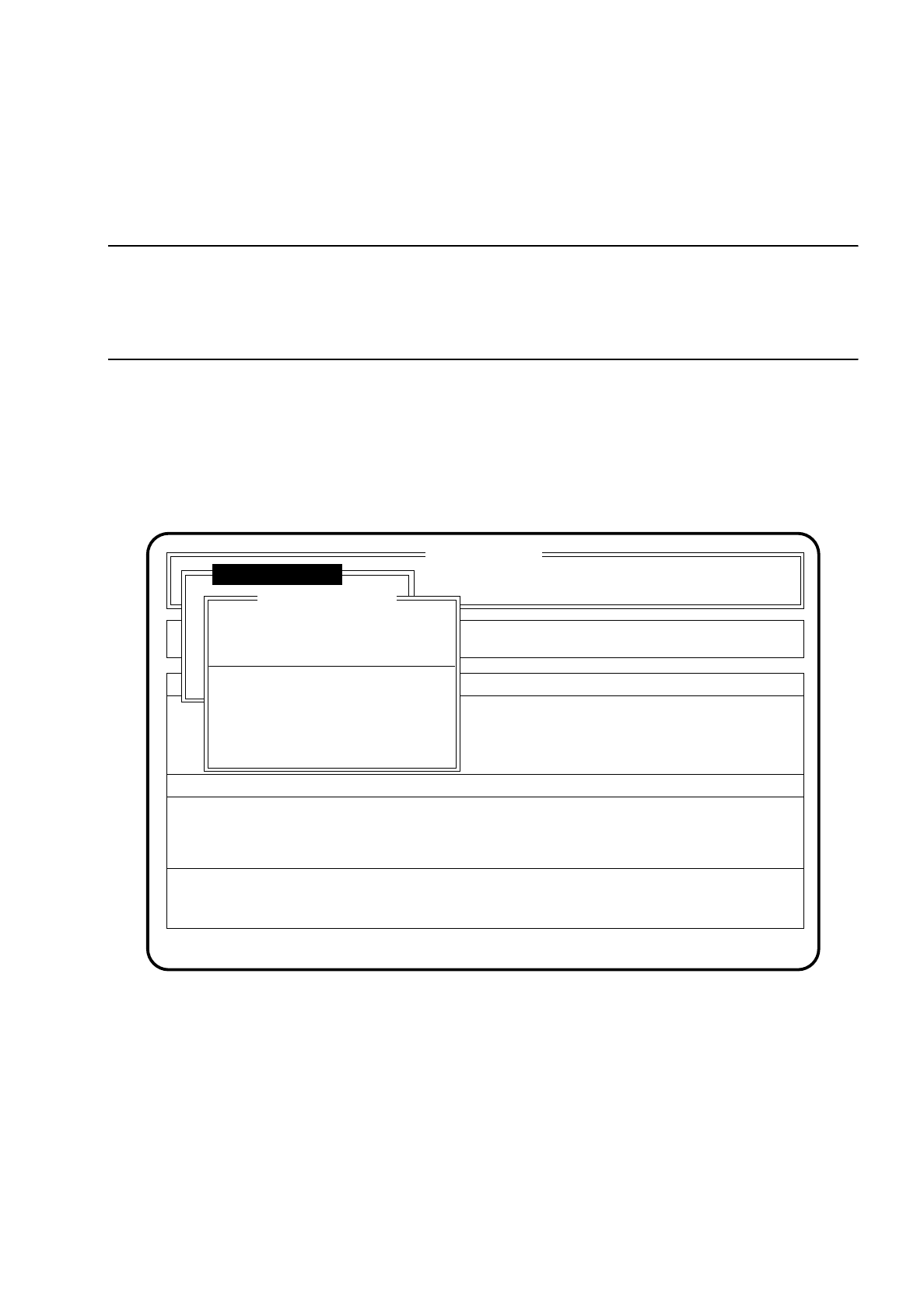
In the menu "Modify system data" you can input new characteristics and stand-off spacers for each dispenser
unit into the system file "aktuell.ma".
CAUTION
∆
!
When system data are modified a warning will be issued when you leave the menu. This modification will only
become effective after a reboot of the station.
Proceed as follows to call the menu item "Modify system data":
●
In the menu "Glueing adjustmts" use the cursor keys to move the cursor bar over the menu item "Modify
system data".
●
Press the return key. On the screen the menu "Modify system data" will appear.
●
Press the Esc key if you wish to quit the "Modify system data" menu without making any changes.
Fig. 10.4.7
SI 80G V 10.x
Rüstung :
Machine options
Software options Vision system
State
Action
:
:
Glueing adjustmts
Single functions
Error
:
Modify system data
Ret. modify ESC: abort
Cluster:
New gluetype line GU1/2
New gluetype line GU3
Spacer angle GU1
Spacer angle GU2
Spacer angle GU3