00191025-01.pdf - 第186页
6 Single Functi ons SIPLACE 80S/F/G User’s M anual 6.8 Functions: Wafflepack Changer Ed ition 07/97 from Software Version SR.010.xx 6 - 54 NOTE If there is a wafflepack t ray in the p ick-up posi tion, it will first be r…
SIPLACE 80S/F/G User’s Manual 6 Single Functions
Edition 07/97 from Software Version SR.010.xx 6.8 Functions: Wafflepack Changer
6 - 53
6.8.1.4 Set Wafflepack Changer Full
With the function "Set WPC full" all wafflepack magazines of the wafflepack changer which are defined in the
set-up can be set to "full".
To call this function proceed as follows:
●
In the menu "WPC functions" position the cursor bar over the menu item "Set WPC full" with the aid of the
cursor keys
.
●
Press the
Return key
. All defined wafflepack magazines which are recognized as being "empty" are set to
"full".
●
Press the
start key
. Placement is continued using these filled magazine trays.
In this connection see also Section 5.4 "Component Handling".
6.8.1.5 Furnish level
With the function "Furnish level" wafflepack magazines from different levels can be made available.
To call this function proceed as follows:
●
In the menu "WPC functions" position the cursor bar over the menu item "Furnish level" with the aid of the
cursor keys
.
●
Press the
Return key
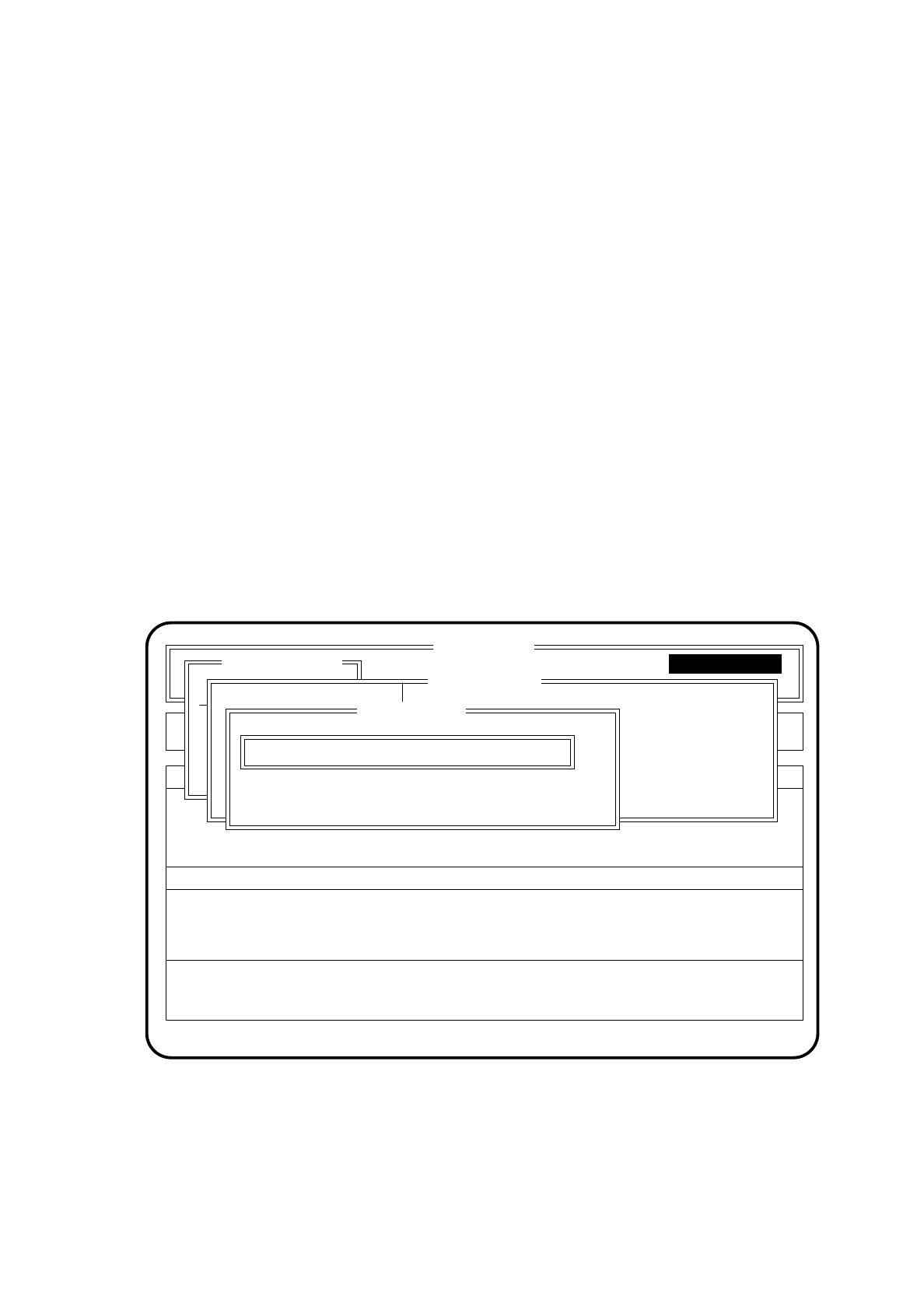
. The "Furnish level" menu is displayed on the screen.
Fig. 6.8.5
●
Type the number of the level which you wish to make available into the input window "Level".
●
Press the
Return key
. The wafflepack changer moves this level's wafflepack tray to the pick-up position.
SI80F V 10.x
Nutzen:
Rüstung :
Display errors Machine options
Error
State
Action
:
:
:
Einzelfunktionen
Transportfkt.
Breitenverstell.
WPC functions
WPC reference run
Nachfüllpos. anfahren
WPW vollsetzen
Ebene bereitstellen
Füllstand anzeigen
Transportstellung
Single functions
Furnish level
Level:
ESC: abort Ret: input
Single functions
Single function

6 Single Functions SIPLACE 80S/F/G User’s Manual
6.8 Functions: Wafflepack Changer Edition 07/97 from Software Version SR.010.xx
6 - 54
NOTE
If there is a wafflepack tray in the pick-up position, it will first be returned to its defined level.
Press the
Esc key
if you want to quit the menu "Furnish level" without making an entry or selecting a function.
6.8.1.6 Transport position
With the function "Transport position" the lift is moved to a safety position so that the wafflepack changer can
be transported without risk.
To call this function proceed as follows:
●
In the menu "WPC functions" position the cursor bar over the menu item "WPC reference run" with the aid
of the
cursor keys
.
●
Press the
Return key
. A wafflepack which is in active use will be returned to its defined level and the lift of
the wafflepack changer moves to its bottom position.
6.8.1.7 WPC Reference Run
The function "WPC reference run" is used to reference the wafflepack changer.
To call this function proceed as follows:
●
In the menu "WPC functions" position the cursor bar over the menu item "WPC reference run" with the aid
of the
cursor keys
.
●
Press the
Return key
. A wafflepack which is in active use will be returned to its defined level. The lift of the
wafflepack changer carries out a reference run.
With the
Esc key
you can return to the menu "Single functions".
NOTE
The WPC version will also be indicated.
To call this function proceed as follows:
●
In the menu "WPC functions" with the aid of the
cursor keys
position the cursor bar over the menu item
"Transport position".
●
Press the
Return key
. A wafflepack in active use will be returned to its defined level and the lift positioned in
the lowest position.
6.8.2 Select Wafflepack Changer
If multiple wafflepack changers are being used with a SIPLACE 80 F a specific wafflepack changer can be
selected with the function "Select WPC".
At present operation with multiple wafflepack changers is not yet available.
6.8.3 Table functions
The functions of this menu item are described in more detail in Section 6.9 "Table functions".
SIPLACE 80S/F/G User’s Manual 6 Single Functions
Edition 07/97 from Software Version SR.010.xx 6.9 Table functions
6 - 55
6.9 Table functions
The table functions of the SIPLACE 80F are identical to the table functions of the SIPLACE 80S. There may
be some differences in the software version information or in the header of the screen menu. This does not
however have any effect on the functions. If at a later point in time, modifications or additions are made to the
functions which would involve differences to SIPLACE 80S functions, Section 6.9 "Table functions" will be
revised accordingly.
Proceed as follows to call the "Table functions" menu:
●
Using the cursor keys, select the menu item "Single functions" in the "Table functions" menu.
●
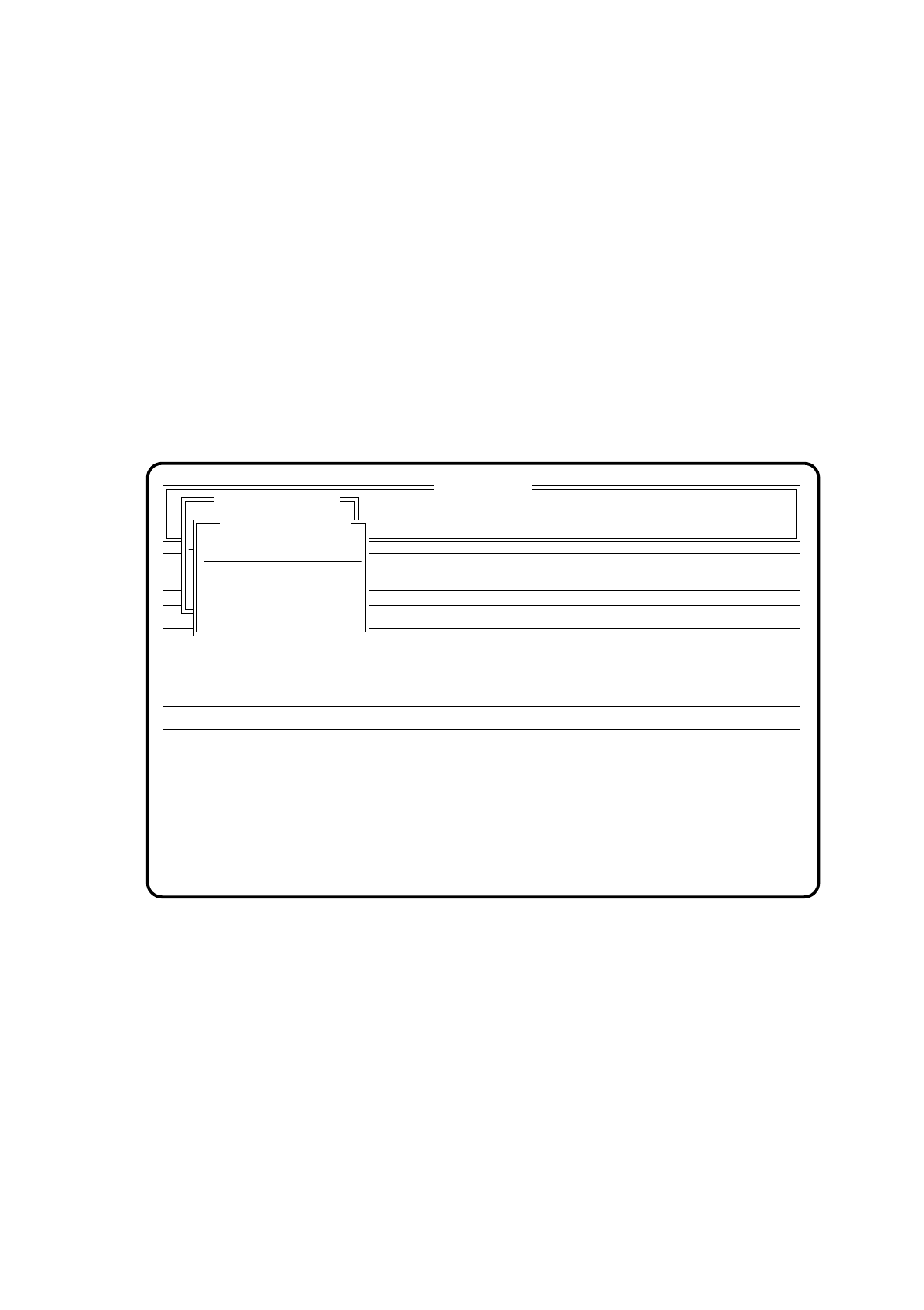
Press the return key. The Table functions menu will be displayed on the screen.
Fig. 6.9.1
Display errors
Confirm errors
SI 80 V 10.x
Rüstung :
Neuer Nutzen
Portal 2
Transport.
Tischfunktionen
Rüstung :
Neuer Nutzen
Table functions
Load table program
Cutting unit table 1
Machine options
Software options Vision system
Error
State
Action
:
:
:
Single functions
Single functions
Cluster:
Cutting unit table 2