00191025-01.pdf - 第472页
SIPLACE 80S/F/G User’s Manual 10 SIPLACE G Edition 07/97 from S oftware Version SR.010.xx 10.2 Main M enu 10 - 5 10.2 Main Menu NOTE The men us and activ ities des cribed in this subsecti on will only be requir ed and re…
10 SIPLACE G SIPLACE 80S/F/G User’s Manual
10.1 Introduction to Glueing Edition 07/97 from Software Version SR.010.xx
10 - 4
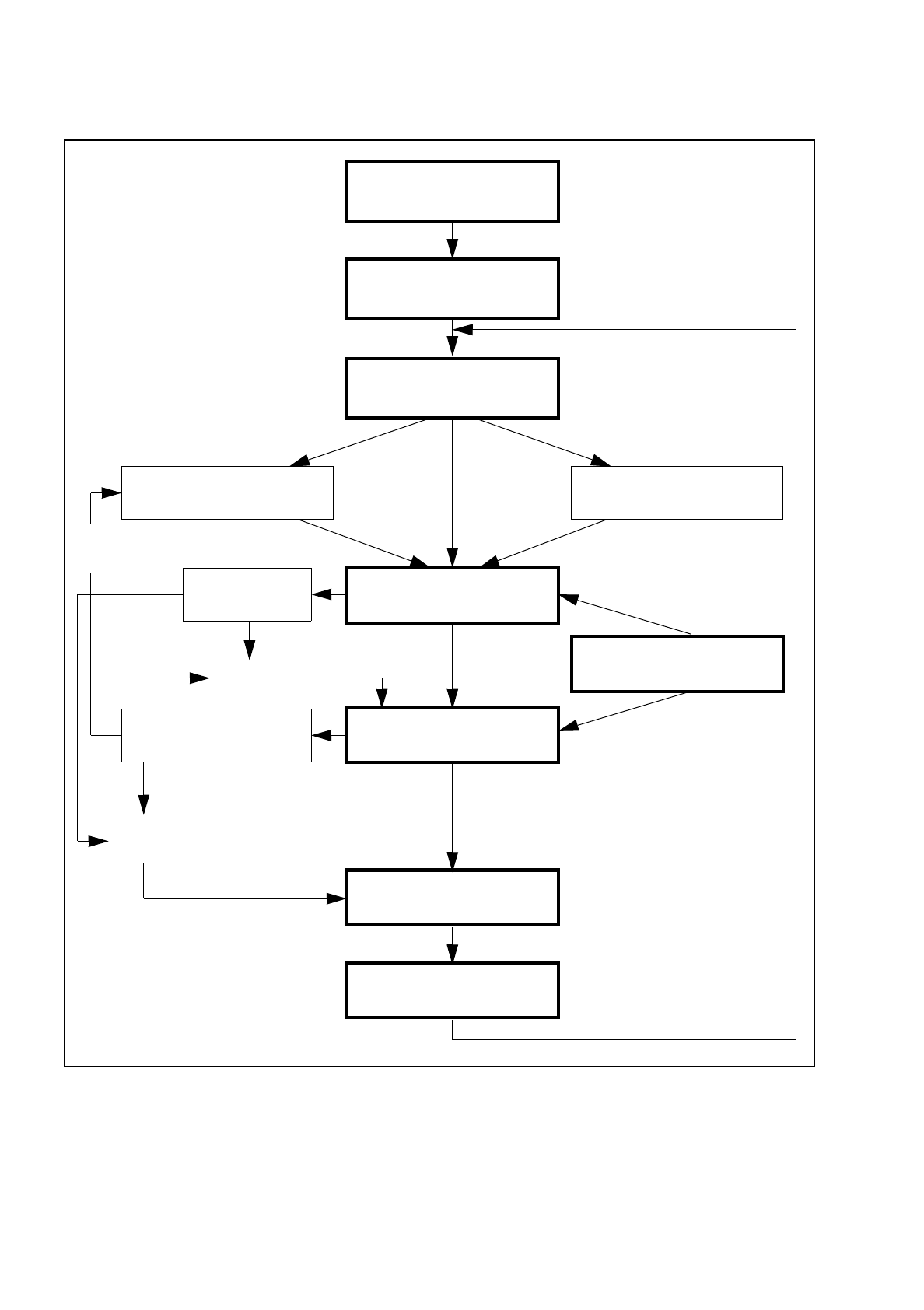
Fig. 10.1.1 Flow chart - glueing
Glueing point
optimization
Switch on - see Section 3
Loading cluster data
Setting up glue cartridge Approach glue cleaning pad
PCB handlingFiducial error
Glueing
Cartridge empty
machine error
Machine options
Cartridge
empty?
Continue
glueing
PCB to output conveyor
New cluster
Abort
glueing
SIPLACE 80S/F/G User’s Manual 10 SIPLACE G
Edition 07/97 from Software Version SR.010.xx 10.2 Main Menu
10 - 5
10.2 Main Menu
NOTE
The menus and activities described in this subsection will only be required and released when no line
computer is connected and when the function "without LC" has been selected from the selection menu "LC
mode". When a line computer is connected, cluster control takes place via the line computer.
10.2.1 First Loading of Cluster Data after Switching the Machine On
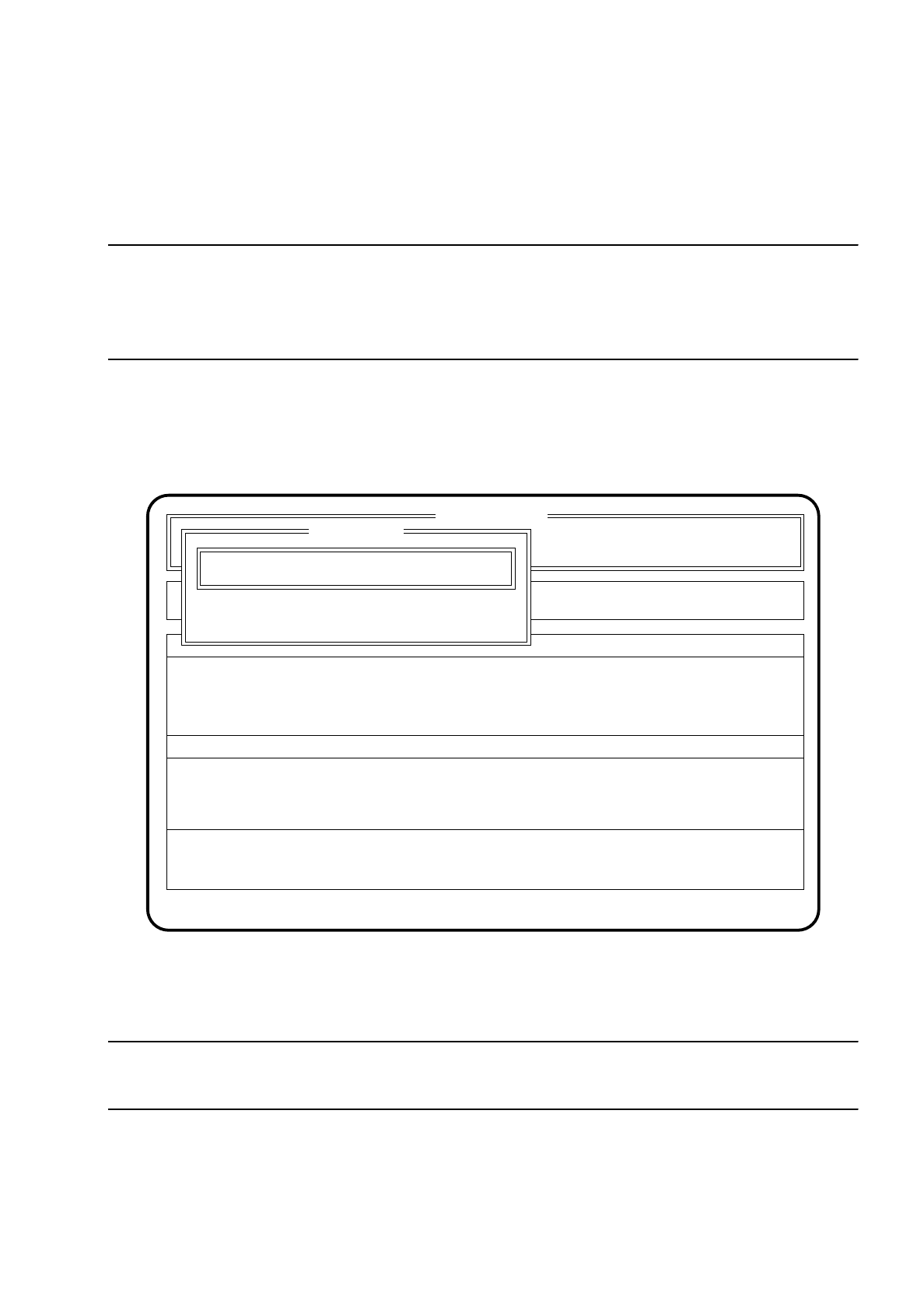
After the machine starts there appears automatically the menu "New cluster".
Fig. 10.2.1
●
Use the keyboard to input the name of the cluster which is to be processed.
●
Confirm your input with the
Return key
("Status:" Wait for data).
NOTE
The cluster must be on the hard disk together with the associated fiducial data.
The data are now loaded from the hard disk and the main menu appears. The names of the cluster are
displayed in the second box of the main menu.
●
Press the
Esc key
if you wish to quit the menu without making an entry.
SI 80G V 10.x
Rüstung :
Machine options
Software options
Single functions
Vision system
Error
State
Action
:
:
:
Visionsystem
Neuer Nutzen...
Schnittst. GESP.
Cluster name:
Esc: abort Ret: input
New cluster
New cluster ...
Wait for data
10 SIPLACE G SIPLACE 80S/F/G User’s Manual
10.2 Main Menu Edition 07/97 from Software Version SR.010.xx
10 - 6
10.2.2 Changing clusters
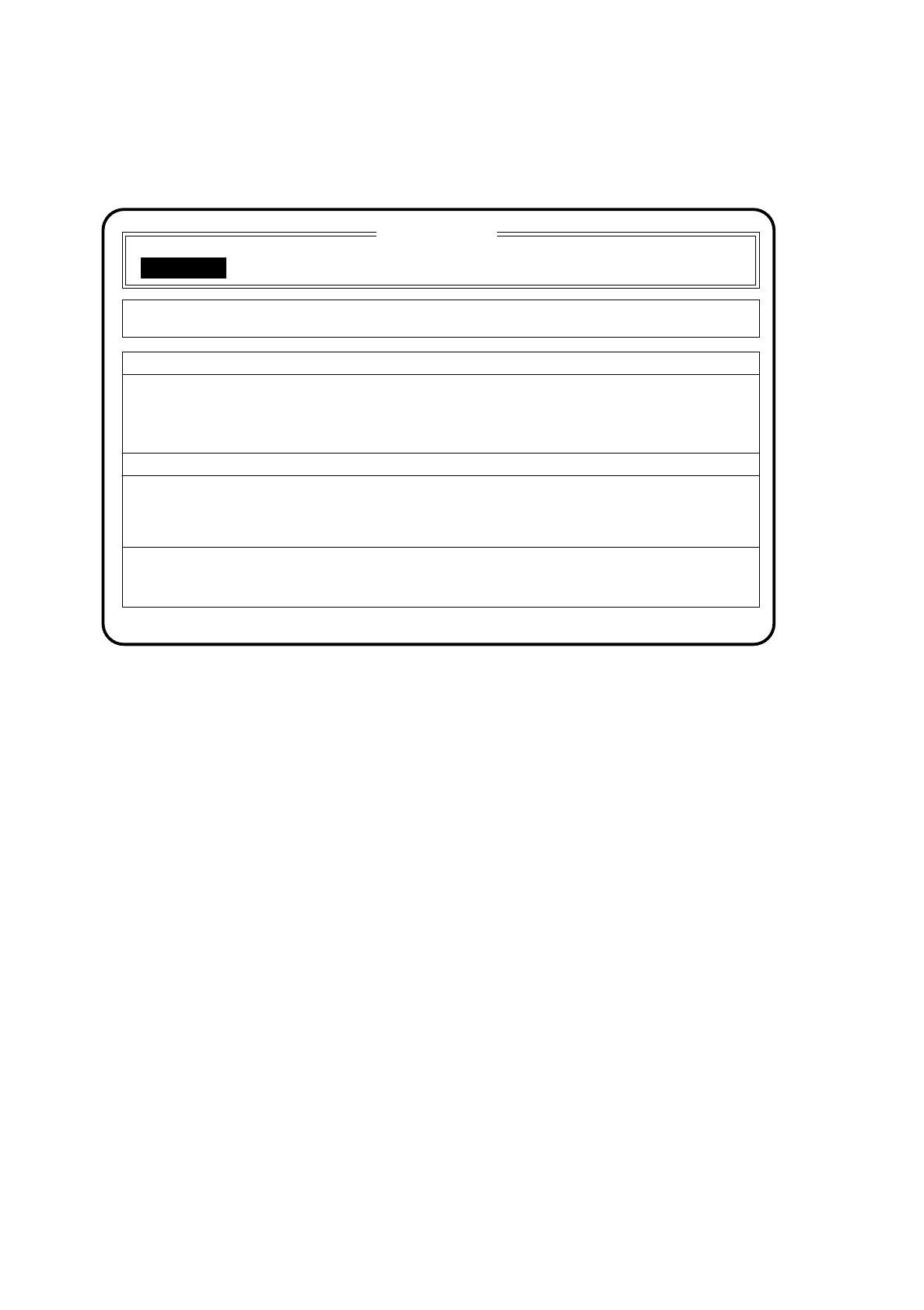
Fig. 10.2.2
●
If you wish to change the cluster move the cursor bar by means of the
cursor keys
onto the menu item
"New cluster".
●
If the menu item "New cluster" is to be shown in inverse video, press the
Return key
.
On the screen the menu "New cluster" appears, as described in Section 10.2.1.
●
Use the keyboard to input the name of the new cluster.
●
Confirm your input with the
Return key
( "Status" wait for data).
The data are loaded and the main menu appears on the screen. The second box of the main menu shows
the name of the new cluster.
SI 80G V 10.x
Cluster:
Glueing adjustmts Display errors
Confirm errors
Machine options
Software options
Single functions
Vision system
Error
State
Action
:
:
:
New cluster
Wait for data
TESTSet up: TEST
New cluster...