00191025-01.pdf - 第229页
SIPLACE 80S/F/G User’s Manual 7 Vision Systems Edition 07/97 from S oftware Version SR.010.xx 7.5 Teaching the Fiducial Line engi neer 7 - 37 7.5.3.1 O ption “Enter fiducial number ” NOTE Calling the option “E nter fiduc…
7 Vision Systems SIPLACE 80S/F/G User’s Manual
7.5 Teaching the Fiducial Edition 07/97 from Software Version SR.010.xx
7 - 36 Line engineer
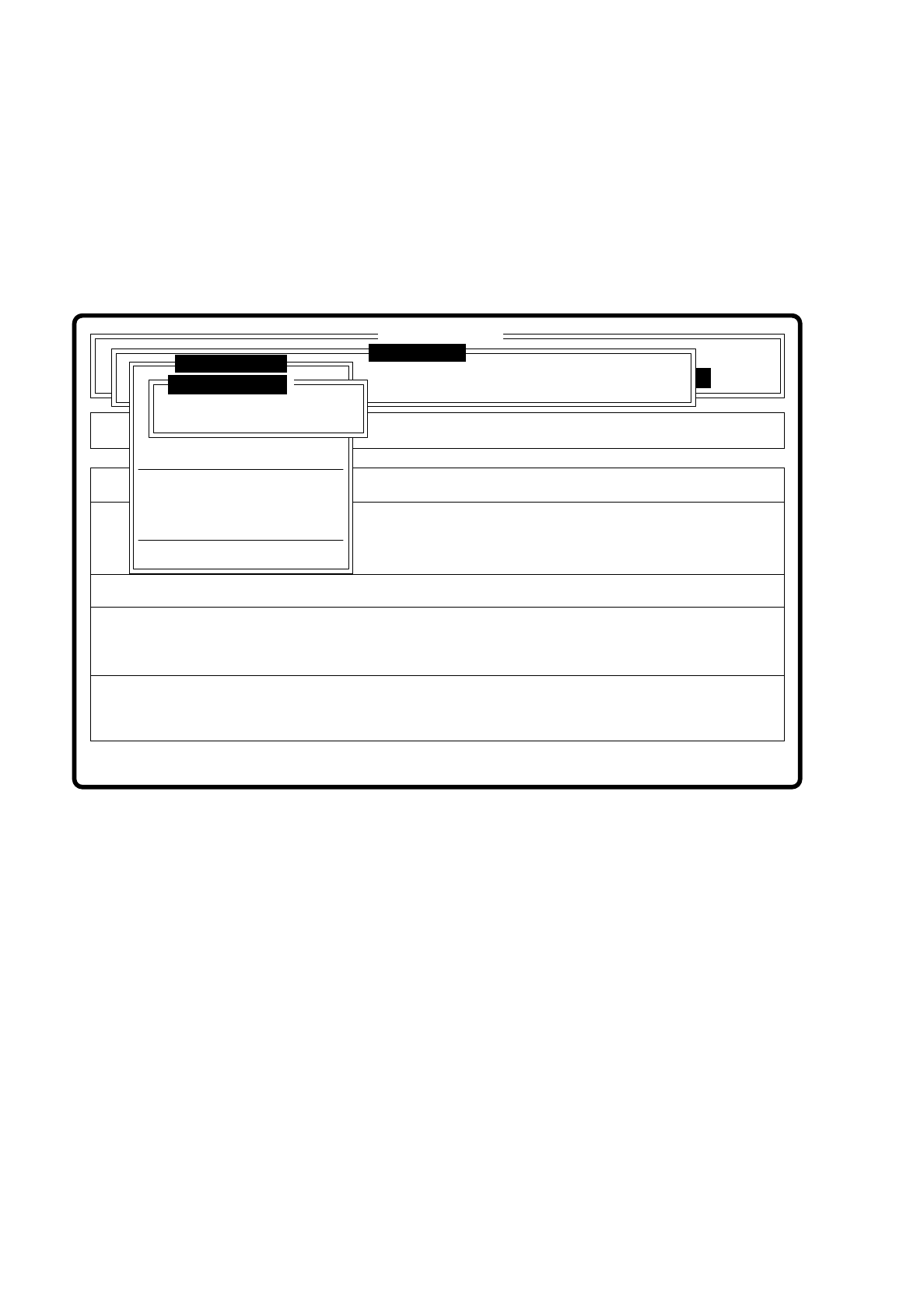
By selecting the option “Save fiducial” you make the station computer send the fiducial data to the line com-
puter, save them there and update the fiducial numbers list.
The station computer sends the fiducial data to the line computer. The fiducial numbers list is not transferred
to the line computer since this performs a correction itself of the list on the basis of the modified fiducial data
and then updates the modified fiducial data for the other stations too. The transformation tables are kept
locally in the station computer.
Fig. 7.5.3
Setup
Error
State
Action
Save fiducial
Single functions
:
:
:
SI80 V 10.x
Vision system
Vision system
Rüstung:
Maschinenoptionen
Softwareoptionen
BE - Zuführung
Cluster:
Vision system
Version: 2133
Move x/y axes
PCB to center conveyor
PCB to output conveyor
Choose gantry
Display errors
Marke ändern
Marke testen
Marke zentrieren
Rüstung:
Save fiducial
Discard fiducial
Teach fiducial
Teach fiducial
SIPLACE 80S/F/G User’s Manual 7 Vision Systems
Edition 07/97 from Software Version SR.010.xx 7.5 Teaching the Fiducial
Line engineer 7 - 37
7.5.3.1 Option “Enter fiducial number”
NOTE
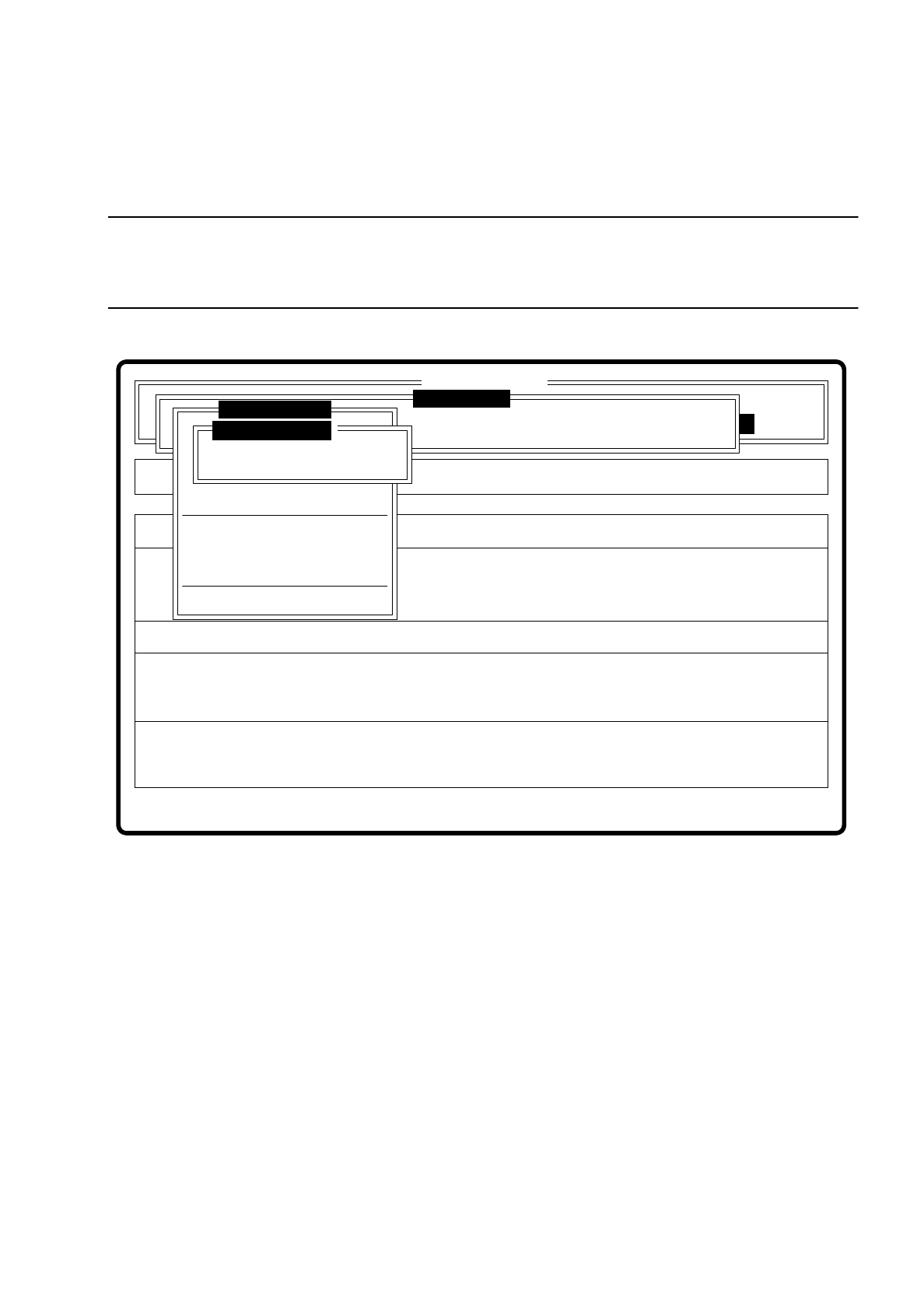
Calling the option “Enter fiducial number” is followed by display of the menu “Save fiducial data”, if a fiducial
had previously been processed.
Fig. 7.5.4
If you want to save data, the fiducial data is uploaded and transmitted to the line computer. In addition the fidu-
cial numbers list is updated.
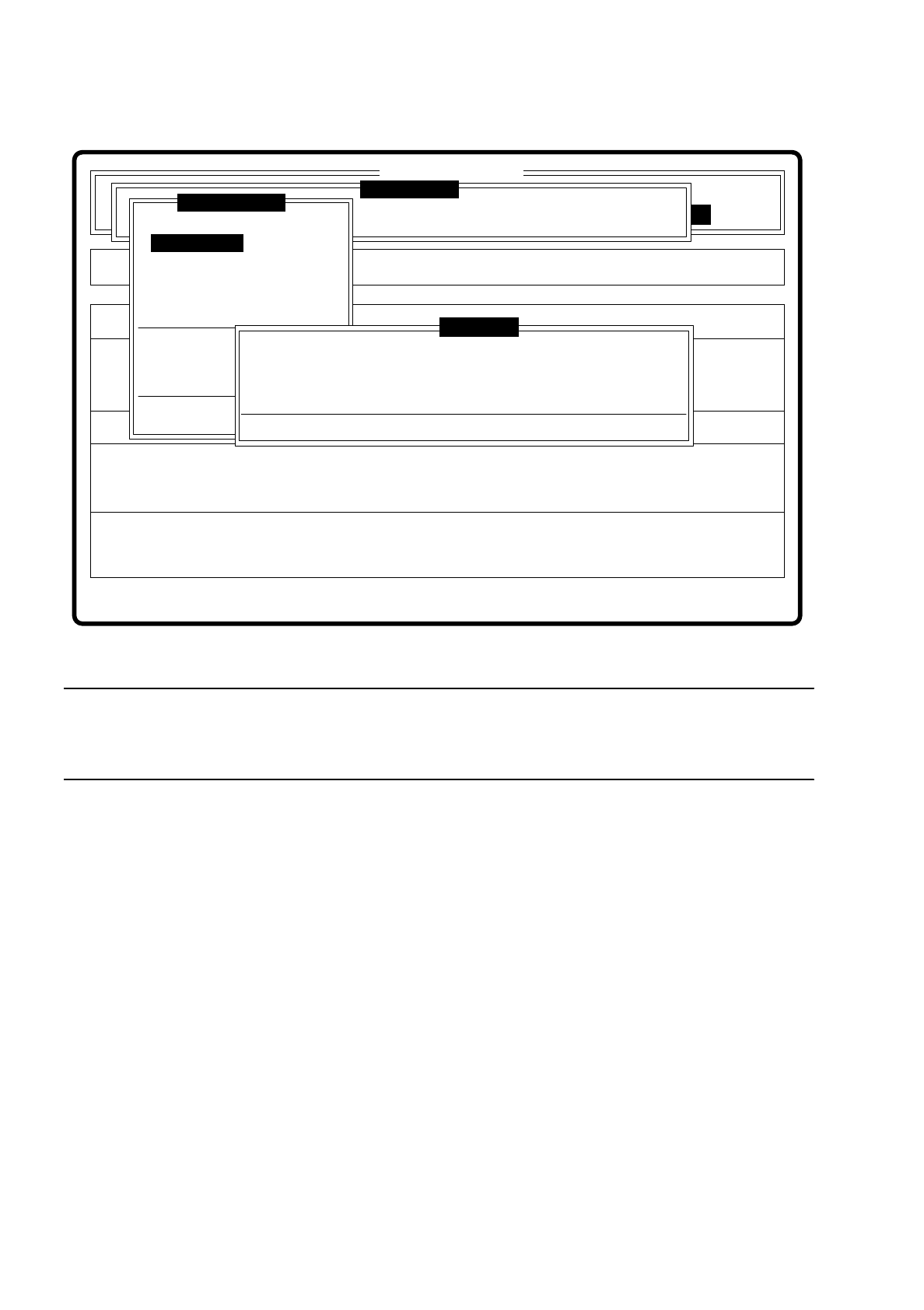
After this inquiry the dialog box “Enter fiducial number” appears. It consists of an input box and a list box (see
figure on the next page).
You are asked to enter the fiducial number and name or to select an already defined fiducial from the list box.
Setup
Error
State
Action
Save fiducial
Single functions
:
:
:
SI80 V 10.x
Vision system
Vision system
Rüstung:
Maschinenoptionen
Softwareoptionen
BE - Zuführung
Cluster:
Vision system
Version: 2133
Move x/y axes
PCB to center conveyor
PCB to output conveyor
Choose gantry
Display errors
Marke ändern
Marke testen
Marke zentrieren
Rüstung:
Save fiducial
Discard fiducial
Teach fiducial
Teach fiducial
7 Vision Systems SIPLACE 80S/F/G User’s Manual
7.5 Teaching the Fiducial Edition 07/97 from Software Version SR.010.xx
7 - 38 Line engineer
Fig. 7.5.5
NOTE ON KEYBOARD CONTROL IN THE DIALOG BOX
For your information here is a brief survey of the keyboard assignments for a dialog box. An overview of all
keyboard assignments is given in Section 2.2.2 “Control of the machine with the keyboard”.
●
With the tab key you can jump between input box and list box.
●
With the arrow keys you can select the position in the individual boxes.
●
With the space bar you can mark a fiducial in the list box.
●
With “RETURN” the data are transferred to the program, the dialog box closed. You return to the menu
“Teach fiducial”.
●
With “ESC” you can quit the dialog without saving and return to the menu “Teach fiducial”.
There are three variants to the option “Enter fiducial number”:
1. Fiducial number and name are entered for the first time.
2. An already existing fiducial is selected.
3. The fiducial name of an existing fiducial is overwritten.
In cases 2 and 3 the station computer requests from the line computer the fiducial data of the selected fidu-
cial. The pattern structure field and search area are sent to the machine controller which then downloads
them into the memory of the MVS system. After this, the teach parameter structure is initialized in the station
computer.
Error
State
Action
Define new fiducial
Single functions
:
:
:
SI80 V 10.x
Vision system
Vision system
Rüstung:
BE - Zuführung
Setup:
Version: 2133
Cluster:
Vision system
Enter fiducial number
New fiducial
Edit fiducial
Center fiducial
Test fiducial
Move x/y axes
PCB to center conveyor
PCB to output conveyor
Teach portal
Display errors
Rüstung:
Press space bar.
First enter fiducial number, please.
Warning
Teach fiducial