00191025-01.pdf - 第334页
SIPLACE 80S/F/G User’s Manual 8 Component Supply Edition 07/97 from S oftware Version SR.010.xx 8.2 Installation - General Information 8 - 9 8.2 Installation - General Information 8.2.1 Procedure for Installing Feed Modu…
8 Component Supply SIPLACE 80S/F/G User’s Manual
8.1 Overview Edition 07/97 from Software Version SR.010.xx
8 - 8
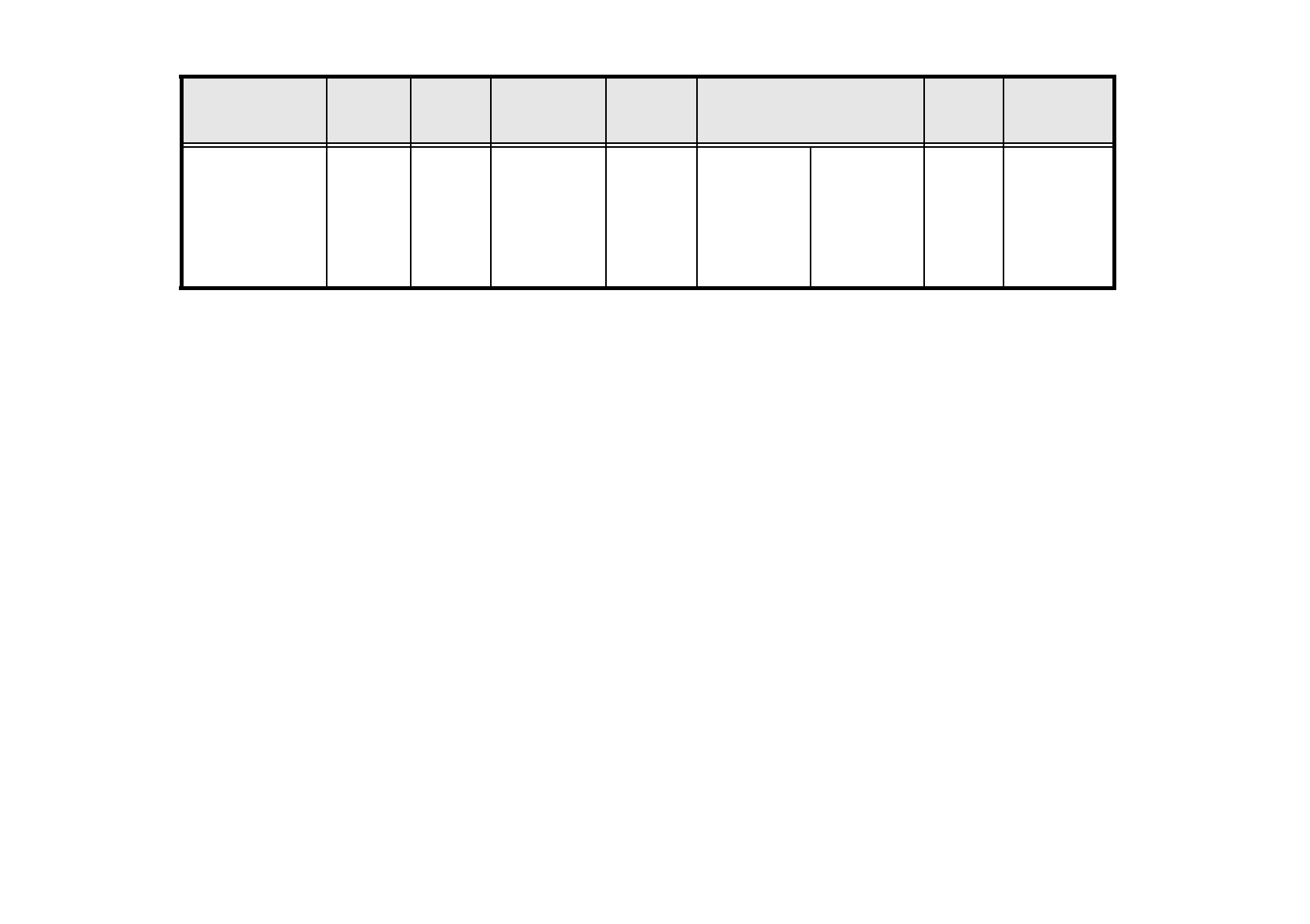
8.1.1.3 Technical Data of Bulkcase Feeders
)
Bulkcase feeder Width
Tracks
per
module
Max. number
of modules
per station
Comp.
stock
Feeder rails/ from item no.
Cycle
time
Power
supply
Base
from item no.
00142318-04
30 mm 2 2 x 20
approx.
5000
0603/045
0603/080
0805/045
0805/060
0805/085
0805/125
Mini-Melf
00142321-02
00142322-01
00142323-02
00142324-01
00142325-01
00142326-01
00142328-01
< 80 ms 30 VDC
Tab. 8.1.3 Technical data for bulkcase feeders
SIPLACE 80S/F/G User’s Manual 8 Component Supply
Edition 07/97 from Software Version SR.010.xx 8.2 Installation - General Information
8 - 9
8.2 Installation - General Information
8.2.1 Procedure for Installing Feed Modules
8.2.1.1 Preparatory Work
●
Select the setting range for the feed module which is to be used (see vibrator configuration).
●
When the placement head is in the waiting position press the emergency stop button.
●
Open the protective covers.
●
Make sure that the surface where the feed module is to be located (components table) is clean and that no
components can affect the firm seating of the feed module. Information on cleaning this surface (compo-
nents table) is to be found in the chapter on maintenance (Section 9.3.3 Component Tables).
8.2.1.2 Procedure
●
Set the conveyor to the track of the components table which has selected (see vibrator configuration).
●
Insert the module so that the rear side is fixed to the components table by the ball centering device, and
the front side by the corresponding centering pin. It is important here that the module is placed properly on
the components table with respect to its width.
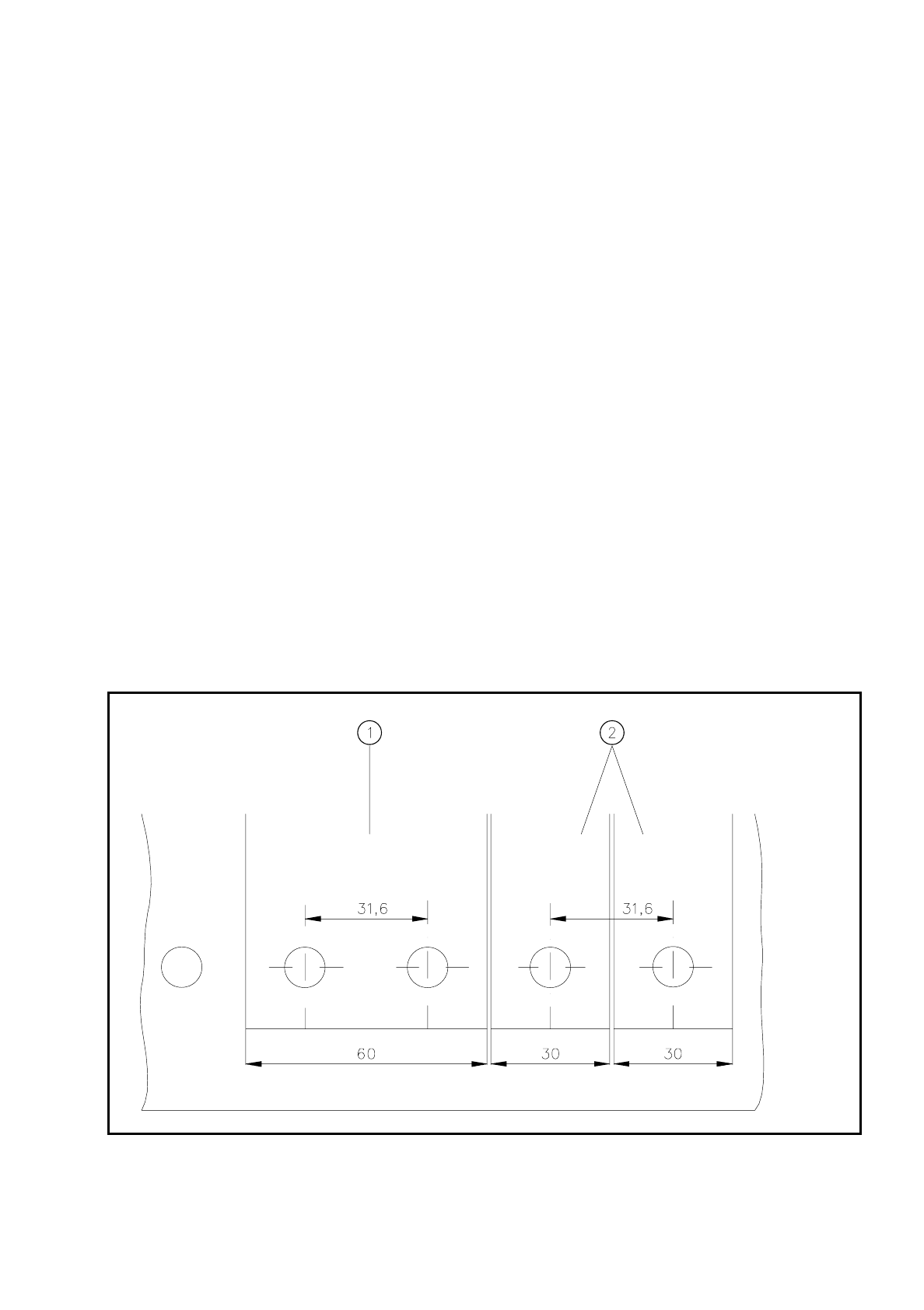
Fig. 8.2.1 Installation of modules with widths of 30 mm and 60 mm
- Key to Fig. 8.2.1
➀
Feeder module with width 60 mm
➁
Feeder module with width 30 mm
8 Component Supply SIPLACE 80S/F/G User’s Manual
8.2 Installation - General Information Edition 07/97 from Software Version SR.010.xx
8 - 10
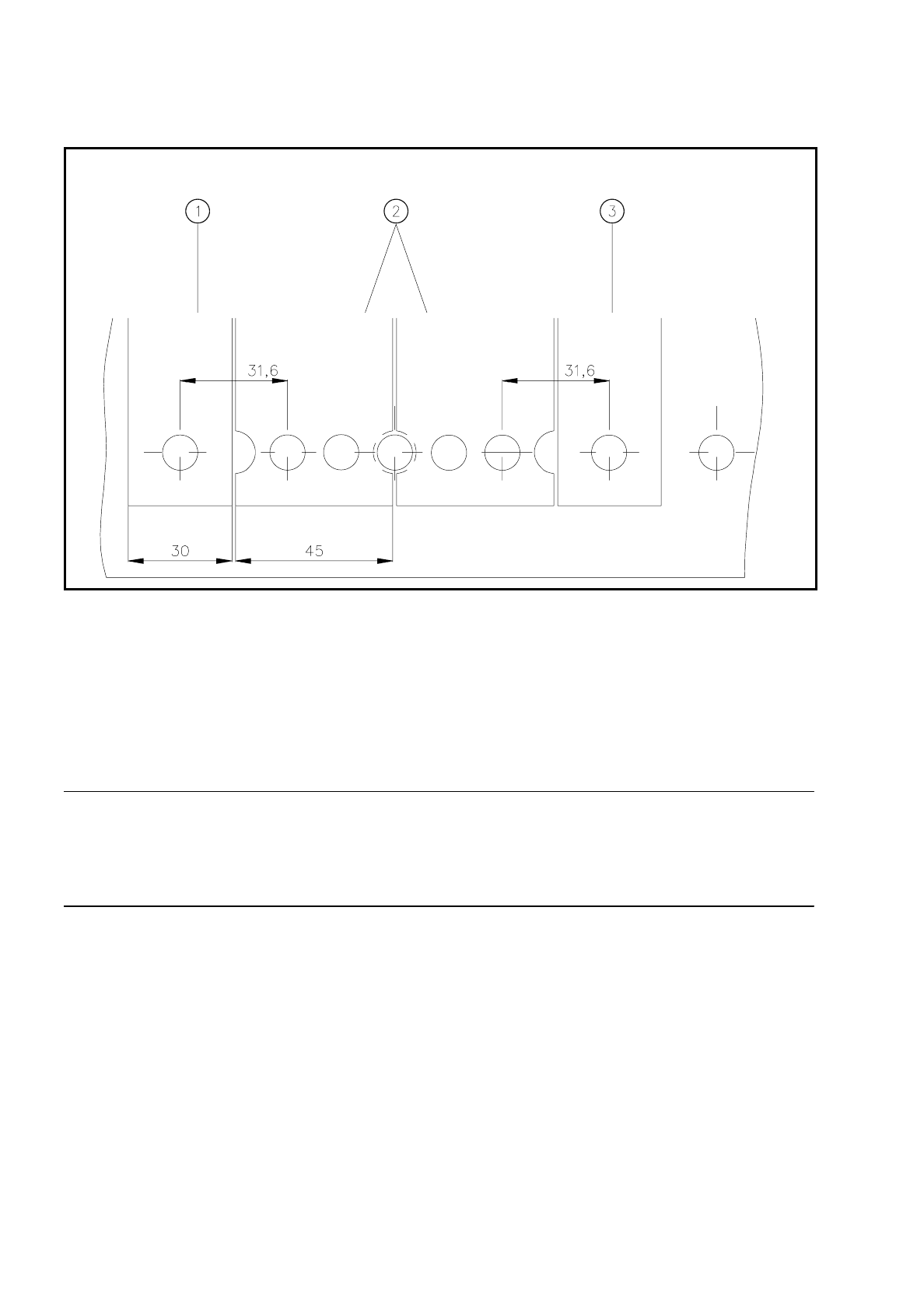
Fig. 8.2.2 Installation of modules with width 45 mm
- Key to Fig. 8.2.2
➀
Feeder module width 30 mm
➁
Feeder module width 45 mm
➂
Feeder module width 30 mm
●
Make sure that the module is seated securely on the components table.
●
Plug the module plug into the socket which is located under the parking location.
NOTE
Make sure that you do not fail to use the socket outlet which belongs to the parking location for plugging in the
module since control pulses for some modules are transmitted via this socket. If this is not observed, the con-
veyor may not work properly due to the wrong socket being used.
8.2.1.3 Final Activities
●
Close the covers and switch the control unit back on.
●
If applicable, perform a refill check (Section 5.3).
●
Proceed with placement.