SG_FSE_SiplaceHF_HF3_00193901-05_eng.pdf - 第178页
1 - 12 S tudent Guide SIPLACE HF/HF3 5 Gantry Edition 09/2005 12 5.3.3 Check the DIP Switches 5.3.3.1 DIP Switches on the head interface Legend for DIP Switches Attention : With Head Modularity pa y attention: That termi…
1 - 11
Student Guide SIPLACE HF/HF3
Edition 09/2005 5 Gantry
11
5.3.2.1 Adjustments BERO‘s
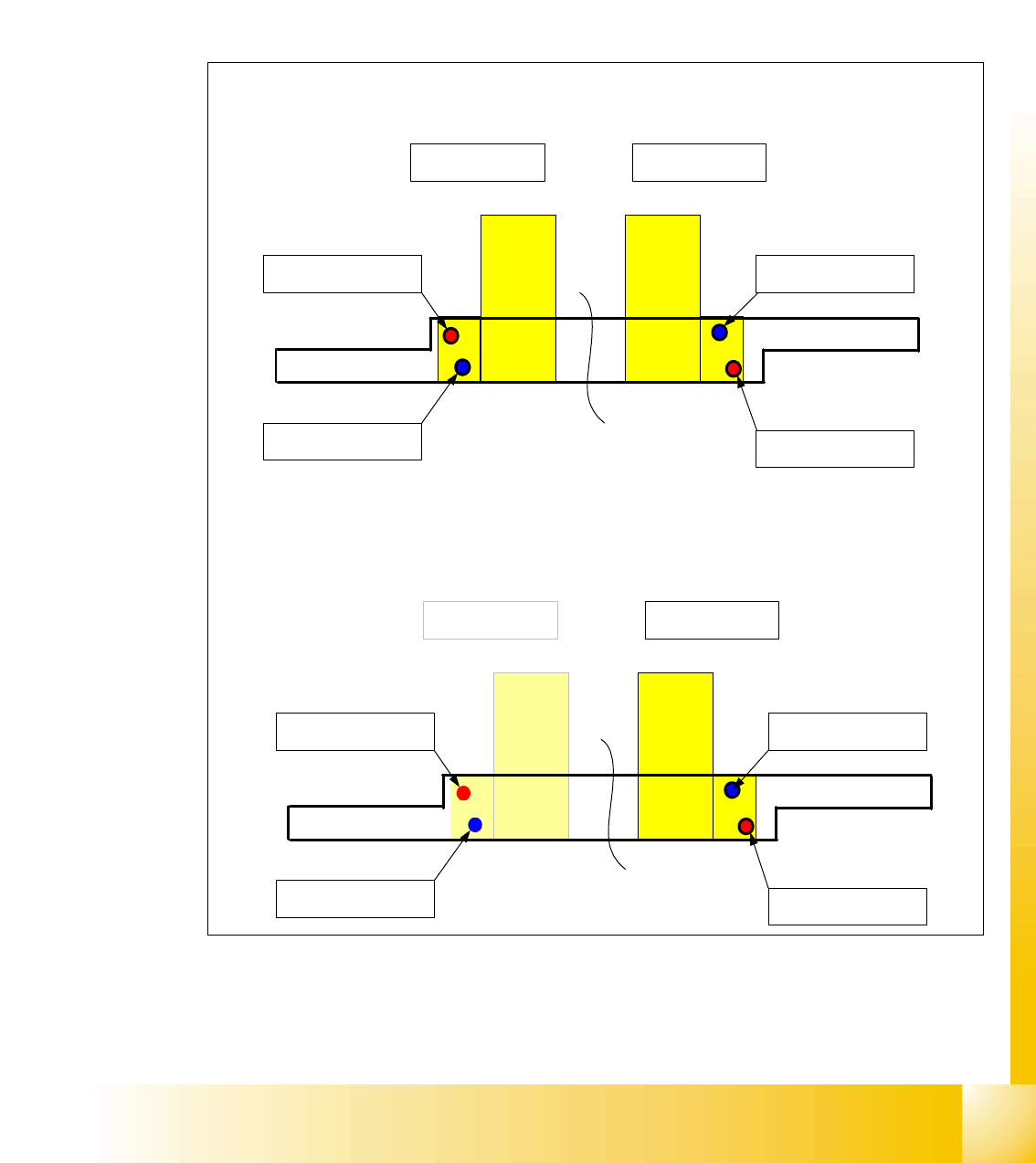
On each axis are two BERO‘s installed, which need a distance about 0,4 mm to the metal actuator.
The metal actuator are installed on the left and right side from the incremental scale. Adjust cor-
rectly the distance with a
feeler gauge of 0,4 mm. After this adjustment calibrate the travel range
for the respective axis with the Sitest program.
5.3.2.2 Description of the BERO‘s on the Y-Axis
Fig. 5.3 - 3 Positions of the BERO‘s depend on the gantries
– Theoretical position of the BERO‘s if gantry 2 available.
Triggering plate Y - Axes HF 3 for
Placement area 1
Gantry 4 Gantry 1
Reference - BERO
Gantry 4
BERO - Limit switch
Gantry 4
Reference - BERO
Gantry 1
BERO - Limit switch
Gantry 1
Triggering plate Y - Axes HF 3 for
Placement area 2
Gantry 2 Gantry 3
Reference - BERO
Gantry 2
BERO - Limit switch
Gantry 2
Reference - BERO
Gantry 3
BERO - Limit switch
Gantry 3
1 - 12
Student Guide SIPLACE HF/HF3
5 Gantry Edition 09/2005
12
5.3.3 Check the DIP Switches
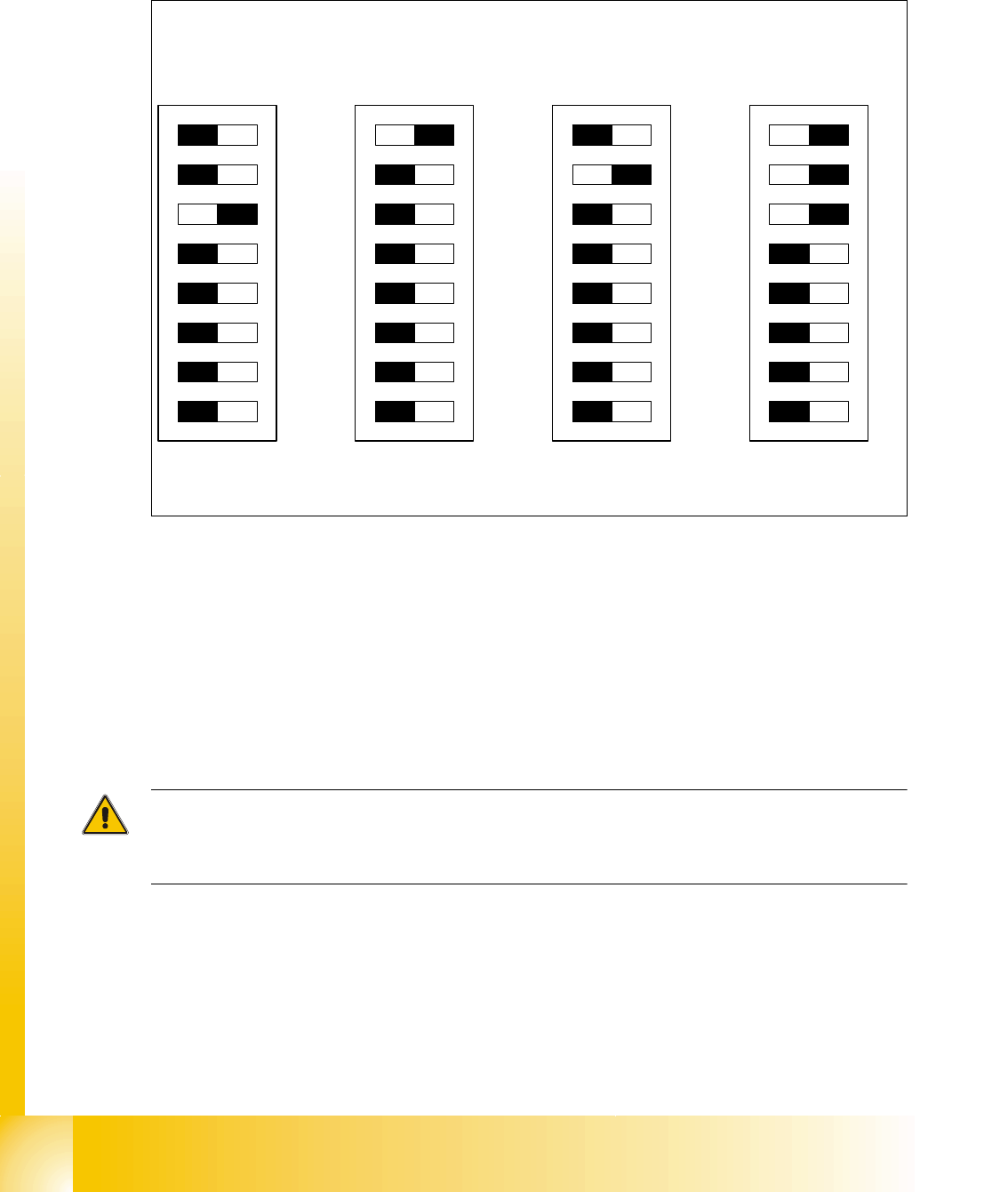
5.3.3.1 DIP Switches on the head interface
Legend for DIP Switches
Attention:
With Head Modularity pay attention: That terminating CAN resistor is set correctly. That means, at
the C&P heads switch CAN-Terminator ON and at the TWIN-head switch it OFF.
(1) P0 - Gantry address switch 1 (2) P1 - Gantry address switch 2
(3) CAN R - CAN terminator
(At TWIN-option always OFF)
(4) Boot - CAN Processor 16 Bit not mounted
(5) Reset - CAN Processor 16 Bit not mounted (6) C0 - CAN Address switch
(7) C1 - CAN Address switch (8) WPE - Write protect enable at the moment
OFF
DIP Switch
ON
78123456
ON
78123456
ON
78123456
ON
78123456
Gantry 1
Gantry 2
not used
Gantry 3 Gantry 4
C&P Head
C&P Head
Twin Head
1 - 13
Student Guide SIPLACE HF/HF3
Edition 09/2005 5 Gantry
13
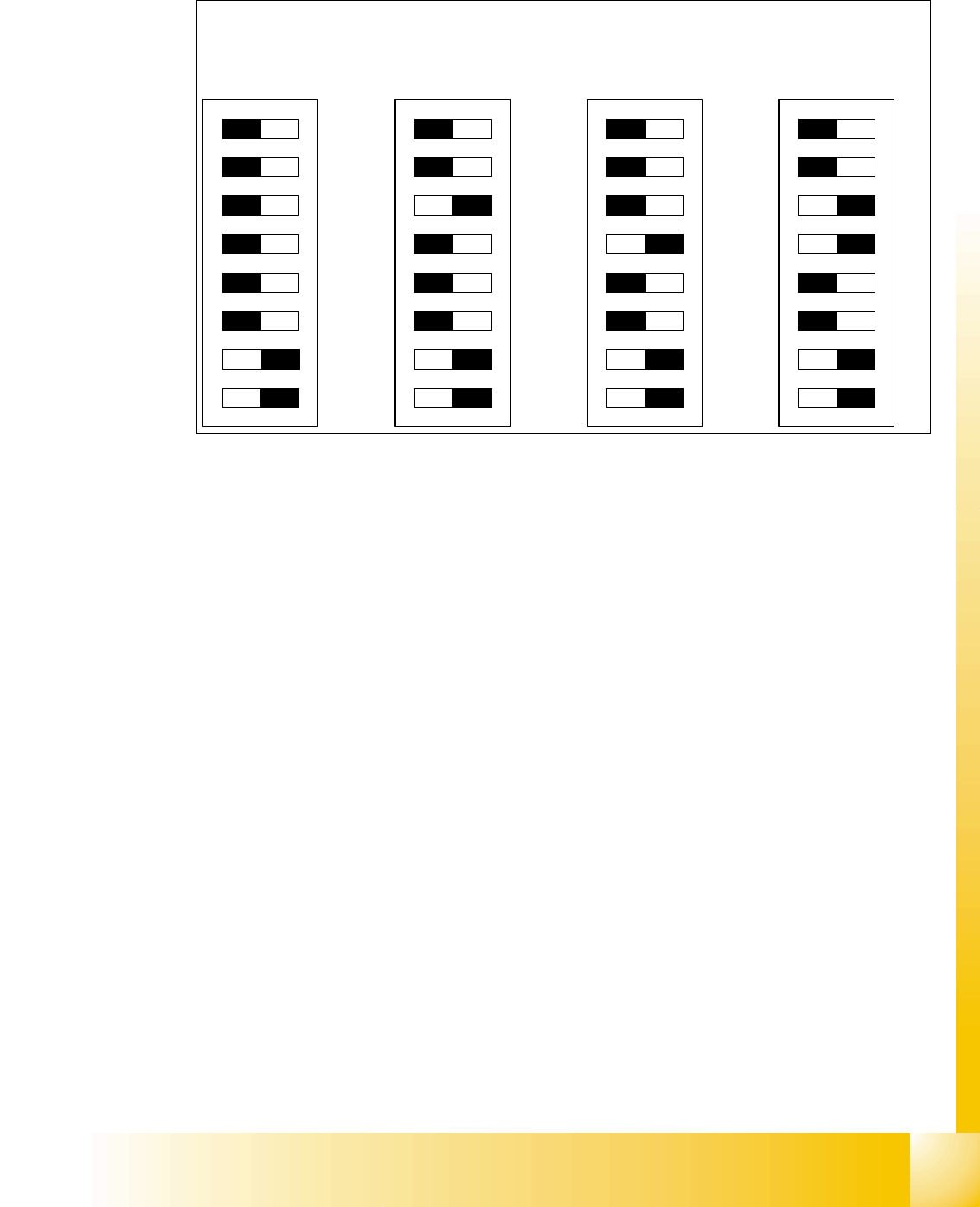
5.3.3.2 DIP Switches on the vision board
Legend
(1) Boot - CAN Processor 16 Bit at Sub board (2) Reset - CAN Processor 16 Bit at Sub board
(3) P0 - Gantry address switch 1 (4) P1 - Gantry address switch 2
(5) WPE - Write protect enable at the moment
OFF
(6) CAN R - CAN terminator
(7) Test 1 - CAN 1MBit/s ON (8) Test 0 - CAN group ON
DIP Switch
ON
78123456
ON
78123456
ON
78123456
ON
78123456
Gantry 1
Gantry 2
not used
Gantry 3 Gantry 4