SG_FSE_SiplaceHF_HF3_00193901-05_eng.pdf - 第439页
1 - 1 1 S tudent Guide SIPLACE HF/HF3 Edition 09/2005 10 Sitest 11 10.2.2 Precondition for calibrate the machine ➠ S tart SITEST . ➠ Under menu item "Main view", click "Overall refe rence run", to re …
1 - 10
Student Guide SIPLACE HF/HF3
10 Sitest Edition 09/2005
10
10.2.1 Calibration in general
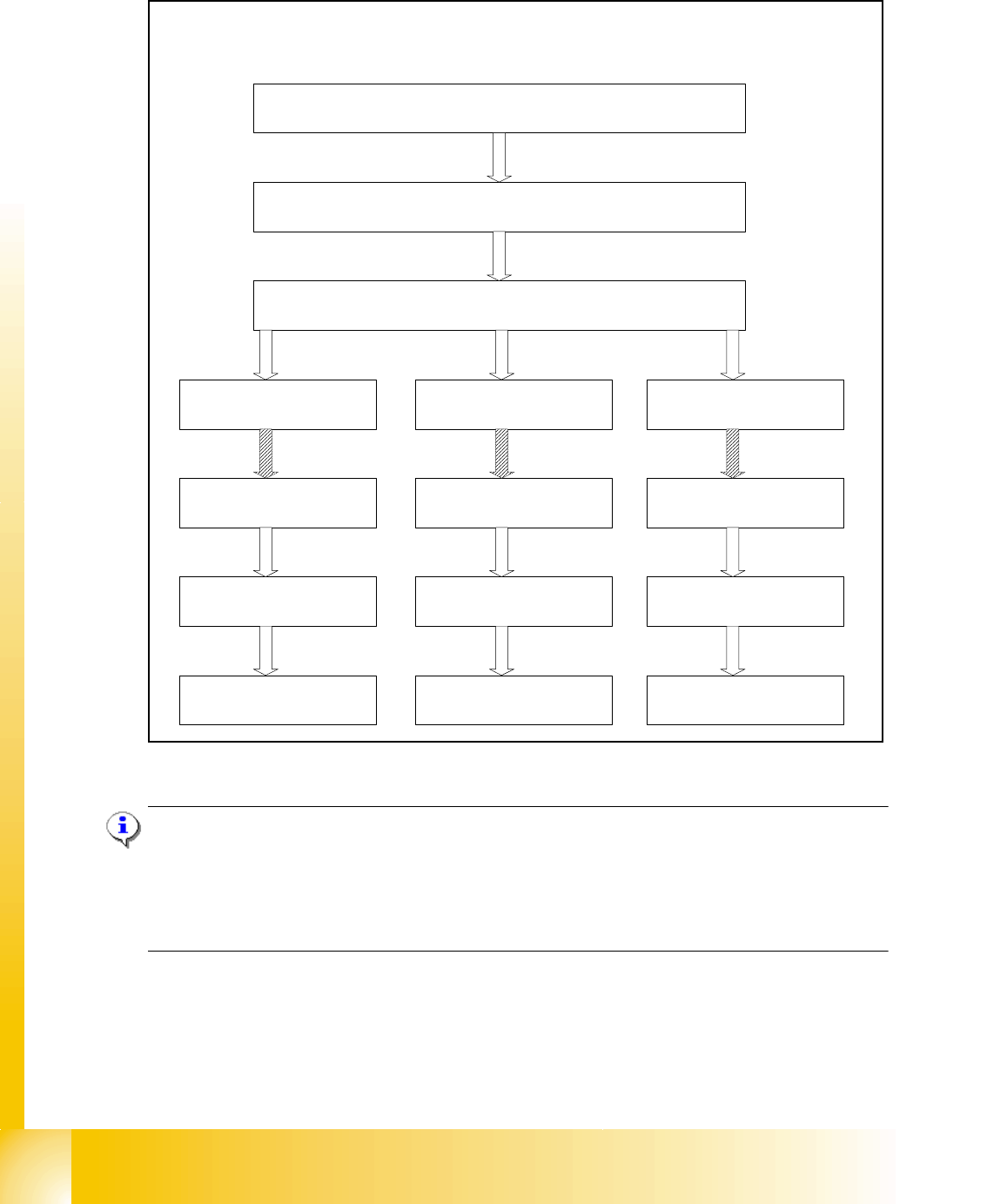
Fig. 10.2 - 1 General sequence to calibrate the machine
Note:
Since the head modularity concept means that either a Twin Head or a C&P head can be fitted to
each gantry, the functions displayed for processing area 1(PA1) and processing area 2 (PA2) re-
spectively may vary. The functions described for PA1 and PA2 below apply for a Twin Head con-
figured on gantry 2 and a C&P head configured on gantry 1.
Sequence of calibrate the HF/HF3 machine with SW 505
Preperation the machine
All heads and cameras..
Sitest: Button "Calibrate machine...."
Calibrate and teach
of positions
PCB Mapping
Head Mapping
Gantry 1
(HF,HF3)
Gantry 3
(HF,HF3)
Calibrate and teach
of positions..
PCB Mapping
Head Mapping
Gantry 4
(HF3)
Calibrate and teach
of positions..
PCB Mapping
Head Mapping
1 - 11
Student Guide SIPLACE HF/HF3
Edition 09/2005 10 Sitest
11
10.2.2 Precondition for calibrate the machine
➠ Start SITEST.
➠ Under menu item "Main view", click "Overall reference run", to reference all gantry- and head-
axes.
➠ Configure the nozzle changer and filling level
➠ Check the zero point correction D-Axis Twin head
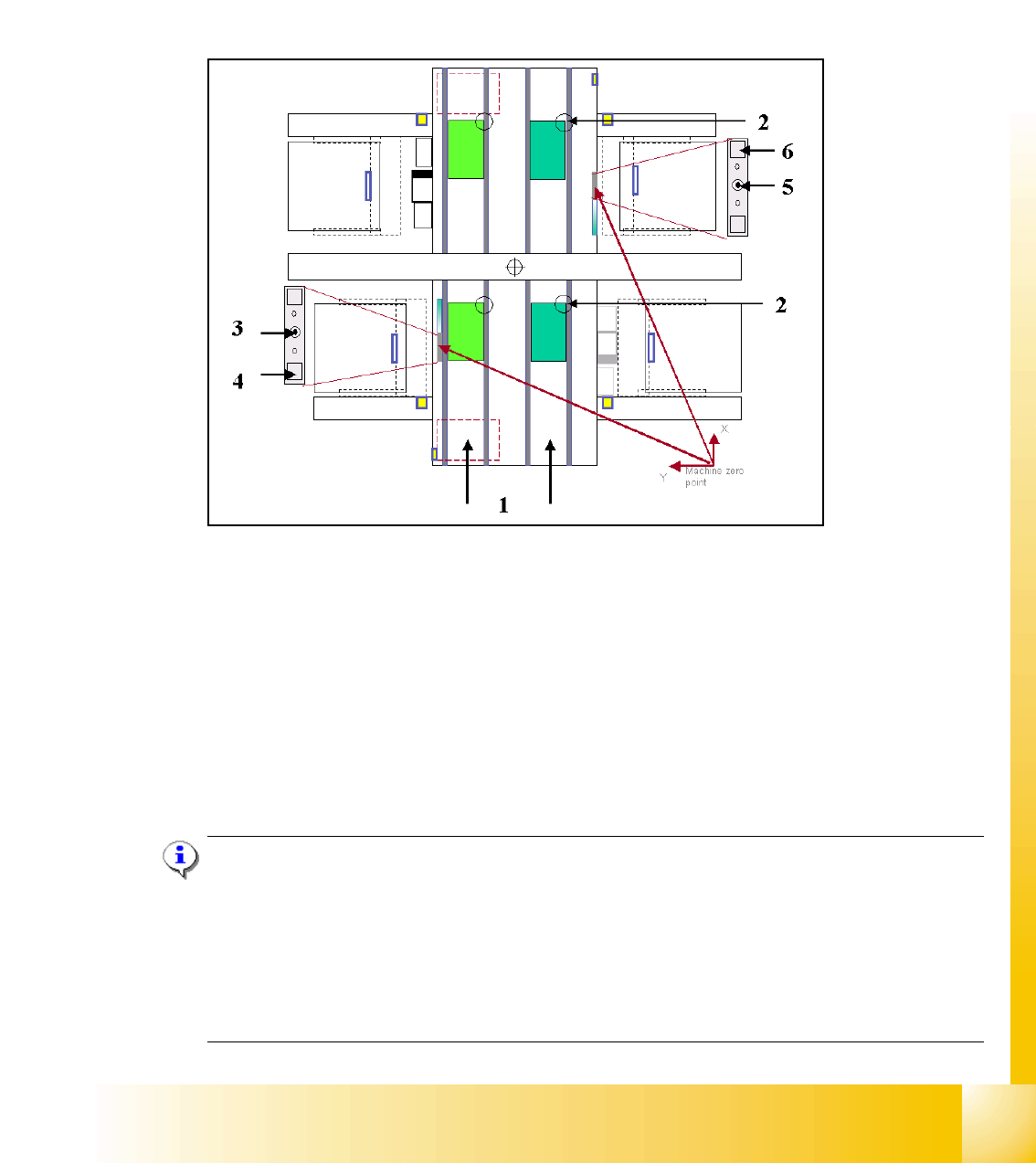
Fig. 10.2 - 2 Top view of machine
Key:
(1) Transport direction
(2) Fixed PCB corner BB 1/ 2 Track 1 and 2
(3) Machine zero point BB 1
(4) Calibration position BB 1
(5) Machine zero point BB 2
(6) Calibration position BB 2
Note:
Some calibrations require that you attach nozzles on the placement heads.
Use nozzles of type
956 and for the Twin head 517. Make sure that all nozzles have been attached
correctly, otherwise measuring will lead to incorrect results.
If you need to, place the calibration tool into the "calibration pocket". (Fig. 10.2 - 2).
Before you place the calibration tool, make sure that it is clean. Also, be sure that you insert it into
the "calibration pocket" with its print of the fiducial structure on the bottom. 10
1 - 12
Student Guide SIPLACE HF/HF3
10 Sitest Edition 09/2005
12
10.2.3 ALL heads and cameras
Depends of the configuration the HF - machine about the heads on Gantry 1 and Gantry 2 the
calibration seqeuence is different.
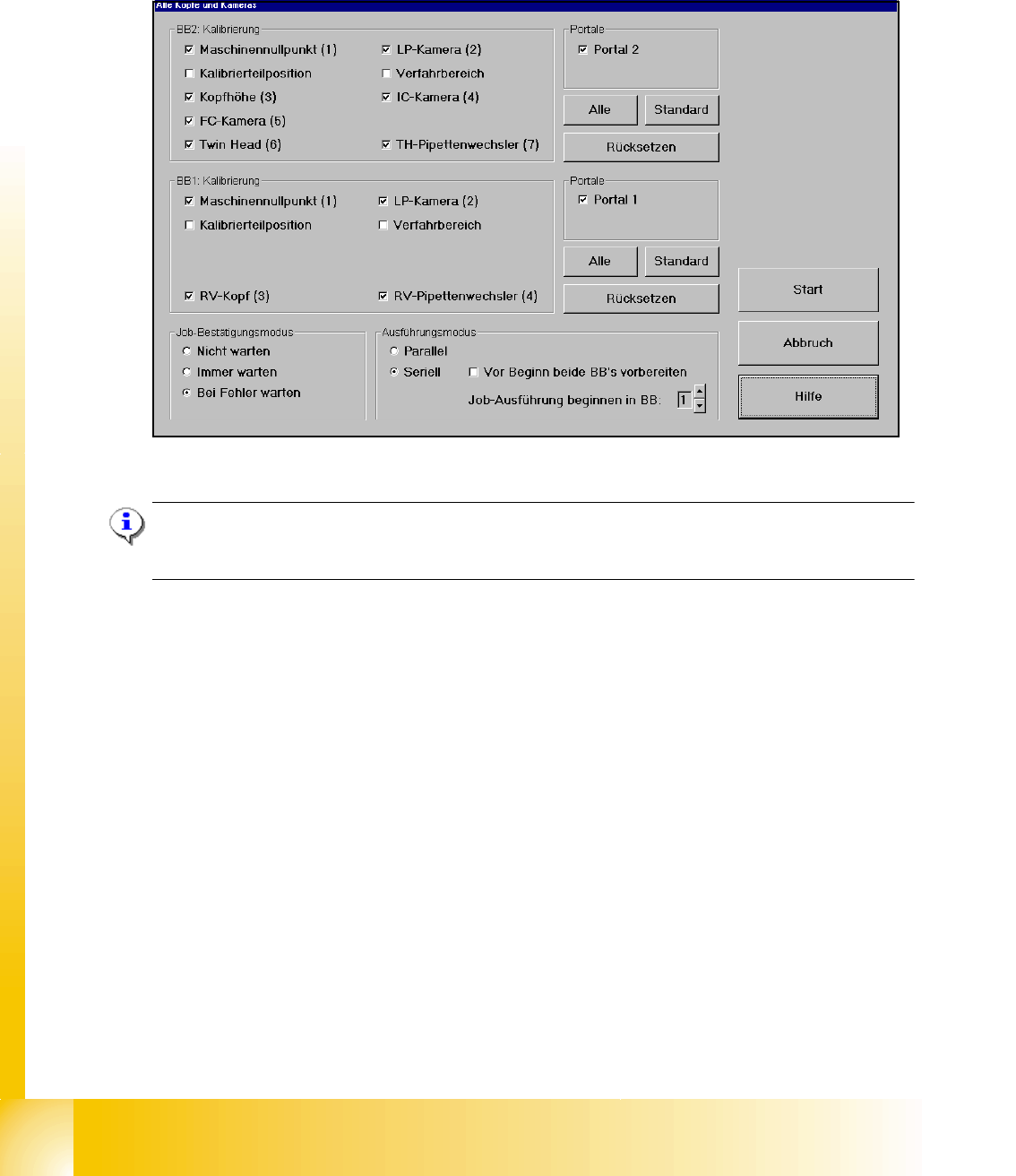
Fig. 10.2 - 3 All heads and cameras (default settings)
Note:
If you want to calibrate only one placement area deactivate all points in the field PCx Calibration
and Gantries.
The Calibration steps for the C&P head and Twin head see Fig. 10.2 - 4. and Fig. 10.2 - 5.
➠ Select all points which you must calibrate
➠ Select the execute mode parallel or serial ( For the parallel mode prepare both placement ar-
eas, calibration tool and nozzles)
➠ Select the job confirmation mode
➠ Press the START button
Job confirmation mode 10
Don't wait: When this function is activated, the next job is carried out immediately after a job is
completed or an error occurs, without waiting for confirmation.
Always wait: When this function is activated, the next job is not carried out until confirmation is
received after a job is completed or an error occurs. You must click the Next job button to do this.
Wait in case of error: When this function is activated, the job is interrupted if an error occurs and
the next job is not carried out until confirmation is received. You must click the Next job button to
do this.