SG_FSE_SiplaceHF_HF3_00193901-05_eng.pdf - 第75页
1 - 5 S tudent Guide SIPLACE HF/HF3 Edition 09/2005 3 Communication and Control 5 3.2 Networking Address Network Card 1: The network address for the SC and MC is a fixed addr ess, for 100Mbit/sec net. – S tation computer…
1 - 4
Student Guide SIPLACE HF/HF3
3 Communication and Control Edition 09/2005
4
3.1.2 Networking Overview
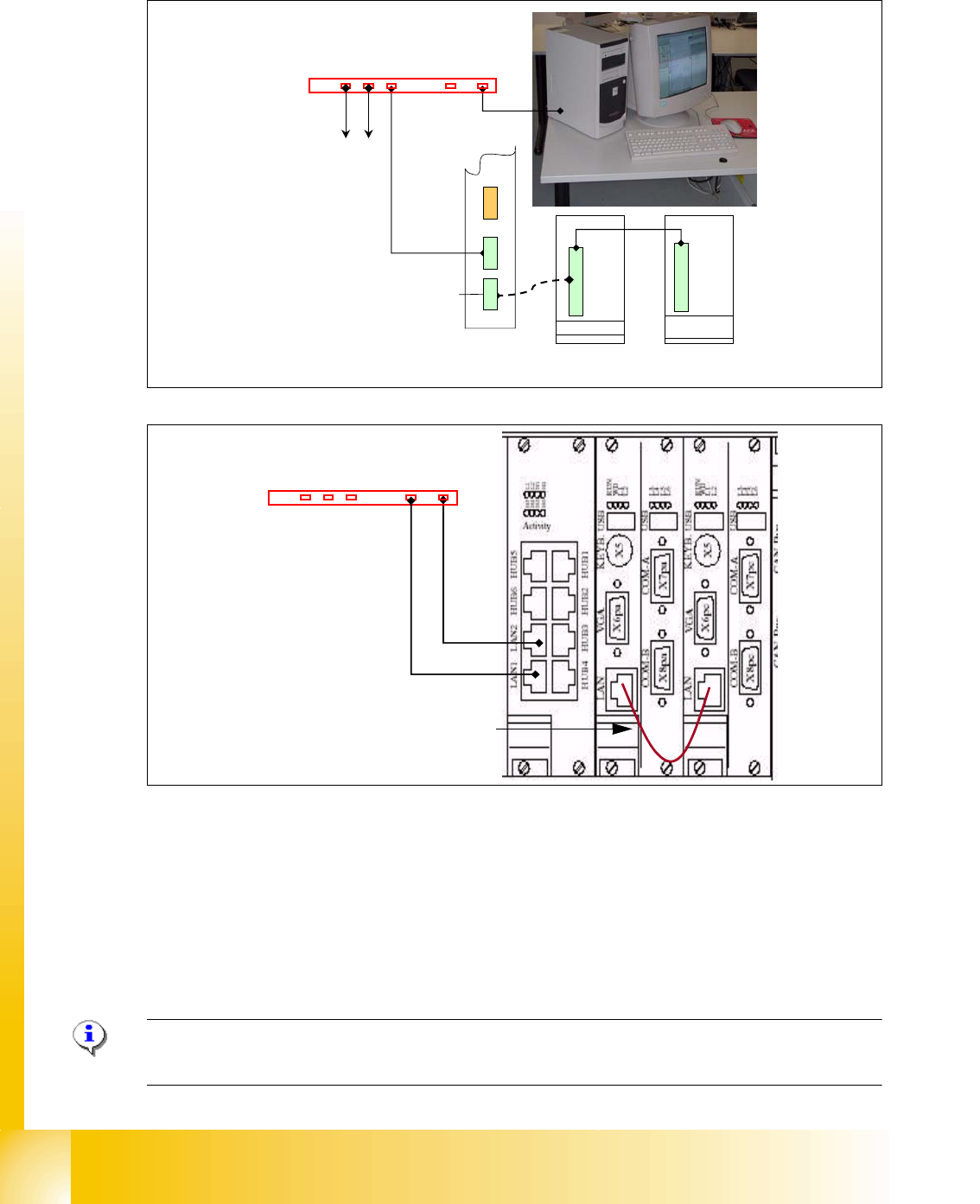
Fig. 3.1 - 2 Networking overview on SIPLACE HF/HF3
Check the network address at the station computer:
– Start --> Control settings -->Network and Dial up connections --> Local Area Connection
--> Properties
– Choose one of the three network cards
– Choose TCP/IP and --> Properties
Please Note: Fixed LAN Address for SC 192.168.255.249 , MC 192.168.255.250. never change!!
Network card 3 (LAN connector 2) customized network address.
Machine
Controller
Hub or Switch
Station Computer
Ethernet board MC with fixed
address for all HF machines
Ethernet board SC with fixed
address for all HF machines
Ethernet board LAN 1
For GEM-Computer
to other stations
Dual LAN Unit
E
t
h
e
r
n
e
t
b
o
a
r
d
L
A
N
2
Ethernet board
LAN 2
Hub or Switch
T
w
i
s
t
e
d
P
a
i
r
f
o
r
G
E
M
T
w
i
s
t
e
d
P
a
i
r
f
o
r
S
i
p
l
a
c
e
P
r
o
Communication machine controller
with station computer
1 - 5
Student Guide SIPLACE HF/HF3
Edition 09/2005 3 Communication and Control
5
3.2 Networking Address
Network Card 1:
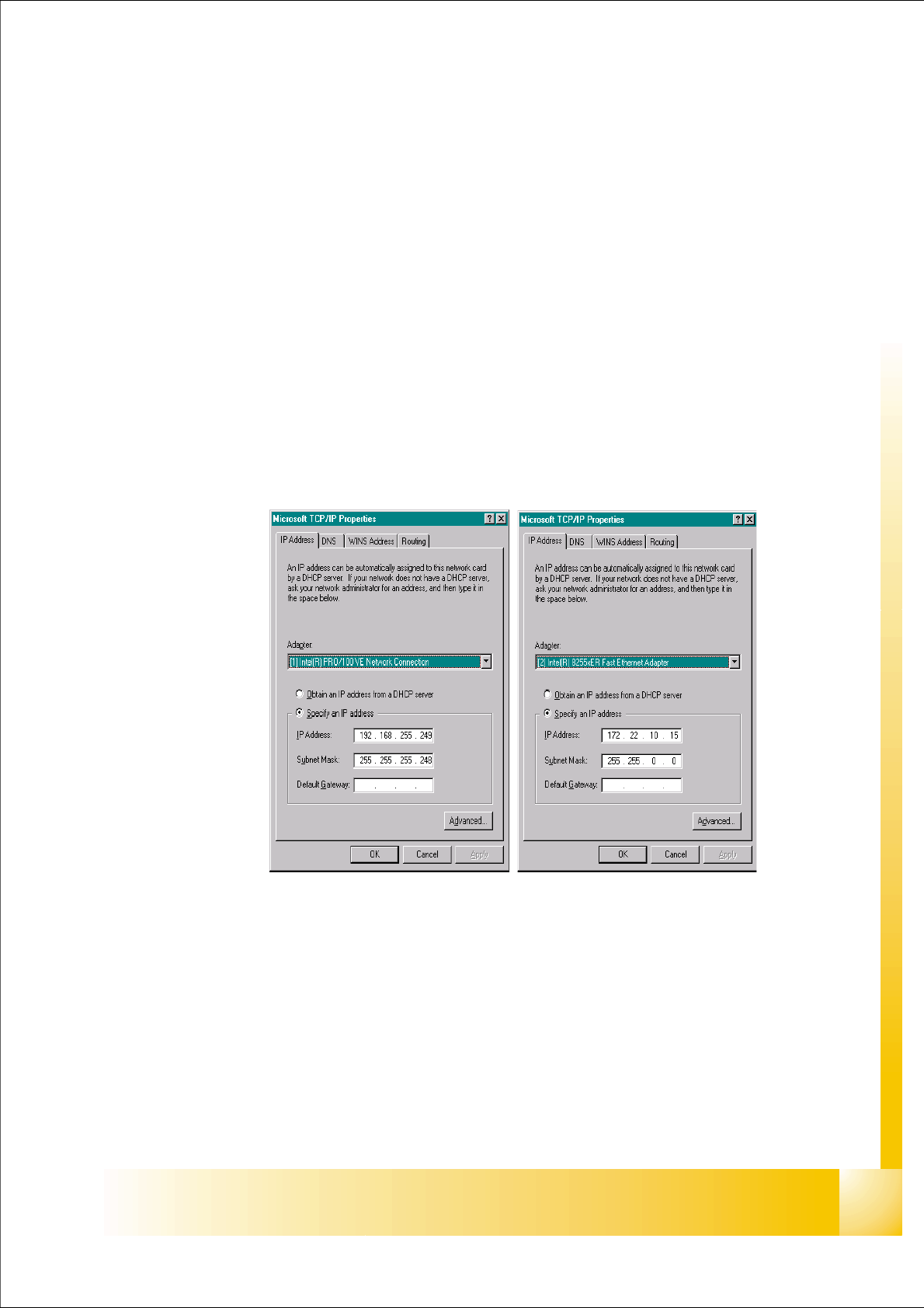
The network address for the SC and MC is a fixed address, for 100Mbit/sec net.
– Station computer: 192.168.255.249
– Machine controller: 192.168.255.250
Network Card 2:
The networking between station computer and Siplace Pro is using the ’Dual LAN Unit’ connector
LAN 2. The networking address is not fixed.
IP address LAN example: 172.22.10.xx
Network Card 3:
At the ’Dual LAN Unit’ connector LAN 1 you can connect a GEM Computer via network.
Fig. 3.2 - 1 network card 1 station computer(left) network card 2 customized IP address
1 - 6
Student Guide SIPLACE HF/HF3
3 Communication and Control Edition 09/2005
6
3.2.1 Computer at the LAN Network
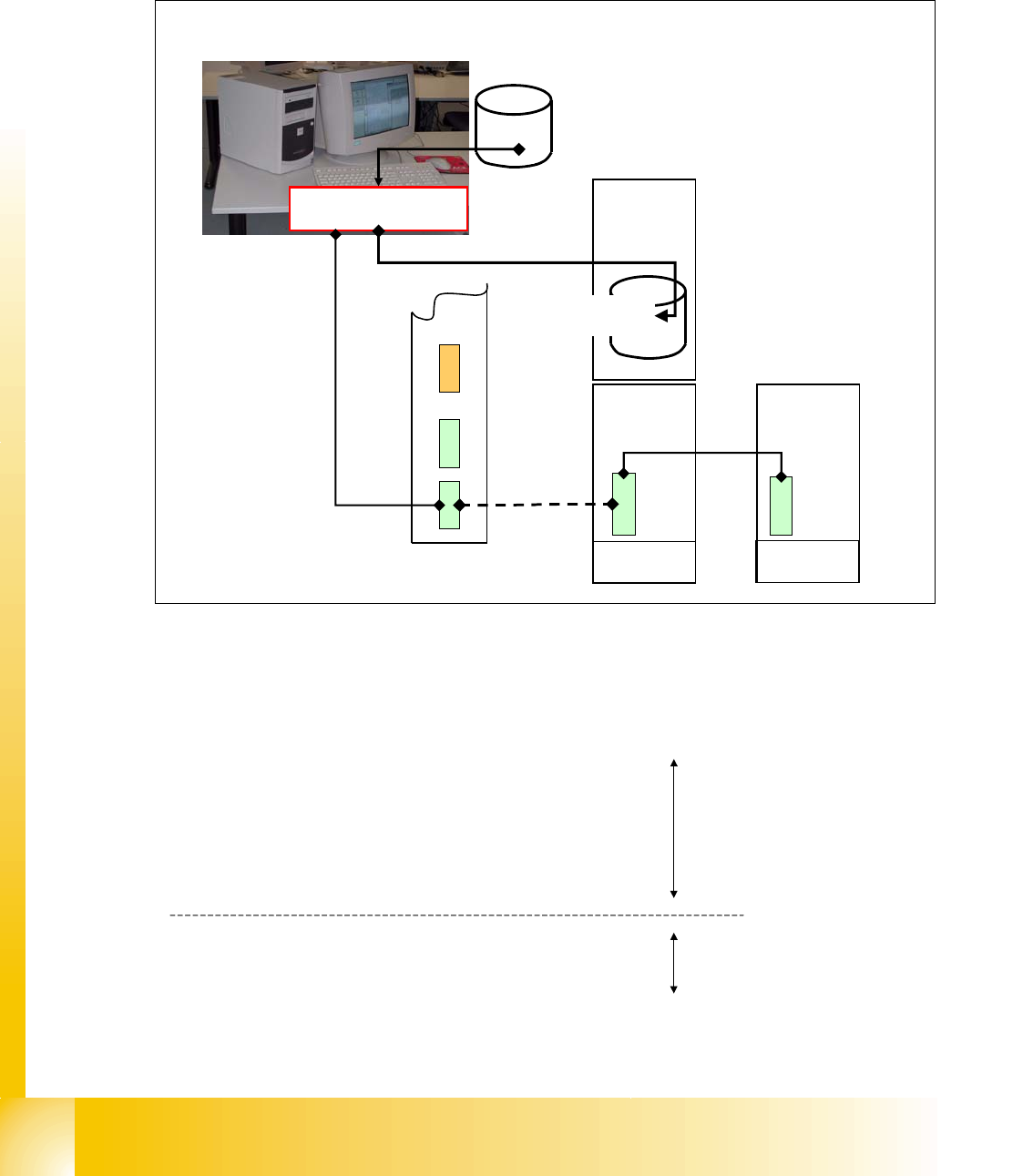
The SIPLACE Pro programming computer read the files, which are required for programming,
from the hard drive and compiles it. The compile run creates the required data format and send it
to the station computer. This data files are then saved on the hard drive at the station.
Fig. 3.2 - 2 computer at LAN network
Compiling the pick-up position (X/Y coordinates and angle) 3
following values are taken into account for calculating the theoretical pick-up position:
Machine
Controller
Station
Computer
Data for placement
program
compile run of data used
for placement program
compiled Line
computer data
XXX.la
XXX.rs
XXX.gf
XXX.pm
...
aktuell.nu
aktuell.rs
XXX_12.gf
XXX_5.mk
...
• feeder table is on the left side or right side (0 or 180 degree)
• feeder track
• feeder pick-up position
• programmed pick-up offset
• offset from feeder table position calibration
• segment offset 1 of segment x
• segment offset 2 of segment x
Compile run
SIPLACE Pro
Compile run
station computer