SG_FSE_SiplaceHF_HF3_00193901-05_eng.pdf - 第300页
1 - 100 S tudent Guide SIPLACE HF/HF3 6 Collect &Place-He ad / DLM2 Edition 09/2005 100 6.7.5 Menu Head exchange Fig. 6.7 - 5 Menu "Head exchange" --> "Head data" Fig. 6.7 - 6 Menu "Head e…
1 - 99
Student Guide SIPLACE HF/HF3
Edition 09/2005 6 Collect &Place-Head / DLM2
99
6.7.4 Head exchange
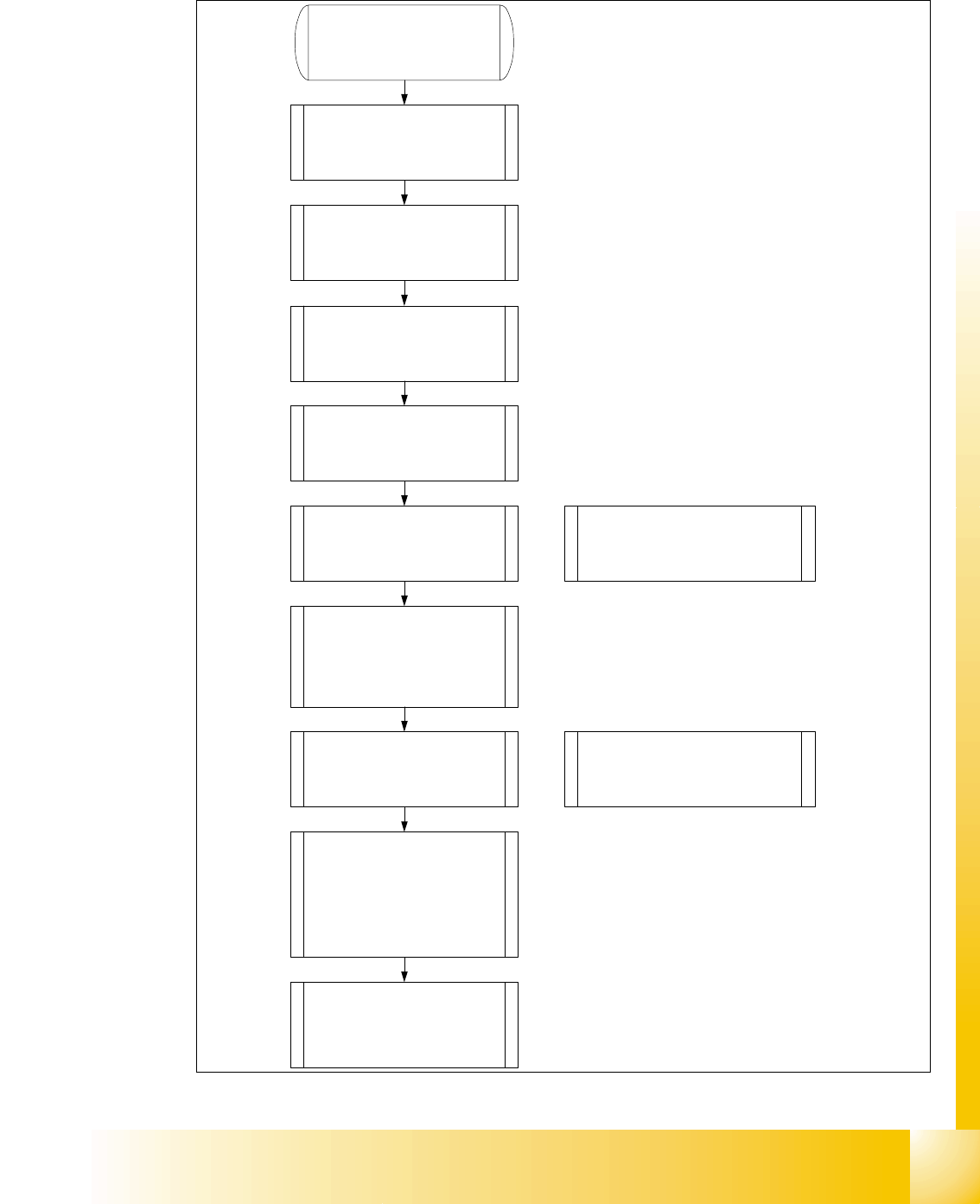
1. Make an backup for the exist
machineconfiguration.
2. Machine data - backup with the
Sitest and create a folder
e.g. Backup and store the folder
SRCMA.
3. Store the Ideal.ma file
4. Sitest " Head exchange" store all
zero point correction into the head-
EPROM.
5. Mechanical works:
Head exchange, Nozzlechanger
exchange.
6. Switch ON the machine and
configure in the SITEST the new
machineconfiguration (head type
and type of the nozzlechanger).
Note: After the reconfiguration
shutdown the machine switch off and
on again.
7. Siplace Pro computer:
Make a copy of the exist basic set
up and configure into the copy the
new head type and nozzlechanger
Note: As a result the new Ideal.ma file
will be send to the station.
8. Siplace Pro computer:
Send a placement program, e.g.
with one component to the station.
9. Station:
Determine the zero point correction
of the star axis, check the axis
dynamic and calibrate all heads
and cameras.
10. Station:
With increase placement accuracy
carring out the fine calibration.
1 - 100
Student Guide SIPLACE HF/HF3
6 Collect &Place-Head / DLM2 Edition 09/2005
100
6.7.5 Menu Head exchange
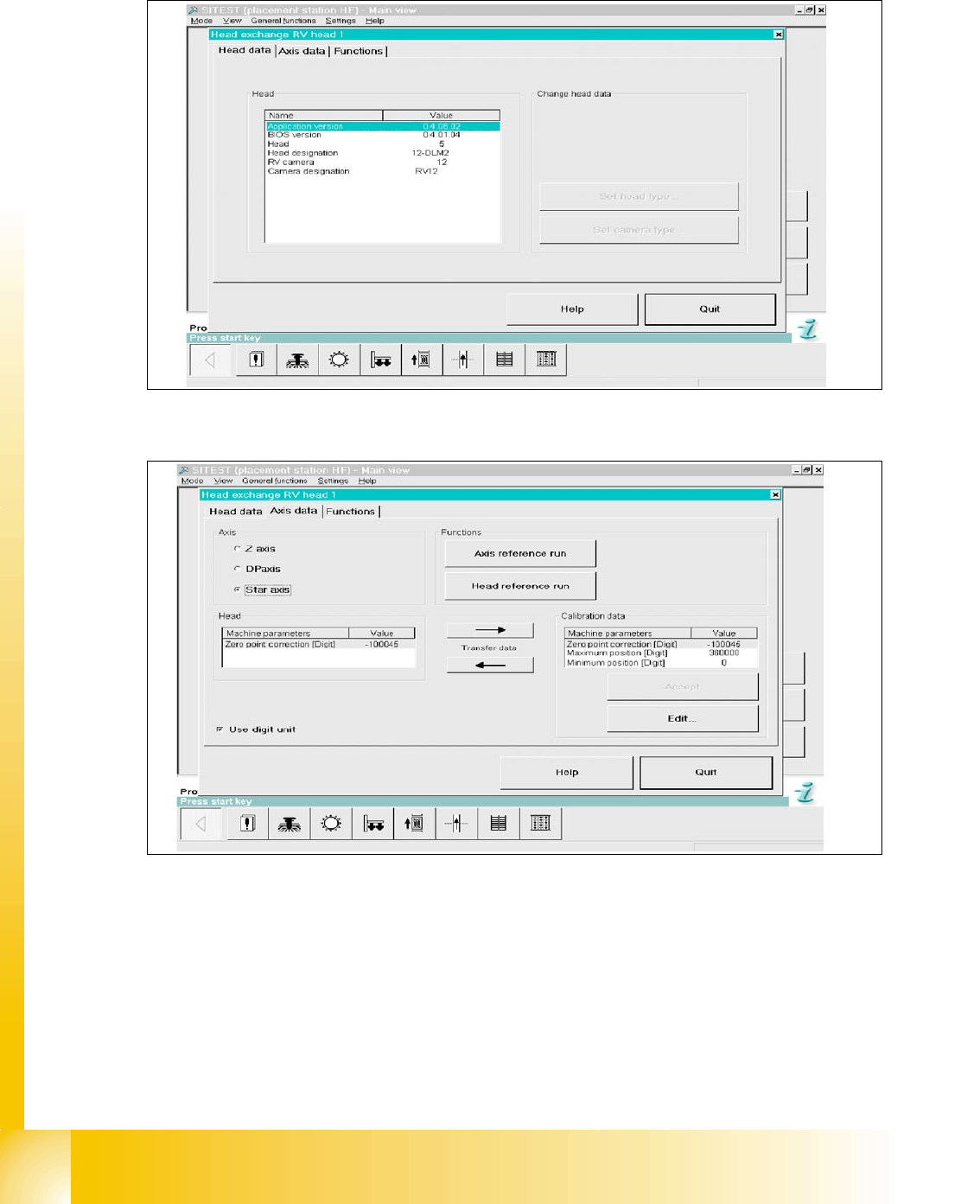
Fig. 6.7 - 5 Menu "Head exchange" --> "Head data"
Fig. 6.7 - 6 Menu "Head exchange" --> "Axis data
(1) Read data from “head memory” write to RAM.
(2) Read data from RAM (MA data file) and write to “head memory”.
(3) Data taken from selected axis at RAM
(4) Data taken from selected axis at RAM (open to edit).
(5) Select head axis
(6) Link to this menu in placement head, axis reference run and head reference run.
1
6
5
4
3
2
1 - 101
Student Guide SIPLACE HF/HF3
Edition 09/2005 6 Collect &Place-Head / DLM2
101
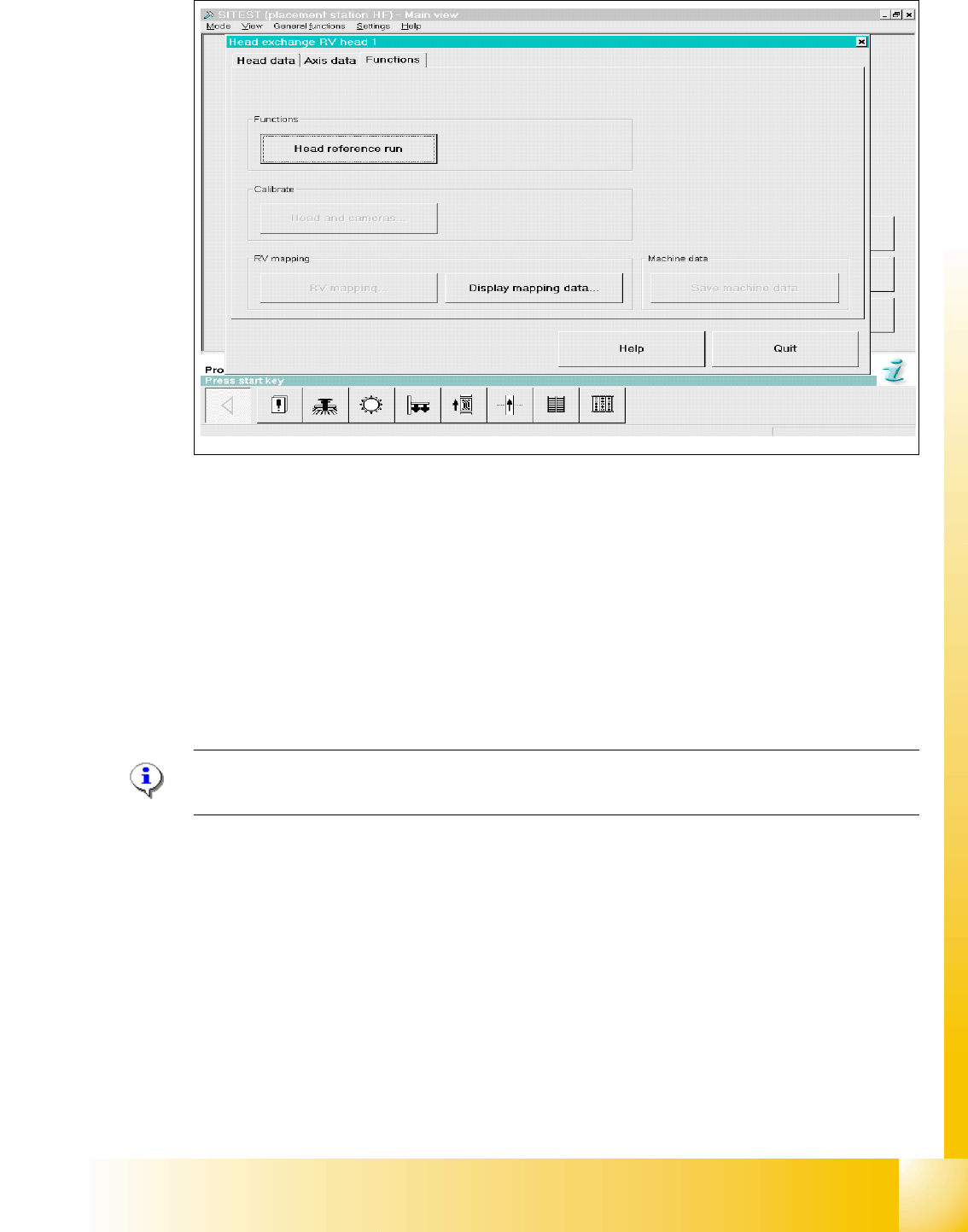
Fig. 6.7 - 7 Menu "Head exchange" --> "Functions
(1) Head reference run to check the function and for calibration reference run the whole machine.
(2) Link to calibrate head and cameras.
(3) Mapping menu
(4) Display mapping data
(5) Link to machine data
6.7.6 Calibration
Please Note:
See Chapter Sitest "Calibration".
HF / HF3 C&P 6
➠ Calibrate zero point correction both gantries.
➠ Calibrate PCB camera
➠ Calibrate C&P head
➠ Component camera
➠ Segment offset 2
➠ Segment offset 1
➠ Calibrate nozzlechanger (inclusive automatic pick up height)
4
1
2
3
5