SG_FSE_SiplaceHF_HF3_00193901-05_eng.pdf - 第508页
1 - 34 S tudent Guide SIPLACE HF/HF3 1 1 MTC 2 Edition 09/2005 34 1 1.2.9 Single functions of the MTC 2 The ”Mechanical functions..." button in the "Matrix-tray chang er" view (see Fig. 1 1.2 - 9 ) calls t…
1 - 33
Student Guide SIPLACE HF/HF3
Edition 09/2005 11 MTC 2
33
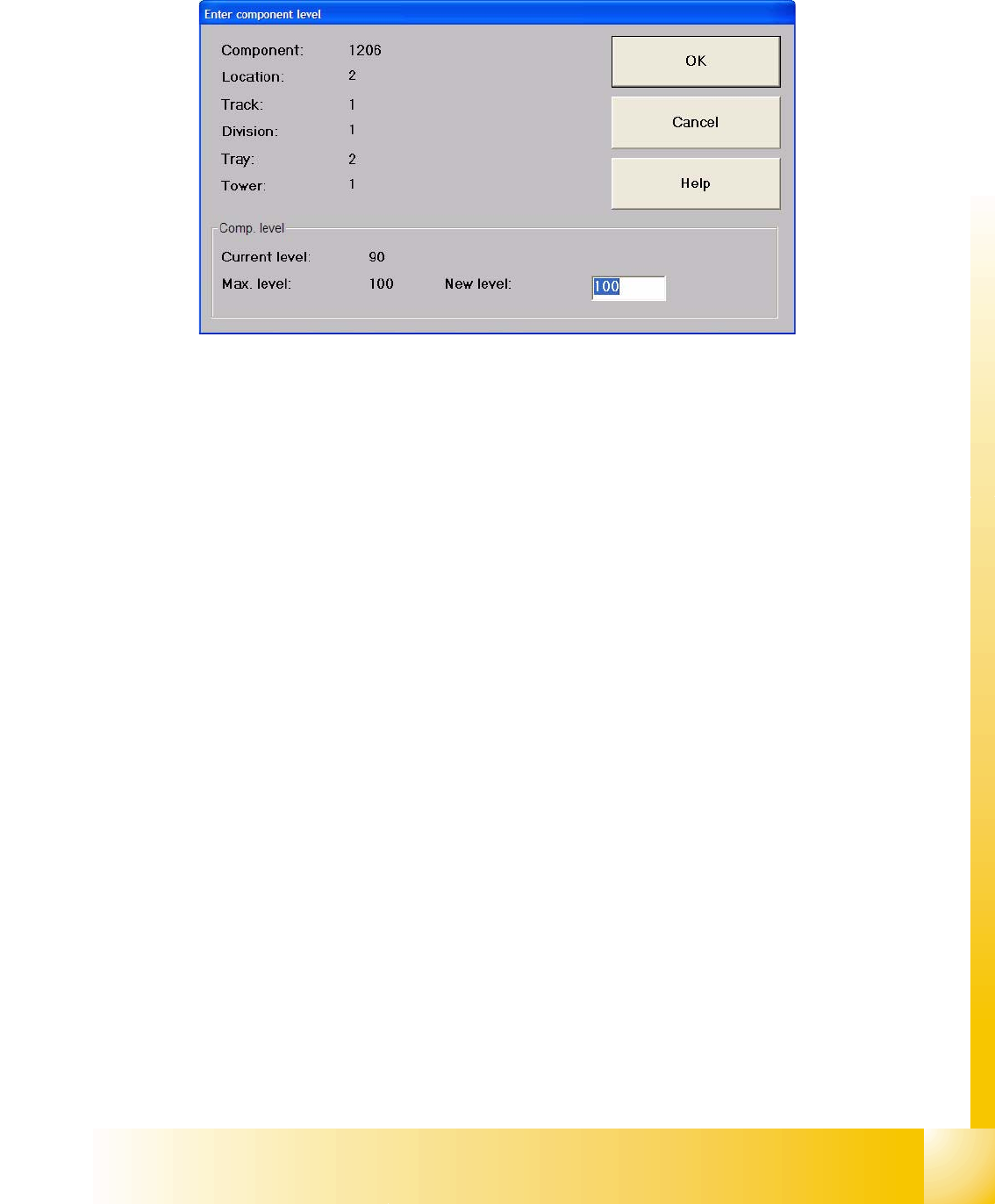
"Enter component level..." button
The following dialog box for entering the component level is now displayed.
Fig. 11.2 - 10 "Enter component level" dialog box
"New level" entry field:
➠ Enter the value for the actual number of refilled components.
Confirm your entry with
OK.
The component level displayed in the table is updated.
"Max. comp. level" button
Confirms that the waffle pack tray in the selected level is full.
The component level displayed in the table is updated.
"Complete cassette" field:
"Out of operation" button
All waffle pack trays in the selected cassette are put out of operation, which means that compo-
nents cannot be picked up from them. A message is displayed, and the component level for this
level is displayed in red in the table.
"Max. comp. level" button
Confirms that the waffle pack trays in all levels of the selected cassette are full.
The component level displayed in the table is updated.
1 - 34
Student Guide SIPLACE HF/HF3
11 MTC 2 Edition 09/2005
34
11.2.9 Single functions of the MTC 2
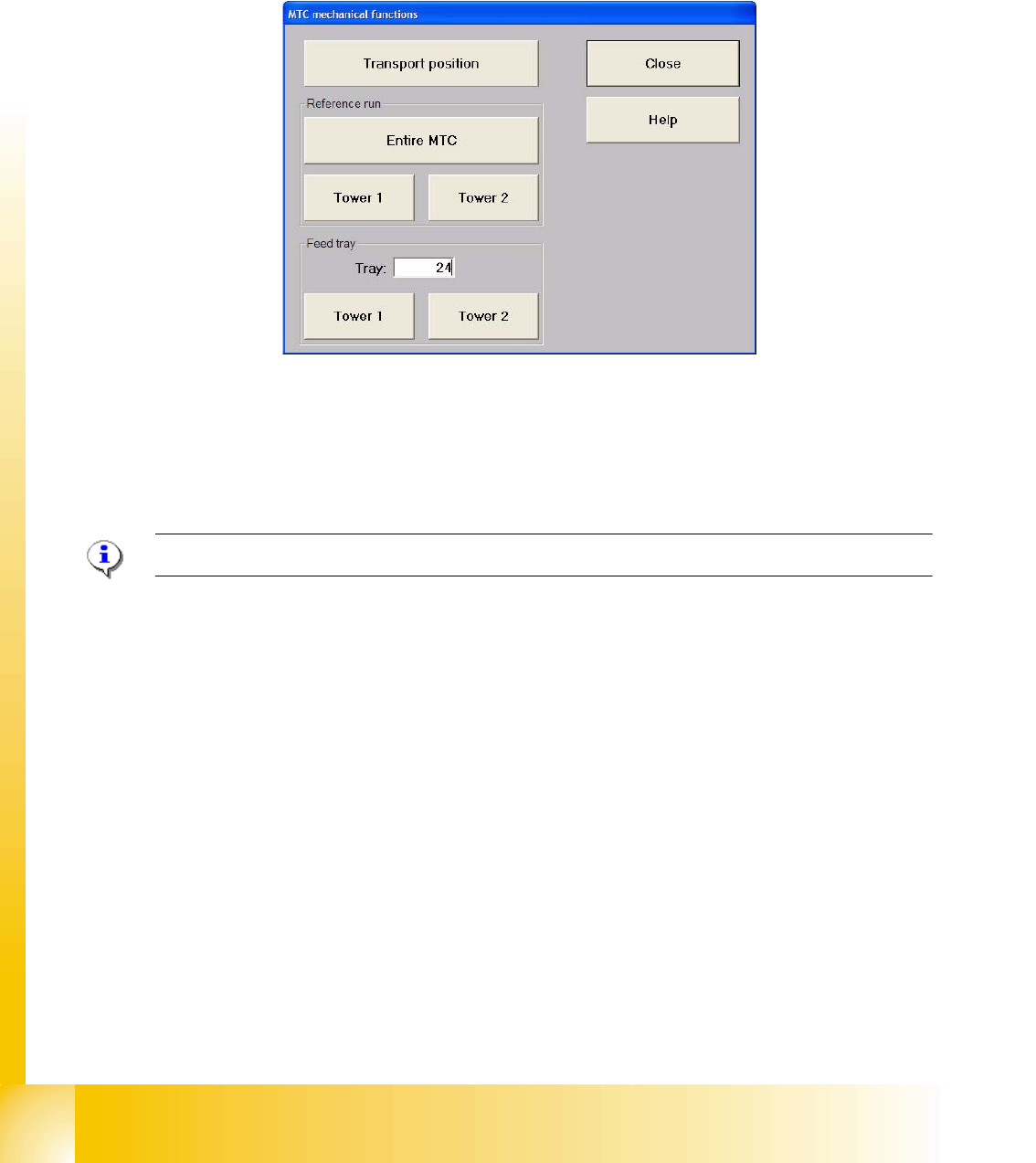
The ”Mechanical functions..." button in the "Matrix-tray changer" view (see Fig. 11.2 - 9) calls the
single functions for the MTC 2.
11.2.9.1 "Matrix-tray changer single functions" view
Fig. 11.2 - 11 "Matrix-tray changer single functions" dialog box
Functions in the "Matrix-tray changer single functions" view 11
"Transport position" button
Using this function, the MTC 2 is moved into a defined position for transport.
NOTE:The MTC 2 must not be in the refill position when this function is executed.
"Reference run" field:
"Entire MTC 2" button
A reference run is carried out with the entire MTC 2.
"Tower 1" button
A reference run is carried out with tower 1.
"Tower 2" button
A reference run is carried out with tower 2.
"Feed tray" area:
"Level:" entry field
Entry field for the level containing the waffle pack tray to be made available.
"Tower 1" button
The waffle pack tray of the level entered is moved out of tower 1.
"Tower 2" button
The waffle pack tray of the level entered is moved out of tower 2.
1 - 35
Student Guide SIPLACE HF/HF3
Edition 09/2005 11 MTC 2
35
11.3 Calibration MTC 2
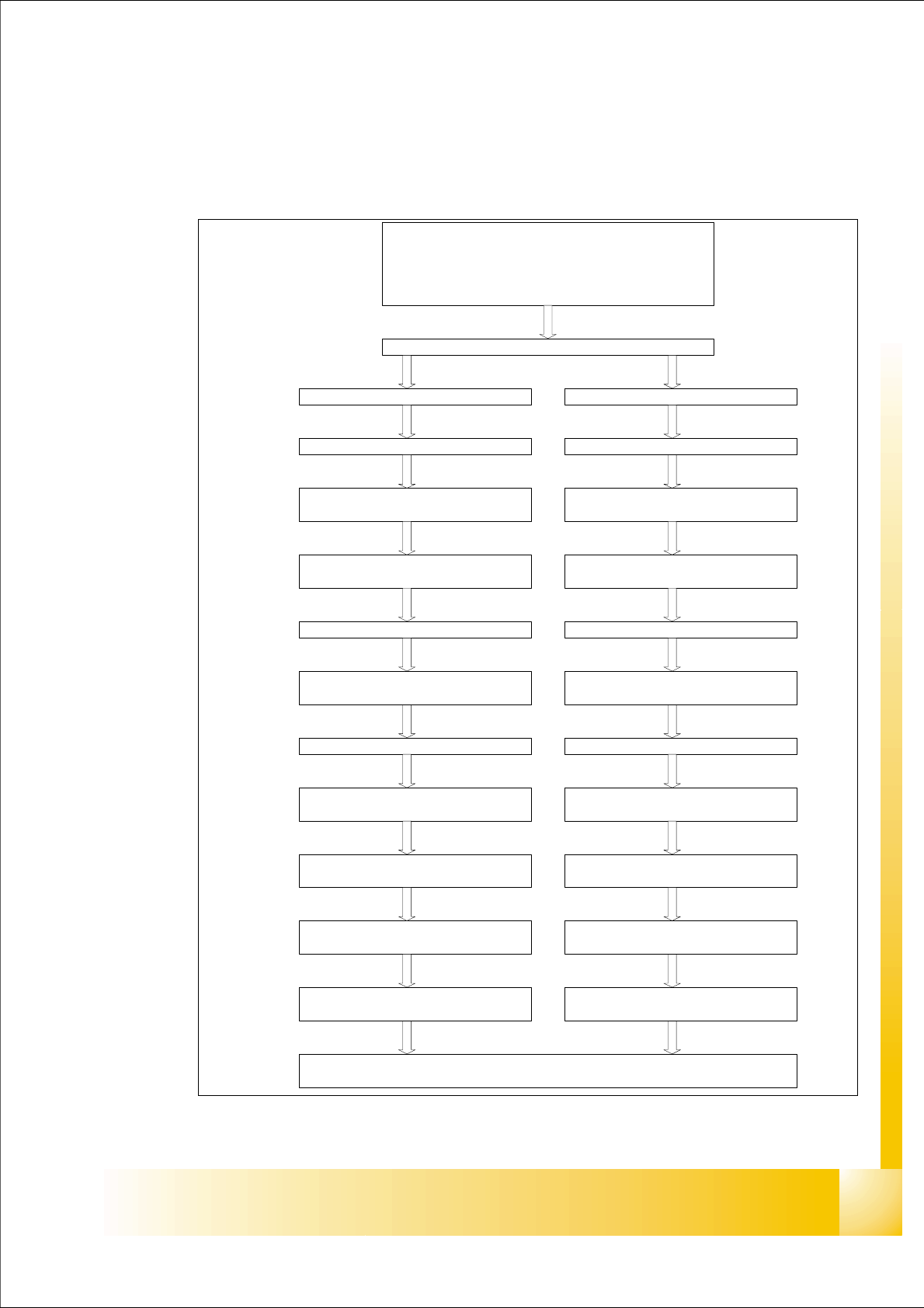
11.3.1 Calibration sequence in general
Fig. 11.3 - 1 General Calibration sequence
Preparation for Calibration
y Check the position MTC into the machine
y Set up the MTC with empty cassette
y set up a cassette in each lowest position from the magazine
y Start Sitest
Start: Reference run Machine / MTC
Tower 1 (XL) Tower 2
Lifting axis
Calibrate the zero point correction
(Zero Offset)
Calibrate the travel range
(max./min)
Lifting axis
Calibrate the zero point correction
(Zero Offset)
Calibrate the travel range
(max./min)
Feed axis
Calibrate the zero point correction
(Zero Offset)
Feed axis
Calibrate the zero point correction
(Zero Offset)
Calibrate the travel range
(max./min)
Calibrate the travel range
(max./min)
Calibrate the fiducial MTC 2
Calibrate refill position
Calibrate the transfer position
(Cassette 1-5)
Calibrate refill position
Calibrate the transfer position
(Cassette 1-4)
Calibrate the removal position
(FMT 1-5)
Calibrate the transfer position
Calibrate the removal position
(FMT 1-4)
Calibrate the transfer position