SG_FSE_SiplaceHF_HF3_00193901-05_eng.pdf - 第525页
1 - 51 S tudent Guide SIPLACE HF/HF3 Edition 09/2005 1 1 MTC 2 51 ➠ Firmly tighten the clampi ng screws and varnish them with red screw locking varnish. ➠ Check the belt tensio n again. ➠ Remove the belt tension stickers…
1 - 50
Student Guide SIPLACE HF/HF3
11 MTC 2 Edition 09/2005
50
Checking and setting the belt tension 11
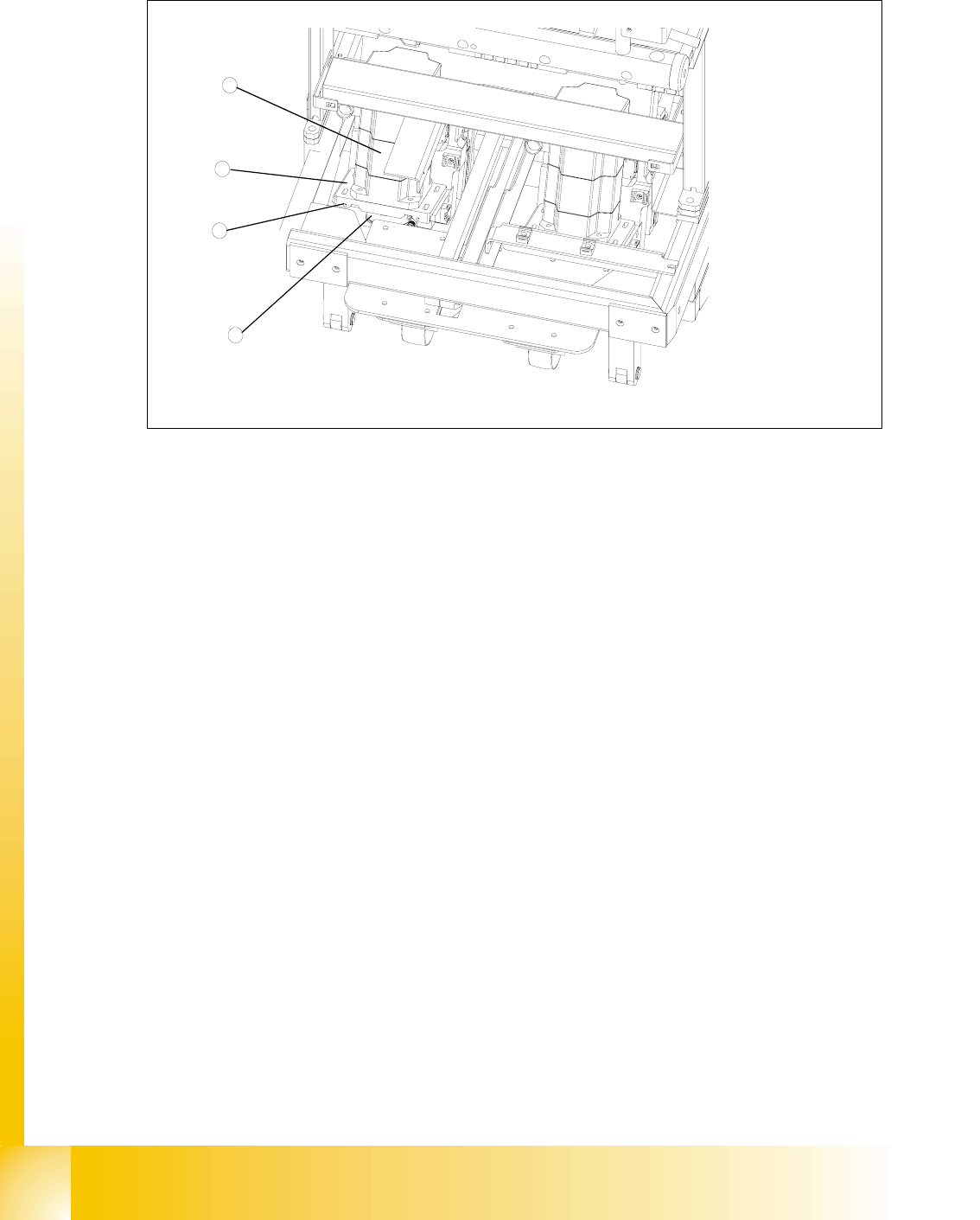
Fig. 11.3 - 15 Setting the belt tension
Key
1 Servo motor of the lifting axis (shown here for tower 2)
2 Dual toothed belt (shown here for tower 2)
3 Mounting plate with clamping screws (shown here for tower 2)
4 Adjusting screws with lock nuts (shown here for tower 2)
➠ Carry out the relevant preparatory measures (see section 11.3.3.1 "Preparatory measures").
➠ Measure the belt tension with the belt frequency measuring device in the following way:
➠ Find the holes for the measurement head of the belt frequency measuring device on the
lifting axis. Two holes are provided for each of the dual toothed belts (see
Fig. 11.3 - 13,
item 7).
➠ Attach the toothed belt tension stickers (Siemens item no. 00370691-0) onto the belts in this
area.
➠ Cause the belts to oscillate and measure their frequency.
You must set the belt tension if the measured frequency deviation deviates from the
nominal value
[(200Hz ± 5Hz),(210Hz ± 5Hz) see note above]
➠ Turn the adjusting screws as far as they will go. Before doing this you will need to loosen
the lock nuts.
➠ Loosen the four lock screws on the mounting plate of the motor.
➠ Use the two adjusting screws to raise the belt tension (by turning in a clockwise direction)
or lower it (by turning in an anticlockwise direction), until the nominal frequency is achieved.
Tighten the lock nuts each time you measure the belt tension.
1
3
4
2
1 - 51
Student Guide SIPLACE HF/HF3
Edition 09/2005 11 MTC 2
51
➠ Firmly tighten the clamping screws and varnish them with red screw locking varnish.
➠ Check the belt tension again.
➠ Remove the belt tension stickers.
➠ Dock the MTC 2 onto the SIPLACE station (see the User Manual).
➠ Check the zero offset of the lifting axis if you have changed the belt tension.
11.3.3.2 Guide rails and stopper bars
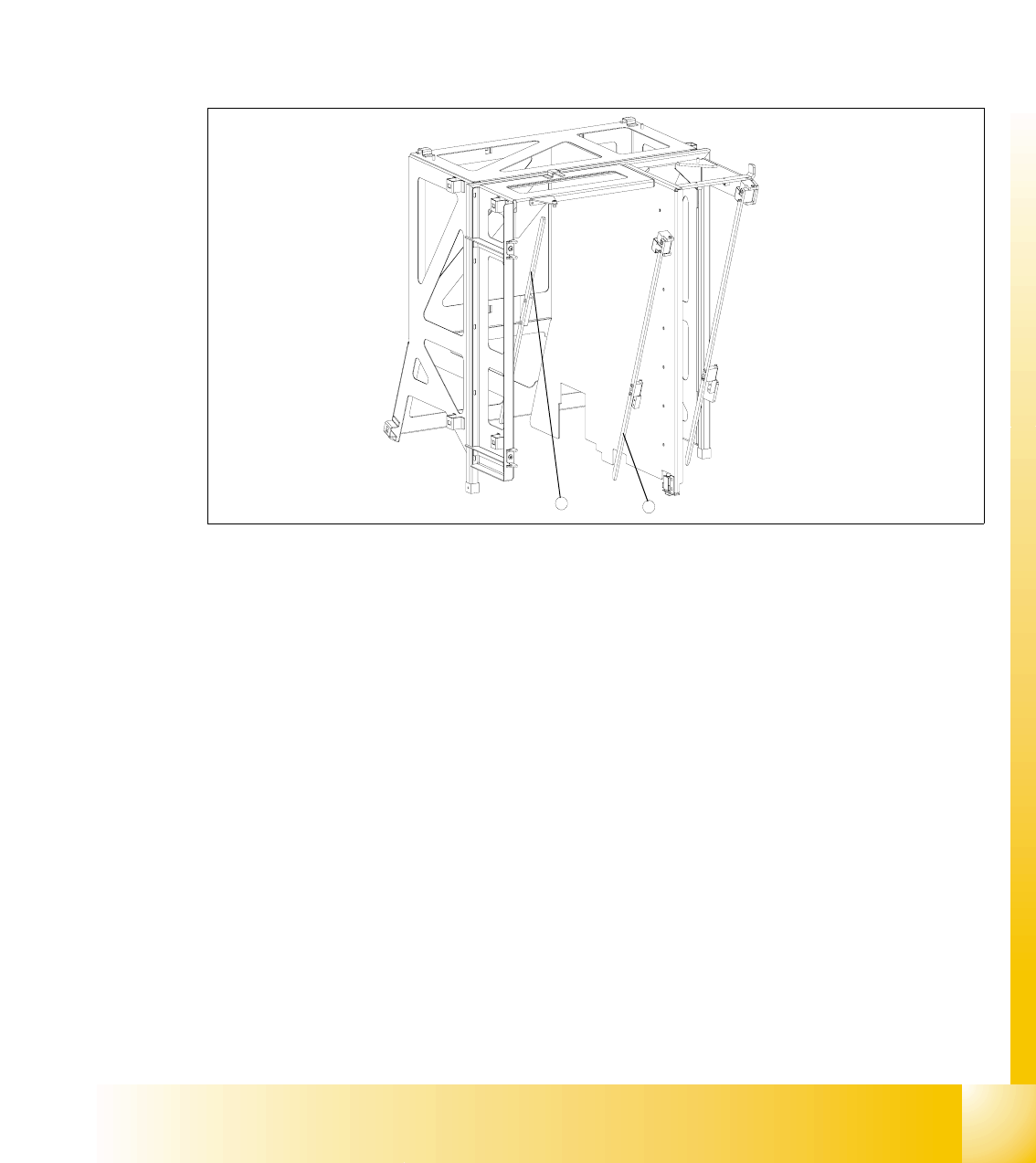
Fig. 11.3 - 16 Guide rails and stopper bars in the upper frame
Key
1 Guide rail (shown here for tower 1)
2 Stopper bar (shown here for tower 1)
Tools and accessories 11
– 1 set of hexagon socket wrenches
Preparatory measures 11
➠ Move the lifting axis into the refill position for cassette 1 and completely set up the MTC 2 with
empty cassettes (see User Manual).
➠ Set up every cassette with an empty WTC in the bottom and in the top level.
2
1

1 - 52
Student Guide SIPLACE HF/HF3
11 MTC 2 Edition 09/2005
52
Checking and setting the guide rails, top 11
➠ Manually open the WTC interlock for each WTC which has been set up and check that the
WTC can be pulled out approx. 0.5 to 1mm up to the closed guide rail. When closing the WTC
interlock, the WTC must automatically click into place.
➠ Open the guide rail. When closing the guide rail, use a WTC which has been pulled out to
check either:
– that the WTC engages in the WTC interlock again on its own or
– that the guide rail cannot be closed.
➠ Set the position of the guide rail (by moving it in its fixing holes), if the behavior described above
is not observed.
Checking and setting the stopper bars, top 11
➠ Manually open the side interlock (leaf springs) for each WTC and check that the WTC can be
pushed through approx. 0.5 to 1mm up to the stopper bar. When closing the interlock, the WTC
must click into place automatically.
➠ Set the position of the stopper bar (by moving it in its fixing holes), if the behavior described
above is not observed. If necessary, remove the covers behind the doors.
Check on tower 1 that a WTC XL with 25 mm-high components can be transported without
colliding with the stopper bar. If necessary, correct the position of the stopper bar.
Checking and setting the stopper bars, bottom 11
➠ Move the doors fully down
➠ Remove the side covers
➠ Set the position of the guide rails until they are approx. 0.5 through 1mm away from the WTCs.
WARNING
The stopper bar and guide rail must under no circumstances touch the WTCs!