SG_FSE_SiplaceHF_HF3_00193901-05_eng.pdf - 第430页
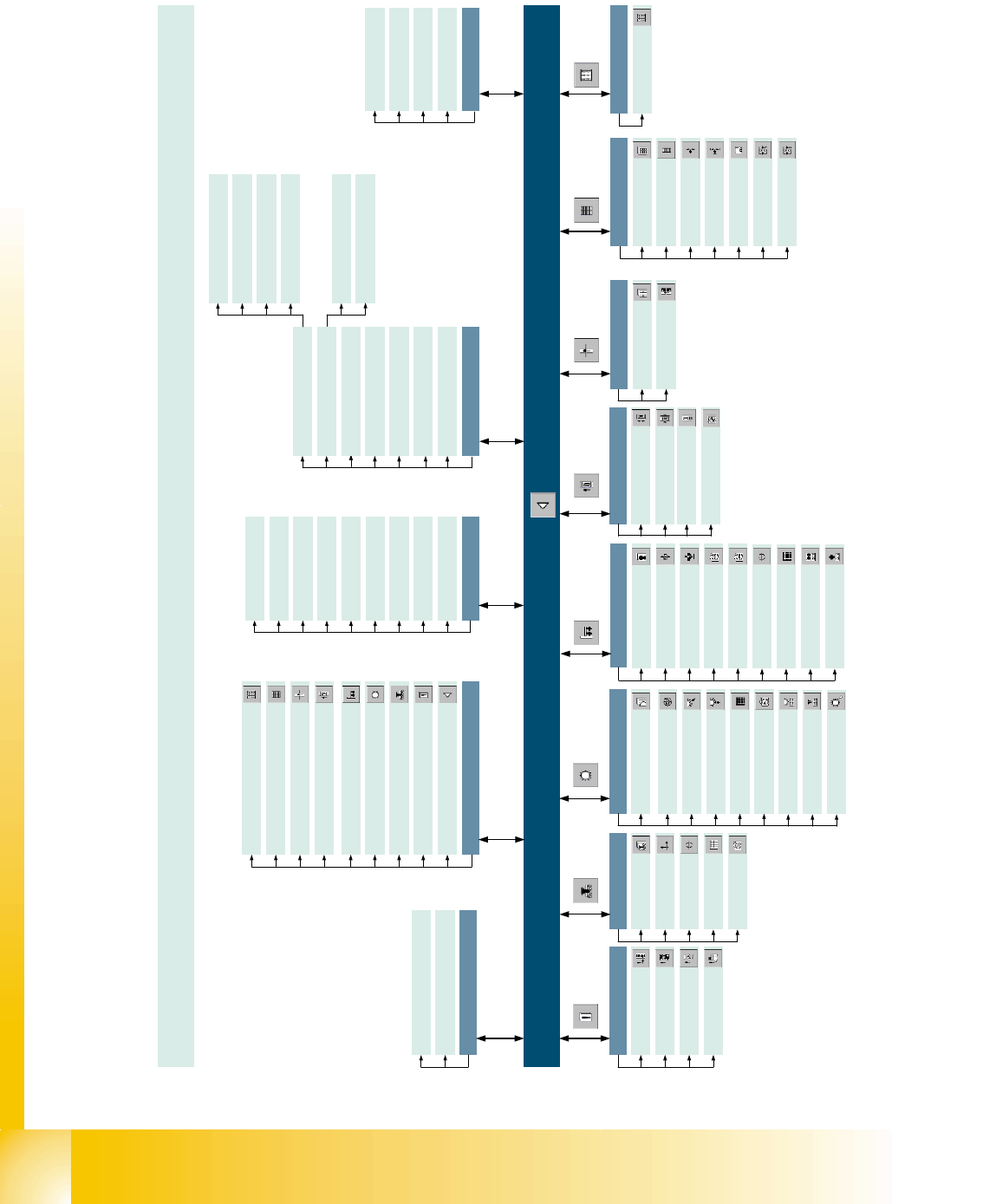
1 - 2 S tudent Guide SIPLACE HF/HF3 10 Sitest Edition 09/2005 2 10.1.1 Overview user inte rface Sitest (SW 504.xx) Main view [F1] (Portal 2 nur S- 20/S-23 HM) RV head 2 ... Mode Exit - Esc Shut down computer.. . Main vie…

1 - 1
Student Guide SIPLACE HF/HF3
Edition 09/2005 10 Sitest
1
10 Sitest
WARNING
The SITEST test program may only be used by staff members of SIEMENS AG L&A EA, or spe-
cially trained customer staff. Improper use of this test program will result in severe damage to the
machine and will pose a hazard to the operating personnel.
10.1 Overview SITEST
SITEST is a program which allows the various functions of the individual modules of the
SIPLACE HF/HF3 to be tested.
Overview of SITEST functions
– General SITEST functions
–Functions for machine settings
– Functions for setting the dynamics of the axes
– Calibration functions
– Mapping functions
You can execute these functions using SITEST. You will find information on how to do this and
details on the interfaces in this chapter, software instruction for Sitest and by using the online Help
function while working with SITEST. In addition, you will find a number of practical examples de-
scribed in the online Help system.
1 - 2
Student Guide SIPLACE HF/HF3
10 Sitest Edition 09/2005
2
10.1.1 Overview user interface Sitest (SW 504.xx)
Main view [F1]
(Portal 2 nur S-20/S-23 HM)
RV head 2 ...
Mode
Exit - Esc
Shut down computer...
Main view - F1
View
Error - F2
Gantries - F3
RV heads - F4
PCB conveyor - F6
Tables - F7
MTC - F8
Inputs/outputs - F9
Cycle mode... - Alt+T
PCB camera P1 - Alt+1
General functions
RV camera P1 - Alt+2
IC camera P1 - Alt+3
FC camera P1 - Alt+4
Settings
Access level...
Save machine data
Copy machine data...
Firmware download ...
Machine configuration...
Head exchange
Language
RV head 1 ...
German
English
French
Help
Contents - Ctrl+Alt+F1
Help - Alt+F1
Use Help
Info ...
[F2]
Errors
Track errors
Machine errors
Transport errors
General errors
[F3]
Gantry functions
Gantries
Axes functions
Calibrate position
PCB mapping
PCB camera
functions
[F4]
Revolver heads
Functions
Axes
Holding/reject circuit/
turning station
Placement and pick-up
circuit
RV mapping
RV head and camera
Nozzle changer
head functions
Nozzle changer
magazine functions
[F6]
[F7]
Tables
Functions
Calibrate pick-up
position
[F8]
MTC
Functions
Tower functions
Axes
Settings
Machine data
Inputs/outputs 1
Inputs/outputs 2
[F9]
Inputs/outputs
In- and outputs
User interface SITEST Version 504.xx
SIPLACE HF Issue 02/2002
PCB camera P2 - Alt+5
RV camera P2 - Alt+6
IC camera P2 - Alt+7
FC camera P2 - Alt+8
Italian
Revolver head
component sensor
PCB conveyor
PCB transport functions
Adjust and measure
PCB conveyor width
Adjust and test
conveyor speed
Adjust and test
conveyor speed
[F5]
Twin Head
Functions
Axes
Head Board
IC camera
FC camera
Calibrate twin head
TH mapping
Nozzle changer
head functions
Nozzle changer
magazine functions
Twin head - F5
1 - 3
Student Guide SIPLACE HF/HF3
Edition 09/2005 10 Sitest
3
10.1.2 Starting/Terminating the Test Program
10.1.2.1 Starting
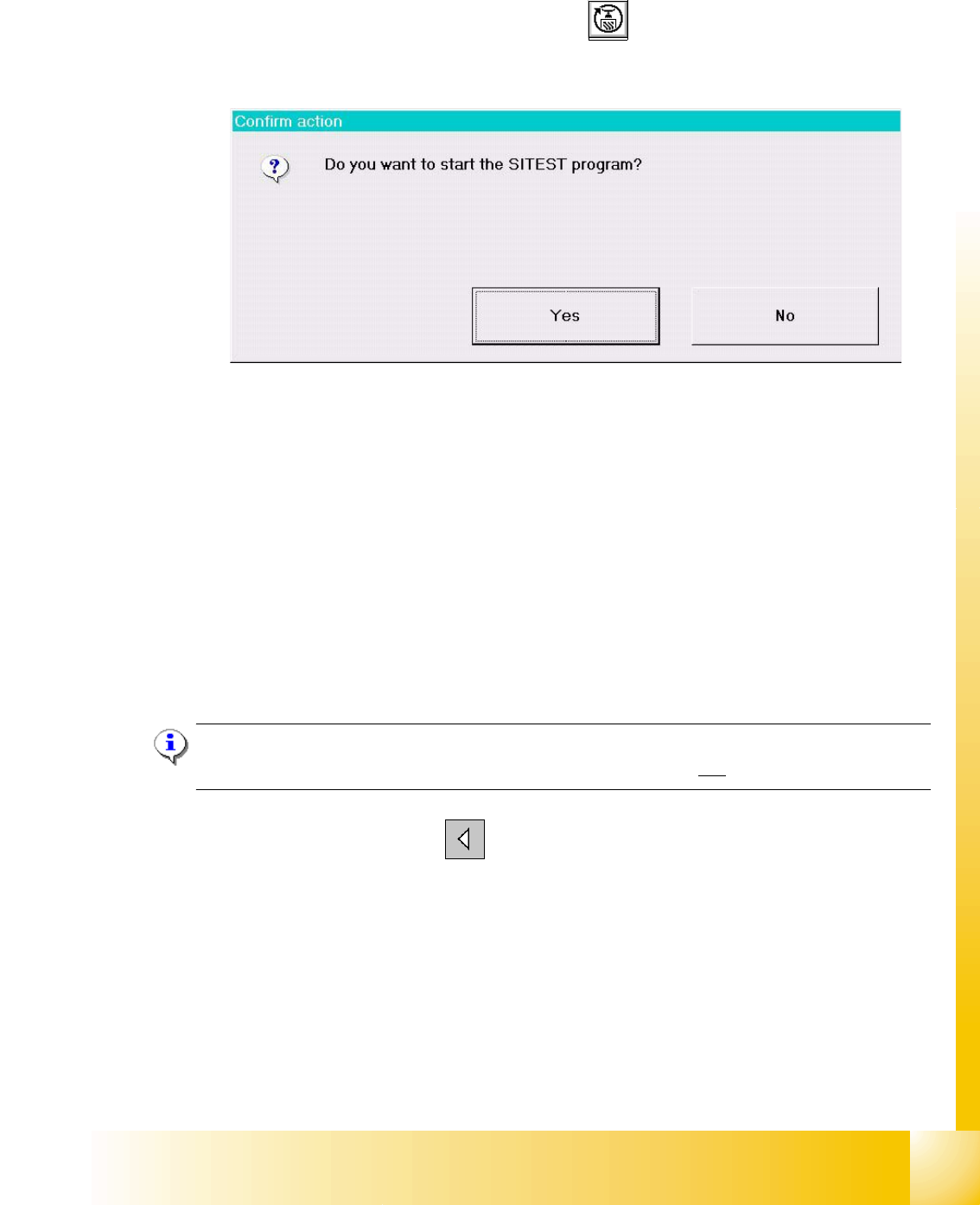
➠ On the user interface for the station, click on the icon (see User’s Manual SIPLACE HF/
HF3) The test program is started.
Fig 7.1 - 1 Confirmation "Start Sitest"
The main view of the user interface of the test program will appear on the screen shortly after-
wards.
➠ Select the desired language .
10.1.2.2 Terminating
There are three ways of properly terminating the test program, i.e. either
– from the main view via the
Mode menu, by selecting the menu command Exit ,
– using the key
ESC
– or by proceeding as described in the following.
Note:
Only the key ESC permits the test program to be terminated from any view.
➠ In the main view, click on the icon.