RX-6_维修调整要领书.pdf - 第244页
维修调整要领书 13 - 15 确认 RTX 下网络设备的属性,当 Status 为如下显示时,安装完成。 Device is MSI and MSI - X capable and should work properly for message - based and extended message - based interrupt s. ● 不一样时 如 Status 有不一样时, 请不要作任何变更, 执行 commit 、 …
维修调整要领书
13-14
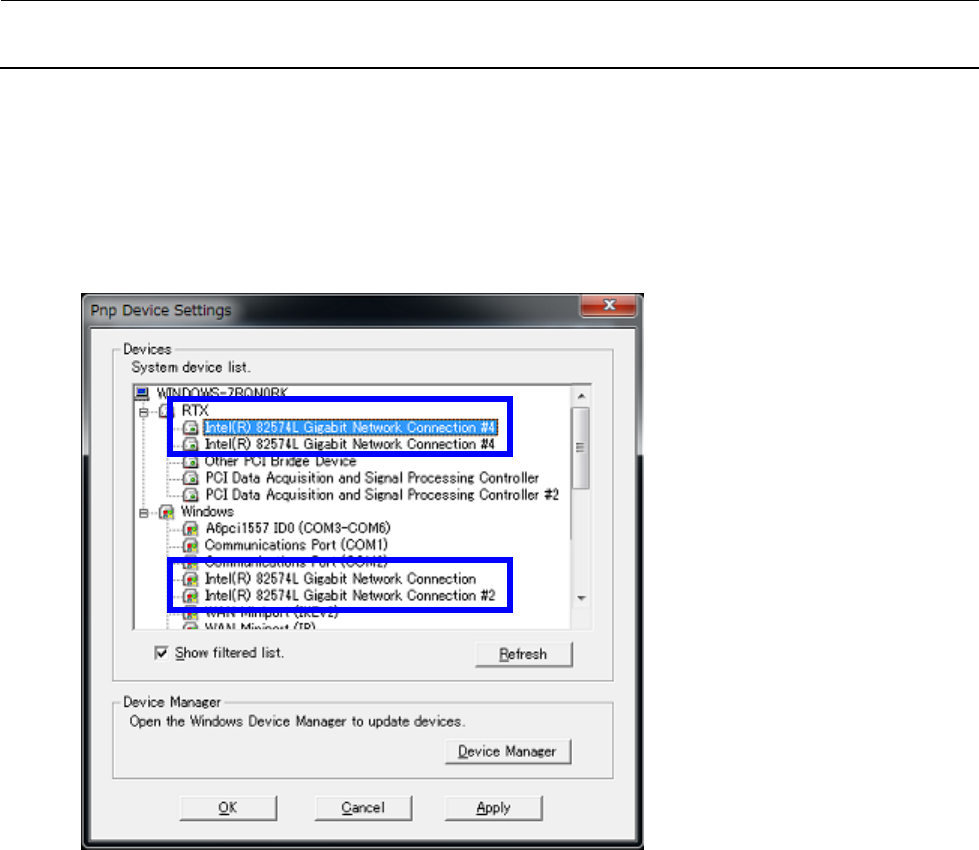
13) 进行安装完成确认。
从控制面板->RTX Properties->“Hardware”的选项卡中,按下 Device 的 Settings…按钮,将
显示设备树。
请确认 Windows 下有 2 个设备移动。
(PCI 总线 1 及 PCI 总线 2 的设备已移动。)
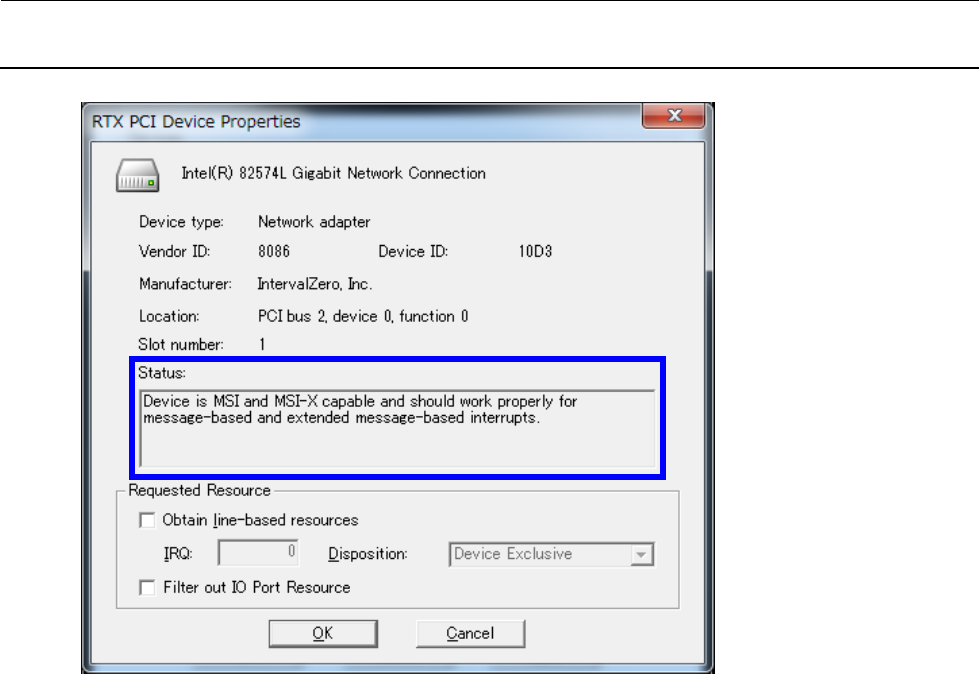
打开 RTX 下网络设备的属性。
维修调整要领书
13-15
确认 RTX 下网络设备的属性,当 Status 为如下显示时,安装完成。
Device is MSI and MSI-X capable and should work properly for
message-based and extended message-based interrupts.
● 不一样时
如 Status 有不一样时,请不要作任何变更,执行 commit、从新启动后,再次打开属性,确认 Status
已成为上面所示的状态。
维修调整要领书
13-16
14) 为之后需要相同的操作时进行准备。
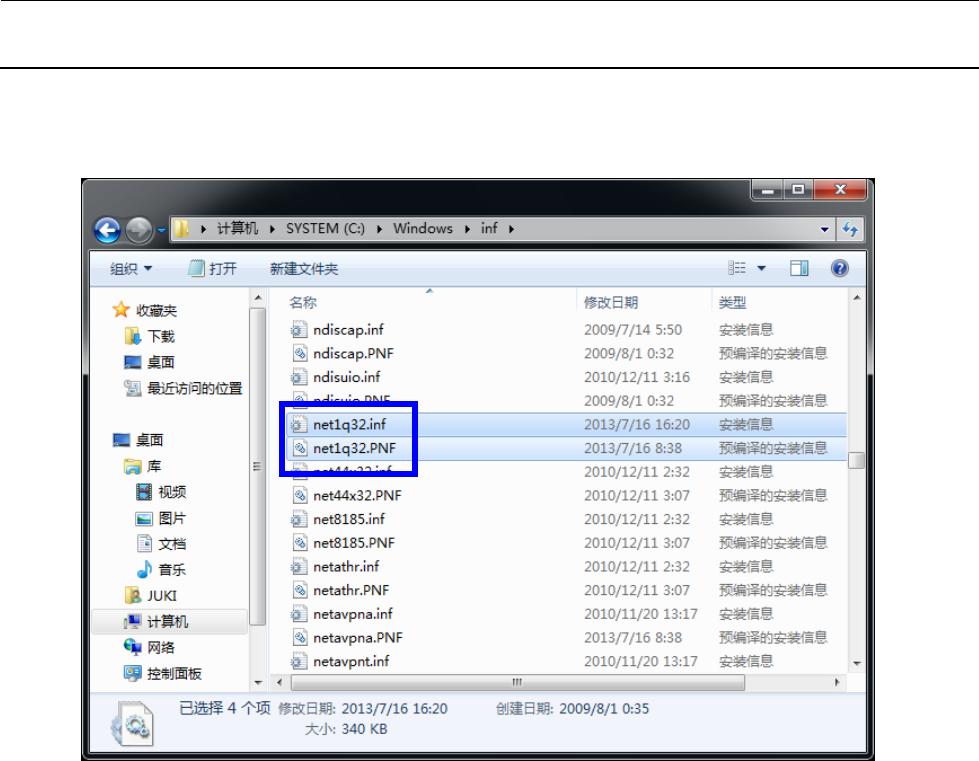
打开浏览器,打开“C:\Windows\inf”文件夹。
15) 请删除以下 2 个文件。
・ net1q32.inf
・ net1q32.PNF
删除文件后, 令 C 驱动器执行 commit,从新启动。