00194614-08 Trainingsdoku. SG X-Serie_X4i SW70x (AL2)_EN.pdf - 第142页
Communication and Control Reading the Board IDs out of the EEPROM Board IDs Student Guide SIPLACE X-Serie and X4I SW70x (AL2) 142 Head interface board typ e recognition ID 0 1 ► The ID will appear in the memory cell 12, …
Communication and Control
Board IDs Reading the Board IDs out of the EEPROM
141 Student Guide SIPLACE X-Serie and X4I SW70x (AL2)
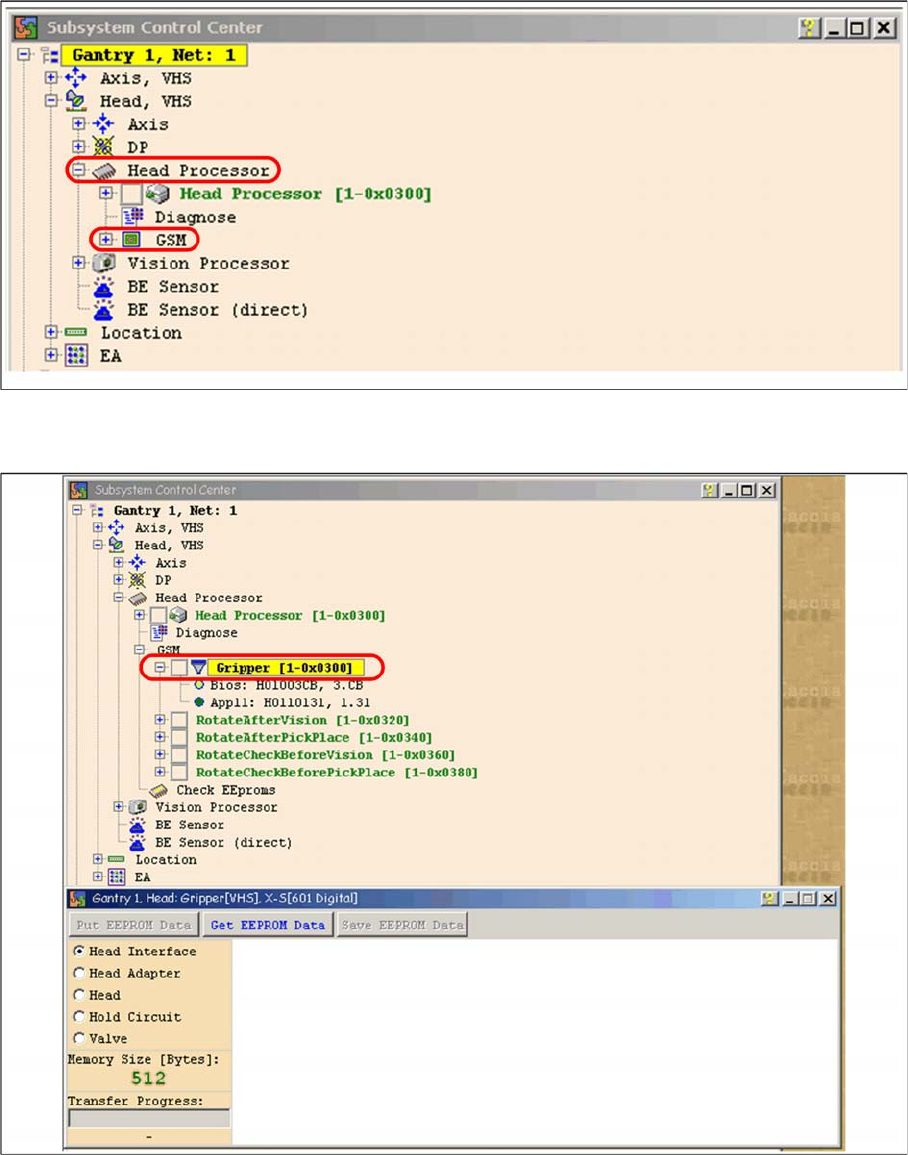
Subsystem control center
► Double-click on Gripper and the following dialog box will open:
Dialog head processor gripper
► Select the board to be checked Off then select the button Get EEPROM.
Communication and Control
Reading the Board IDs out of the EEPROM Board IDs
Student Guide SIPLACE X-Serie and X4I SW70x (AL2) 142
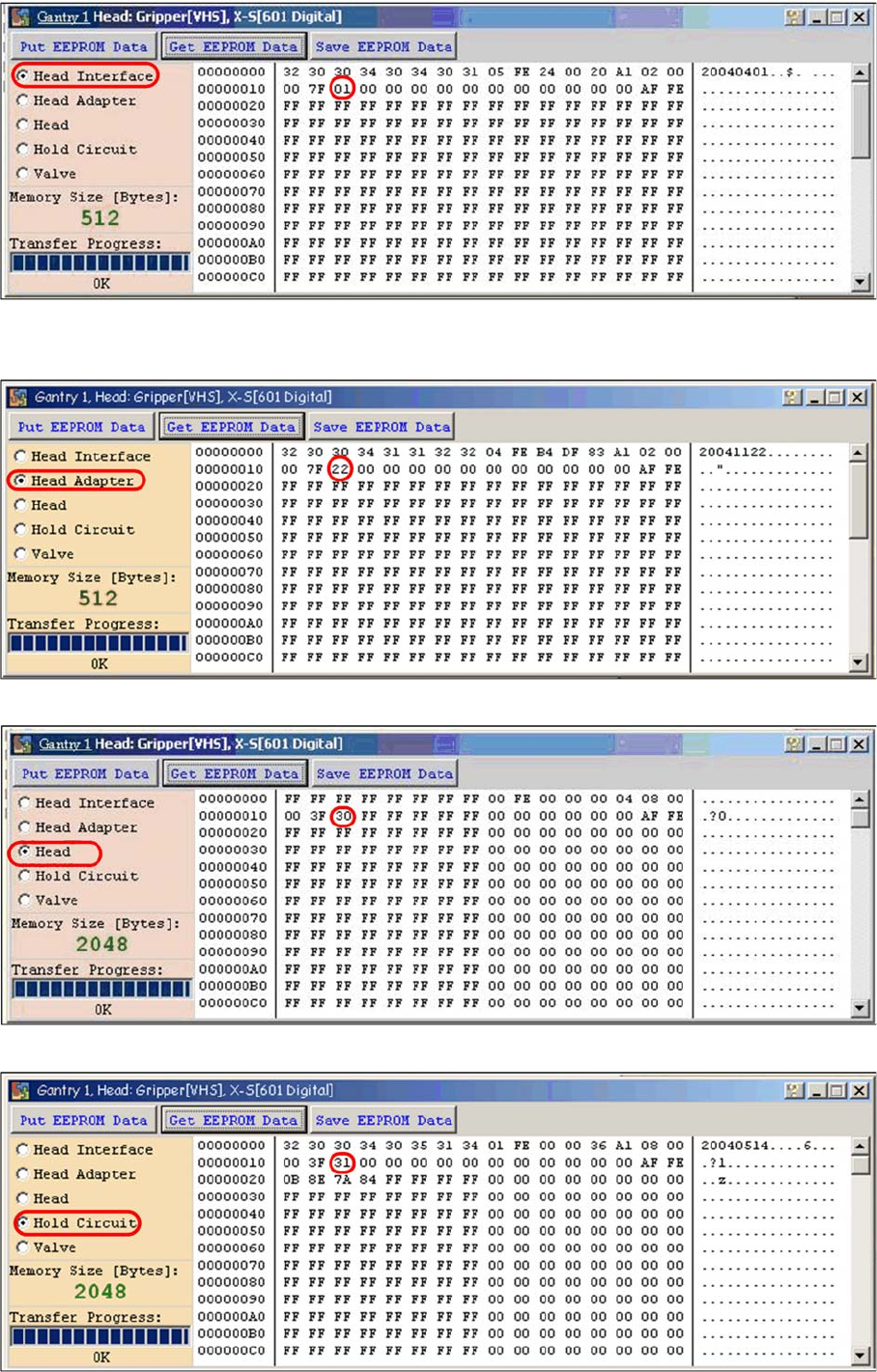
Head interface board type recognition ID 01
► The ID will appear in the memory cell 12, the ID 01 for the head interface C500.
Head adapter board type recognition ID 22 for the C&P20A head
C&P20A board ID 30
C&P20A board ID 31 vacuum sensor, hold circuit
Communication and Control
Board IDs Reading the Board IDs out of the EEPROM
143 Student Guide SIPLACE X-Serie and X4I SW70x (AL2)
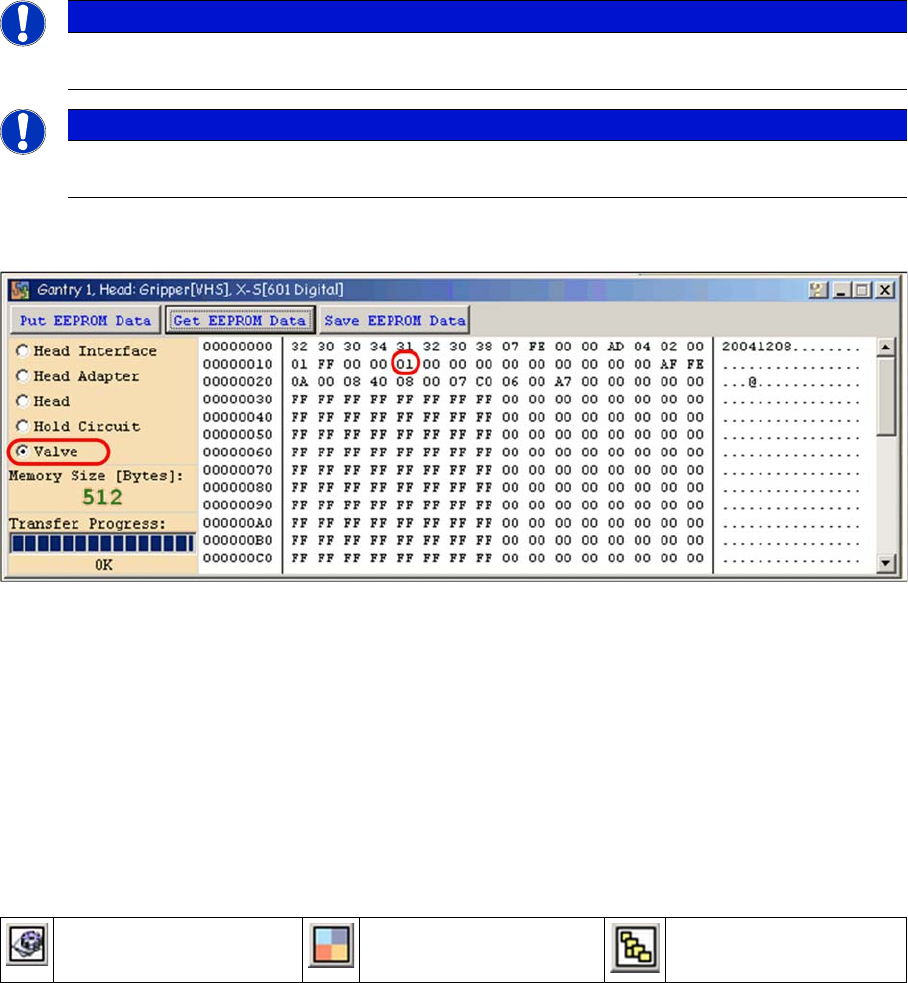
Assembly ID 01 is digital pressure control valve
Assembly ID 02 is analog pressure control valve
Device number pressure control valve digital C&P20A
Reading and Writing the Bo ard IDs wi th CAN Commands
4.6.2.2 Reading and Writing the Board IDs with CAN Commands
► Switch off the machine.
► Connect the service laptop to the machine CAN bus at PA1 and/or PA2.
Make sure that the cable is connected at channel 1 for PA1 and at channel 2 for PA2 of the Kvaser
card.
► Switch on the machine
► Start the Caccia software and check the machine configuration in Caccia.
► Doubleclick on the Open Subsystem Control Center.
► Select Get Versions.
All available subsystems will be shown with their firmware versions and their CAN IDs.
NOTICE
The digital pressure control valve (C&P20A) and the analog pressure control valve (Twin head)
do not have a board ID or it is currently 00.
NOTICE
Both pressure control valves will be recognized via a device number. This assembly ID is at
memory cell 14 in the EEPROM.
Change Properties Change Machine
Configuration
Open Subsystem Control
Center