00194614-08 Trainingsdoku. SG X-Serie_X4i SW70x (AL2)_EN.pdf - 第402页
Modular Conveyor Board Clamping Functions Conveyor Settings Student Guide SIPLACE X-Serie and X4I SW70x (AL2) 402 Legend Procedure A) Checking the clamping play: ► Move the lifting table upwar ds, without the board. ► Wi…
Modular Conveyor
Conveyor Settings Board Clamping Functions
401 Student Guide SIPLACE X-Serie and X4I SW70x (AL2)
► To check whether the board clamping is functioning properly, clamp a board with the lifting table.
Then check whether the board is clamped tightly on the side.
Tools
Setting (single and dual conveyor)
► The terminal strip may need to be modified, depending on the machine type. As the S27 only has a
maximum clamping area of 74 mm, the terminal strip needs to be fitted on the correct side. The
terminal strip for X series, HS-60 and D series machines needs to be set to 94 mm. Fit the terminal
strip accordingly on the gauge.
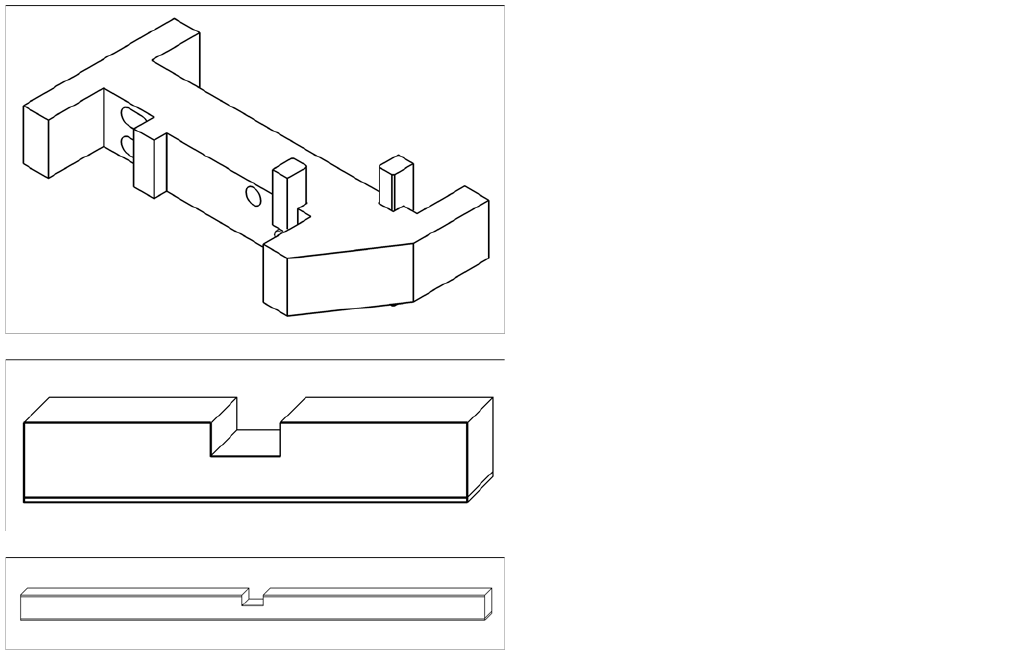
► The gauge is inserted between the actuator and the clamp.
► The actuator can now be released, moved down and then tightened again through the holes
provided.
Quad lane conveyor settings
► For initial setting, follow the procedure used for the single and dual conveyors (see above). Make
sure that the long terminal strip [03076698-xx] is fitted on the 94 mm side of the "Adjust gauge
actuator cpl.
► As two boards are clamped with the same lifting table, you need to check the clamping play for each
of the single conveyors.
► The clamping actuators are delivered with a basic setting of 94.2 mm to the top edge of the conveyor
belt.
► If problems occur during board clamping (board partially or fully loose), you will need to reset the
clamp.
The cause of this problem is that there are a total of 6 actuators on 3 conveyor edges. If these are
not set accurately enough (they do not form a level), up to 3 actuators might have been set
incorrectly.These then need to be adjusted.
The clamping function is set with the "Adjust gauge
actuator cpl" [03049740-xx].
▪ Terminal strip for S27, HS-60, HF, X2, X3, X4
[03049739-xx]
▪ Long terminal strip for X4I [03076698-xx]
Modular Conveyor
Board Clamping Functions Conveyor Settings
Student Guide SIPLACE X-Serie and X4I SW70x (AL2) 402
Legend
Procedure
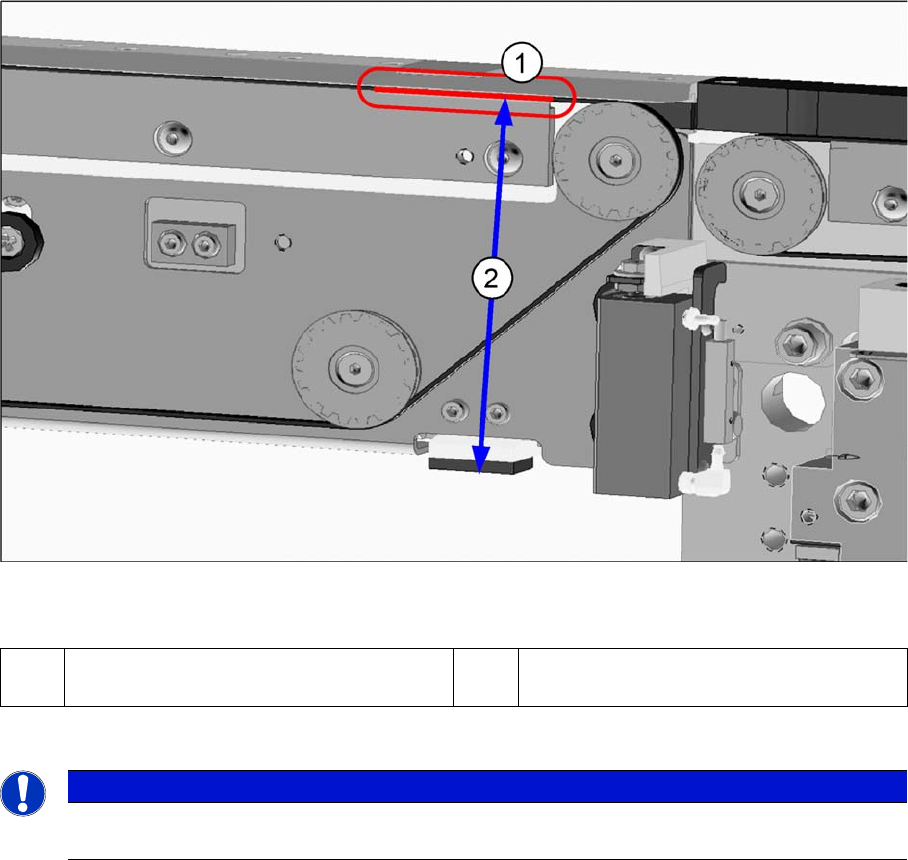
A) Checking the clamping play:
► Move the lifting table upwards, without the board.
► With the aid of a 0.1 mm feeler gauge, check the gap between the conveyor belt and the clamp (see
graphic above).
If the gap is greater than 0.1 mm, the determined distance between the belt and the clamping edge
on the actuator must be reset.
To do this, add the current distance between the actuator and the clamping plate to the distance
between the belt and the clamping edge!
► Move the lifting table down again.
(1) Conveyor belt play on the lower edge of the
clamp
(1) Distance 94.2 mm.
NOTICE
The play between the terminal strip and the upper edge of the conveyor belt may not be more
than 0.1 mm.
Modular Conveyor
Conveyor Settings Lifting Table Functions
403 Student Guide SIPLACE X-Serie and X4I SW70x (AL2)
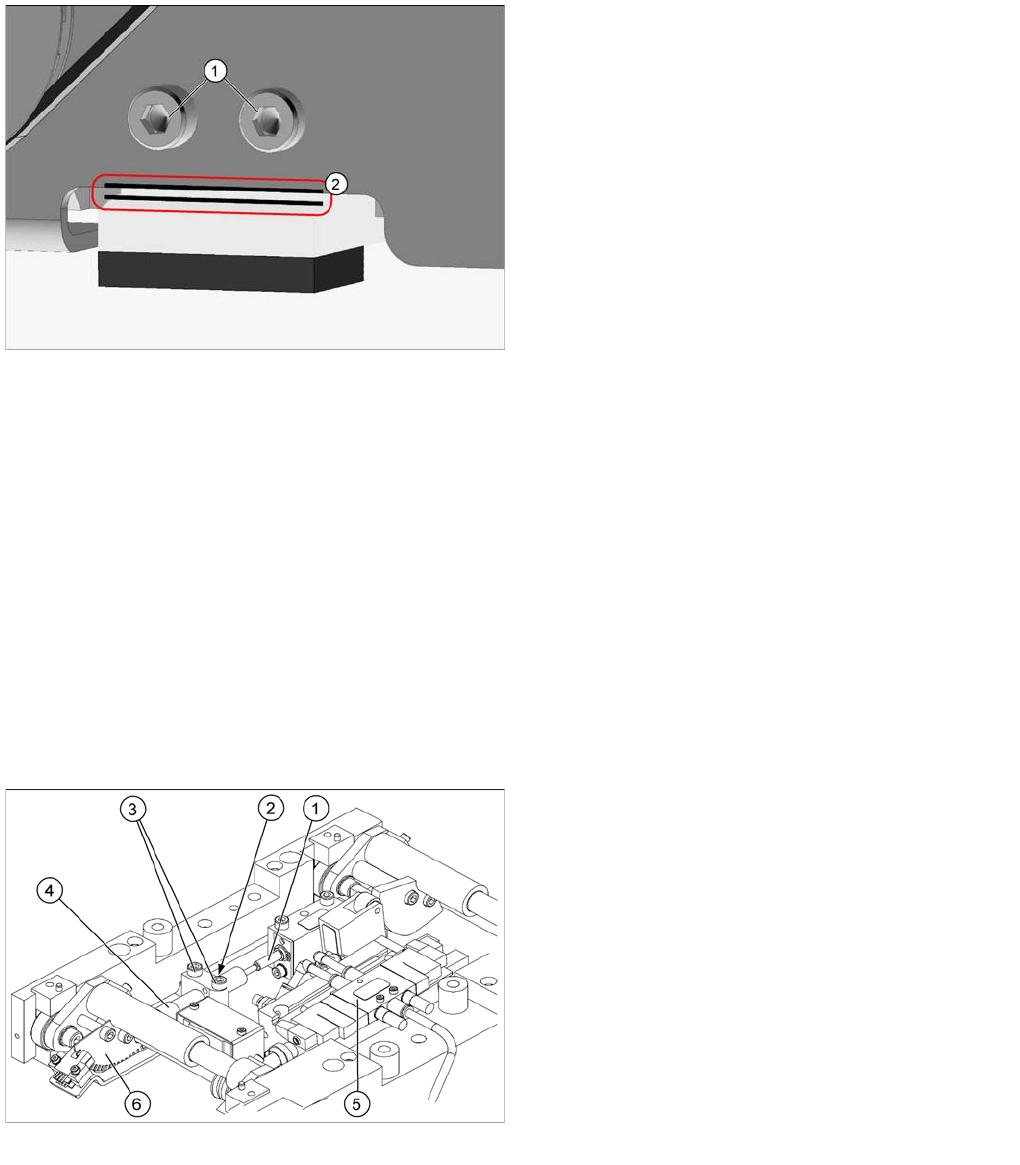
B) Setting the play on the actuator:
► Disable the clamp and move the lifting table down.
► Measure the play between the actuator and the side edge with a feeler gauge.
► Loosen the actuator screws.
► Adjust the distance with the help of a feeler gauge.
Add the clamp play to the measured play of the actuator.
► Tighten the actuator screws again.
► You now need to recheck the gap between the conveyor belt and the clamp when the lifting table
has moved up. (see above)
► If a problem occurs during board clamping, recheck this setting again. We recommend that you
check this setting every 3 months. When cleaning the machine, always make sure that you remove
all components from the conveyor belt.
Lifting Table Functions
11.3.8 Lifting Table Functions
Lifting table up function
Requirements for detecting that the lifting table is up:
▪ 30-35 pulses from the incremental disc
▪ Check performed by software (see "11.3.7 Board Clamping Functions" [ ➙ 399])
▪ Dynamic response for board clamping of approx. 500 ms
Legend
1. Actuator screwed fixtures
2. Measuring the play with the feeler gauge
Lifting table unit
Legend
1. Actuator
2. Lock nut damper
3. Fastening screws for mounting block
4. Damping unit
5. 3/5 way solenoid valve mounted on lifting table drive
cylinder
6. Fork-type light barriers / incremental disk