00194614-08 Trainingsdoku. SG X-Serie_X4i SW70x (AL2)_EN.pdf - 第326页
TwinHead Preparations for Component Pick up (Module 1) TwinHead Pickup and Place Cycle Student Guide SIPLACE X-Serie and X4I SW70x (AL2) 326 Preparatio ns for Co mponent Pickup (Mod ule 1) 9.3.3 Preparations for Co mpone…
TwinHead
TwinHead Pickup and Place Cycle General
325 Student Guide SIPLACE X-Serie and X4I SW70x (AL2)
TwinHead Pickup and Place Cycle
9.3 TwinHead Pickup and Place Cycle
General
9.3.1 General
TwinHead Placement Principle
9.3.2 TwinHead Placement Principle
During the PCB transport time, the gantry waits at the theoretical fiducial position, to perform board
centering (and inkspot recognition) after PCB clamping. With the " Whispering down the machine"
option, gantry 3 only evaluates 2 fiducials.
First the TwinHead starts to collect one component with module 1 and one component with module 2.
These components are then centered with the IC camera (FC camera) and placed.
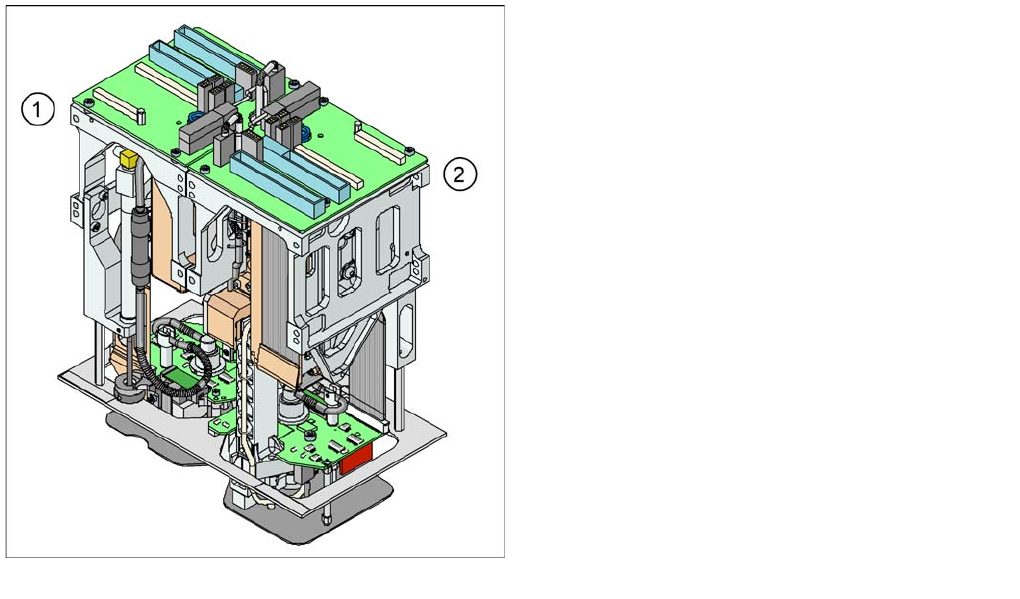
View of TwinHead
The TwinHead module 2 (2) has been mounted at an
angle of 180 degrees to module 1 (1).
▪ The distance between the nozzles is approximately
71 mm in X - direction.
▪ The maximum component height is 25 mm.
▪ The contact force at placement can be programmed
between 0.5 N and 15 N (up to 30 N for a highforce
TwinHead).
▪ The rotational accuracy is 0.07 degrees, 4 sigma/X
and Y axes 35 µm 4 sigma.
▪ The placement of special shaped components has
been improved:
TwinHead
Preparations for Component Pickup (Module 1) TwinHead Pickup and Place Cycle
Student Guide SIPLACE X-Serie and X4I SW70x (AL2) 326
Preparations for Component Pickup (Module 1)
9.3.3 Preparations for Component Pickup (Module 1)
Picking up the Component (Module 1)
9.3.3.1 Picking up the Component (Module 1)
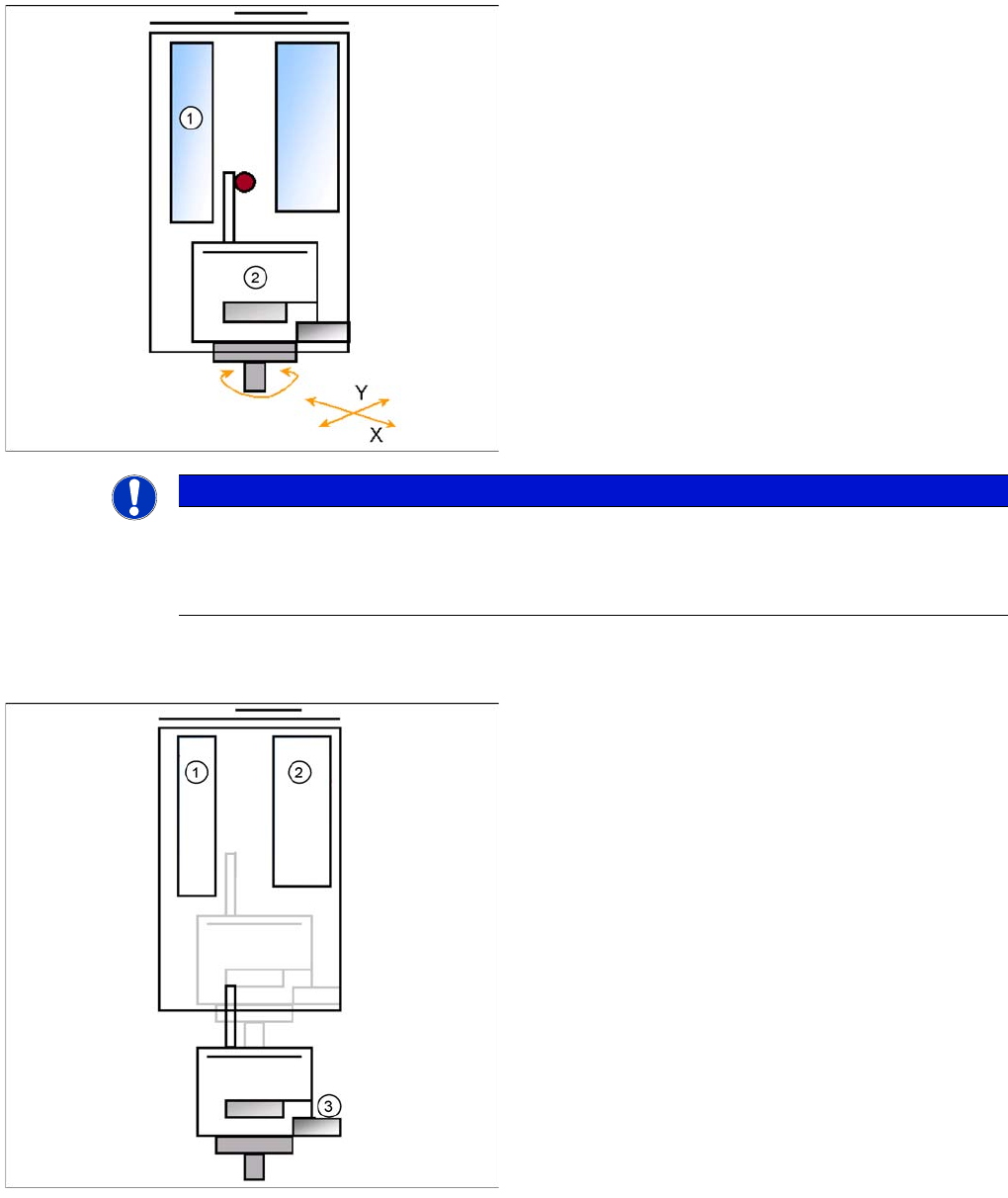
Legend
1. Z motor
2. D motor
▪ PCB-position recognition and Ink dot recognition.
▪ The X and Y gantry axes move to the feeder track or
pickup position.
▪ Start D Axis to set the Pick up angle during X / Y
positioning.
▪ Communication to component trolley ‘Feeder ready’
opens feeder pickup window.
NOTICE
For greater accuracy, the first five components of each board are centered above the IC
camera at 0° and 180° (SW 504). With the SW 505 and higher we will check the offset between
nozzle and IC/ FC camera via a fiducial near the IC/FC camera after a defined time. The fiducial
is on a metal plate and this plate is fixed between the camera and the machine frame.
Legend
1. Z motor
2. Vacuum/air blast generator
3. Force sensor
▪ Z Axis position downwards with Standard Pick up
mode at 2 N Pick up force.
▪ At contact with the component the force increase up
to the programmed value.
▪ When this value is reached, the end signal is
triggered and the vacuum check is activated.
TwinHead
TwinHead Pickup and Place Cycle Preparations for Component Pickup (Module 2)
327 Student Guide SIPLACE X-Serie and X4I SW70x (AL2)
Preparations for Component Pickup (Module 2)
9.3.4 Preparations for Component Pickup (Module 2)
Legend
1. Z motor
2. Vacuum/air blast generator
▪ The Z axis moves upwards with standard profile.
▪ Communication to component trolley ‘index feeder’
when the Z axis reaches the "safety height" position.
▪ At end signal Z Axis top -> Vacuum check ‘comp. on
nozzle’
▪ The D-axis is rotated to the placement angle (so that
only the component correction angle needs to be
rotated after centering).
▪ The next pickup sequence is prepared for a module 2
component.
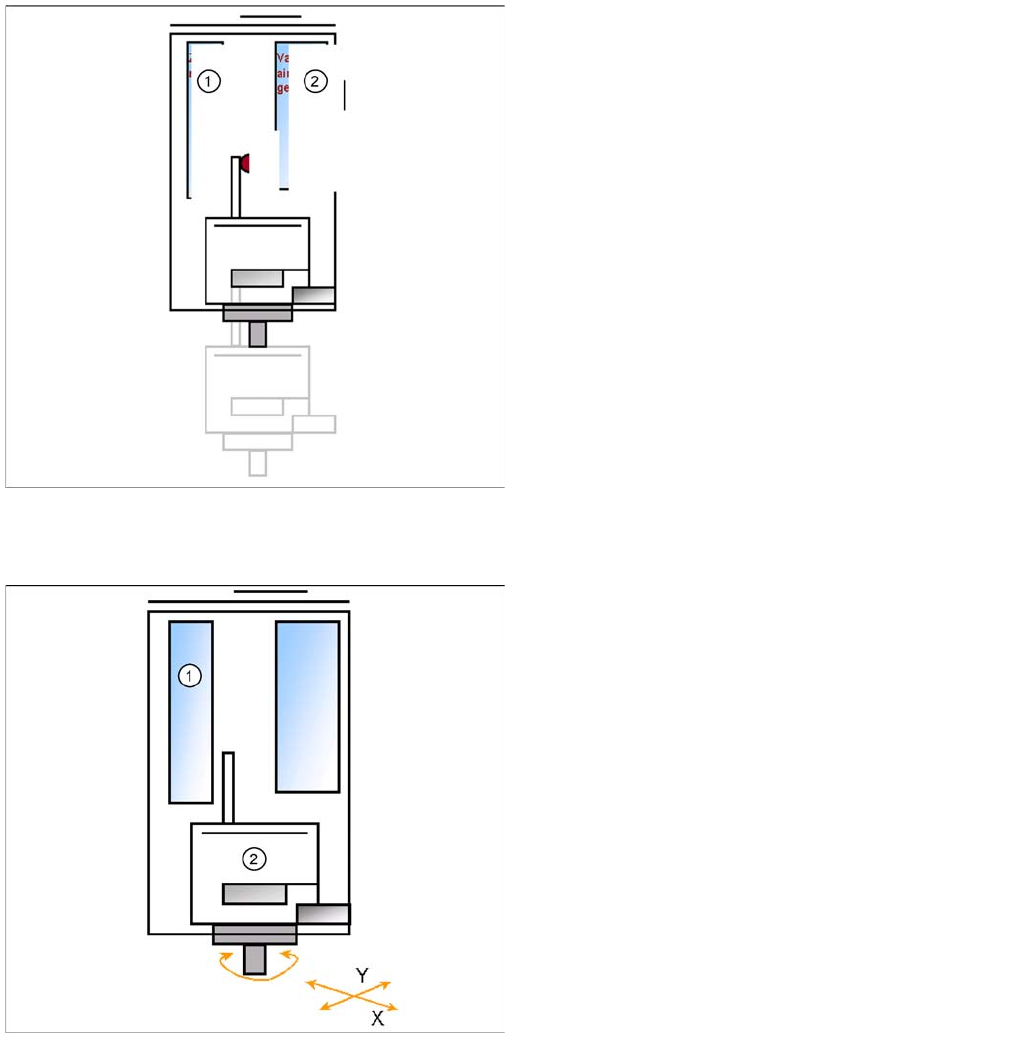
Legend
1. Z motor
2. D motor
Pick up with module 1 is finished.
▪ The X and Y gantry axes move to the feeder track or
pickup position.
▪ During gantry positioning, the module 2 D-axis
rotates to the pickup angle.
▪ Communication to component trolley ‘Feeder ready’
opens feeder pickup window.