00194614-08 Trainingsdoku. SG X-Serie_X4i SW70x (AL2)_EN.pdf - 第34页
Operational Safety Safety Instructions for C&P20A Head Safety Instructions for Oper ating the Machine Student Guide SIPLACE X-Serie and X4I SW70x (AL2) 34 Safety Instruc tions for Ope rating the Mac hine 2.3 Safety I…
Operational Safety
Warning Labels Warning Label W211 on the CEKON Plug
33 Student Guide SIPLACE X-Serie and X4I SW70x (AL2)
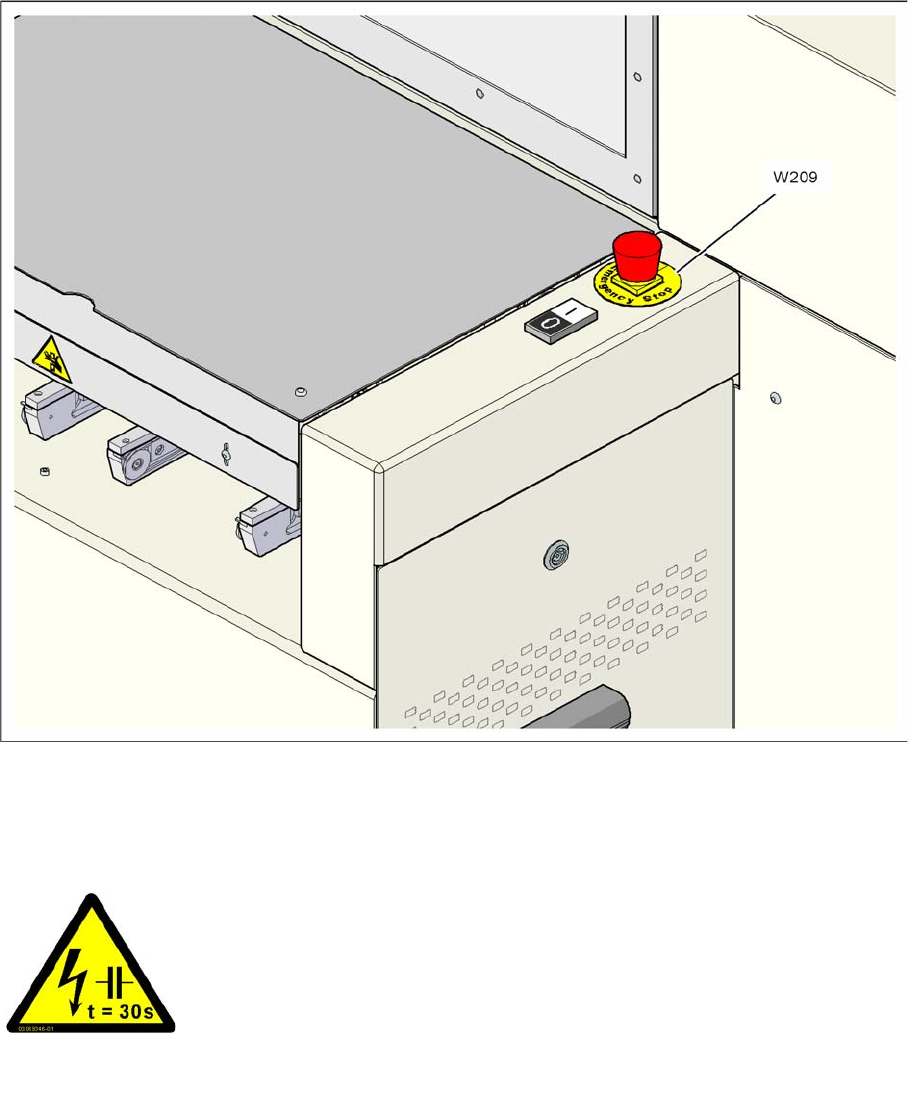
Warning label W209 on the emergency stop buttons
W209, article no. 03009349-01
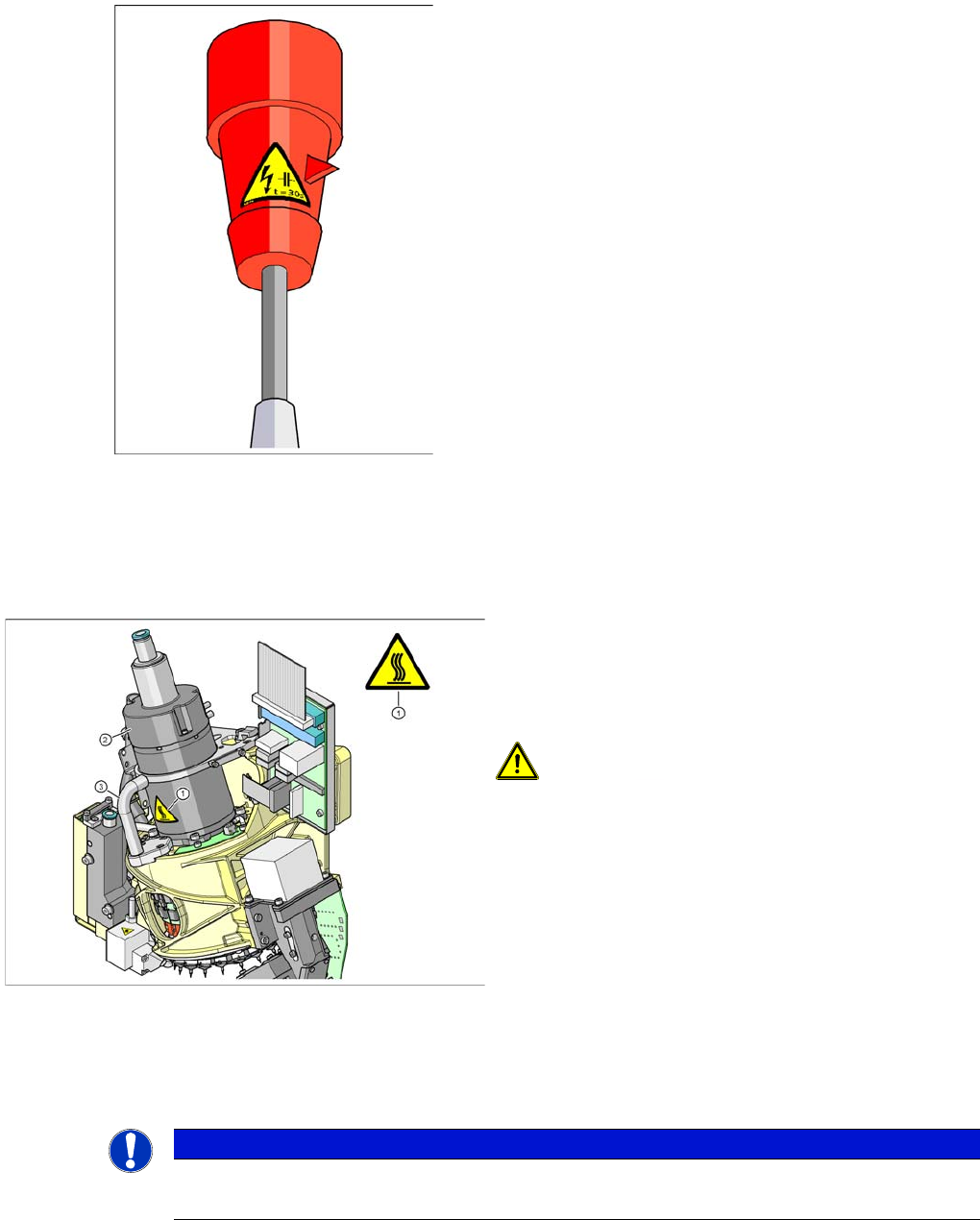
Warning Label W211 on the CEKON Plug
2.2.10 Warning Label W211 on the CEKON Plug
RESIDUAL VOLTAGE!
Wait 30 seconds after disconnecting the main power plug from the mains
to allow any residual voltages to dissipate.
NAFTA region: Hazardous Voltage
Residual power at plug prongs and wire ends will cause death or serious
injury. Avoid contact with power plug and/or wire ends for 30 seconds
(quantity per machine: 1)
Operational Safety
Safety Instructions for C&P20A Head Safety Instructions for Operating the Machine
Student Guide SIPLACE X-Serie and X4I SW70x (AL2) 34
Safety Instruc tions for Ope rating the Mac hine
2.3 Safety Instructions for Operating the Machine
Safety Instruc tions for C&P20A Head
2.3.1 Safety Instructions for C&P20A Head
Safety Instr uctions for th e Twin Head
2.3.2 Safety Instructions for the Twin Head
Item no. 03009351-01
High temperatures on C&P20A head during continuous
operation
Temperature warning label for C&P20A head
1. Temperature information label [03031926-01]
2. Star motor housing
3. Handle
CAUTION! HIGH TEMPERATURES
The star motor housing and the handle on the placement
head can develop high surface temperatures during
continuous operation or when the ambient temperature
exceeds 22° C. Take care when touching parts.
NOTICE
Twin Head
Twin Heads are not used on X4I machines.
Operational Safety
Safety Instructions for Operating the Machine Safety Instructions for Moving the Component Trolley
35 Student Guide SIPLACE X-Serie and X4I SW70x (AL2)
Safety Instruc tions for Man ual Movemen t of Z Axis on T win Head
2.3.2.1 Safety Instructions for Manual Movement of Z Axis on Twin Head
Safety Ins tructions for Twin Head V ision Modu les
2.3.2.2 Safety Instructions for Twin Head Vision Modules
Safety In structions for M oving the Componen t Trolley
2.3.3 Safety Instructions for Moving the Component Trolley
► Always hold the handles with both hands when you want to move the component trolley.
► Remember that a component trolley with the full complement of feeder modules can tip over
sideways or forward on gradients of 20 or more.
► Make sure that the surface on which the trolley is moved has a significantly smaller gradient.
► Be careful not to collide with obstacles. The trolley could tip forward if it is traveling fast enough.
DANGER
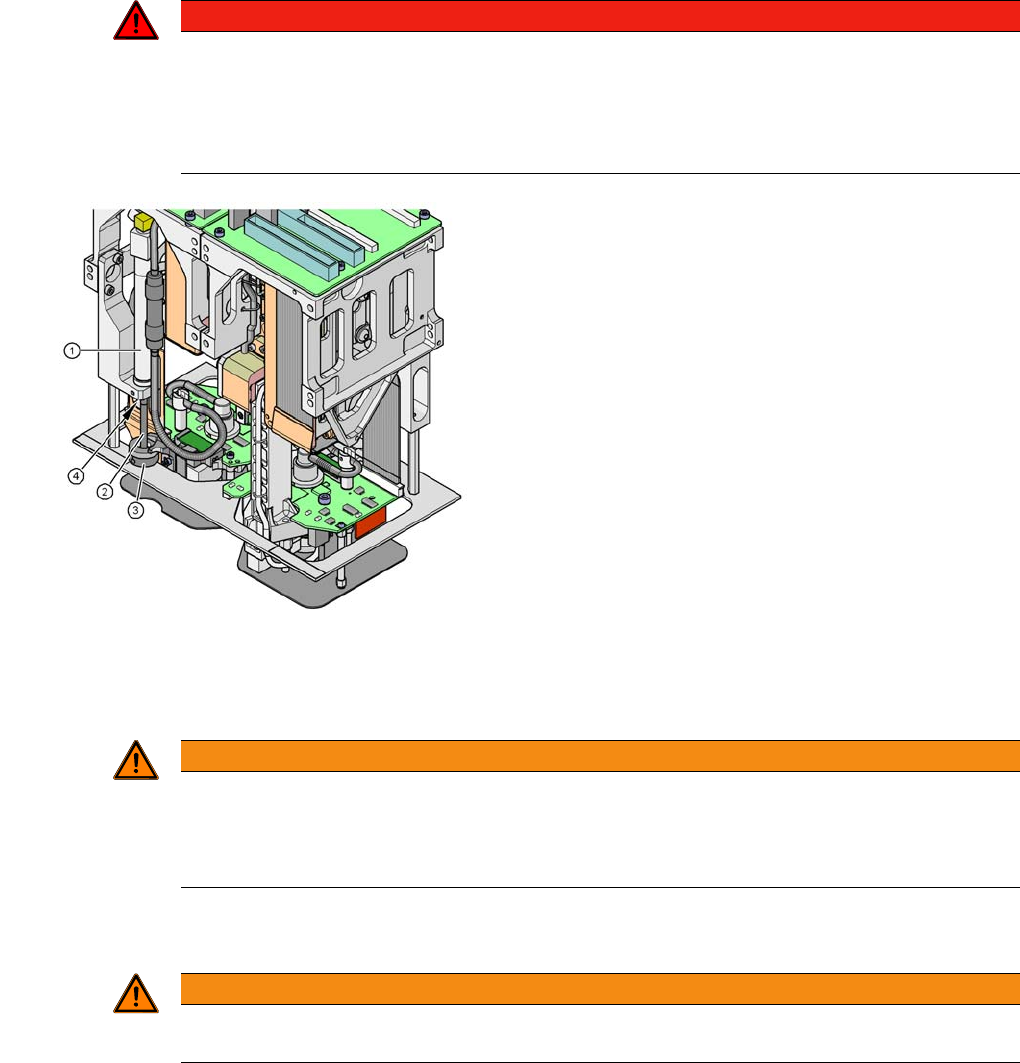
DANGER OF CRUSHING ON Twin HEAD!
Never move the Z axis downwards by holding on to the retract unit bumper. The strong spring
tension of the cylinder moves the bumper back very quickly and could injure your fingers. The
same warning applies to the inside of the Twin head, when the piston rod moves back to its
original position.
Risk of crushing by retract unit on Twin head
Legend
1. Retract unit, compressed air cylinder
2. Piston rod
3. Retract unit bumper
4. Risk of crushing/trapping fingers
WARNING
Risk of head crash!
When changing the placement head from a Twin head to a C&P, you need to dismantle the fine
pitch and Flipchip Vision modules on the Twin head, otherwise the C&P will collide with the
module housings.
WARNING
To prevent accidents, ALWAYS follow the rules listed below when you move the component
trolley.