00194614-08 Trainingsdoku. SG X-Serie_X4i SW70x (AL2)_EN.pdf - 第501页
MTC2 Masterdrives Downloading Parameter Sets 501 Student Guide SIPLACE X-Serie and X4I SW70x (AL2) Start Driv e Monitor 13.4.5.3 Start Drive Monitor ► Connect the cabel (s erial interfa ce) between the Masterdrives a nd …
MTC2
Downloading Parameter Sets Masterdrives
Student Guide SIPLACE X-Serie and X4I SW70x (AL2) 500
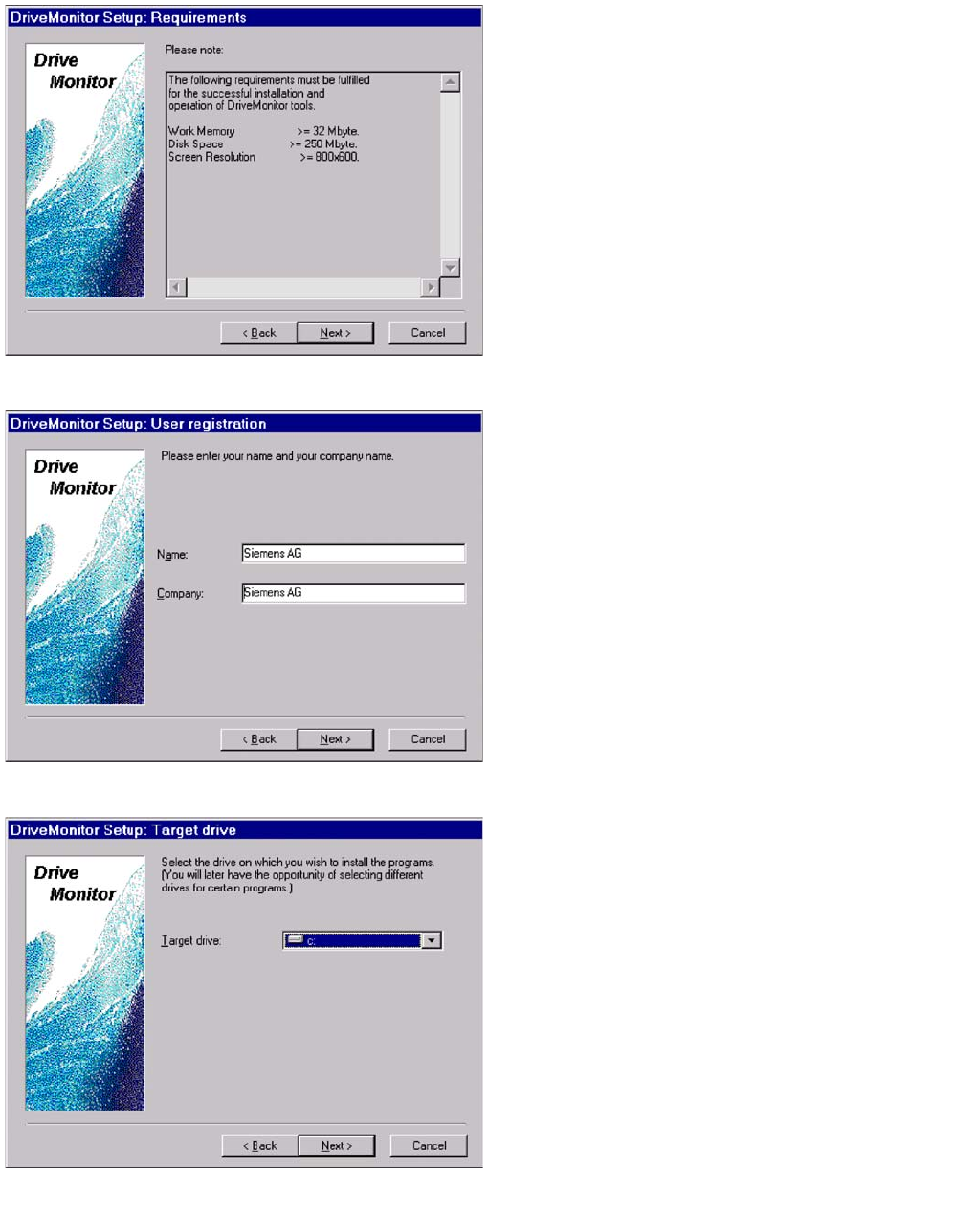
Computer requirements
► Select Next.
User registration
► Select Next.
Select the target drive, on which you wish to install the
program.
► Select Next.
MTC2
Masterdrives Downloading Parameter Sets
501 Student Guide SIPLACE X-Serie and X4I SW70x (AL2)
Start Drive Monitor
13.4.5.3 Start Drive Monitor
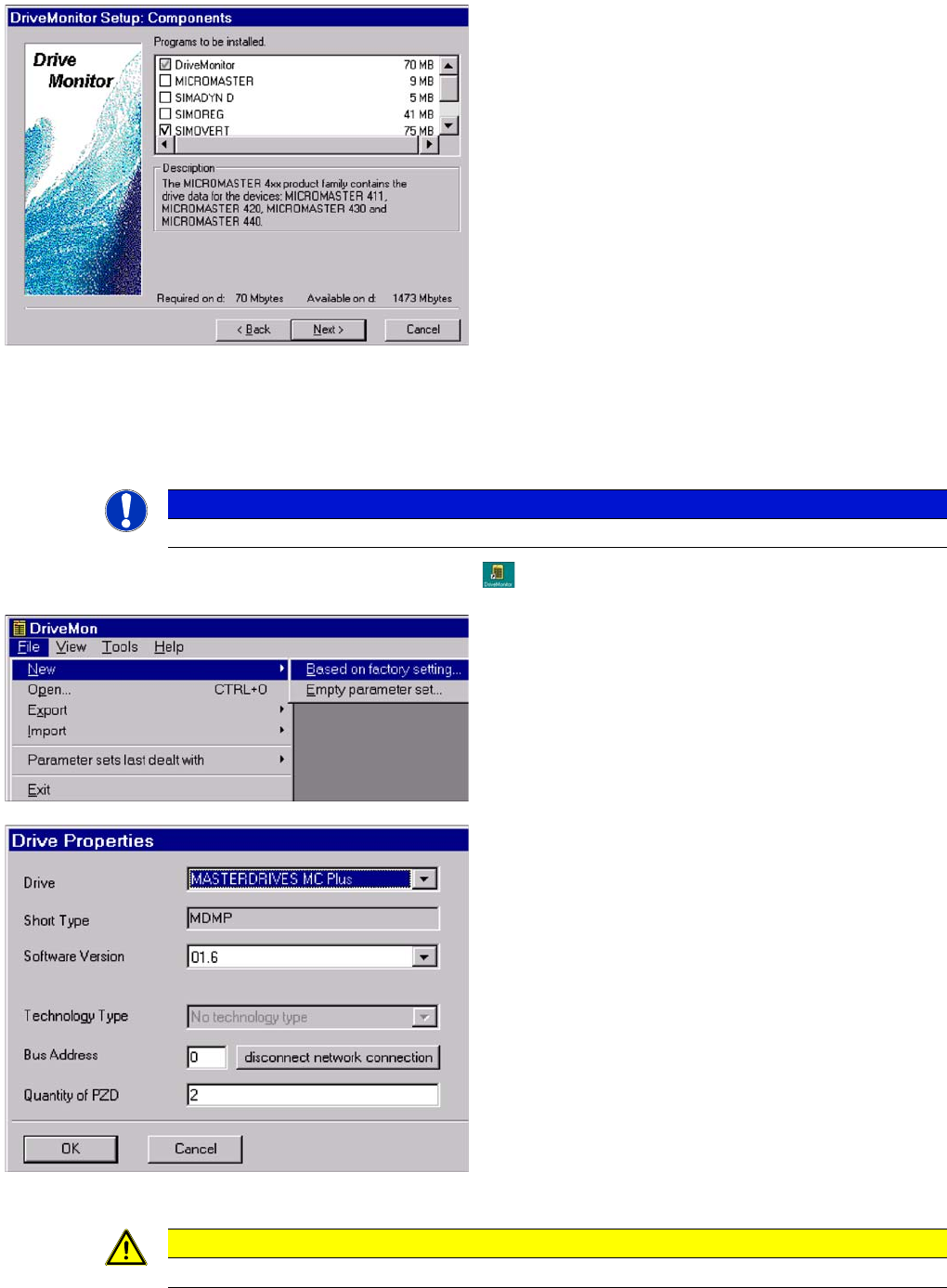
► Connect the cabel (serial interface) between the Masterdrives and Servicenotebook.
► Doubleclick on the icon Drive Monitor
► Select the Drive and the operating software for the drive.
► Select OK
Select the software components and .
► Select Next.
► Software installation will be started.
► Shutdown the computer and start again.
NOTICE
During the installation, the software create an ikon on the desktop.
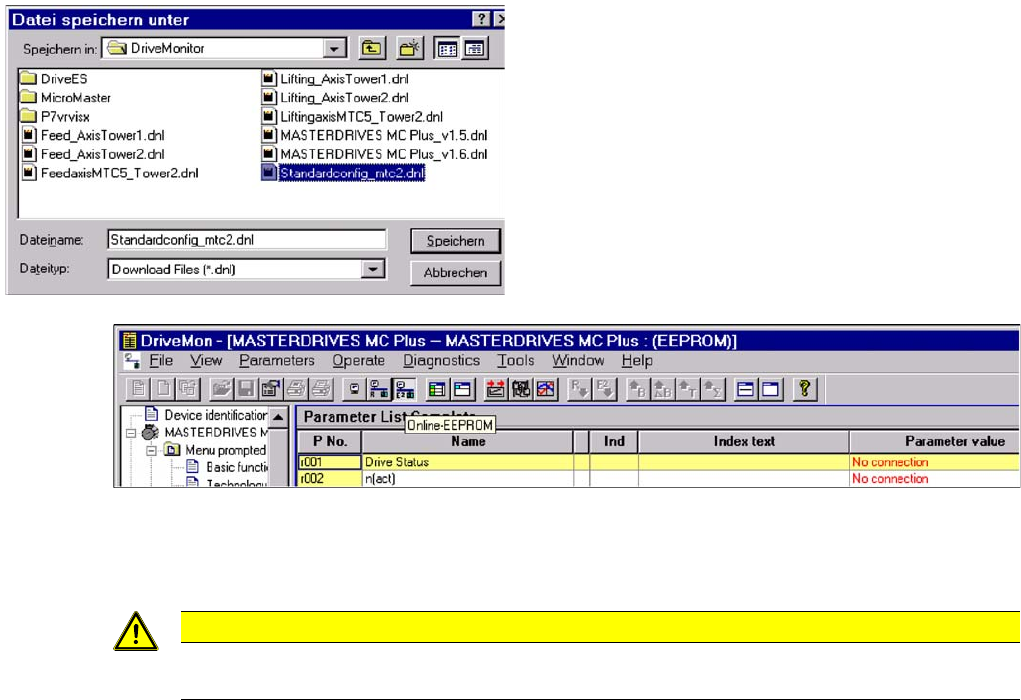
► Create a standard configuration file with
the ending .dnl (see diagram on left), with the
parameters shown in the diagram below.
CAUTION
Select the operating software 1.5 for the MTC 1!
MTC2
Downloading Parameter Sets Masterdrives
Student Guide SIPLACE X-Serie and X4I SW70x (AL2) 502
► Select Online EEPROM (see diagram above).
If the settings for the serial interfaces at the master drive and notebook are the same, you will now be
connected online to the drive.
To check the serial interface in the Drive Monitor software, go to TOOLS --> ONLINE SETTINGS .
Uploading the Parameter Se ts (Backup of P arameter Sets)
13.4.5.4 Uploading the Parameter Sets (Backup of Parameter Sets)
► Select FILE --> UPLOAD --> BASIC DEVICE COMPLETE
► Save the parameter set under a name which make sense, for example feed axis tower 1 and
additionally the serial number of the MTC2.
► Select Save.
CAUTION
All parameters which you change now will be send to the drive directly and they are immediately
active.