00194614-08 Trainingsdoku. SG X-Serie_X4i SW70x (AL2)_EN.pdf - 第463页
MTC2 Construction and mode of operation MTC2 - Individual Functions 463 Student Guide SIPLACE X-Serie and X4I SW70x (AL2) Functions in this view Matrix-tray chan ger single functions ▪ Button Transport position This func…
MTC2
MTC2 - Individual Functions Construction and mode of operation
Student Guide SIPLACE X-Serie and X4I SW70x (AL2) 462
▪ Button Mechanical functions...
To call up the individual functions for the MTC2, see Section 13.2.9 "MTC2 - Individual Functions".
Field Single magazine:
▪ Button In operation
The waffle pack tray in the selected level is put into operation, which means that components can be
picked up from it. The component filling level for this level is displayed in green in the table.
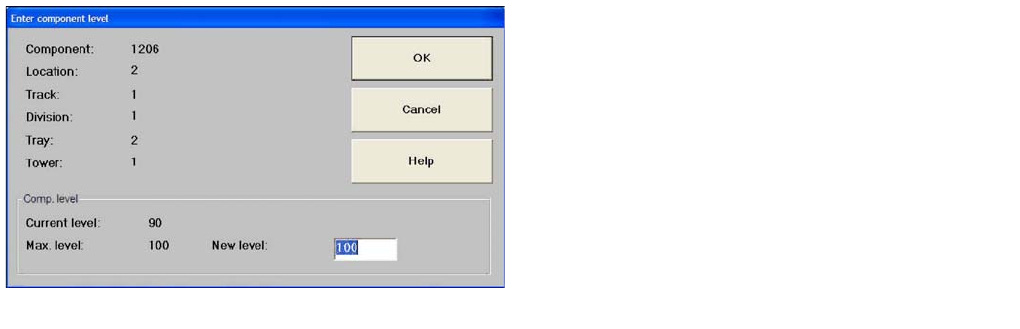
▪ Button Enter component level
The following dialog box, in which the component level is shown, will open.
▪ Button Maximum component level
Confirms that the waffle pack tray in the selected level is full.
The component level displayed in the table is updated.
Field Complete cassette:
▪ Button Out of operation
All waffle pack trays in the selected cassette are put out of operation, which means that components
can not be picked up from them. A message is displayed, and the component level for this level is
displayed in red in the table.
▪ Button Maximum component level
Confirms that the waffle pack trays in all levels of the selected cassette are full.
The component level displayed in the table is updated.
MTC2 - Ind ividual Functions
13.2.9 MTC2 - Individual Functions
The button Mechanical functions... in the view Matrix-tray changer (see Sec"13.2.8.3
"Matrix-tray changer" view (Example: location 2)" [ ➙ 461]) can be used to call up the individual MTC2
functions.
Dialog box
▪ entry field New level
► Enter the value for the actual number of refilled
components.
Confirm your entry with OK
The component level displayed in the table is
updated.
MTC2
Construction and mode of operation MTC2 - Individual Functions
463 Student Guide SIPLACE X-Serie and X4I SW70x (AL2)
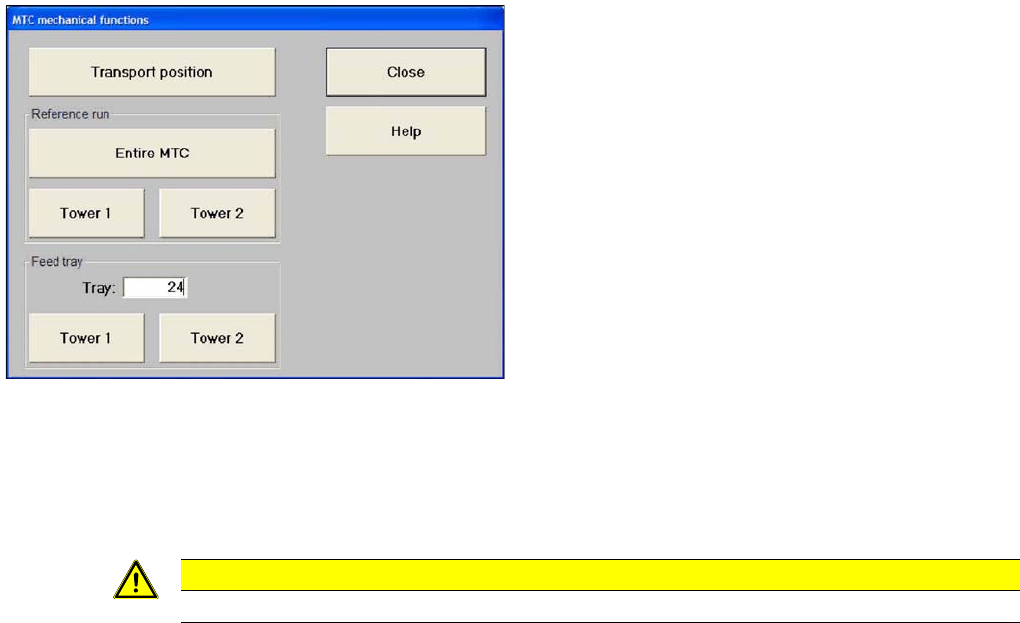
Functions in this view Matrix-tray changer single functions
▪ Button Transport position
This function moves the MTC2 into a defined position for transport.
▪ Field Reference Run:
– Button Entire MTC2
A reference run is carried out with the entire MTC2.
– Button Tower 1
A reference run is carried out with tower 1.
– Button Tower 2
A reference run is carried out with tower 2.
▪ Field Prepare level:
– entry field Level:
Entry field for the level containing the waffle pack tray to be made available.
– Button Tower 1
The waffle pack tray of the level entered is moved out of tower 1.
– Button Tower 2
The waffle pack tray of the level entered is moved out of tower 2.
Settings box
"Matrix Tray Changer individual functions view
CAUTION
Make sure that the MTC2 is not in the refill position when this function is executed.
MTC2
Calibration sequence in general MTC2 Calibration and Settings
Student Guide SIPLACE X-Serie and X4I SW70x (AL2) 464
MTC2 Ca libration and Sett ings
13.3 MTC2 Calibration and Settings
Calibration sequence in general
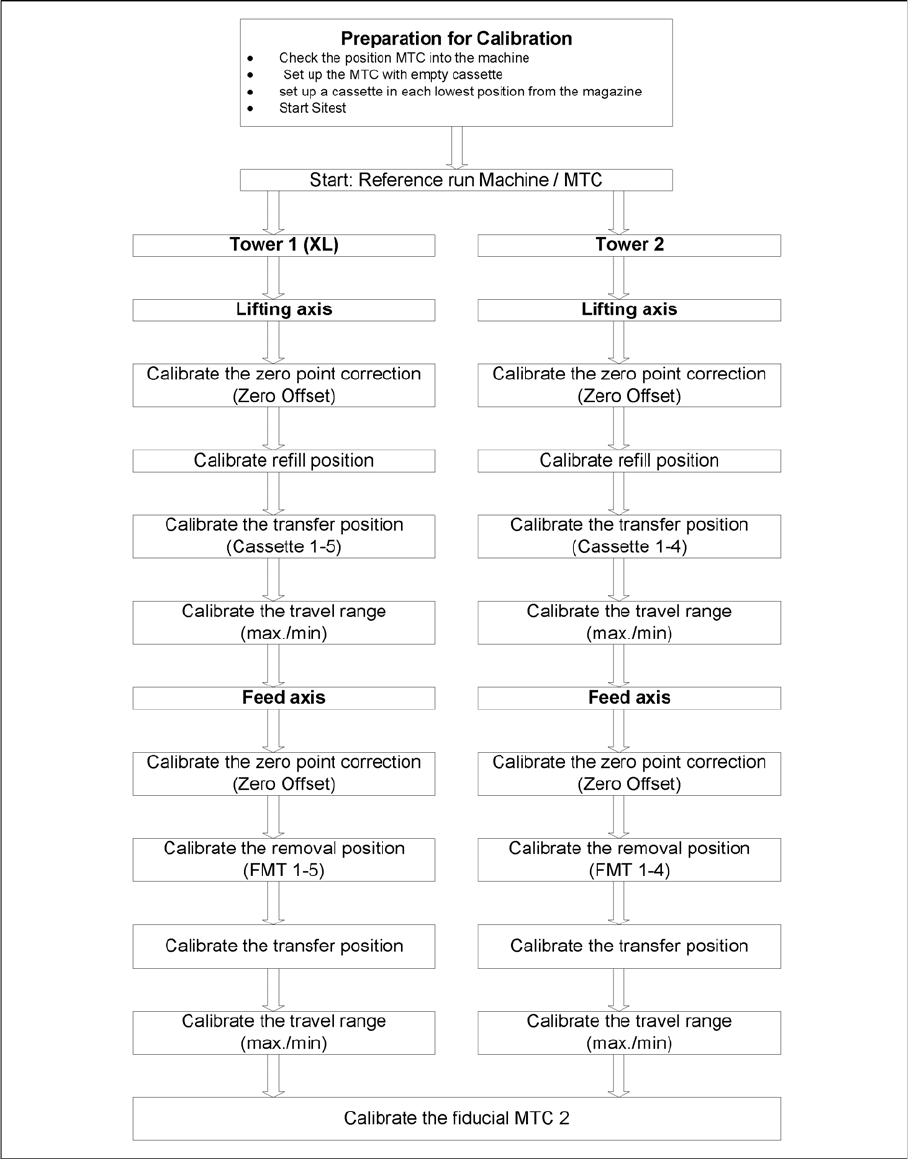
13.3.1 Calibration sequence in general
General Calibration sequence