00194614-08 Trainingsdoku. SG X-Serie_X4i SW70x (AL2)_EN.pdf - 第228页
C&P20A Preparing the Z Axis before the Reference Run Reference Run for C&P20A H ead Student Guide SIPLACE X-Serie and X4I SW70x (AL2) 228 Referenc e Run for C&P20A Head 7.3 Reference Run for C&P20A Head P…
C&P20A
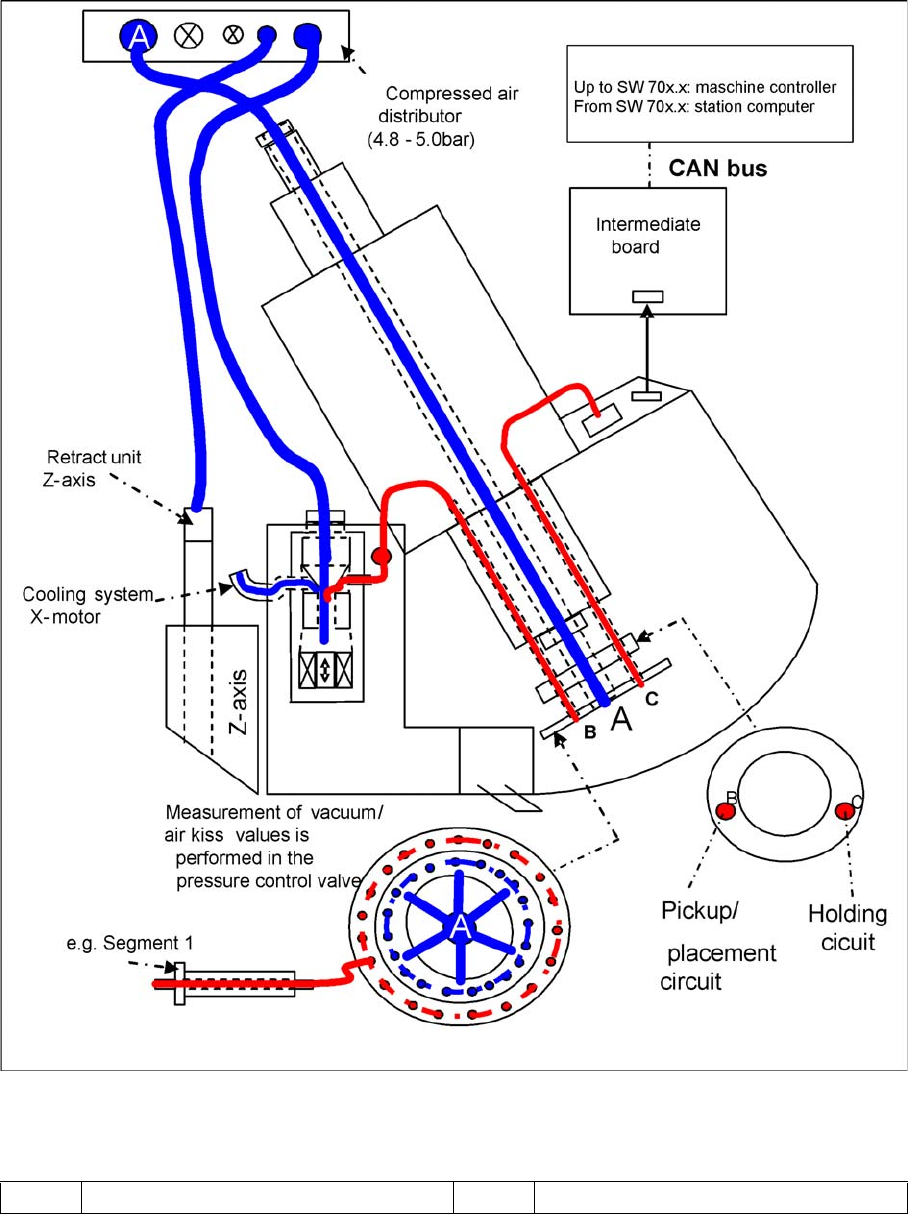
Overview Compressed Air Supply to the C&P20A
227 Student Guide SIPLACE X-Serie and X4I SW70x (AL2)
Overview of Vacuu m Supply
7.2.5.2 Overview of Vacuum Supply
General overview of the vacuum function
Legend
RED Vacuum BLUE Compressed air (air blast)
C&P20A
Preparing the Z Axis before the Reference Run Reference Run for C&P20A Head
Student Guide SIPLACE X-Serie and X4I SW70x (AL2) 228
Referenc e Run for C&P20A Head
7.3 Reference Run for C&P20A Head
Preparing the Z Axis before the Reference R un
7.3.1 Preparing the Z Axis before the Reference Run
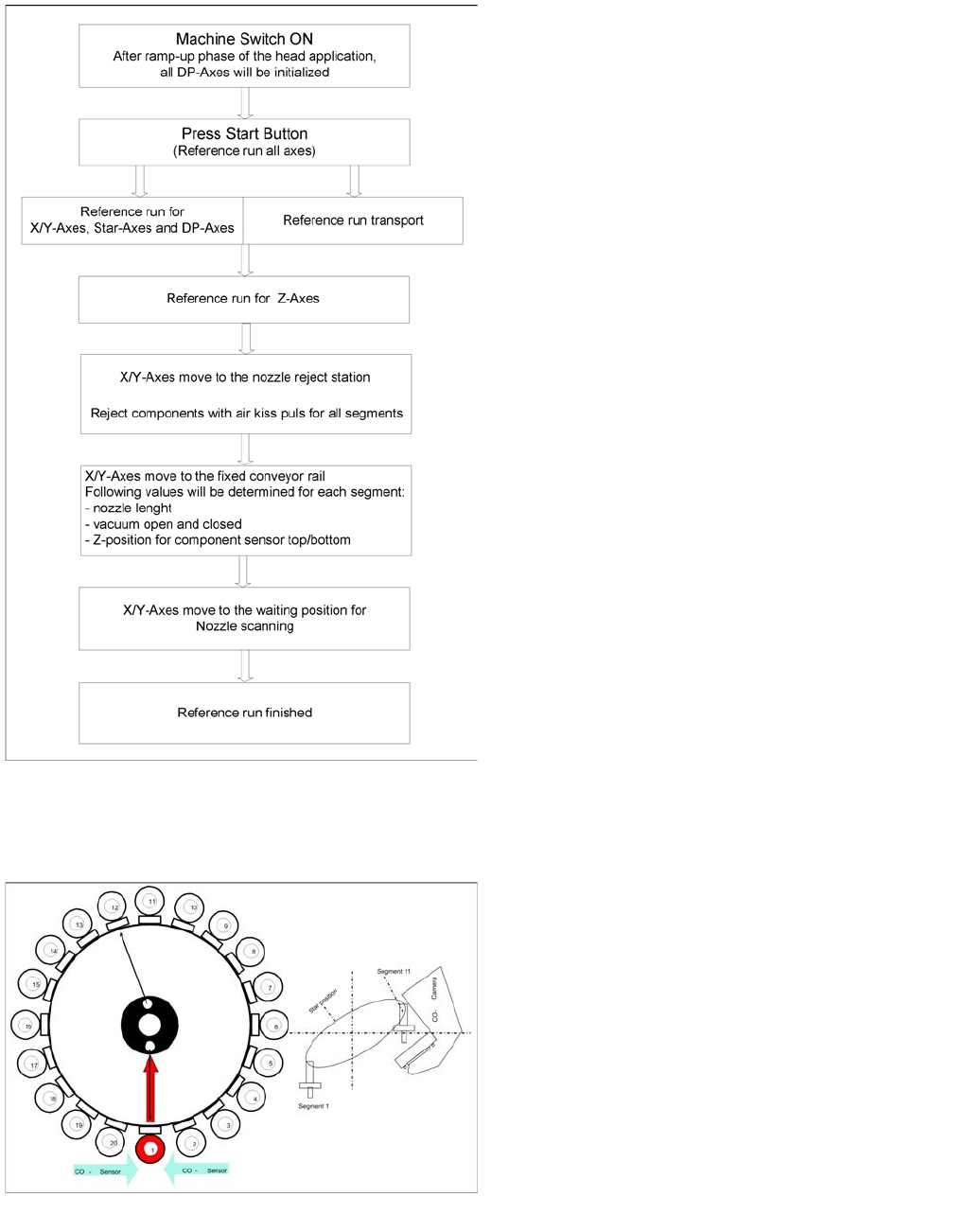
Reference run for C&P20 head
The C&P20 head has 22 axes: the Z axis, the star axis
and 20 independently working DP axes, plus the X and Y
axes for the gantry. Before starting production, all axes
must be initialized, so that the axis controller can locate
their actual mechanical positions. The software start
procedure first loads the DP master firmware and then
rotates the DP axes into the 0° position.
General Procedure
▪ The reference run for the individual axes could be
optimized so that the X, Y, star and all DP axes visibly
start at the same time. As can be seen in the flow
chart, only the Z axis is moved as the last axis.
Preparing the Z axis before the reference run (C&P20A)
The Z axis retract unit ensures that the Z axis is in a safe
position (Z up) as soon as the machine is started. This is
the requirement for starting the star axis reference run.
C&P20A
Reference Run for C&P20A Head Star Axis Reference Run
229 Student Guide SIPLACE X-Serie and X4I SW70x (AL2)
Star Axis Reference Run
7.3.2 Star Axis Reference Run
Z Axis Reference Run
7.3.3 Z Axis Reference Run
DP Axis Reference Run
7.3.4 DP Axis Reference Run
▪ The machine start procedure: After the DP master firmware is loaded the DP drives are initialized.
▪ In the reference runs for the star axis, the DP drives rotate the segments into the 0° position again.
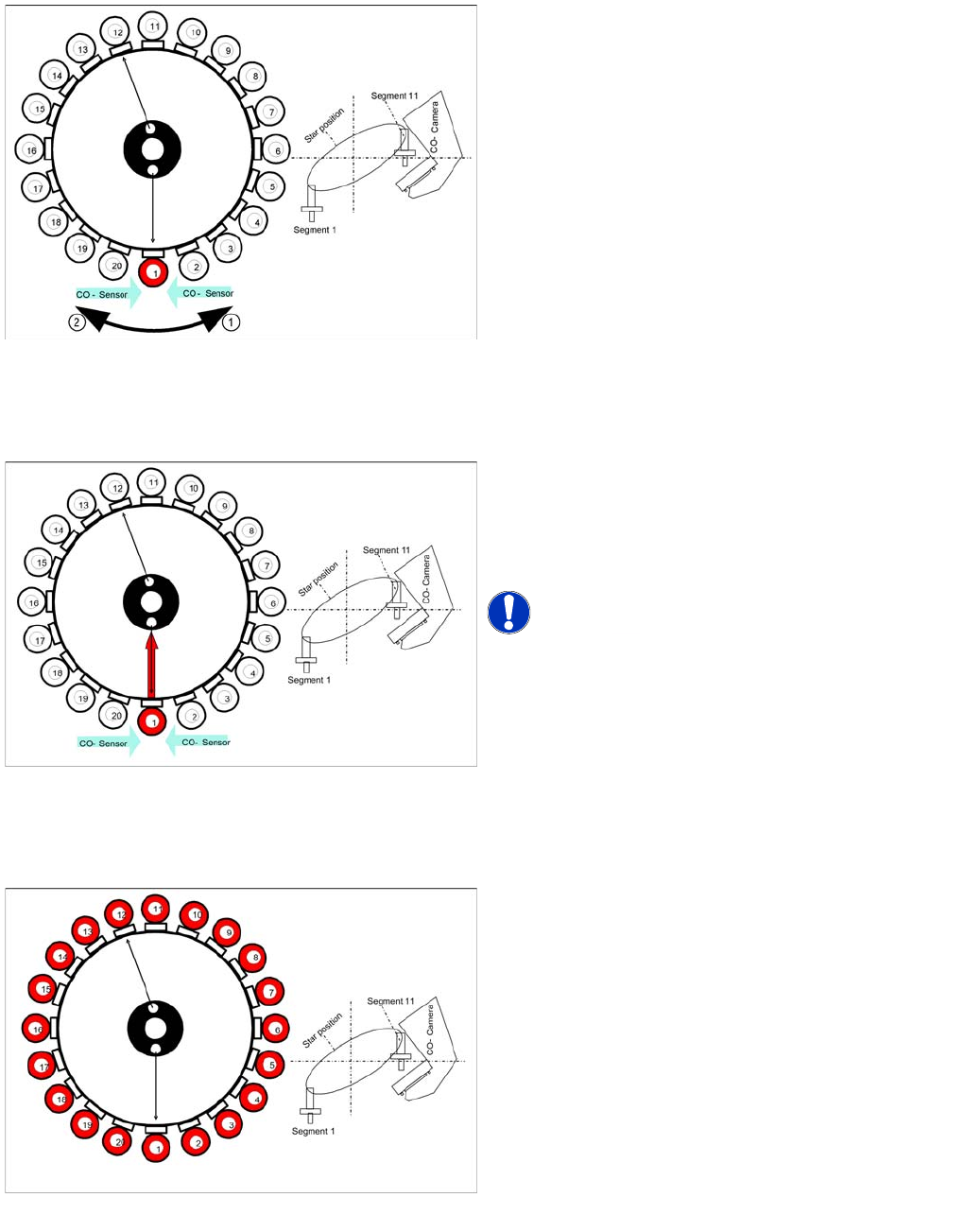
Star axis reference run
The star axis rotates in an anticlockwise direction (1) to
the zero pulse of the incremental encoder. After reaching
the zero pulse, the zero point correction is loaded. The
star axis rotates in a clockwise direction (2) (according to
the zero point correction factor) until the zero point
correction position is reached and then sets the counter
to 0 digits.
Segment number 1 is now in pickup / placement position.
Z Axis Reference Run
The Z axis travels down to the zero pulse of the
incremental encoder. After reaching the zero pulse, the
zero point correction is loaded. The Z axis travels to the
zero point correction value and the position counter is set
to 0 digits.
NOTICE! Station software startup initiates a
comparison of the Z and star axis zero point correction
values between the head EPROM and the machine data.
If the zero point correction values are not the same,
recalculate the zero point correction for the Z and star
axes.
DP axis reference run
The DP axis rotates the nozzle into the correct pickup
angle and placement angle. After component recognition
has been performed, the DP axis turns the components
into the correct placement angles and the determined
correction angle from the vision system.