4OM-1603-007_w.pdf - 第121页
4OM-1603 1-66 6. Head Change Procedure (Hard) : Chap.1 1202-002 (6) Loosen the round head screws on the rear of the control box. Round Head Screw F4A45 (7) Loosen the head set bolt (M6 bolt) and pull out the bolt. Head S…
4OM-1603
1-65
6. Head Change Procedure (Hard) : Chap.1
1202-002
6. Head Change Procedure (Hard)
Note
Provide the following tools.
•
Hexagon Wrench for M6
•
Phillips Type Screwdriver (for attaching the round head screws)
•
Precision Screwdriver (for setting the rotary switch)
Procedure
(1) House the nozzle attached to the head.
(2) After the machine shut-down, turn off the breaker and stop the air supply.
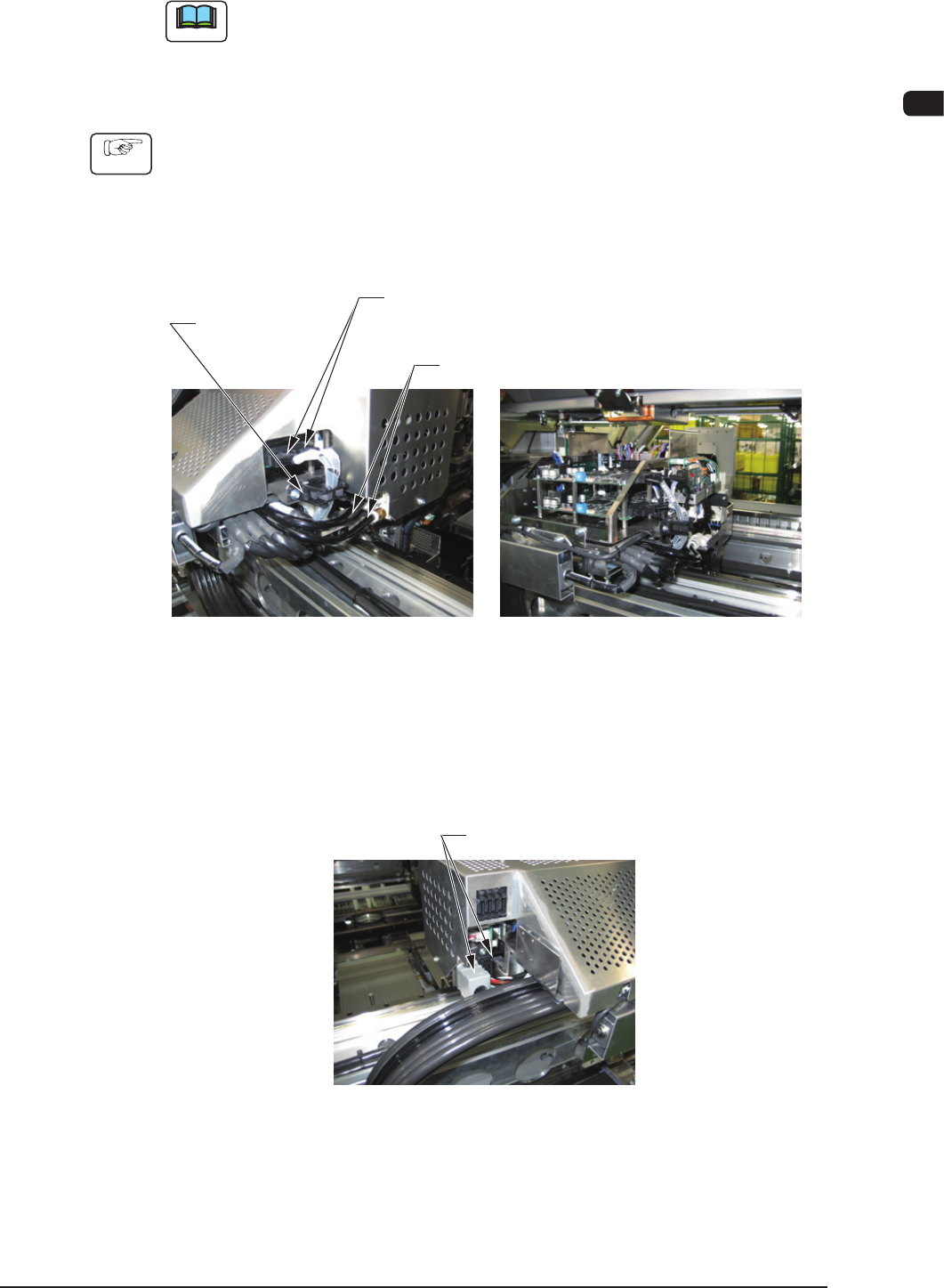
(3) Remove the ber optic cable from the ber optic cable set belt.
Two Piping Tubes
Two Fiber Optic Cables
(Four for Multi-Functional Head)
High Speed Head Multi-Function Head
Fiber Optic
Cable Set Belt
F4A43
(4) Remove the piping tubes.
(5) Disconnect the connectors.
Two Connectors
F4A44
4OM-1603
1-66
6. Head Change Procedure (Hard) : Chap.1
1202-002
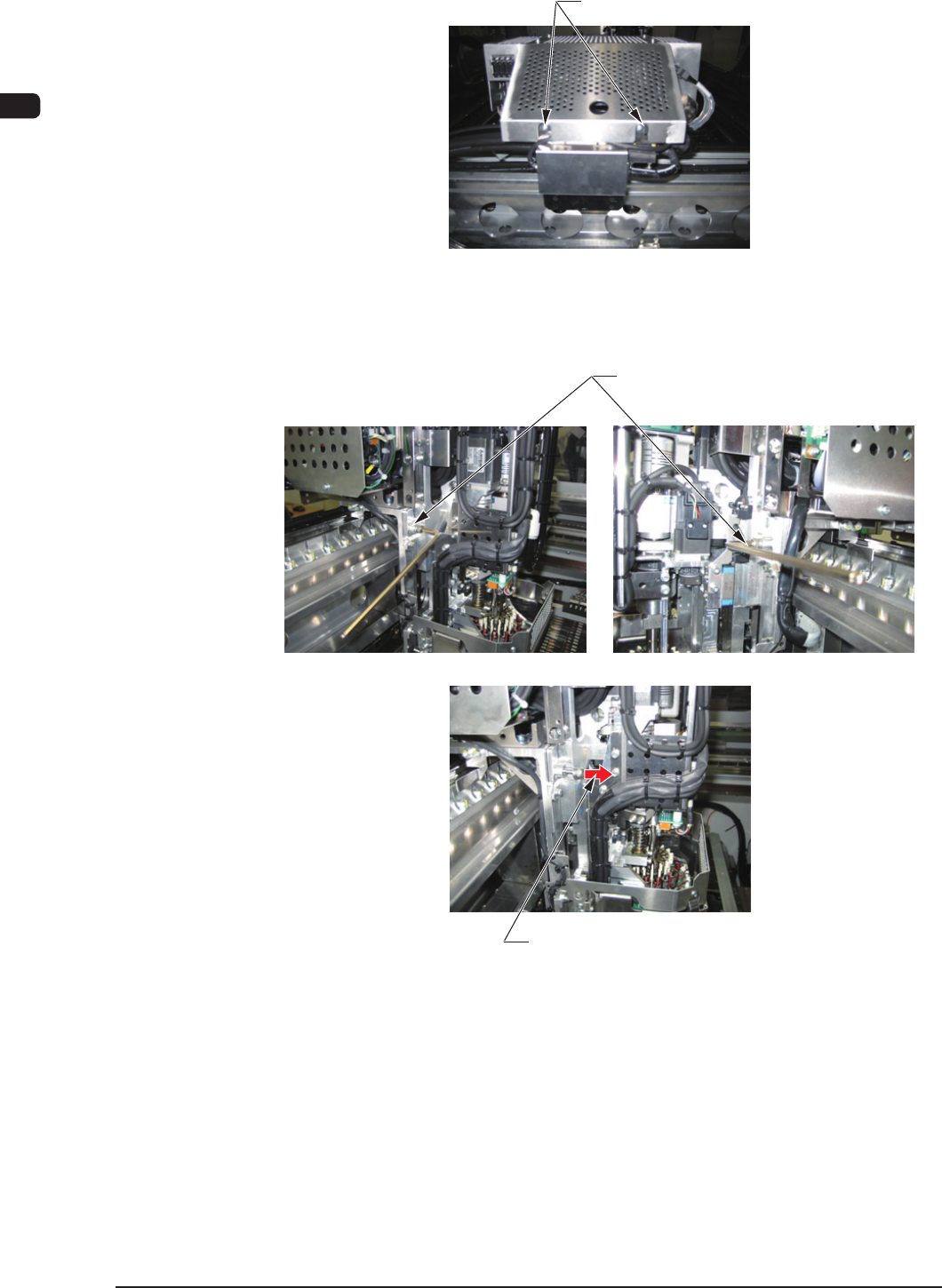
(6) Loosen the round head screws on the rear of the control box.
Round Head Screw
F4A45
(7) Loosen the head set bolt (M6 bolt) and pull out the bolt.
Head Set Bolts
Pull out the head set bolt.
F4A46
4OM-1603
1-67
6. Head Change Procedure (Hard) : Chap.1
1202-002
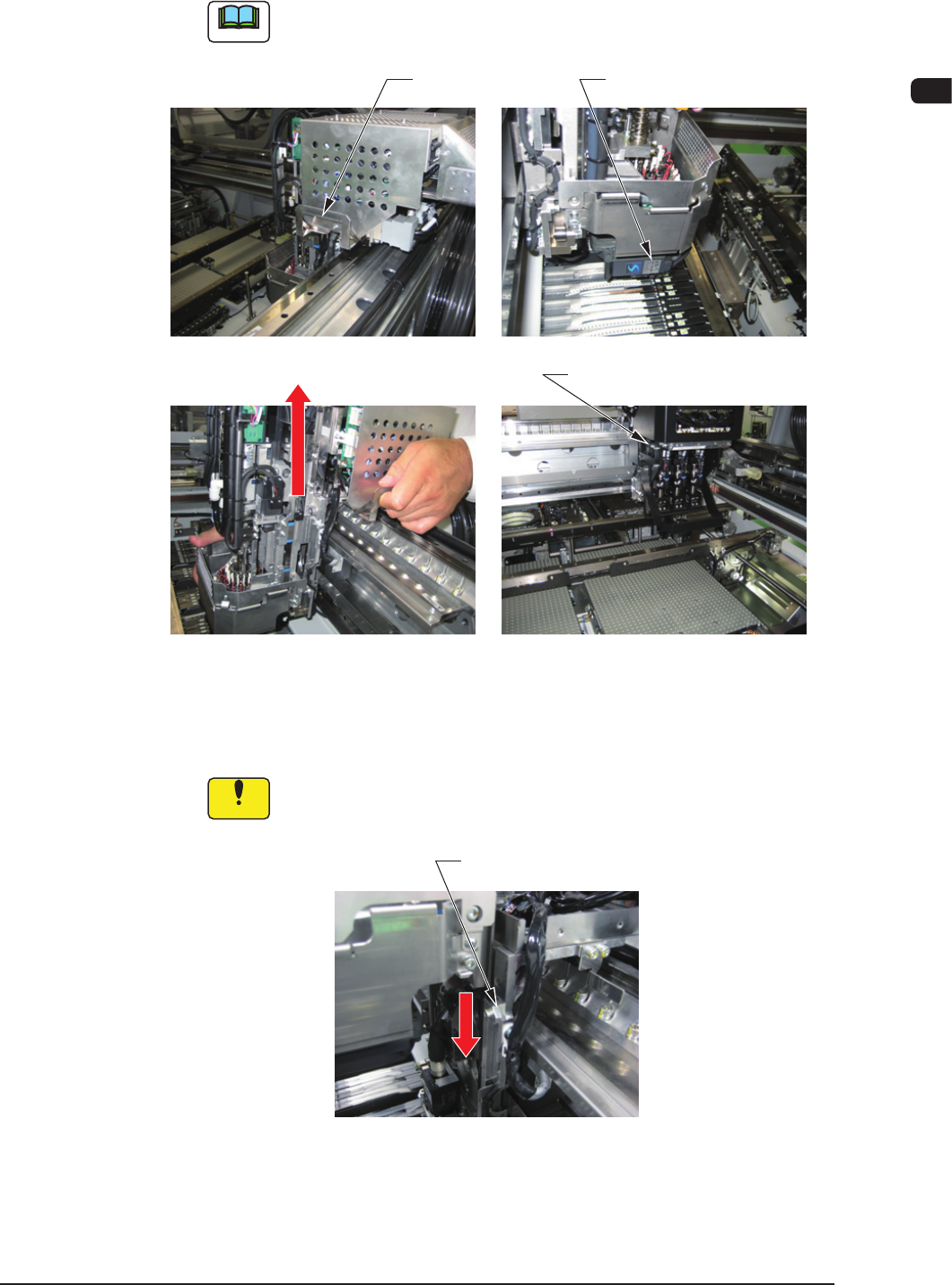
(8) Hold the head bumper and handle section (for the head without the handle,
hold the bottom of the control box), and move the head up to remove.
Note
For the multi-functional head, hold the bottom of the control box instead
of the handle to perform the work.
Handgrip Bumper
Multi-Function Head Bumper
Move it up
F4A47
(9) Insert the head to be attached to the head attachment rail, from the beam
upper direction, and move it down slowly to the lower wedge position.
Notice
Take care not to drop the head when the above work is performed.
Head Attachment Rail
F4A48