2OM-1064-002.pdf - 第116页
4.2 P A TTERN PROGRAM EDIT Display (1) Select the pattern program to be edited by pressing the desired “NAME (XX/XX)” key at the “P A TTERN PROGRAM” display (Fig. 2.92). Then, press the [PROGRAM EDIT] key . The following…
4. PATTERN PROGRAM Display
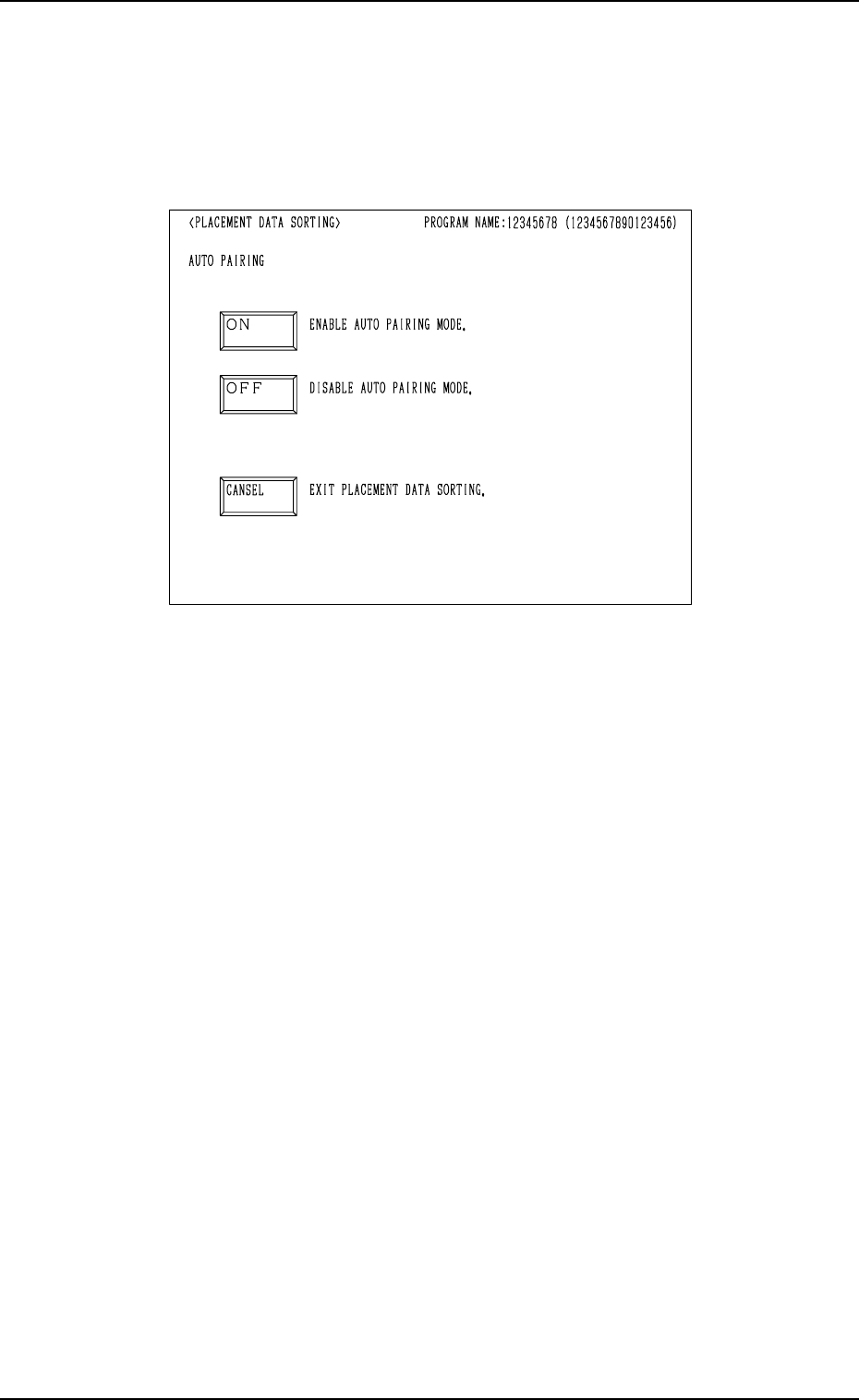
4.1.3 PLACEMENT DATA SORTING Display
(1) Select the [NAME (XX/XX)] key of the program to be sorted and press
the [PROGRAM OPTIMUM] key at the “PATTERN PROGRAM” dis-
play (Fig. 2.92).
The following display appears on the screen.
0004-002 2-103 Tg0247-PM-PM
Fig. 2.94-1
(2) Select the desired sorting method.
• When the [ON] key is pressed, the “S-DATA” of the placement data is
initialized and the pairing operations are performed automatically for
the simultaneous pick-up and pick-up priority functions. Then, the place-
ment steps (order) are sorted.
The system proceeds to Step (3).
• When the [OFF] key is pressed, the “S-DATA” of the placement data is
not initialized and the placement steps (order) are sorted.
The system proceeds to Step (3).
• When the [CANCEL] key is pressed, the program sorting function is
canceled.
(3) The program check operation is performed.
• When the program is checked “OK”, the system proceeds to Step (4).
• When the program is checked “NG” (No Good), the system proceeds
to Step (6).
(4) The program is sorted.
• When the program is checked “OK”, the system proceeds to Step (5).
• When the program is checked “NG”, the system proceeds to Step (6).
(5) The program check operation is performed again.
• When the program is checked “OK”, the sorting ends and the “PAT-
TERN PROGRAM EDIT” display appears on the screen.
• When the program is checked “NG”, the system proceeds to Step (6).
(6) The contents of errors are displayed.
Correct the placement data and re-perform the sorting.
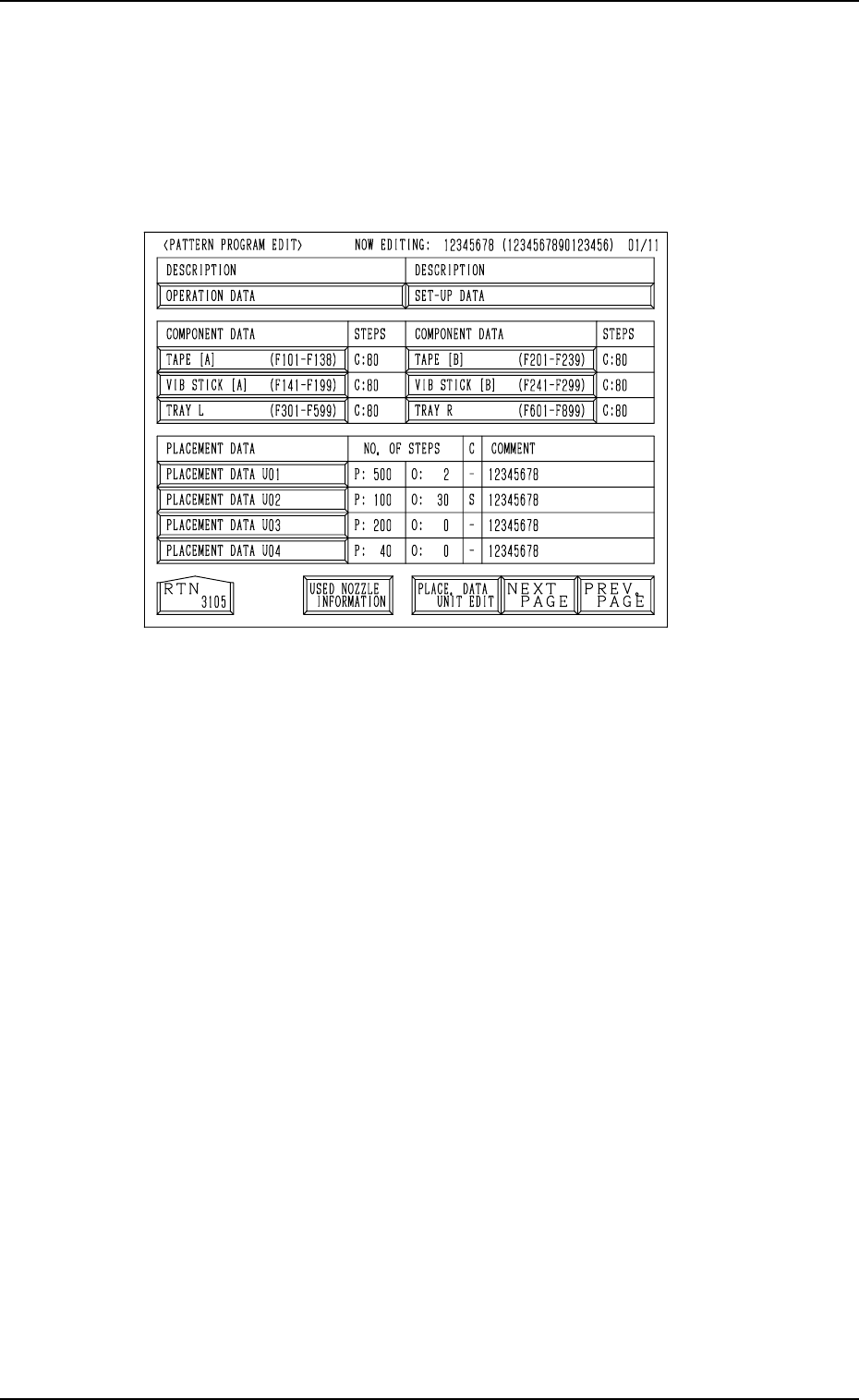
4.2 PATTERN PROGRAM EDIT Display
(1) Select the pattern program to be edited by pressing the desired “NAME
(XX/XX)” key at the “PATTERN PROGRAM” display (Fig. 2.92). Then,
press the [PROGRAM EDIT] key.
The following display appears on the screen.
Fig. 2.95
(2) Select the data to be edited.
(3) The corresponding display opens for editing.
(4) Edit parameters at each corresponding display.
(5) Open the “PATTERN PROGRAM EDIT” display again.
(6) When the [RTN] key is pressed after data editing, the “PATTERN PRO-
GRAM SAVE MODE” display appears on the screen.
Refer to “4.8 PATTERN PROGRAM SAVE MODE Display of Section
2” for details.
4. PATTERN PROGRAM Display
0004-002 2-104 Tg0247-PM-PM
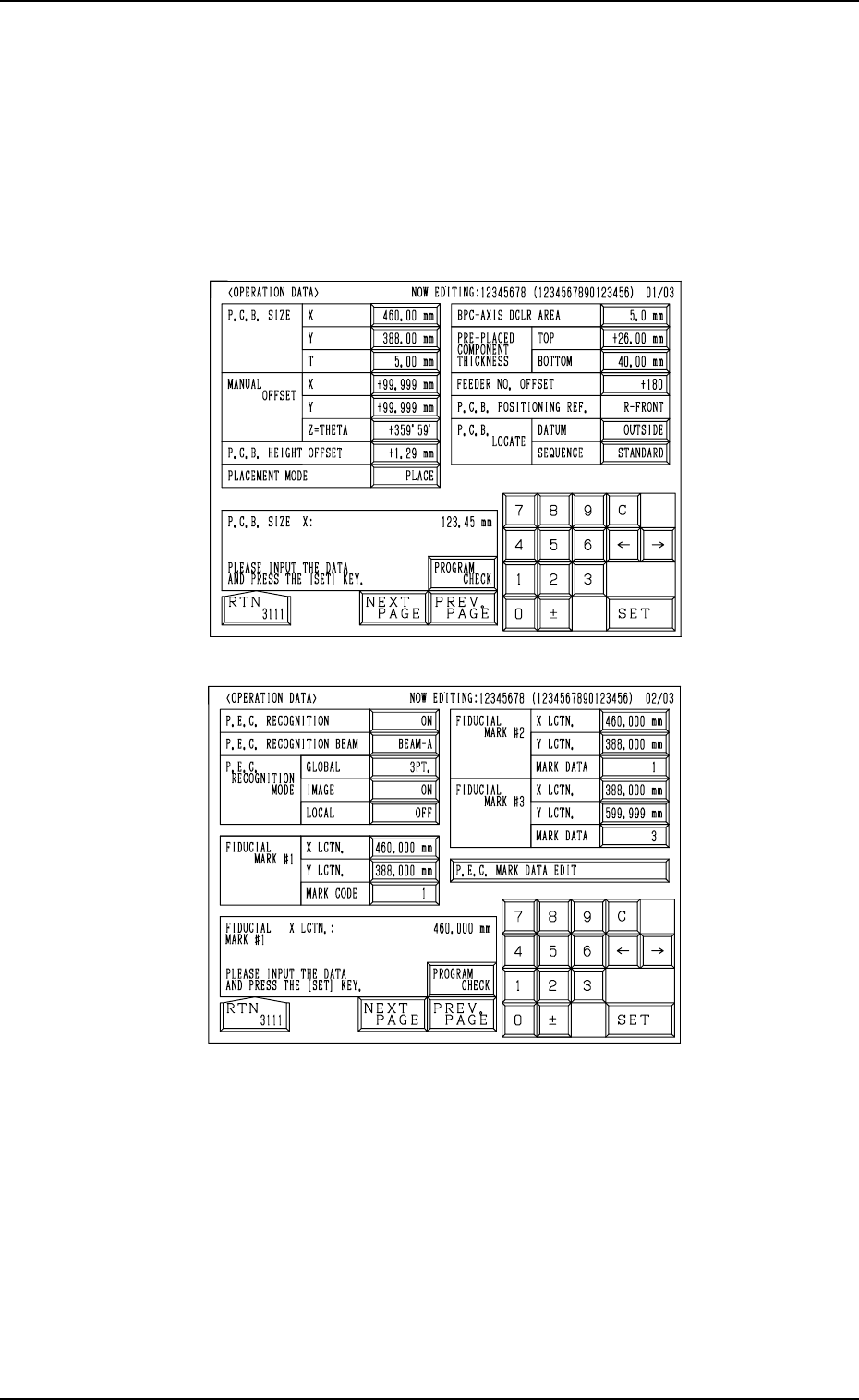
First Page
Second Page
Fig. 2.96-1
Fig. 2.96-2
4. PATTERN PROGRAM Display
4.3 Operation Procedures
4.3.1 OPERATION DATA Display
(1) When the [OPERATION DATA] key is pressed at the “PATTERN PRO-
GRAM EDIT” display, the following display appears on the screen.
• Every time the [NEXT PAGE] or the [PREV. PAGE] key is pressed,
another or previous page appears on the screen.
0004-002 2-105 Tg0247-PM-PM